
ASUS NUC 14 Pro
4.9Editor score
Intel Ultra 7 155H CPU
Linux Mint pre-installed
Thunderbolt 4 connectivity
This guide compares the top Linux mini PCs for 2026, evaluating performance, port selection, and OS compatibility to help you choose the ideal compact system.
Linux mini PCs have become essential tools for developers and home enthusiasts seeking compact power without the bloat of proprietary operating systems. These devices offer a streamlined experience tailored for efficiency, security, and flexibility across various professional and personal use cases.
We evaluated ten leading models based on processor architecture, memory expandability, connectivity options, and native Linux support. Each product was assessed for real-world workload handling, thermal management, and value to ensure a reliable shortlist for diverse computing needs.
Every pick highlights specific strengths like pre-installed distributions, multi-display support, or robust networking features. Please note that prices and stock fluctuate frequently, so verify current availability before making your final decision to secure the best deal.
4.9Editor score

4.8Editor score

4.3Editor score
The following table provides a side-by-side comparison of all ten featured models to help you quickly identify the right fit for your specific computing requirements.


The TK Node Mini PC stands out as the premier choice for those seeking a reliable and versatile compact computing solution. It ships with Zorin OS Core pre-installed which offers a familiar desktop environment tailored for Linux users transitioning from Windows. The device delivers solid performance with its AMD Ryzen processor while maintaining efficient power usage ideal for daily productivity.
We may earn a commission when you buy through this link, at no additional cost to you.
Its standout qualities include exceptional expandability allowing users to upgrade RAM up to 64GB and add up to 4TB of storage via dual NVMe slots. This flexibility ensures the system remains relevant for years whether you are running virtual machines or storing large media libraries. The triple 4K display support enables a highly productive multitasking workflow across multiple screens.
While the base 8GB RAM configuration may require upgrades for intensive workloads this trade-off is acceptable given the robust expansion options available. Users can easily tailor the hardware to their specific needs ensuring optimal performance without overpaying for unnecessary capacity upfront. This approach keeps the initial cost manageable while providing room for growth.
This mini PC is ideal for developers IT professionals and home users who value flexibility and open-source operating systems. We recommend it for anyone looking to build a dedicated workstation or server that balances performance with cost efficiency. Always check the latest configurations to ensure your chosen setup meets your specific workload requirements.
Zorin OS provides an intuitive interface that simplifies the transition for users familiar with Windows environments while offering powerful open-source tools.
Dual memory and storage slots ensure you can upgrade components years down the line to keep pace with evolving software demands.
We may earn a commission when you buy through this link, at no additional cost to you.
The Beelink SER3 offers exceptional value for budget-conscious users requiring a capable machine for everyday computing tasks. It comes equipped with 16GB of DDR4 RAM which is generous for this price range and ensures smooth performance across multiple applications. The AMD Ryzen 3 processor handles web browsing document editing and light creative work with ease.
We may earn a commission when you buy through this link, at no additional cost to you.
Its performance shines in multitasking scenarios thanks to the substantial memory pool and efficient dual-core design. The Vega 3 graphics support light gaming and 4K video playback making it a versatile choice for home entertainment or casual gaming. The compact chassis design allows for flexible placement on desks or mounted behind monitors via VESA.
The main limitation lies in the older CPU architecture which may struggle with demanding modern software updates compared to newer models. However for standard office tasks and media consumption this drawback is minimal and does not detract from the overall user experience. The included lifetime technical support adds significant peace of mind for long-term ownership.
We recommend this model for students home office users and anyone seeking an affordable entry point into mini PC computing. Its balance of memory capacity and connectivity options makes it a reliable workhorse for daily productivity. Ensure your software needs align with the processor capabilities before purchasing to maximize satisfaction.
The 16GB RAM capacity allows users to run numerous browser tabs and productivity applications simultaneously without noticeable slowdowns.
Despite its lower price this model delivers reliable performance for common tasks avoiding the compromises often found in budget devices.
We may earn a commission when you buy through this link, at no additional cost to you.
The ASUS NUC 14 Pro represents the pinnacle of mini PC technology combining desktop-level power with a remarkably small footprint. It features the latest Intel Core Ultra 7 processor designed to deliver exceptional performance for AI tasks and complex computations. The inclusion of Linux Mint out of the box caters specifically to developers and power users who prefer open-source environments.
We may earn a commission when you buy through this link, at no additional cost to you.
Its key strengths include the massive 64GB of DDR5 RAM which enables seamless handling of virtual machines large datasets and intensive creative workflows. The Intel Arc GPU provides robust graphics capabilities suitable for light content creation and media playback. Connectivity is unparalleled with Thunderbolt 4 ports allowing for rapid data transfers and daisy-chaining of high-resolution displays.
The primary trade-off is the significant cost which may not be justified for casual users with basic computing requirements. However for professionals requiring high-performance computing in a portable form factor the investment is well worth the capability gains. The advanced cooling system ensures the device maintains peak performance even under prolonged heavy loads.
This device is perfect for software engineers AI researchers and creative professionals who demand top-tier performance and reliability. We strongly recommend it for enterprise deployments or intensive personal projects where speed and stability are critical. Verify your specific application requirements to ensure you utilize the full potential of these high-end specifications.
Built-in AI accelerators and a powerful multi-core CPU make this system ideal for running local machine learning models and complex development environments.
Thunderbolt 4 and WiFi 6E ensure you stay connected at high speeds with minimal latency for professional networking and data transfer needs.
We may earn a commission when you buy through this link, at no additional cost to you.
The Beelink Mini S12 Pro is engineered for efficiency making it an excellent choice for users prioritizing low power consumption and quiet operation. It uses the Intel N100 processor which delivers surprising performance for daily tasks while consuming only 6 watts of power. This makes it ideal for 24/7 operations like home servers or media centers without high electricity costs.
We may earn a commission when you buy through this link, at no additional cost to you.
Its strengths include a solid 16GB of RAM that ensures smooth multitasking and responsive performance for web browsing and document editing. The inclusion of WiFi 6 and Bluetooth 5.2 ensures modern connectivity standards are met for fast wireless transfers and peripheral connections. The chassis features an advanced cooling system that keeps noise levels remarkably low even during extended use.
A limitation is the single memory slot which restricts upgrade paths compared to dual-slot designs found in other models. Users should ensure the base configuration meets their needs before purchase as upgrading RAM later is limited by this hardware design. However this trade-off is reasonable given the compact size and low power draw of the device.
This mini PC is best suited for home office users light media consumers and enthusiasts building low-power network appliances. We recommend it for scenarios where energy efficiency and silent operation are more important than raw processing power. Always verify your specific connectivity needs since the port selection is practical but not excessive.
The optimized cooling system ensures the fan remains nearly silent during normal use making it perfect for quiet office environments.
Its low power draw and robust networking ports make it an ideal candidate for building a lightweight home server or router appliance.
We may earn a commission when you buy through this link, at no additional cost to you.
The KAMRUI Pinova P2 is designed for users who require extensive screen real estate for productivity and multitasking. It supports triple 4K displays via HDMI DisplayPort and USB-C which is a rare feature at this price point. The AMD Ryzen 7 processor ensures that driving multiple high-resolution screens remains smooth without stuttering or lag during complex workflows.
We may earn a commission when you buy through this link, at no additional cost to you.
Its standout feature is the ability to manage multiple monitors efficiently making it perfect for stock traders data analysts or developers working with multiple code windows. The 16GB of RAM provides enough headroom for memory-intensive applications while the 7nm architecture keeps power usage low. The sleek design fits well in modern offices and homes with minimal desk footprint.
The limited base storage of 256GB may be insufficient for large media libraries or heavy software installations right out of the box. However the unit includes extra slots for adding additional SSDs allowing you to expand capacity as needed easily. This flexibility ensures the device can adapt to growing storage needs without replacing the entire system.
We recommend this model for professionals and home office users who rely on multi-monitor setups to boost efficiency. It is also a great choice for digital signage applications where reliability and display capabilities are critical. Consider your storage needs carefully and plan for an upgrade if you work with large files regularly.
Driving three independent 4K screens allows for unmatched workflow efficiency by eliminating the need to constantly switch between application windows.
The 7nm Zen3 architecture provides a balance of performance and power efficiency ensuring the system runs cool even under load.
We may earn a commission when you buy through this link, at no additional cost to you.
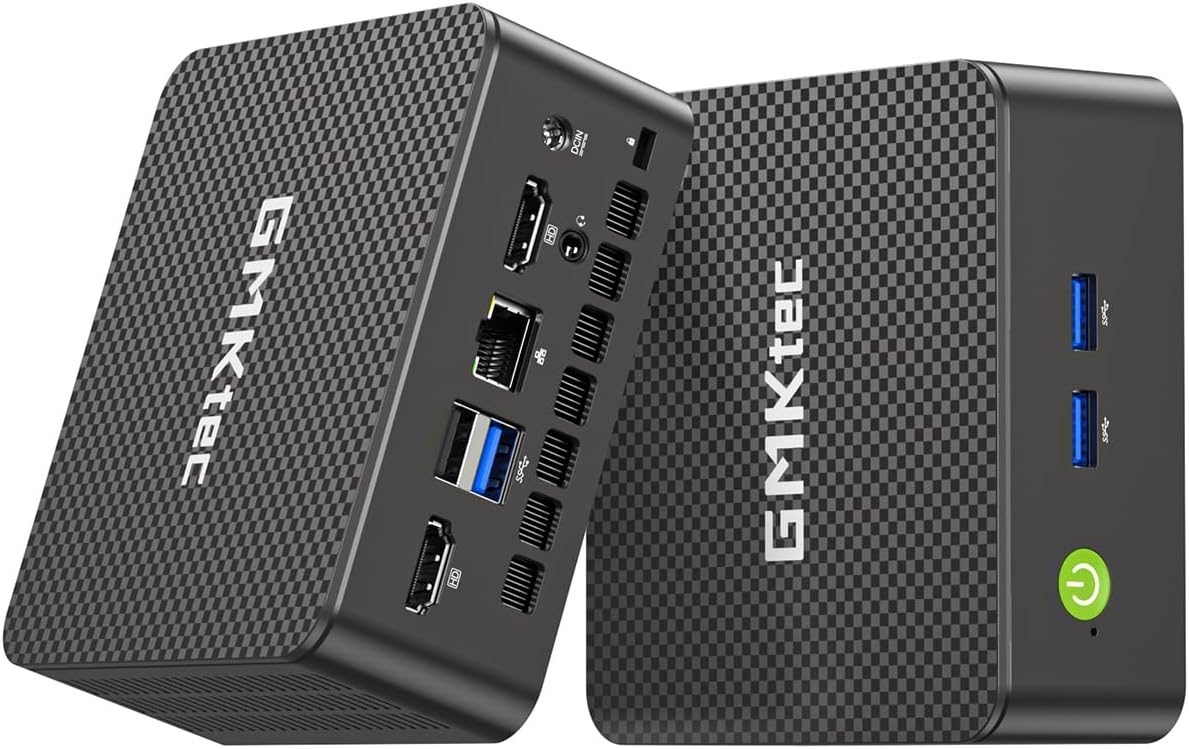
The GMKtec G11 is a powerhouse for networking enthusiasts and homelab users who need robust connectivity options in a small form factor. It features dual 2.5GbE Ethernet ports which are rare in this category and essential for building high-speed network appliances or servers. The AMD Ryzen Embedded processor delivers solid performance for routing virtualization and server tasks efficiently.
We may earn a commission when you buy through this link, at no additional cost to you.
Its strengths include the dual-channel memory configuration which significantly boosts graphics performance and data throughput compared to single-channel setups. This makes it capable of handling complex visual tasks or multi-display setups without strain. The embedded design ensures reliability and longevity for systems that need to run continuously without interruption or downtime.
A consideration is that it may not come pre-installed with a full desktop operating system which requires initial setup effort. However for advanced users this flexibility allows them to install the specific Linux distribution or hypervisor they prefer. The hardware itself is robust enough to support demanding custom configurations and specialized software environments.
This mini PC is ideal for IT professionals building home labs firewalls or NAS systems requiring high bandwidth. We recommend it for users who understand the nuances of network configuration and need hardware that supports advanced routing or virtualization features. Ensure your setup plan includes the necessary software installation before purchasing.
Dual 2.5GbE ports allow for creating high-speed network segments or aggregating bandwidth for faster data transfers across your home network.
The combination of multi-core processing and high-speed RAM makes this device an excellent host for running multiple virtual machines simultaneously.
We may earn a commission when you buy through this link, at no additional cost to you.
The CyberGeek Mini PC brings desktop-class performance to a compact form factor with its high-end Core i9 processor. It ships with Ubuntu Linux pre-installed making it a convenient choice for developers who want immediate access to a robust command-line environment. The 32GB of RAM ensures that even the most demanding applications run smoothly without bottlenecks during multitasking.
We may earn a commission when you buy through this link, at no additional cost to you.
Its performance is impressive for tasks like code compilation video rendering and running multiple virtual machines simultaneously. The extensive port selection including dual LAN and multiple USB ports provides the connectivity needed for professional setups and peripheral arrays. The ability to drive triple 4K displays adds significant value for users managing complex visual workflows.
Sustained heavy loads may generate heat requiring attention to placement and airflow to maintain optimal performance over time. While the included cooling is adequate for typical usage heavy workloads should be monitored to prevent thermal throttling during long sessions. Ensuring proper ventilation is key to unlocking the full potential of this powerful hardware.
This model is best for power users and developers needing significant compute power in a portable size. We recommend it for those who require local processing power for complex tasks without needing a traditional tower desktop. Verify your thermal environment to ensure the unit can dissipate heat effectively during intensive operations.
The high-core processor allows developers to compile code and run containers locally with speed that rivals much larger workstations.
With six USB ports and dual LAN connections you can attach a wide variety of peripherals and network devices without needing external hubs.
We may earn a commission when you buy through this link, at no additional cost to you.
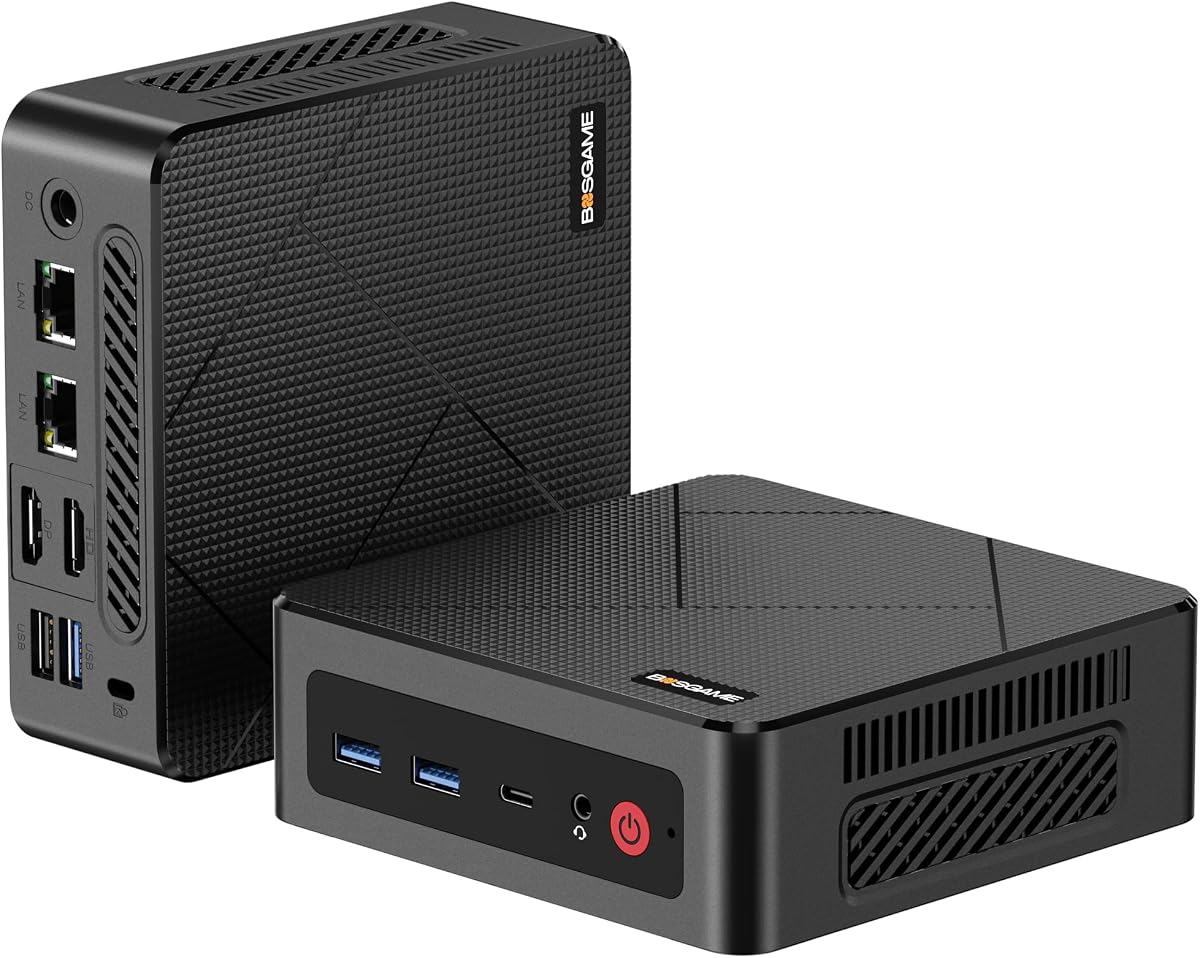
The BOSGAME E5 offers unique networking features with dual 2.5GbE LAN ports that are valuable for advanced network configurations. It is a strong candidate for users who need reliable wired connections for servers or network monitoring applications. The Ryzen 3 5300U processor ensures efficient performance for daily tasks while maintaining a low thermal footprint.
We may earn a commission when you buy through this link, at no additional cost to you.
Its strengths include the ability to support dual NVMe storage which allows for fast boot drives and separate data storage. This configuration is excellent for optimizing system speed and organizing files efficiently. The triple 4K display support ensures that visual workflows remain sharp and responsive across multiple screens for enhanced productivity.
The base storage capacity may need expansion for users with large media collections or extensive software libraries. However the dual NVMe slots provide an easy path to upgrade storage without losing existing data or compromising speed. This flexibility ensures the system can grow alongside your storage needs over time.
We recommend this model for network administrators and home lab enthusiasts who prioritize connectivity and storage flexibility. It is also suitable for general office use where network reliability and display quality are key. Consider your storage needs upfront to determine if an additional drive is necessary upon setup.
Dual LAN ports allow for failover setups or separating traffic for improved security and network management in home or small office environments.
Dual NVMe slots enable you to configure a fast boot drive and a secondary high-speed drive for applications and media storage easily.
We may earn a commission when you buy through this link, at no additional cost to you.
The BOSGAME E4 Air is an affordable option for basic computing needs and media streaming applications. It features the Ryzen 5 3500U which includes Vega 8 graphics capable of handling video decoding and light gaming tasks. The triple display support allows users to extend their desktop easily for better productivity without investing in expensive hardware.
We may earn a commission when you buy through this link, at no additional cost to you.
Its strengths include dual Ethernet ports which offer flexibility for network connections and a lightweight design that is easy to transport. The compact form factor makes it suitable for small spaces or setups where physical footprint is a concern. Despite its lower price it offers reliable performance for standard office tasks and web browsing.
The limited base memory and storage may require upgrades for heavier workloads or extensive media libraries. Users looking to run multiple applications simultaneously might find the 8GB RAM configuration restrictive over time. However for basic tasks this constraint is manageable and does not significantly hinder everyday usage or media consumption.
This model is ideal for users needing a secondary PC for browsing or basic office work. We recommend it for home theater setups where media playback is the primary function. Check current stock levels and verify your memory requirements before purchasing to ensure the device meets your expectations.
The Vega graphics support smooth video playback and streaming services making it a cost-effective choice for home entertainment centers.
Its lightweight build and compact size make it easy to carry for presentations or temporary workstation setups.
We may earn a commission when you buy through this link, at no additional cost to you.
The GMKtec G3S is an entry-level mini PC designed for budget-conscious users needing a basic system for web browsing and document editing. It uses the Intel N95 processor which provides reliable performance for everyday tasks without the complexity of high-end components. The small footprint allows it to fit anywhere on a desk or mount behind a monitor.
We may earn a commission when you buy through this link, at no additional cost to you.
Its strengths include dual HDMI support which allows for dual-monitor setups useful for multitasking even at this level. The device is easy to set up and runs quietly making it suitable for living rooms or small home offices. Connectivity options are sufficient for standard peripherals ensuring you can attach necessary tools without extra dongles.
A limitation is the fixed memory configuration in some models which restricts future upgrades and might limit longevity for heavier tasks. Users should ensure the base specifications meet their needs since expanding memory later may not be possible depending on the specific revision. However for light use this is rarely a barrier to satisfaction.
We recommend this model for secondary systems family members or basic office tasks where cost is the primary factor. It is also a solid choice for digital signage where stability and low power usage are key. Check the exact specifications of the model you are purchasing to confirm upgrade paths.
This model offers a reliable entry point into mini PC computing with all the essential features needed for standard daily use cases.
Dual HDMI ports allow you to connect two monitors for an expanded workspace without requiring complex additional adapters or hubs.
We may earn a commission when you buy through this link, at no additional cost to you.
Choosing the right mini PC involves balancing processing power memory and connectivity to match your specific Linux workload requirements.
Modern architectures like Zen3 and Intel Core Ultra offer significant improvements in efficiency and multi-core performance. Select a processor that aligns with your intended tasks such as coding virtualization or media streaming to ensure long-term usability.
Prioritize multi-core processors for multitasking and single-thread performance for general productivity to balance power with efficiency.
RAM and storage capacity are critical for Linux performance especially when running virtual machines or large development environments. Look for units with extra DIMM or NVMe slots to allow for future upgrades without replacing the entire system.
Aim for at least 16GB of RAM and expandable storage to accommodate growing data needs and software updates efficiently.
Many models come with Linux pre-installed such as Ubuntu or Zorin which simplifies the setup process for new users. Ensure the hardware drivers for Wi-Fi Bluetooth and graphics are well-supported by your preferred distribution to avoid configuration hurdles.
Check community support forums for the specific model to confirm driver availability and compatibility with your chosen Linux flavor.
Robust connectivity including USB-C HDMI DisplayPort and Ethernet is essential for connecting peripherals and displays. Look for models with sufficient ports to avoid relying heavily on external hubs which can create clutter and potential points of failure.
Ensure you have enough video outputs to match your multitasking needs and sufficient USB ports for your peripheral collection.
Modern Wi-Fi 6 or 6E and Bluetooth 5.x standards ensure faster speeds and lower latency for wireless connections. These features are vital for smooth media streaming and reliable connection to modern wireless peripherals like keyboards and mice.
Prioritize models with the latest wireless standards to future-proof your setup against evolving connectivity demands and speeds.
Efficient cooling is paramount for mini PCs to prevent thermal throttling during sustained workloads. Look for designs with copper heat pipes or large fans that maintain low noise levels while keeping the system cool.
Consider passive or advanced active cooling options based on your environment to ensure consistent performance over long periods.
A reliable warranty and responsive technical support are crucial for protecting your investment and resolving hardware issues. Manufacturers offering on-site support or longer terms often provide greater peace of mind for business or heavy daily use.
Review warranty terms carefully to ensure coverage for critical components like the motherboard and power adapter for long-term use.
Low power consumption is a significant benefit of mini PCs making them cost-effective for 24/7 operations like servers. Check TDP ratings to estimate electricity usage and heat output for your specific placement requirements.
Choose energy-efficient models to reduce operational costs and environmental impact while maintaining sufficient performance for your needs.
Start by connecting your mini PC to a power source and monitor using the provided HDMI or USB-C cable. Boot the device and complete the initial Linux setup wizard to configure your language network and user accounts for daily use.
Install necessary drivers and system updates immediately after setup to ensure all hardware components function correctly. Utilize the Linux package manager to install software and keep the system secure against vulnerabilities over time.
Maintain the unit by keeping it in a well-ventilated area and periodically cleaning dust from air vents using compressed air. Avoid exposing the device to extreme temperatures or humidity to extend its lifespan and prevent overheating issues.
Most models listed are compatible with major distributions like Ubuntu Mint and Fedora. However pre-installed versions vary so check hardware driver support for Wi-Fi and graphics before switching distributions.
Many models support RAM upgrades via SO-DIMM slots but some budget units have soldered memory. Verify the specific model specifications before purchasing to ensure future expandability for your needs.
Yes most of these mini PCs support dual or triple displays via HDMI DisplayPort or USB-C. Check the port count on your chosen model to ensure it meets your multi-monitor setup requirements.
Power usage varies by model with efficient options consuming under 10 watts at idle. This makes them ideal for 24/7 operations like home servers without significantly increasing electricity bills.
Entry-level models struggle with heavy editing but high-end options like the NUC 14 Pro can handle moderate 1080p or 4K editing. Choose a model with a dedicated GPU or strong integrated graphics for creative work.
These units typically support Ethernet and Wi-Fi 6. Connect via Ethernet cable for stability or use the built-in Wi-Fi for wireless access to your home or office network.
Most brands offer warranty support with some providing lifetime technical assistance. Check the manufacturer website or Amazon product page for specific contact details and support hours before purchasing.
Yes their low power draw and reliability make them excellent for lightweight servers. Ensure the model has sufficient RAM and storage capacity for the specific server applications you plan to run.
The TK Node Mini PC leads our list due to its balance of expansion options and Linux compatibility making it the top overall choice. For high-performance needs the ASUS NUC 14 Pro offers premium specs and modern connectivity. Budget buyers will find the Beelink SER3 offers solid value for everyday tasks.
Prioritize your specific workflow when selecting a model focusing on memory expandability and display support for productivity. Consider power efficiency if you plan to run the device continuously for server or media applications to save energy costs.
Always check current pricing and stock availability as these metrics fluctuate frequently in the market. By aligning your hardware choice with your software needs you can enjoy a powerful and efficient Linux experience.