
HP 255 G10 Laptop
4.2Editor score
AMD Ryzen 3 7330U
Upto 64GB RAM Support
Lightweight and Portable
Finding a laptop with upgradeable RAM is crucial for future-proofing your investment. Many modern devices solder memory directly to the motherboard, limiting flexibility. We highlight models that allow you to expand memory as your needs grow.
This guide evaluates ten standout laptops known for their accessible memory slots and robust build quality. We analyze processor power, storage options, and overall value to help you make an informed decision for your specific workflow.
Each pick showcases key specifications and real-world performance insights based on available data. Prices and availability fluctuate frequently, so always verify current offers before purchasing to ensure you get the best deal available today.
4.2Editor score

4.9Editor score

As an Amazon Associate we earn from qualifying purchases.
The following table provides a side-by-side comparison of all ten selected laptops. Review the core specifications to quickly identify which model aligns best with your performance requirements and budget constraints.



The ASUS Vivobook 15 stands out as a powerhouse for demanding workflows. With a nearly perfect rating, it delivers elite performance for AI tasks and complex simulations. The 48GB RAM ensures smooth operation even when running multiple heavy applications simultaneously.
We may earn a commission when you buy through this link, at no additional cost to you.
Its Intel Core i9-13900H processor is optimized for Next Gen AI workloads. The bundle includes a PCO Cooler to prevent thermal throttling, maintaining peak frequency during intense tasks. This makes it ideal for professionals who need sustained high performance without overheating issues.
While the price is higher than average, the value lies in its longevity and power. The 2TB SSD offers massive storage, reducing the need for external drives. The physical webcam shield adds a layer of security that many business users will appreciate.
Buy this if you need a desktop replacement capable of handling creative workloads or data analysis. It is a robust choice for those who prioritize speed and reliability over portability. The included warranty on upgrades provides additional peace of mind.
The processor is specifically optimized for Next Gen AI workloads and seamless multitasking.
Includes a PCO Cooler to solve common overheating complaints found in high-performance laptops.
We may earn a commission when you buy through this link, at no additional cost to you.
The Dell Latitude 5531 offers flagship performance in a renewed package. It features a 14-core CPU that handles professional workloads efficiently. The 32GB RAM is sufficient for most enterprise applications and multitasking scenarios.
We may earn a commission when you buy through this link, at no additional cost to you.
As a renewed product, it provides significant cost savings compared to new models. The FHD non-touch display is functional for daily tasks. Windows 11 Pro ensures access to business-grade features and security tools.
The trade-off is the renewed condition, which may vary in cosmetic appearance. However, the performance remains robust. It is suitable for businesses looking to equip teams with capable hardware without overspending on brand new units.
This model is best for organizations needing reliable machines at a lower price point. The core specs support productivity tasks well. Just ensure you check the specific refurbishment warranty details before purchasing.
Equipped with a 14-Core CPU for high-level processing tasks.
We may earn a commission when you buy through this link, at no additional cost to you.
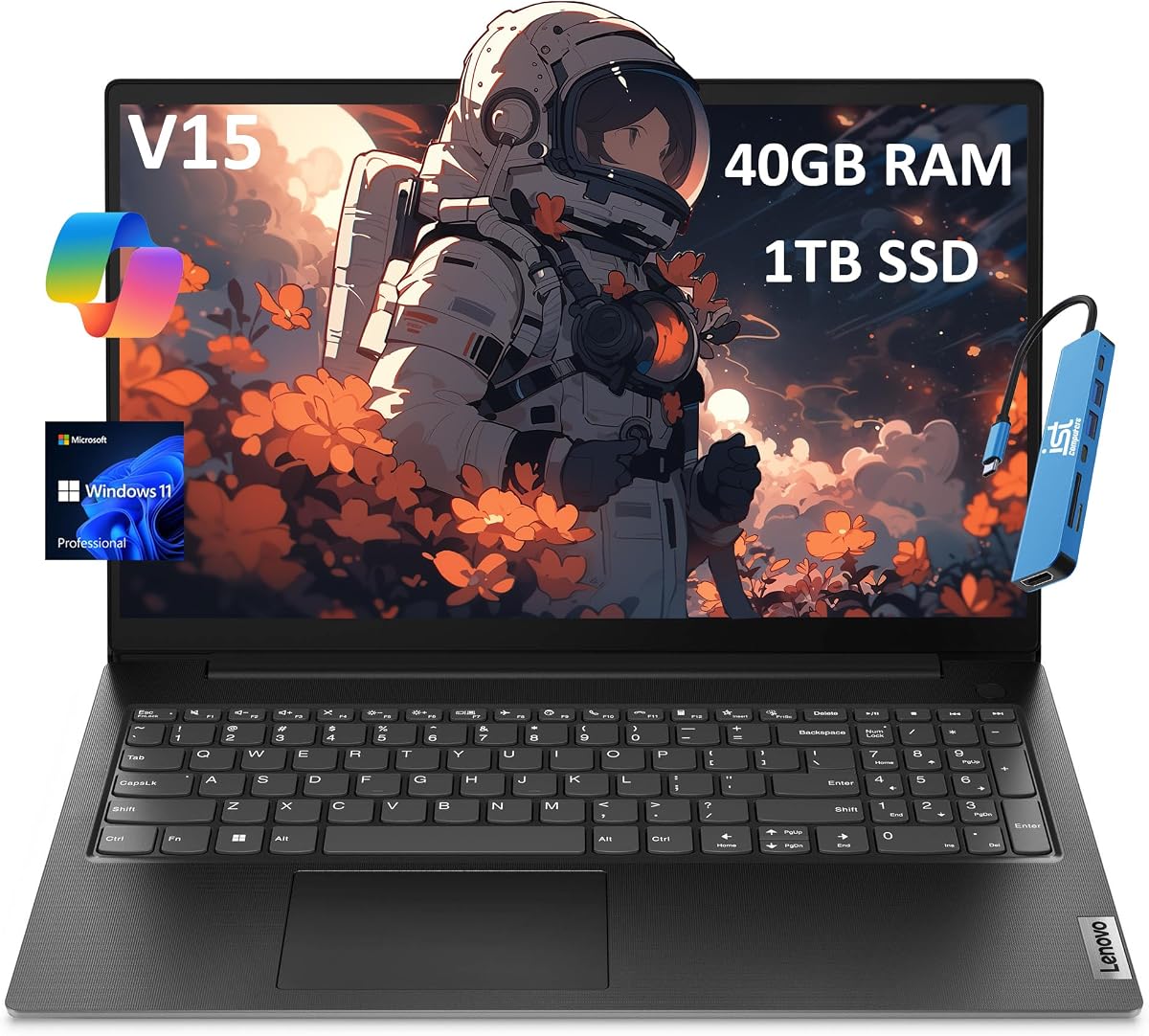
The Lenovo V-Series V15 brings high speed and enormous space to the business category. With 40GB of high-bandwidth RAM, it runs multiple applications and browser tabs smoothly. The 1TB PCIe NVMe SSD ensures fast bootups and quick data transfer.
We may earn a commission when you buy through this link, at no additional cost to you.
The AMD Ryzen 7 5825U Processor delivers solid multitasking performance. It comes with Windows 11 Pro, offering pre-configured layouts to optimize productivity. The numeric keypad is a welcome addition for data entry tasks.
While the display is standard FHD, it serves work needs well. The variety of ports including HDMI and RJ45 reduces the need for dongles. This makes it a practical choice for office environments where connectivity is key.
Buy this if you need a balanced laptop for general business operations. It provides a good mix of speed and storage. The included OS features enhance collaborative workflows effectively.
Windows 11 Pro allows organizing open apps with pre-configured layouts.
We may earn a commission when you buy through this link, at no additional cost to you.
The HP 255 G10 is designed for high-speed RAM and enormous space. It features 32GB of bandwidth RAM to run multiple applications simultaneously. The 1TB PCIe M.2 SSD provides fast bootup and efficient data transfer capabilities.
We may earn a commission when you buy through this link, at no additional cost to you.
The AMD Ryzen 7 7730U processor supports efficient multitasking. It includes Windows 11 Pro with enterprise-grade security and powerful management tools. The numeric keypad and Wi-Fi 6 ensure productivity and modern connectivity.
This laptop balances cost and performance effectively. The 250 nits display is adequate for indoor work. The anti-glare coating helps reduce eye strain during long sessions. It is a solid choice for daily office tasks.
Choose this for professional environments requiring secure and reliable hardware. The specs support general productivity well. It is particularly useful for teams needing single sign-on and remote desktop capabilities.
Windows 11 Pro includes single sign-on and enhanced remote desktop features.
We may earn a commission when you buy through this link, at no additional cost to you.
The ASUS Vivobook 16 offers a spacious 16-inch WUXGA display. It runs on the Intel Core i9-13900H for elite performance. The 40GB DDR4 RAM ensures smooth multitasking and fast responsiveness across demanding applications.
We may earn a commission when you buy through this link, at no additional cost to you.
It comes with 2TB storage including a 1TB SSD and a docking station. This offers quick boot times and ample space for media or work files. The Intel Iris Xe Graphics provide decent performance for creative work.
The larger screen resolution provides more detail and real estate than standard FHD. This is perfect for content viewing and productivity tasks. The fingerprint reader eliminates password fatigue effectively.
Buy this if screen real estate is a priority for your workflow. It suits creative professionals needing more space for timelines or spreadsheets. The bundled accessories add significant value to the package.
The 16-inch WUXGA display offers more detail and screen real estate.
We may earn a commission when you buy through this link, at no additional cost to you.
The HP 15 Notebook is upgraded to 32GB DDR4 RAM. This allows you to easily switch back and forth between open applications without lag. The hard drive is upgraded to 1TB PCIe NVMe SSD for fast boot up.
We may earn a commission when you buy through this link, at no additional cost to you.
The Intel Core i5-1135G7 processor offers capable performance for general tasks. The screen is a diagonal 15.6 FHD with micro-edge and anti-glare. It supports better multi-monitor functionality under Windows 11 Home.
This laptop focuses on performance improvements over the base model. The SuperSpeed USB Type-C port ensures modern connectivity. It is a reliable option for home office use and light content consumption.
Choose this if you want an upgraded memory configuration out of the box. The specs support standard productivity apps. It is a practical choice for students and home users.
Windows 11 Home offers improved performance features and new videogame selection.
We may earn a commission when you buy through this link, at no additional cost to you.
The Lenovo V15 Gen 4 features 40GB of high-bandwidth RAM. It runs multiple applications smoothly without performance bottlenecks. The 2TB PCIe NVMe SSD allows for fast bootup and quick data transfer rates.
We may earn a commission when you buy through this link, at no additional cost to you.
It is powered by the Intel Core i7-1355U with up to 5.0 GHz max turbo frequency. The HD camera includes a privacy shutter for enhanced security. Windows 11 Pro provides an efficient platform for routine business applications.
The display is FHD with anti-glare properties. It offers a practical workspace for daily tasks. The connectivity options include HDMI and RJ-45 for versatile use cases. It is a well-rounded business laptop.
Buy this for secure and efficient office computing. The specs support professional workflows effectively. It is suitable for users who prioritize memory and storage in a compact form factor.
The HD Camera includes a privacy shutter for better security.
We may earn a commission when you buy through this link, at no additional cost to you.
The Lenovo V15 is a budget-friendly laptop tested to 810H requirements. It features an Intel Core i5-13420H Processor with 12 threads. The 40GB DDR4 memory and 1TB SSD provide robust performance for school and business use.
We may earn a commission when you buy through this link, at no additional cost to you.
It is designed as a replacement for the Thinkpad E15 with a focus on sturdy built and business security. Windows 11 Professional includes AI-powered Copilot for intelligent assistance. The Ethernet port ensures stable wired connectivity.
This model is ideal for environments requiring rugged hardware. The display is anti-glare and suitable for indoor work. It supports expandable monitors via HDMI and USB Type-C. It fits remote learning and meetings well.
Choose this if you need a durable and cost-effective device. The specs support general tasks without compromising on memory. It is perfect for students or small business owners seeking reliability.
Military Grade MIL-SPEC tested to 810H requirements for sturdy built.
We may earn a commission when you buy through this link, at no additional cost to you.
The HP 255 Laptop keeps up with mobile workstyles. It features a thin and light design with a big screen-to-body ratio. The AMD Ryzen 3 7330U Processor ensures effortless handling of demanding tasks.
We may earn a commission when you buy through this link, at no additional cost to you.
It supports up to 64GB high-bandwidth RAM for future needs. The 256GB SSD is a starting point for storage. The 15.6 Full HD LED-backlit display provides crisp and clear visuals.
This model is a great entry-level option. The power efficiency allows for long-lasting endurance. Windows 11 Home offers consistency and better multi-monitor functionality. It is suitable for casual users.
Buy this for simple and portable computing. It can be upgraded later as needs grow. The lightweight build makes it ideal for daily commuting and travel.
The thin and light design keeps up with mobile workstyles.
We may earn a commission when you buy through this link, at no additional cost to you.
This laptop comes with 4GB So-DIMM RAM that is removable. It features a dual-slot design giving you full upgrade freedom. The 128GB SSD ensures instant boot-ups and easy storage expansion to 2TB.
We may earn a commission when you buy through this link, at no additional cost to you.
It has an advanced active cooling system to prevent thermal throttling. The 15.6 FHD IPS display offers wide viewing angles. The built-in cooling fan keeps the processor cool during intensive tasks.
This is a unique budget option focused on customization. You can add 4GB, 8GB, or 16GB sticks to boost RAM. The hinge supports 180-degree flat design for easy screen sharing. It is cheap and flexible.
Choose this if you enjoy DIY upgrades on a tight budget. It allows adapting perfectly to demanding multitasking. Just note the base CPU is older. It is best for light tasks only.
Smart dual-slot design features one removable module and one empty slot.
We may earn a commission when you buy through this link, at no additional cost to you.
Selecting a laptop with upgradeable memory requires looking at more than just the specs on the box. This section breaks down the factors that ensure you get a machine that lasts.
Check if the laptop has accessible RAM slots or if memory is soldered. Soldered RAM cannot be upgraded later, so look for models with SO-DIMM slots. Also note the type of RAM such as DDR4 or DDR5 to ensure compatibility with future upgrades.
Always confirm the number of slots available. Some laptops have one slot free and one occupied, while others have two empty slots. This determines how much memory you can add in the future.
The processor must support the amount of RAM you plan to install. Modern CPUs usually support high capacities, but older models may have limits. Verify the motherboard limitations alongside the processor capabilities.
Ensure the CPU generation supports high-speed memory. Newer processors can leverage faster data rates for better performance. A mismatch here can bottleneck your system even with plenty of RAM.
Windows Home and Pro have different memory limits. Home editions often cap lower than Pro versions. For heavy multitasking, Windows 10 or 11 Professional is preferred. It allows utilizing larger RAM configurations fully.
Check the specific OS version included. It saves you from needing a license upgrade. This ensures the system can recognize all installed memory without restrictions.
Upgrades often increase heat output. A laptop with good thermal design prevents throttling under load. Look for features like vapor chambers or extra fans. This keeps performance stable during extended tasks.
High-performance laptops need robust cooling. Without it, the CPU may slow down to protect itself. Ensure the chassis allows for airflow even after you add more hardware.
Opening a laptop to upgrade RAM can void the original warranty. Many third-party sellers offer extended coverage on upgrades. Check if the seller provides specific warranty terms for the added components.
Official manufacturer warranties usually cover the unaltered parts. It is safer to buy from a vendor that covers the upgrades. This protects your investment if something fails later.
Modern laptops often lack legacy ports. Ensure you have enough USB and HDMI ports for your needs. If you plan to use external monitors, multiple outputs are useful. This affects how you use the machine daily.
USB Type-C is now standard for data and power. Check if it supports charging and video output. Having diverse ports means fewer dongles. This adds to the convenience of your setup.
Compare the total cost including potential upgrades. A cheaper laptop with expensive RAM costs more in the end. Look for bundles that include high memory. This gives you better value than buying separate parts.
Consider the resale value of the model. Some brands hold value better than others. A well-configured machine can be sold for more. This helps recover your initial cost if you switch devices.
Upgrading requires opening the chassis. A durable build ensures the case survives repeated access. Look for robust hinges and sturdy materials. This prevents damage when adding new components.
A reliable build also means better cooling. Good construction often aligns with better internal design. This supports the longevity of your system. It is worth paying extra for quality.
When you first receive your laptop, check the warranty status. If the memory is already upgraded, ensure you have documentation for the changes. This helps during any service claims you might make.
Regularly clean the fans to prevent overheating. Dust buildup can reduce airflow and damage components. Use a can of compressed air to blow out debris. This maintains peak performance for the long term.
Update your drivers to support the new hardware. Windows may detect the RAM automatically, but specific drivers help. Check the manufacturer website for BIOS updates. This ensures the system sees all your memory correctly.
Not every laptop allows RAM upgrades. Some manufacturers solder memory to the motherboard to save space. This means you cannot change the amount of memory after purchase. Always check the specs before buying to ensure slots are available.
You need to match the RAM type to your motherboard. Common types include DDR4 and DDR5. DDR5 is faster but newer. Using the wrong type will damage the system. Consult your laptop manual to be sure.
Windows 10 Home supports up to 128GB RAM. Windows 10 Pro supports up to 2TB. This is enough for most users. If you have less than 64GB, the OS will work fine. Ensure you have the right license version.
It depends on the manufacturer policies. Some allow opening the back panel without voiding the warranty. Others consider it unauthorized repair. You should check your specific warranty terms before upgrading. Buying from a seller that offers warranty on upgrades helps.
You can check speed via Task Manager in Windows. Open Task Manager and go to the Performance tab. Click on Memory to see speed in MHz. This tells you if your current RAM is running fast enough.
DDR5 offers faster speeds and higher bandwidth than DDR4. It uses less power for the same performance. However, it costs more and is newer. For general use, DDR4 is still very capable. Only choose DDR5 if you need top speed.
We have reviewed ten laptops that offer upgradeable memory options. The ASUS Vivobook 15 stands out for power users. The HP 255 G10 is great for those on a budget. Each option suits different needs.
Focus on the processor and available slots. A good CPU ensures the RAM works efficiently. More slots give you flexibility. Prioritize these factors for the best experience. This helps you avoid expensive mistakes.
Prices and stock change frequently online. Always verify the current offer before you buy. Check for sales to save money. Ensure the product matches the description. This confirms you get the right deal today.