
Rongta Bluetooth Shipping Label Printer
4.0Editor score
Wireless Bluetooth connectivity
Automatic label identification
Compact portable design
This guide compares the top label printers for Pirate Ship users, evaluating speed, connectivity, compatibility, and ease of use to help you choose the right
Finding the right label printer for Pirate Ship can streamline your shipping workflow significantly. A good device should offer fast printing speeds, reliable connectivity options, and seamless integration with your existing e-commerce platforms to ensure smooth operations.
We compared ten popular thermal label printers based on their performance, compatibility with major shipping platforms, and overall value. Our analysis focuses on how well each model handles Pirate Ship labels, connectivity options like Bluetooth and USB, and durability for daily use.
Each pick in this list highlights specific strengths such as budget friendliness, premium features, or wireless convenience. Please note that prices and availability may change over time, so verify the current details before making your final purchase decision.
4.0Editor score

4.3Editor score

4.6Editor score
This side by side comparison highlights the key specifications of each printer to help you understand their differences at a glance.






The Nelko Bluetooth Thermal Shipping Label Printer stands out as a reliable choice for small business owners using Pirate Ship. With a solid 4.3 rating and advanced thermal direct technology, it delivers clear and efficient prints without the need for ink or toner.
We may earn a commission when you buy through this link, at no additional cost to you.
Its standout feature is the impressive speed of 150 mm/s, allowing you to print up to 72 labels per minute. This high throughput is ideal for peak shipping times. The printer supports both USB and Bluetooth connectivity, giving you flexibility whether you are using a desktop computer or a mobile device via the NELKO app.
While the printer is robust, users with Mac M1 or M2 CPUs should note that Bluetooth connectivity requires using the specific app, while USB is the primary option for general Mac OS users. This minor limitation does not significantly hinder overall performance but is worth noting during setup.
For entrepreneurs looking for a balanced mix of speed, compatibility, and cost efficiency, this printer is an excellent choice. It integrates well with major platforms like Amazon, eBay, and Shopify, making it a versatile tool for growing e-commerce businesses.
The advanced thermal direct technology ensures that you never have to worry about running out of ink or toner, significantly reducing ongoing operational costs.
Whether you prefer the stability of a USB connection or the convenience of Bluetooth for mobile printing, this device adapts to your specific workflow needs.
We may earn a commission when you buy through this link, at no additional cost to you.
This Thermal Shipping Label Printer offers exceptional value for budget-conscious sellers who need reliable performance. With a 4.4 rating and energy-efficient thermal printing, it eliminates the need for ink or toner while maintaining crisp 203 DPI resolution for sharp barcodes and text.
We may earn a commission when you buy through this link, at no additional cost to you.
The printer supports both Bluetooth and USB connectivity, allowing seamless integration with various devices. The FlashLabel Pro app provides over 1,800 customizable templates and 300 fonts, enhancing your ability to create professional labels quickly without complex software.
Although it prints in black and white only, this limitation is acceptable for standard shipping needs. The compact design and reinforced coating ensure durability, and the package includes starter labels so you can begin printing immediately upon unboxing.
Ideal for small businesses seeking a cost-effective solution without sacrificing quality, this printer handles high-volume shipping tasks efficiently. Its wide compatibility with platforms like Amazon and Etsy makes it a practical choice for diverse e-commerce operations.
By using direct thermal technology, you avoid the recurring costs of ink and toner, making it an economical choice for daily shipping tasks.
Access to over 1,800 templates allows you to customize labels easily, saving time and ensuring a professional look for your shipments.
We may earn a commission when you buy through this link, at no additional cost to you.
The Rollo USB Shipping Label Printer is a premium option designed for businesses requiring durability and high performance. With a 4.6 rating and commercial-grade construction, it delivers fast printing at one label per second and maintains high resolution 203 DPI quality for easy scanning.
We may earn a commission when you buy through this link, at no additional cost to you.
One of its unique selling points is the Rollo Ship app, which provides access to exclusive shipping rates without needing a separate platform. This feature can significantly reduce costs for frequent shippers. The printer is compatible with major platforms like Amazon, Shopify, and FedEx.
While it lacks Bluetooth connectivity and comes at a higher price, the robust build and speed justify the investment for high-volume users. The ability to create custom labels beyond shipping adds versatility, making it suitable for branding and product labeling as well.
For businesses that prioritize reliability and long-term performance, this printer is a top-tier choice. Its straightforward setup and consistent output make it a trusted tool for maintaining efficiency during busy shipping seasons.
The Rollo Ship app offers access to exclusive rates, helping you save money on shipping costs while streamlining your labeling process.
Built for daily use in commercial environments, this printer withstands heavy workloads without compromising on print quality or speed.
We may earn a commission when you buy through this link, at no additional cost to you.
JADENS Bluetooth Thermal Shipping Label Printer is a robust choice for those seeking wireless convenience without sacrificing quality. Equipped with a Japanese high-tech thermal print head, it delivers 203 DPI resolution for clean, mess-free prints that are ideal for shipping and warehouse labels.
We may earn a commission when you buy through this link, at no additional cost to you.
The printer supports both USB and Bluetooth connectivity, though Android users may need to use a specific app rather than direct Bluetooth. It integrates well with popular platforms like ShipStation, eBay, and Shopify, ensuring seamless workflow integration. The package includes helpful setup resources for ease of use.
A one-year warranty and responsive customer support add peace of mind. While users need to recalibrate label size when changing media, this is a standard procedure for thermal printers and ensures accurate results over time.
For small businesses needing reliable wireless printing with strong platform support, JADENS offers a solid balance of performance and service. Its compatibility with various label sizes makes it versatile for different shipping requirements.
The Japanese high-tech thermal print head ensures high-quality output that remains clear and professional, enhancing the look of your shipments.
With a one-year warranty and dedicated customer support, you can resolve any issues quickly and keep your business operations running smoothly.
We may earn a commission when you buy through this link, at no additional cost to you.
The KNAON Bluetooth Thermal Shipping Label Printer is designed for portability and speed. With a printing speed of up to 180 mm/s and a compact size, it fits easily on any desk while delivering efficient performance for shipping and barcode labels.
We may earn a commission when you buy through this link, at no additional cost to you.
Its FlashLabel Pro app offers over 3,000 templates and 5,000 icons, allowing extensive customization. Compatible with major platforms like Amazon and eBay, it ensures smooth label printing. The built-in USB drive simplifies setup, and the package includes test papers to get you started.
While the printer relies on the app for mobile functionality, this setup provides stability and ease of use. The stylish design adds a modern touch to your workspace. Users may find it ideal for on-the-go shipping tasks.
For those needing a fast, portable solution with strong customization options, this printer is a great choice. Its compatibility and ease of setup make it a user-friendly option for small business owners.
With a fast print speed of up to 180 mm/s, you can process high volumes of labels quickly, reducing wait times during busy periods.
Access to thousands of templates and icons enables you to create unique labels for branding or personal organization without design skills.
We may earn a commission when you buy through this link, at no additional cost to you.
Rongta Bluetooth Shipping Label Printer offers flexibility with its automatic label identification feature. This eliminates manual adjustment hassles, allowing you to switch between label sizes easily. Its compact design makes it easy to store on desks or during travel.
We may earn a commission when you buy through this link, at no additional cost to you.
Compatible with iOS and Android devices via the RONGTA app, it simplifies wireless printing. The printer supports a wide range of label widths, from 0.98 to 4.37 inches, covering common shipping needs. Driver software is available for multiple systems for straightforward setup.
While it has a lower rating compared to premium options, its affordability and convenience make it attractive for light users. The space-saving design ensures it fits into smaller workspaces without compromising functionality.
For those needing a simple, compact printer for occasional shipping tasks, Rongta is a practical choice. Its ease of use and portability are key benefits for users with limited space.
Automatic label identification simplifies the printing process by detecting and feeding labels without manual adjustments, saving time.
The compact build allows you to store the printer easily or take it on the go, making it ideal for mobile shipping operations.
We may earn a commission when you buy through this link, at no additional cost to you.
The Westinghouse Thermal Shipping Label Printer is built for commercial environments requiring robust performance. With a print speed of 6 inches per second and 203 DPI resolution, it delivers sharp text and graphics for professional shipping labels.
We may earn a commission when you buy through this link, at no additional cost to you.
Its Ethernet capability supports router speeds under 1ghz, providing network connectivity options beyond USB. This feature makes it suitable for larger setups where multiple users need access. The printer supports fanfold labels and label rolls, offering flexibility in media types.
While it lacks Bluetooth, the commercial-grade design ensures consistent daily performance. The package includes starter labels and accessories to get you started. For businesses needing network integration, this is a strong consideration.
For commercial users requiring network capabilities and high-speed printing, this model is highly effective. Its durability and support for various label formats make it a reliable long-term investment.
Ethernet support allows for network connectivity, making it ideal for office environments where shared printer access is essential.
With a speed of 6 inches per second, you can handle large volumes of shipping tasks efficiently, reducing downtime during peak hours.
We may earn a commission when you buy through this link, at no additional cost to you.
MUNBYN Bluetooth Thermal Label Printer offers extensive customization capabilities with over 3,500 elements and 2,000 templates. The web editor option allows design and printing via Google Chrome without installation, enhancing convenience for desktop users.
We may earn a commission when you buy through this link, at no additional cost to you.
Compatible with major platforms and shipping apps, it supports various label sizes from 1.57 to 4.3 inches. The printer is trusted by 80,000+ entrepreneurs, reflecting its reliability. Setup is a simple three-step process involving connection, design, and print.
While it may not be compatible with some UPS thermal paper, using genuine Munbyn labels ensures optimal results. The variety of label designs available makes it suitable for branding and marketing purposes beyond shipping.
For users wanting to create diverse labels for branding and shipping, this printer is a versatile choice. Its high user trust and easy customization options make it stand out in its category.
Access to thousands of templates and elements allows you to create unique branding materials easily, adding value to your business.
The Chrome-based editor lets you design labels without installing software, streamlining the process for desktop users.
We may earn a commission when you buy through this link, at no additional cost to you.
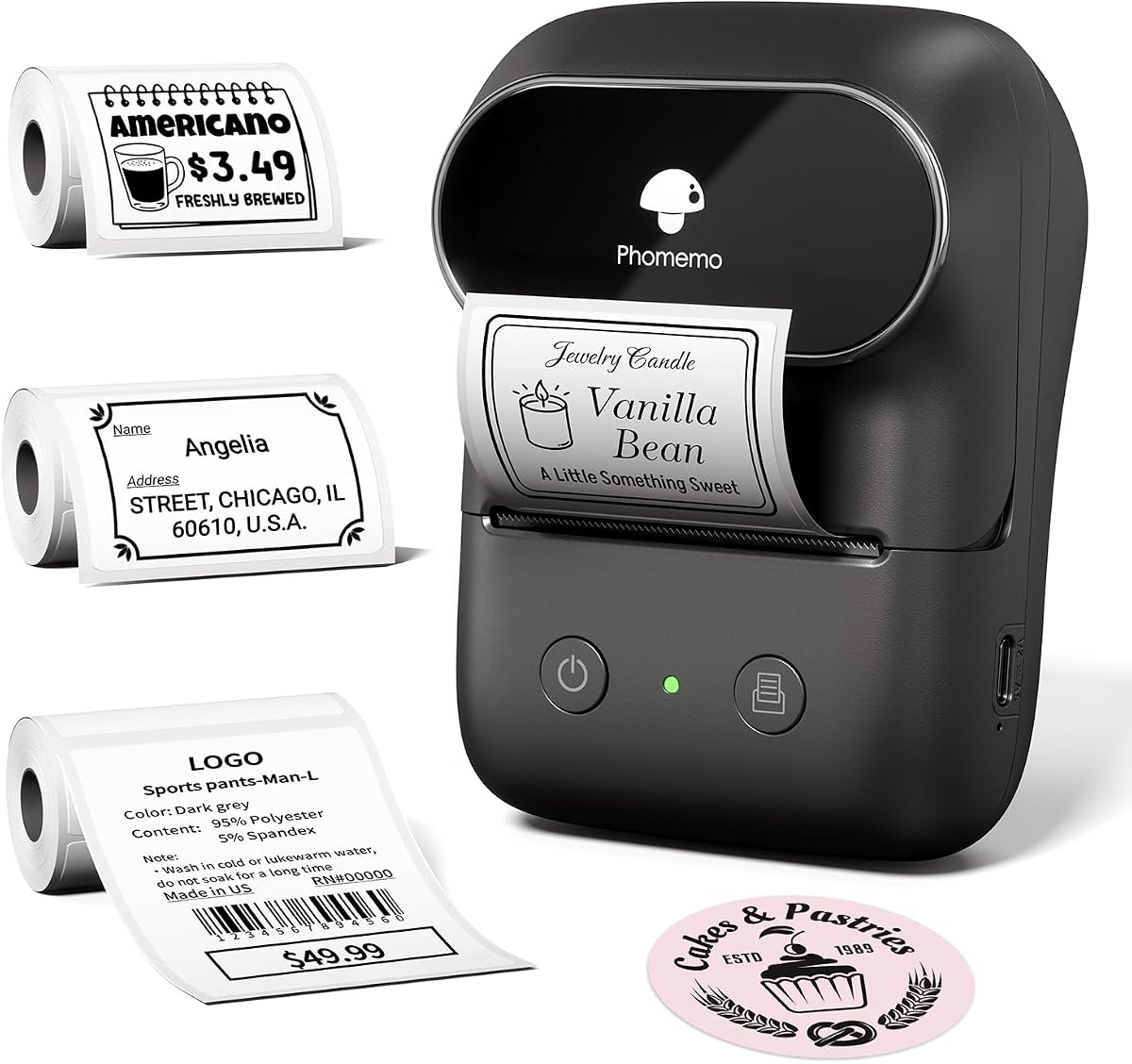
Phomemo Bluetooth Thermal Shipping Label Printer features dedicated professional support including live chat and remote desktop operation. This level of service ensures you can resolve any issues quickly, enhancing the overall user experience for small businesses.
We may earn a commission when you buy through this link, at no additional cost to you.
The printer uses the Labelife app for mobile printing, supporting multiple platforms like Amazon and eBay. It prints at 150 mm/s and produces labels that resist fading and smudging, maintaining readability over time. The setup process is straightforward with clear step-by-step instructions.
While it prints only in black and white, the quality remains sharp for shipping needs. The support team's availability across different time zones adds value. Users can easily print text, barcodes, and QR codes for diverse applications.
For those who prioritize customer service and reliability, this printer is an excellent option. Its combination of speed, compatibility, and support makes it a strong choice for consistent business operations.
With a professional team offering live chat and remote help, you have access to assistance whenever you encounter technical challenges.
The labels are engineered to resist fading and smudging, ensuring your shipping information remains clear and professional for the duration of delivery.
We may earn a commission when you buy through this link, at no additional cost to you.
Phomemo Thermal Label Maker Machine is a lightweight, portable option weighing only 184g. With a rechargeable battery delivering up to 6,000 prints per charge, it is ideal for on-the-go tasks or home organization projects. The Print Master app offers extensive templates and icons for customization.
We may earn a commission when you buy through this link, at no additional cost to you.
It supports Bluetooth and USB connectivity, making it versatile for smartphones and PCs. The package includes multiple rolls of labels, providing immediate usability. Its compact dimensions make it easy to carry anywhere without bulk.
While it does not support 4×6 shipping labels, it excels at smaller label tasks like address labels and product info. The voice input and OCR features enhance hands-free operation, adding convenience for users.
For home users or small businesses needing lightweight and portable labeling, this device is highly suitable. Its long battery life and included tapes make it a ready-to-use solution for various labeling needs.
With a battery lasting up to 6,000 prints, you can tackle large projects without needing frequent recharges, ensuring uninterrupted workflow.
The inclusion of multiple tape rolls means you can start printing right away without purchasing additional supplies immediately.
We may earn a commission when you buy through this link, at no additional cost to you.
Choosing the right label printer involves considering connectivity, speed, compatibility, and durability to match your specific business needs.
Connectivity determines how you will connect your printer to computers or mobile devices. Most printers offer USB and Bluetooth, with some including Ethernet for network setups. USB is generally more stable, while Bluetooth offers flexibility for mobile use.
Ensure the printer supports the connection type you prefer. For mobile-first workflows, prioritize Bluetooth models with reliable app support.
Print speed is critical for high-volume shipping operations. Most thermal printers operate around 150 mm/s, but some faster models exist. Faster speeds reduce wait times during peak shipping days.
Look for printers with speeds of 150 mm/s or higher to maintain efficiency. High speed ensures you meet shipping deadlines without bottlenecks.
Your printer must integrate with Pirate Ship and other e-commerce platforms. Check that the printer supports the apps or drivers needed for your specific workflow. Compatibility ensures seamless label generation and printing.
Verify the printer works with Pirate Ship and your preferred platforms. Compatibility reduces setup complexity and ensures smooth operations.
Standard shipping labels are 4×6 inches, but some printers support various widths. Ensure the printer accommodates your required label sizes including custom branding labels. This flexibility adds value beyond standard shipping.
Choose a printer that supports 4×6 labels and any custom sizes you need. Proper label support ensures your shipping and branding materials look professional.
Commercial-grade printers are built for daily use and heavy workloads. They often feature reinforced materials and overheat protection. Durability reduces downtime and extends the lifespan of the device.
Opt for models with durable construction if you print frequently. High build quality ensures reliability and minimizes maintenance needs over time.
Thermal printers eliminate ink costs but require specific thermal labels. Consider the long-term costs of labels and any proprietary consumables. Lower ongoing costs improve profitability.
Evaluate the cost of replacement labels and consumables. Lower ongoing expenses make thermal printers economically advantageous compared to inkjet alternatives.
Mobile apps and desktop software allow you to design and manage labels. Features like templates, fonts, and OCR tools enhance customization. Good software makes the printing process intuitive.
Prioritize printers with robust software features that match your needs. Useful tools save time and improve the quality of your printed labels.
Reliable customer support helps resolve issues quickly. A warranty covers defects and provides peace of mind. Look for brands with responsive service and clear support channels.
Select printers from brands with good support reputations. Quality support ensures you can address problems efficiently without extended downtime.
Start by installing the necessary drivers on your computer or downloading the mobile app. Connect your printer via USB or Bluetooth following the manufacturer's instructions. Ensure your device and printer are on the same network if required.
Load thermal labels correctly into the printer, aligning them according to the guides. Calibrate the label size if prompted to ensure accurate printing. Test a single label to verify alignment and print quality before bulk printing.
To maintain performance, keep the printhead clean using a lint-free cloth and avoid touching it with your fingers. Store the printer in a dry, dust-free environment when not in use. Regularly update the app and firmware to access the latest features and fixes.
No, thermal printers use heat to print directly on special paper, eliminating the need for ink or toner. This reduces maintenance costs and simplifies the printing process significantly.
Most thermal printers work with Pirate Ship, but you should verify compatibility with their supported devices. Check the printer's specifications to ensure it supports the label format required by Pirate Ship.
USB offers a stable, direct connection to computers, while Bluetooth enables wireless printing to mobile devices. USB is often more reliable for high-volume desktop printing.
Standard thermal labels can fade over time when exposed to heat or sunlight. High-quality thermal labels resist fading longer, so choose durable options for important shipments.
Yes, many thermal printers support custom templates allowing you to create branded labels. Check the software features for design tools like logos and icons.
Check that the labels are loaded correctly and aligned. Calibrate the printer settings to recognize the label size. Ensure the printhead is clean and free from debris.
You need thermal labels designed for your printer model. Check the width requirements to ensure compatibility with the printer's supported label sizes.
If you print high volumes daily, a commercial-grade printer offers durability and speed that save time. For lighter use, budget models are often sufficient and cost-effective.
We have reviewed ten top label printers offering a range of features from budget-friendly options to commercial-grade performance. The Nelko, Rollo, and Rongta models stand out for their specific strengths in speed, reliability, and affordability.
When selecting a printer, prioritize speed and compatibility with your current shipping platforms. Ensure the connectivity options match your workflow whether you prefer mobile wireless or desktop stability.
Remember to check current pricing and availability as they may change. Choosing the right printer will streamline your shipping process and improve overall operational efficiency for your business.