
Tapo 2K+ Indoor/Outdoor Wired Security Camera
4.4Editor score
2K QHD clarity
Versatile mounting
No-cost detection
This guide compares the top 10 indoor wireless IP cameras for October 2026, evaluating video quality, smart features, and storage options to help you secure
Securing your living space requires reliable technology that blends seamlessly into your daily routine. Indoor wireless IP cameras offer the flexibility to monitor rooms without complex wiring, providing peace of mind for homeowners and renters alike.
We evaluated ten leading models based on resolution, smart detection capabilities, and ease of setup. Our analysis focuses on performance, privacy features, and the overall user experience to ensure you find the perfect match for your specific security needs.
Each selection highlights unique strengths, from budget-friendly options to premium dual-lens systems. While specific pricing may fluctuate, the value propositions remain consistent. We recommend checking current availability to ensure you get the best deal when you are ready to purchase.
4.4Editor score
4.6Editor score

4.4Editor score
The following table provides a side-by-side comparison of all ten selected models, highlighting their key specifications and unique selling points to facilitate a quick and informed decision-making process.



The Ring Indoor Cam stands out as a top choice for users seeking reliable home security with easy integration. It delivers crisp 1080p HD video and features color night vision to ensure clear visibility in low-light conditions.
We may earn a commission when you buy through this link, at no additional cost to you.
Its standout quality lies in the manual privacy cover, which physically blocks the lens and mic when you are home. This hardware-based privacy feature offers peace of mind that software toggles cannot match. The flexible swivel mount allows for versatile placement on tables or high shelves.
While the camera offers excellent pre-roll video previews to capture moments before motion is detected, accessing recorded footage requires a Ring Protect subscription. This ongoing cost is a trade-off for the convenience of cloud storage and advanced AI alerts.
This camera is ideal for families who want seamless Alexa integration and straightforward setup. It is perfect for monitoring living spaces without intrusive wiring. For those prioritizing privacy and ecosystem connectivity, this model is a strong recommendation.
The manual privacy cover physically disconnects the lens and microphone, ensuring no audio or video is captured when you activate it.
Advanced Pre-Roll captures a few seconds of video before a motion event, helping you see exactly how an incident started.
We may earn a commission when you buy through this link, at no additional cost to you.
The Amcrest 4MP ProHD offers exceptional detail with its 4-megapixel sensor, capturing images at 2688x1520p. This high resolution is particularly useful for identifying faces or license plates within your home environment.
We may earn a commission when you buy through this link, at no additional cost to you.
Its performance is enhanced by H.265 video compression, which reduces file sizes without sacrificing quality. The camera works with various NVR systems like Synology and QNAP, making it a versatile choice for tech-savvy users who want a full surveillance setup.
Digital zoom functionality is limited to the Amcrest View Pro App, which might be a minor inconvenience for some users. However, the remote pan and tilt capabilities allow you to cover wide areas effectively without manual adjustment.
This camera is best suited for users who want professional-grade recording options on a PC or NAS. It is an excellent choice for businesses or large homes where detailed video evidence is a priority. The reliable construction and support ensure long-term usability.
Using H.265 technology, this camera saves bandwidth and storage space while maintaining smooth, high-definition video playback.
You can record locally to a MicroSD card or use Amcrest Cloud for secure remote storage, giving you control over your data.
We may earn a commission when you buy through this link, at no additional cost to you.
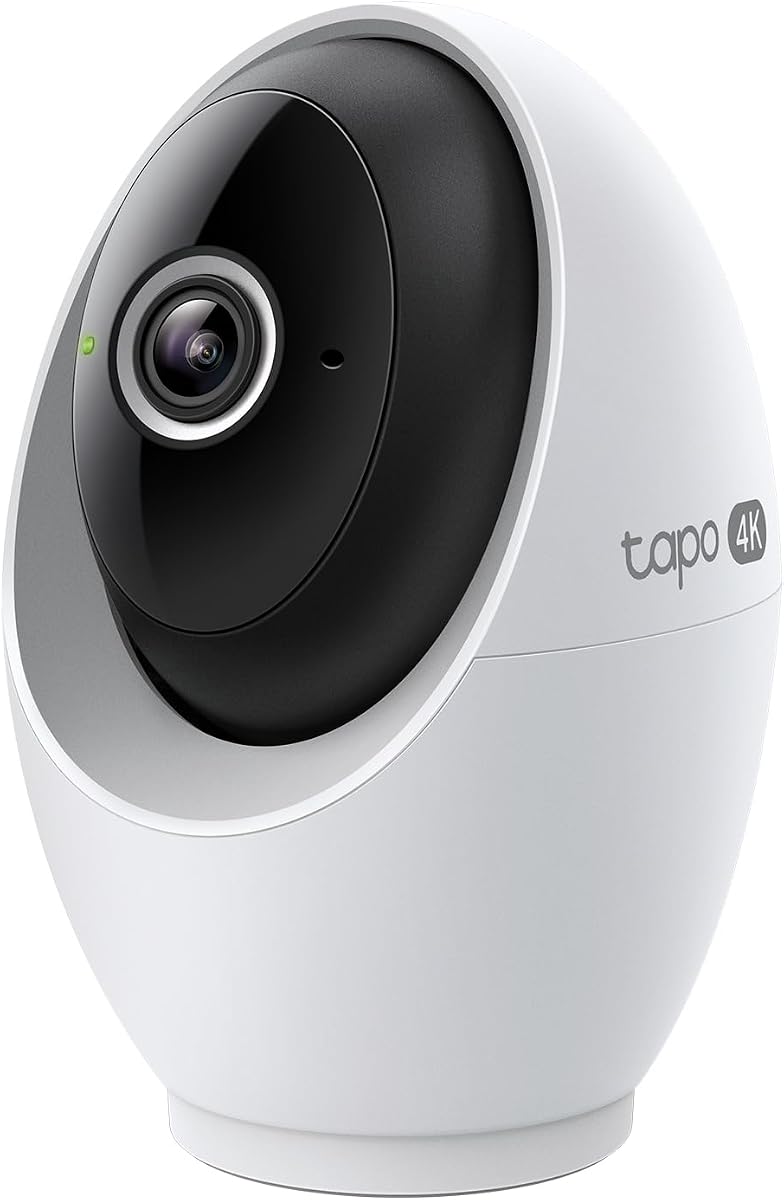
The Tapo C260 delivers stunning 4K Ultra HD clarity, offering four times the resolution of standard 1080p cameras. This level of detail allows you to see small objects clearly from across the room.
We may earn a commission when you buy through this link, at no additional cost to you.
Its on-device AI processes data locally to keep sensitive information private while providing accurate alerts for people and motion. You can customize detection zones to avoid false alarms from pets or passing shadows. The 360-degree horizontal pan ensures complete room coverage.
While the camera is powerful, it requires a wired power connection which limits placement options compared to battery models. The starlight sensor handles low light well, though it does not switch to color night vision as effectively as premium competitors.
This model is perfect for users who want high resolution without monthly fees. The ability to store footage on a microSD card up to 512GB makes it cost-effective for long-term use. It is an ideal choice for monitoring nurseries or living areas.
AI detection happens directly on the camera, ensuring your facial recognition data never leaves your home for the cloud.
You can set specific privacy zones and detection areas to focus alerts on important spots like a front door or pet bed.
We may earn a commission when you buy through this link, at no additional cost to you.
The Amcrest ProHD 1080P provides a balance of performance and affordability for basic home security needs. It offers full HD video at 30fps, ensuring smooth playback when you review recorded events.
We may earn a commission when you buy through this link, at no additional cost to you.
The camera features an Ambarella chipset and a high-quality image sensor that deliver reliable low-light performance. It supports a wide range of recording options including PC software like Blue Iris, making it flexible for advanced users.
It does not support 5GHz WiFi networks which might limit performance in areas with heavy 2.4GHz congestion. However, the secure SSL connections and regular firmware updates ensure your data remains protected from external threats.
This camera is a practical choice for homeowners on a budget who still want professional-grade recording capabilities. The two-way audio allows you to communicate with family members or deter intruders instantly. It is a solid, dependable option for indoor monitoring.
Playback and recording on a PC are supported via Amcrest Surveillance Pro and Blue Iris Professional for flexible workflow.
Using secure SSL connections and encryption, this camera ensures your video streams remain private during transmission.
We may earn a commission when you buy through this link, at no additional cost to you.
The eufy Security 4K Indoor Camera E30 offers crystal-clear 4K recording without the need for monthly subscriptions. This makes it a cost-effective solution over the long term while maintaining high standards of video quality.
We may earn a commission when you buy through this link, at no additional cost to you.
It works seamlessly with HomeKit, Alexa, and Google Assistant, fitting easily into existing smart home ecosystems. The built-in spotlight allows you to switch between color and infrared night vision, providing vivid detail even in the dark.
The panoramic view feature lets you navigate your home screen by tapping, which simplifies multi-camera monitoring. While the initial cost is higher than standard models, the lack of recurring fees quickly balances out the investment.
This is the best choice for privacy-conscious users who want the highest resolution. It is ideal for monitoring babies or pets with two-way audio. The local storage ensures your footage stays under your control without cloud dependency.
The new app feature allows you to tap anywhere on the screen to instantly switch focus, making it easier to check different spots.
The integrated spotlight can act as a deterrent by lighting up a dark area and providing color night vision for identification.
We may earn a commission when you buy through this link, at no additional cost to you.
The Tapo C100 4-Pack provides excellent value for those needing to secure multiple rooms at once. With four cameras, you can cover living areas, bedrooms, and hallways effectively without buying each unit separately.
We may earn a commission when you buy through this link, at no additional cost to you.
Each camera offers 1080P high definition video and night vision up to 40 feet. The built-in siren serves as a deterrent against intruders, while the two-way audio helps you communicate with pets or family remotely.
While these cameras lack pan and tilt functionality, their wide fixed angle covers most room layouts well. They are easy to set up and integrate with Alexa and Google Home for voice viewing on larger screens.
This pack is ideal for families wanting comprehensive coverage on a budget. The option to store footage locally on microSD cards avoids subscription costs. It is a practical solution for securing an entire floor of a home.
Having four cameras allows you to monitor multiple entry points and common areas simultaneously for better security.
The siren can be triggered via the app to ward off potential threats or simply to alert someone moving into a restricted area.
We may earn a commission when you buy through this link, at no additional cost to you.
The eufy Security 4K Indoor Cam S350 introduces a dual-lens system that offers both wide and close-up views simultaneously. This unique feature allows you to see the entire room while focusing on specific details like a medication bottle or pet.
We may earn a commission when you buy through this link, at no additional cost to you.
With an 8x hybrid zoom, you can verify details remotely without needing to move closer. The auto-tracking feature ensures moving subjects stay in frame, while the dual infrared lights provide clear night vision up to 32 feet.
While it is one of the most expensive options, the savings on subscriptions justify the investment over time. The privacy shutter physically blocks the camera, ensuring your home remains secure from prying eyes when needed.
This model is perfect for households with elderly family members or active pets that require constant visual monitoring. The local storage keeps your data secure and private. It represents the peak of indoor surveillance technology for 2026.
The wide-angle and telephoto lenses work together to show you the big picture and the details on one screen.
AI recognition alerts you when specific sounds like crying or barking occur, ensuring you are notified of important moments.
We may earn a commission when you buy through this link, at no additional cost to you.
The Tapo C120 is a compact camera designed for both indoor and outdoor use, making it incredibly versatile. Its IP66 rating ensures it can withstand rain and dust, so it is ready for garages or covered patios.
We may earn a commission when you buy through this link, at no additional cost to you.
The magnetic base makes installation simple on metal surfaces like refrigerators or railings. This flexibility is rare in wired cameras. The 2K QHD resolution captures sharp details, and the starlight sensor provides color video at night.
While it is wired, the design minimizes clutter with its sleek look. You can use invisible IR mode for discreet monitoring or rely on spotlights for better illumination. It detects people, pets, and vehicles for free.
This camera is ideal for renters or those who want a low-profile device that can be moved easily. It is a solid choice for monitoring entryways or indoor spaces. The lack of subscription costs for AI detection adds significant value.
Attach the camera to any metal surface with the magnetic base, allowing for quick adjustments without tools or screws.
Switch between invisible IR mode and color night vision with spotlights to get the best visibility for your specific needs.
We may earn a commission when you buy through this link, at no additional cost to you.
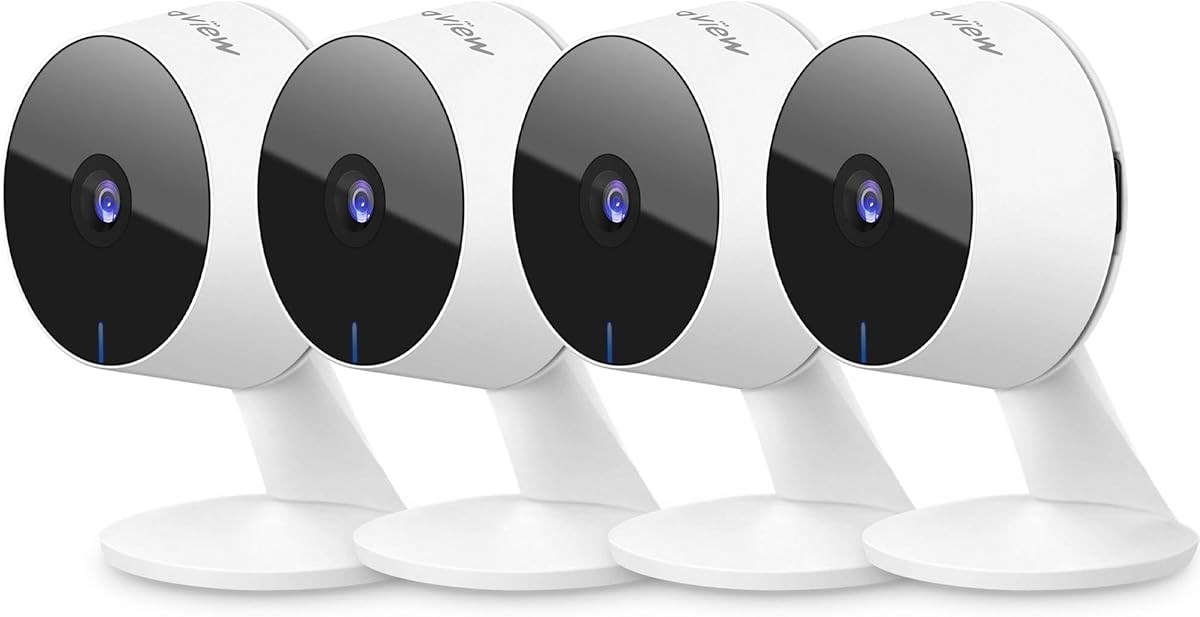
The LaView Security Cameras 4-Pack offers reliable monitoring with a unique feature: web browser access. This allows you to check your feeds on a computer without needing to launch an app, which is convenient for office use.
We may earn a commission when you buy through this link, at no additional cost to you.
It supports up to nine simultaneous live feeds and allows you to share access with up to twenty people. This makes it easy to involve family members in home security without technical hurdles. The clear two-way audio includes noise cancellation.
The cloud storage trial runs on AWS servers in the US, ensuring your data is encrypted. However, it does not support 5GHz WiFi which can be a limitation in high-interference areas. Night vision covers up to 33 feet effectively.
This pack is perfect for families who want to share camera access easily. The space-efficient design fits into any room. It is a solid choice for users who value accessibility and straightforward communication features over premium resolution.
View your feeds on a PC using a web browser for added convenience when checking in from a work computer.
Share access with up to 20 people so multiple family members can monitor the home from their own devices.
We may earn a commission when you buy through this link, at no additional cost to you.
The youkey Magnetic Indoor Security Camera is designed for renters and those who prefer wire-free setups. It features a strong magnet and built-in 8GB storage, eliminating the need for screws or subscriptions.
We may earn a commission when you buy through this link, at no additional cost to you.
The battery lasts months on a single charge thanks to smart wake-up technology that only records when motion is detected. This saves energy while ensuring you capture important events. The 2K resolution provides sharp details day and night.
Privacy is a key feature with a one-tap switch in the app that turns the camera off instantly. This physical control ensures you are never recorded when you are home. The rechargeable battery snaps off the base easily.
This camera is perfect for portable monitoring or spaces where drilling is not allowed. It is ideal for watching pets or babies without permanent installation. The combination of wire-free design and built-in storage makes it a practical choice.
The magnetic base lets you mount the camera on any metal surface instantly without tools or wall damage.
Footage is stored locally in the device's 8GB memory so you can access recordings without an SD card.
We may earn a commission when you buy through this link, at no additional cost to you.
Selecting the right camera involves considering several factors that align with your specific security needs and home environment.
Higher resolution like 4K or 2K ensures clearer details which are crucial for identifying faces or objects. While 1080p is sufficient for general monitoring, higher resolution helps in low-light conditions.
Choose 4K if you need to zoom in on details without losing quality.
Wireless cameras usually run on batteries or plug directly into an outlet. Battery models offer portability but require recharging. Wired models provide constant power but limit placement options.
Opt for battery-powered units if you need to move the camera frequently.
Storage can be local on a microSD card or in the cloud. Local storage avoids monthly fees but requires physical access to retrieve files. Cloud storage offers off-site backup but often requires a subscription.
Look for models supporting local storage to save on long-term costs.
Modern cameras use AI to distinguish between humans, pets, and vehicles. This reduces false alerts and ensures you only get notified about relevant events. Some systems allow you to set specific zones.
Ensure the camera offers customizable detection to avoid annoyance from false alarms.
Physical privacy covers or app-based controls allow you to disable the camera when inside your home. This is essential for maintaining privacy in bedrooms or living areas. Look for hardware switches for better security.
Prioritize models with physical privacy shutters for maximum security.
Check compatibility with Alexa, Google Home, or Apple HomeKit. Integration allows you to view feeds on smart displays or control settings with voice commands. This enhances convenience and accessibility.
Select a camera that works with your existing smart ecosystem.
Good night vision ensures visibility in dark rooms. Options include standard infrared, color night vision, or dual-light systems. Color night vision requires some light but provides better identification.
Look for a camera with at least 30 feet of night vision coverage.
The mobile app determines how easily you can view footage and manage settings. A user-friendly app with features like quick focus tap makes daily use more convenient. Regular updates ensure security and performance.
Read reviews to ensure the app is stable and intuitive.
Start by downloading the manufacturer app and creating an account. Follow the setup wizard to connect the camera to your 2.4GHz Wi-Fi network and place it where it can see key areas.
Position the camera securely using the provided stand or mount. Ensure it is not obstructed by curtains or furniture and that the lens is clean for optimal image quality.
Regularly update the firmware through the app to maintain security and performance. Clean the lens with a soft cloth and check battery levels if applicable to ensure uninterrupted recording.
Most indoor wireless IP cameras require Wi-Fi to stream live video and send alerts. However, some models allow local recording on an SD card even if the network drops. Always check the specific connectivity requirements.
Not all cameras require subscriptions. Many models offer local storage on microSD cards for free. Subscriptions usually add cloud storage and advanced AI features but are often optional for basic functionality.
Yes, most cameras allow remote access through a mobile app or web browser. You just need an internet connection on your phone. Ensure your home Wi-Fi is active for the camera to connect to the server.
Ensure the camera is not placed too close to reflective surfaces like glass or mirrors. Use models with spotlights for color night vision. Adjust the angle to avoid glare that might obscure details in the dark.
A 128GB card is usually sufficient for a few days of recording. Higher capacities like 256GB or 512GB allow for longer retention. Choose based on how often you need to keep footage.
Most cameras have a reset button on the device. Press it with a pin for a few seconds until the lights flash. You will need to set it up again through the app after resetting to factory settings.
Yes, most apps allow you to share access with family members. You can invite them via email so they can view live feeds on their own devices. This ensures everyone stays informed.
Most modern models include a microphone and speaker for two-way audio. This lets you talk through the camera to communicate with people or pets. Ensure the app volume is up for clear interaction.
We have reviewed ten outstanding options ranging from budget-friendly 1080p units to premium 4K dual-lens systems. The Tapo 4K and eufy S350 stand out for their high resolution and smart features.
Prioritize storage needs and privacy features to find a camera that fits your lifestyle. Whether you need a battery-powered unit or a high-definition wired camera there is a solution for every home.
Remember that technology evolves quickly so check current specifications before purchasing. By investing in a quality camera you ensure your home is protected with the latest in surveillance technology.