
IDVisor Smart V2
4.8Editor score
Built in GPS tracking
Stores customer photos
Long battery life
Finding the right Id Scanners for Age Verification is crucial for businesses serving alcohol or age restricted items. A reliable scanner ensures compliance with local laws while maintaining a smooth customer experience at the door or point of sale.
We evaluated ten leading models based on scanning speed compatibility with various ID formats fake detection capabilities and overall durability. Our analysis focuses on real world performance in high traffic environments like bars clubs and liquor stores.
Each pick highlights specific strengths such as portability standalone operation or advanced customer management tools. Please note that prices and availability can change rapidly so verify current details before making a purchase decision.
4.8Editor score

4.9Editor score

As an Amazon Associate we earn from qualifying purchases.
The following table provides a side by side overview of all ten models evaluated in this guide. Compare key specifications and capabilities to find the unit that best fits your operational needs and budget constraints.




The IDetect ID Scanner stands out as the top choice for businesses needing rapid and reliable age verification. With a 4.9 rating users praise its ability to validate IDs from all fifty states and many countries within seconds. It integrates smoothly with existing point of sale systems to streamline operations.
We may earn a commission when you buy through this link, at no additional cost to you.
Its core strength lies in the immediate visual and audible alerts when a tampered or banned ID is detected. This feature helps bar and club staff identify fraud instantly without needing to manually inspect every document. The system also logs scans to provide due diligence proof during inspections.
While it excels at barcode validation it does not detect holograms or watermarks which are common security features on newer IDs. Users relying heavily on visual inspection might need to supplement this device with manual checks for enhanced security in high risk environments.
This scanner is ideal for high volume venues like hospitals banks and busy retail points of sale where speed is critical. Its plug and play USB setup means minimal downtime for training or configuration making it a practical choice for operators seeking efficiency and compliance.
The system automatically creates a compliance log that protects your business during regulatory inspections by documenting every transaction and verification attempt accurately.
It connects easily to Windows based POS systems allowing staff to see age indicators directly on their main work screen without switching devices.
We may earn a commission when you buy through this link, at no additional cost to you.
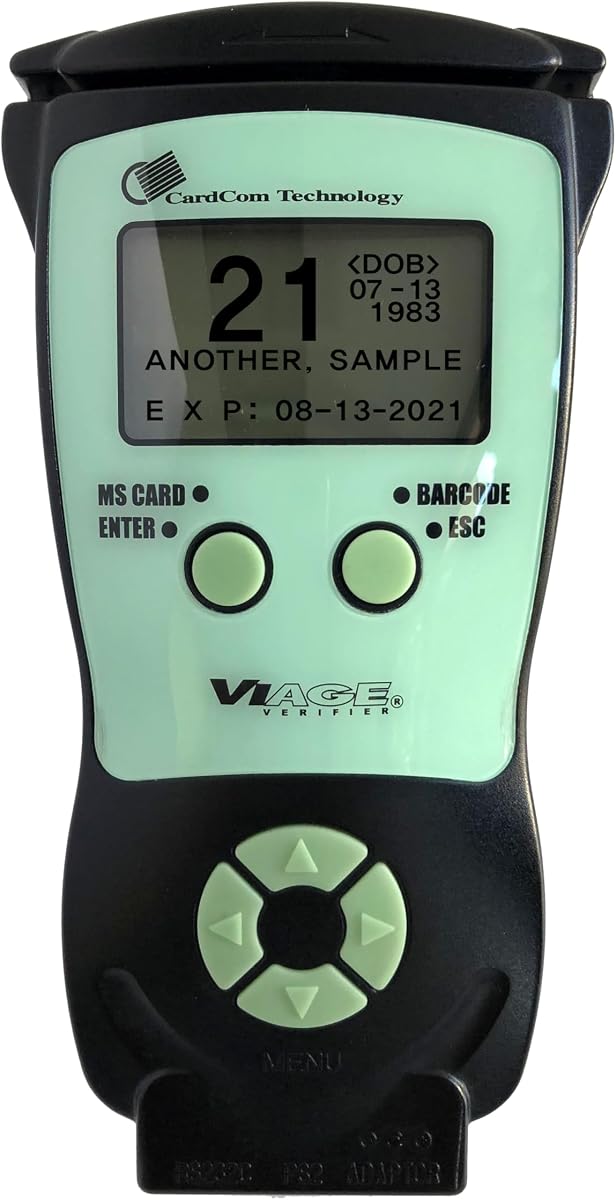
This countertop unit is designed for fixed positions at entrances or bars where a dedicated scanning station is preferred. It eliminates the need for a full computer setup by functioning as a standalone device that displays results directly on its screen.
We may earn a commission when you buy through this link, at no additional cost to you.
The ability to configure data logging to meet specific auditing or compliance needs makes it highly flexible for different regulatory environments. Businesses can export scan records easily to prove adherence to age restrictions during government inspections.
However the unit requires constant plug in power which limits its use to locations with reliable electrical outlets nearby. This lack of portability means it cannot be used for mobile events or temporary setups where a battery powered option would be more practical.
It is best suited for established venues that want a reliable always on verification station without complex software dependencies. The clear go no-go display ensures staff can make quick decisions while the optional fake detection adds an extra layer of security when needed.
The device is configured to meet key verification laws including Pennsylvania SB 688 and Utah Code ensuring your business stays legally protected.
You can choose to run premium fake checks only when needed allowing you to manage costs while still having advanced authentication available.
We may earn a commission when you buy through this link, at no additional cost to you.
The AgeVisor Mini offers a compact solution for venues needing quick reliable age checks without a bulky footprint. Its motion activated scanning allows for one-handed operation which speeds up the process for busy staff at crowded entrances.
We may earn a commission when you buy through this link, at no additional cost to you.
Unlike many competitors this model includes loyalty tracking directly on the screen helping staff identify frequent visitors or potential security risks immediately. It also offers advanced fake ID detection through Barcode Detective and DMVCheck services for enhanced security.
The device comes with lifetime software upgrades and US based support without requiring subscription fees which can reduce long term operational costs significantly. This makes it an attractive option for smaller businesses looking for sustainable verification tools over several years.
Despite its features the lower user rating suggests some inconsistency in performance or customer support experiences that buyers should weigh carefully. It remains a strong candidate for those prioritizing speed and a low total cost of ownership in a small device package.
Staff simply wave an ID near the device to trigger a scan eliminating the need to press buttons and keeping hands free for other tasks.
You receive free software upgrades for the life of the device ensuring compatibility with new ID formats without extra costs.
We may earn a commission when you buy through this link, at no additional cost to you.
The IDVisor Smart V2 is a premium handheld solution that combines age verification with robust customer relationship management capabilities. It allows venues to store over fifty thousand customer records with two photos per entry providing deep insights into patron behavior.
We may earn a commission when you buy through this link, at no additional cost to you.
Advanced features like GPS tracking help locate the device if lost or stolen while the ability to tag customers as VIPs or banned individuals aids in security management. The included spare battery ensures uninterrupted operation throughout long shifts without worrying about power loss.
While it offers extensive functionality the higher price point and complexity of setup may not suit smaller operations with simple verification needs. Businesses looking for detailed analytics and customer retention tools will find the investment well justified by the operational benefits.
It is best for clubs and high-end venues that value data insights as much as compliance. The ability to manage a database of patrons directly on the device transforms it from a simple scanner into a comprehensive business intelligence tool.
Managers can tag customers with custom categories and notes such as VIP or banned to alert staff instantly about specific security situations.
The GPS feature allows you to locate lock or erase data remotely protecting sensitive customer information if the scanner is misplaced.
We may earn a commission when you buy through this link, at no additional cost to you.
The CAV3200 offers a portable and ergonomic design that works independently without needing a connection to external devices. This makes it convenient for venues that require flexibility in where and how they perform age checks across different floors or areas.
We may earn a commission when you buy through this link, at no additional cost to you.
It features dual scanning technology supporting both magnetic stripe and two dimensional barcode formats to ensure comprehensive coverage across different ID cards. This versatility is crucial for venues dealing with a wide variety of identification documents from different regions.
The device includes free compliance software and updates for the life of the unit ensuring that your system stays current with changing ID formats without extra costs. Memory settings can be customized to enable or disable reporting depending on your specific compliance requirements.
Ideal for mobile events or multi-room venues this scanner provides reliable verification with minimal technical overhead. Its plug and play nature means staff can start using it immediately without extensive training or complex software configurations.
Supporting both magnetic stripe and 2D barcode ensures you can read virtually any ID format encountered during verification checks.
The package includes all accessories and compliance software upfront ensuring you face no unexpected subscription fees after purchase.
We may earn a commission when you buy through this link, at no additional cost to you.
The IDVisor Smart Plus distinguishes itself with an extra large five inch LCD screen that provides clear visibility of verification results in various lighting conditions. This is particularly useful in dimly lit club environments where reading a smaller screen might be challenging for staff.
We may earn a commission when you buy through this link, at no additional cost to you.
It maintains the robust feature set of the V2 including GPS tracking and extensive customer management tools allowing staff to tag VIPs and banned individuals effectively. The cloud sync option enables multiple devices to share records which is useful for larger venues with multiple entry points.
The device includes lifetime software updates and US based support ensuring long term reliability without additional costs beyond the initial purchase. This makes it a sustainable choice for businesses planning to use the technology for several years without needing frequent replacements.
Despite its advantages the higher price and weight might be a factor for portable operations. It is best suited for fixed or semi-permanent installations where screen visibility and customer management features are top priorities for the management team.
The five inch screen ensures results are easily readable even in dark or dimly lit venues improving staff efficiency and confidence.
Cloud syncing allows you to share customer records across multiple scanners ensuring consistency even in large multi-door establishments.
We may earn a commission when you buy through this link, at no additional cost to you.
Built for high volume environments this rugged scanner is designed to withstand drops dust and moisture thanks to its IP68 rating and MIL-STD-810H certification. This durability ensures reliable performance even in chaotic club or outdoor festival settings where devices face frequent stress.
We may earn a commission when you buy through this link, at no additional cost to you.
The swappable battery system allows staff to switch batteries quickly for minimal downtime ensuring continuous operation throughout long shifts without needing to plug into an outlet. Fast charging capabilities further reduce waiting time between shifts or busy periods.
It supports mobile driver licenses as an upgrade option future proofing the device for emerging digital ID trends. The customizable compliance logging allows businesses to configure data retention settings to meet specific internal or regulatory review needs accurately.
This model is ideal for businesses prioritizing durability and uptime in demanding conditions. While it may not offer the most advanced features it provides a solid reliable hardware foundation for consistent age verification across various challenging environments.
The IP68 rating means it is resistant to dust and water allowing it to survive spills or outdoor events without damage.
Mobile driver license support ensures you can adapt to new digital verification standards as they become more common.
We may earn a commission when you buy through this link, at no additional cost to you.
The Quantum Edge V3 is designed for environments where weather or drink splashes are a concern thanks to its water and dust sealed enclosure. This hardware ensures that small amounts of dust or liquid will not impact the operation of the equipment during use.
We may earn a commission when you buy through this link, at no additional cost to you.
It features Wi Fi connectivity which allows for easy connection with multiple devices and simplifies data transfer to PC software for reporting and management. The included carry case and accessories make it convenient to transport and store securely between shifts.
Users report fast operation with validation occurring within seconds for IDs from all fifty states and many countries including military IDs. Audible warnings and vibration alerts ensure that staff are notified immediately if a scan requires attention without looking at a screen.
This scanner is well suited for venues like bars and clubs where a protective barrier against common environmental hazards is valuable. It balances durability with connectivity offering a practical solution for businesses needing reliable data handling capabilities.
The water and dust seal ensures the scanner keeps working even when exposed to drink splashes or rain at outdoor venues.
Wi Fi connectivity allows for wireless data transfer to your systems making record keeping and reporting easier and faster.
We may earn a commission when you buy through this link, at no additional cost to you.
This countertop model offers a straightforward solution for businesses that prefer a fixed scanning station at their entrance or point of sale. It functions without a computer making it simple to install and operate with clear results displayed directly on the unit.
We may earn a commission when you buy through this link, at no additional cost to you.
The device supports state law compliance requirements and provides flexible data retention settings to meet internal or regulatory review needs accurately. It includes a compliance log that helps eliminate math mistakes and protects the business during inspections effectively.
Optional on-demand fake ID detection is available for users who require higher security measures beyond standard validation. However standard scanning remains free and unlimited ensuring baseline compliance without additional costs for basic operations.
It is a practical choice for venues with budget constraints that still need reliable verification. The lack of advanced features like GPS or extensive photo storage makes it suitable for operations where basic compliance is the primary goal.
Designed for permanent installation this unit ensures staff always know where to direct customers for age checks.
Customizable logging settings allow you to configure scan data to meet your specific business or auditing needs accurately.
We may earn a commission when you buy through this link, at no additional cost to you.
The Swish S1 Driver License Scanner is an affordable entry point for businesses needing a simple optical solution. It uses a camera based drop and scan mechanism to capture high resolution images without inserting cards through narrow slots which protects fragile documents.
We may earn a commission when you buy through this link, at no additional cost to you.
Since it has no moving parts it avoids the wear and tear associated with roller-based scanners ensuring longevity in high volume environments. The included Scan-ID software automatically reads driver license information from 2D barcodes on most USA and Canadian licenses.
However it is limited to Windows systems which might exclude Mac users and requires a computer connection rather than standalone operation. This dependency on a host PC means it is less suitable for mobile or temporary setups without a dedicated workstation.
Ideal for small offices or clinics looking to scan IDs or insurance cards the device balances simplicity with low cost. It provides a reliable way to archive documents and verify age without the higher price of dedicated handheld security systems.
The drop and scan slot avoids rolling fragile paper or plastic IDs preventing damage during the scanning process.
High resolution images allow you to keep digital copies of all documents for record keeping or future reference.
We may earn a commission when you buy through this link, at no additional cost to you.
Selecting the right age verification tool involves balancing speed accuracy portability and budget. Below are key factors to consider before making a purchase.
In high traffic environments like bars or clubs every second counts. Look for scanners that validate IDs in under two seconds and offer clear visual or audible confirmations. Speed reduces bottlenecks at the door while accuracy ensures you are not letting underage patrons in.
Prioritize models that scan barcodes reliably since most modern IDs use them as the primary source of truth. Accuracy minimizes false positives which can frustrate customers and slow down operations unnecessarily.
Different states and localities have varying rules about data storage and retention. Ensure your chosen scanner can create logs that meet the specific requirements of your jurisdiction. Many models now include features designed to comply with state laws automatically.
A system that produces clear compliance logs protects your business during inspections. Verify that the software allows you to export data easily if auditors request records for review.
Consider where you need to use the device. If you run events or have multiple entry points a portable handheld unit with a long battery life is essential. For a permanent bar counter a countertop model might be more robust and easier to maintain.
Battery life is a key differentiator for portable units. Look for swappable batteries if your venue operates long shifts so you can keep the scanner running without interruption.
While barcode scanning is standard some advanced models offer fake ID detection features that analyze encrypted data against security databases. This adds a layer of security beyond simple age calculation but often comes with additional subscription costs.
Assess whether you need advanced security checks or if basic age verification is sufficient. Basic scanners stop underage entry but might miss sophisticated fakes that barcodes alone cannot catch.
Check if the scanner integrates with your existing point of sale system. Seamless integration means staff do not have to switch between screens to log sales and verify ages. Standalone devices are flexible but might require manual data entry.
Ensure the software is compatible with your operating system. Some models are Windows only which could be a limitation if you use Macs or tablets for your POS network.
Look beyond the initial purchase price. Some devices require ongoing subscription fees for updates or fake checks. Choose a model with free updates if possible to keep costs predictable over several years.
Consider the durability of the hardware. A cheaper unit that breaks quickly costs more in the long run than a rugged device with a higher upfront price but longer lifespan.
Most modern scanners are plug and play requiring minimal setup. Connect the USB or power cable and ensure the software is installed or ready to run. Calibrate the scanner if necessary by scanning a test ID to verify it reads data correctly.
Keep the scanning window clean from dust and spills to maintain accuracy. For handheld units store them in their protective cases when not in use to prevent drops. If using a countertop model ensure it sits on a stable surface near an outlet.
Regularly update the software to ensure compatibility with new ID formats issued by states. Review the logs periodically to identify any patterns or errors in your scanning process. Train staff on how to interpret the alerts to handle rejections politely and effectively.
Basic age verification models often come with lifetime updates and no ongoing fees. However advanced fake detection features may require purchasing scan credits or a subscription. Always check the product details to see if any features incur extra costs over time.
Many scanners are designed for Windows systems but some offer cross-platform support. Always verify the compatibility requirements before purchasing. If you use Macs you may need to check if a specific model has a compatible driver or app available.
Most scanners work offline by reading barcode data locally without needing a connection. Some advanced fake checks might require online access to query security databases. Ensure you have a plan for offline operation if you run in areas with poor connectivity.
Yes most units are designed with simple workflows requiring minimal training. They typically use clear lights or sounds to indicate pass or fail. Many come with quick start guides to help your team get up and running quickly.
Data storage depends on your local laws and business needs. Some models offer optional photo capture and loyalty tracking but you can disable these features. Always consult legal counsel to ensure your storage practices comply with privacy regulations.
Rugged models are built to withstand drops and spills but always keep a backup plan such as a secondary device or a paper checklist. Portable units with swappable batteries ensure you can keep scanning if one unit runs out of power.
The top picks cover a range of needs from rugged portable units to advanced systems with customer management tools. The IDetect ID Scanner offers speed and reliability while the IDVisor models provide comprehensive data insights for larger venues.
When choosing prioritize factors like scanning speed compliance features and budget. A device that integrates well with your workflow saves time and reduces errors. Ensure the hardware is durable enough to last through busy shifts without issues.
Prices and availability change frequently so verify current details before buying. Review your specific legal requirements to ensure the device meets all local standards. Investing in a quality scanner protects your business and keeps your venue safe for all customers.