
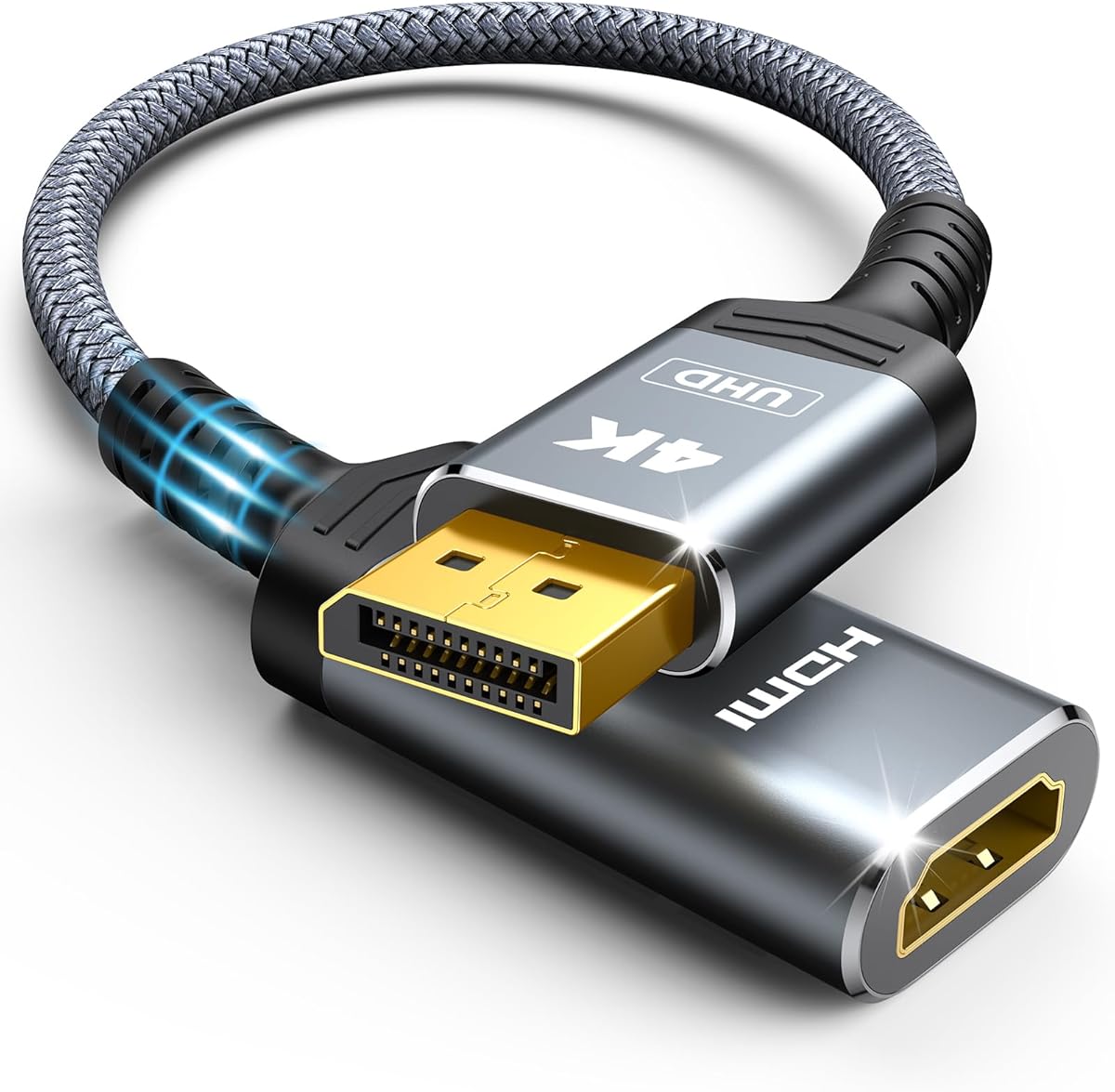
Moread 4K DisplayPort to HDMI Adapter, Male to Female, Black
4.6Editor score
Compact lightweight design
Supports up to 4K
Durable reinforced housing
This guide compares the top HDMI to Displayport converters for high resolution video and audio streaming across gaming consoles and computers.
Connecting modern computers to monitors often requires the right adapter for seamless display. HDMI to Displayport converters enable users to link HDMI sources to DP screens effectively.
We evaluated ten top models based on resolution support, build quality, and compatibility. Our list covers active and passive designs suitable for various professional and gaming needs.
Each pick highlights key features like refresh rates and connector durability. Note that prices fluctuate daily so verify current offers before purchasing your ideal adapter solution.
4.6Editor score

5.0Editor score

4.4Editor score
We compared ten leading adapters focusing on resolution, power needs, and compatibility to help you find the perfect connection for your specific display setup needs.



This converter leads our list with a perfect rating and strong performance in real world tests. It actively converts HDMI signals to Displayport ensuring compatibility with modern devices.
We may earn a commission when you buy through this link, at no additional cost to you.
The standout feature is its ability to handle 4K at 60Hz and high refresh rates like 144Hz for gaming. Users report stable signals with consoles like Xbox and PS5.
It does require a USB power cable for stable performance which adds a slight complexity to setup. However this power draw ensures consistent high resolution output without flickering.
Anyone needing to connect an HDMI console to a Displayport monitor should consider this adapter first. It offers the most versatile and reliable experience for high end users.
Gamers appreciate the 144Hz support which ensures smooth gameplay on high refresh monitors without screen tearing issues.
This unit works seamlessly with Xbox and PS5 making it ideal for connecting consoles to monitors that lack HDMI inputs.
We may earn a commission when you buy through this link, at no additional cost to you.
This adapter offers exceptional value for users needing a reliable passive solution for standard office setups. It connects Displayport sources to HDMI displays efficiently.
We may earn a commission when you buy through this link, at no additional cost to you.
The build quality includes gold plated connectors and a reinforced ABS housing that ensures longevity. The 5 year warranty adds significant peace of mind for buyers.
Users should note that 4K is limited to 30Hz which is fine for movies but not ideal for gaming. It also only works from DP to HDMI not the reverse.
Budget conscious buyers looking for a durable DP to HDMI adapter will find this product perfect for daily workstation use.
A 5 year unconditional warranty is rare in this category and shows the manufacturer stands behind the durability of the unit.
Its lightweight and compact form factor makes it easy to toss in a laptop bag for business presentations anywhere.
We may earn a commission when you buy through this link, at no additional cost to you.
This model stands out for its active conversion capabilities which allow HDMI sources to drive DP monitors reliably. It is ideal for laptop users.
We may earn a commission when you buy through this link, at no additional cost to you.
The housing is built to be sturdy and includes gold plated connectors for optimal signal transmission. The included USB power cable ensures stable performance on low power sources.
While it does not support high refresh rates like 144Hz it is perfect for office work and video streaming. The price reflects its premium build and active chip.
Professionals needing a reliable active HDMI to DP adapter for workstations should choose this option for consistent high quality display output.
The active chip allows HDMI sources to power DP monitors effectively making it suitable for setups where passive cables fail.
Included USB power ensures the adapter gets enough energy for high resolution output even from weaker laptop HDMI ports.
We may earn a commission when you buy through this link, at no additional cost to you.
This adapter is praised for its compact size which makes it easy to carry in a pocket for presentations. It connects laptops to HDMI monitors seamlessly.
We may earn a commission when you buy through this link, at no additional cost to you.
It supports 4K at 30Hz and uses a secure latch design to prevent accidental disconnection during use. The build ensures stability while keeping the footprint small.
The main limitation is the refresh rate cap which is fine for office tasks but not for gaming. It is strictly for Displayport to HDMI direction.
Frequent travelers and presenters will appreciate the pocket friendly design and reliable performance for connecting to projectors or TVs.
The built-in latches ensure the adapter stays firmly in place during presentations preventing signal drops due to movement.
Its small size makes it one of the most portable options available for business professionals on the go.
We may earn a commission when you buy through this link, at no additional cost to you.
This adapter features a durable design with military grade nylon that withstands frequent bending and flexing. It ensures long lasting signal transmission for desktop users.
We may earn a commission when you buy through this link, at no additional cost to you.
The gold plated ports and latch-free design make it easy to plug in without worrying about breaking clips. It supports 4K and audio synchronization well.
Users must note it works only with DP sources and not with docks or game consoles. It is designed for PC to monitor connections primarily.
Those needing a rugged solution for office desktops will find this adapter reliable and built to last with minimal signal degradation.
The nylon sheath is rated to withstand up to 25000 flex times ensuring longevity in busy work environments.
Without latches the connector can be removed easily without risk of damaging the port or the adapter cable.
We may earn a commission when you buy through this link, at no additional cost to you.
This adapter is designed for gamers and video users who need 60Hz refresh rates at 4K resolution. It uses active technology to convert signals effectively.
We may earn a commission when you buy through this link, at no additional cost to you.
The aluminum housing helps dissipate heat which is vital for active chips running high data rates. It supports HDCP 2.2 for protected content streaming.
While it offers 60Hz performance it does not support higher refresh rates like 144Hz for 2K resolutions. It is a solid choice for console connectivity.
Users needing smooth 4K video playback or gaming on a DP monitor should choose this active converter for its performance balance.
The aluminum housing prevents overheating during long gaming sessions ensuring stable performance over time.
Support for HDCP 2.2 allows users to watch protected 4K content on streaming services without issues.
We may earn a commission when you buy through this link, at no additional cost to you.
This 2-pack offers great value for users who need multiple adapters for different setups. It connects DP sources to HDMI displays reliably.
We may earn a commission when you buy through this link, at no additional cost to you.
The aluminum alloy build ensures heat dissipation and protection against corrosion. The no-buckle design prevents accidental damage during plugging and unplugging.
Since it is passive it only works for DP to HDMI connections and is limited to 30Hz at 4K. It is not for gaming consoles or KVMs.
Households with multiple workstations will appreciate getting two adapters for the price of one standard unit.
Getting two units allows you to keep one at home and one at the office for consistent connectivity needs.
Aluminum construction makes these adapters resistant to wear and tear while maintaining signal integrity.
We may earn a commission when you buy through this link, at no additional cost to you.
This short cable is perfect for keeping desks tidy while connecting a laptop directly to an external monitor. It supports high refresh rates for 1080P.
We may earn a commission when you buy through this link, at no additional cost to you.
The aluminum housing and braided sheath ensure durability and minimal signal interference. It is a passive adapter for DP to HDMI connections only.
The short length may be restrictive if devices are far apart. It is best for direct desk setups where space is limited.
Users wanting a neat and reliable connection for high refresh 1080P monitors will find this cable highly effective and well built.
Strain relief at both ends protects the connector from breaking when frequently plugging and unplugging the device.
The short length keeps cables hidden and reduces clutter on your desk for a cleaner look and feel.
We may earn a commission when you buy through this link, at no additional cost to you.
This adapter excels at high refresh gaming supporting 144Hz at 2K and 60Hz at 4K. It uses active technology to convert HDMI signals to DP.
We may earn a commission when you buy through this link, at no additional cost to you.
The braided nylon cable adds durability and user friendly design for easier plug and unplug. It is compatible with PS5 and Xbox Series X.
It requires external power via USB to maintain stable high bandwidth performance. Users must ensure their power source is reliable.
Gamers needing to connect modern consoles to older DP monitors should choose this adapter for its high refresh capabilities and reliability.
The support for 144Hz at 2K ensures competitive gamers get smooth visuals on compatible high refresh monitors.
Compatibility with Xbox and PS5 makes it a versatile choice for next gen console connectivity.
We may earn a commission when you buy through this link, at no additional cost to you.
This adapter supports legacy devices like Xbox 360 and PS3 making it ideal for retro gaming setups on modern monitors. It converts HDMI to DP effectively.
We may earn a commission when you buy through this link, at no additional cost to you.
The compact design fits easily in a bag for travel and business presentations. It includes an IC chip for stable signal transmission.
It does not support KVM switches and works only for HDMI to DP direction. Users should check their device compatibility before purchasing.
Users needing to connect older consoles to DP displays will find this adapter reliable and affordable for legacy compatibility.
Compatible with older consoles like Xbox 360 and PS3 for users keeping retro gaming setups alive.
Its lightweight design makes it easy to carry and set up anywhere for presentations or gaming.
We may earn a commission when you buy through this link, at no additional cost to you.
Selecting the right converter depends on your source devices and required performance features like resolution and refresh rates.
Ensure the adapter matches your setup direction. DP to HDMI works for PC to monitor while HDMI to DP is for consoles to monitors.
Check product details to confirm directionality before buying.
Higher resolution like 4K at 60Hz requires active adapters. Passive ones often cap at 30Hz which affects gaming smoothness.
Choose active for high refresh rates and passive for basic office use.
Active adapters often need USB power for stable high bandwidth. Passive ones do not need extra power but have lower performance.
Verify if your source device has extra power ports for active units.
Look for gold plated connectors and durable housing like aluminum or nylon to ensure signal integrity and longevity.
Premium materials reduce signal loss and corrosion over time.
Not all adapters work with game consoles. Check if the unit explicitly mentions support for Xbox or PlayStation devices.
Ensure the adapter is compatible with your specific console model.
Short cables reduce clutter but may limit reach. Choose a length that fits your desk layout comfortably.
Balance flexibility with stability for your setup.
A longer warranty like 5 years indicates manufacturer confidence. It protects your purchase from defects or failures.
Prioritize brands offering extended warranty coverage.
Modern adapters support multi channel audio like 7.1 for surround sound. Ensure your setup benefits from this feature.
Check audio specs if sound quality is important.
Plug the adapter into your source device port firmly until it clicks if latches are present.
Connect the other end to your monitor using the appropriate HDMI or Displayport cable.
If using an active adapter connect the USB power cable to your computer or wall adapter for stable operation.
No you must ensure the monitor has a Displayport input and the source has HDMI output. Also check if the monitor supports the specific refresh rate required.
Most adapters are plug and play requiring no drivers. They work immediately with supported operating systems like Windows and macOS.
Flickering often occurs without proper power supply or incompatible resolution settings. Try connecting the USB power cable and lowering the refresh rate.
No most adapters are unidirectional. Ensure you buy the correct direction for your source and display setup.
Active adapters convert signals internally and need power for high resolutions. Passive ones rely on signal conversion and often cap at lower resolutions.
Most adapters work for single display connections. You may need multiple adapters and sources for multi monitor setups.
We reviewed ten top models offering a range of features from budget passive options to high end active converters.
Prioritize your resolution needs and source device compatibility to choose the right adapter for your setup.
Prices and stock change quickly so check current offers before making your final purchase decision.