
HDMI Audio Extractor Splitter HDMI to 3.5mm
4.2Editor score
Affordable entry-level pricing
Simple plug-and-play setup
Compatible with many HDMI sources
This guide compares the top HDMI Audio Extractor models available in October 2026 to help you choose the right device for your home theater setup.
Finding the right HDMI Audio Extractor is essential for modern home theater setups that require separate audio and video routing. These devices allow you to split audio from HDMI signals to connect to soundbars, receivers, or speakers without losing video quality or compatibility.
We evaluated ten leading models based on resolution support, audio format compatibility, build quality, and ease of use. Our comparison covers devices ranging from basic 1080p extractors to advanced 8K HDMI 2.1 units capable of handling high bandwidth signals and immersive surround sound formats.
Each pick highlights key strengths and specific use cases to help you match the device to your source equipment and display needs. Please note that product availability and pricing can change frequently, so always verify current specifications before making your final purchase decision online.
4.2Editor score

4.2Editor score

4.4Editor score
The following table provides a side-by-side comparison of all ten models featured in this guide, highlighting their key specifications and compatibility features to help you make an informed decision.






The VPFET HDMI Audio Extractor is a solid budget-friendly solution for users who need basic audio separation without advanced features. It extracts audio from HDMI signals to optical or 3.5mm outputs, making it suitable for connecting older receivers or speakers to modern HDMI sources. While it supports 4K video, it is limited to 30Hz, which is fine for movies but not for high refresh rate gaming.
We may earn a commission when you buy through this link, at no additional cost to you.
This model offers three distinct audio modes including 2.0CH, 5.1CH, and pass mode, giving users flexibility in how they route sound. The optical output supports DTS 5.1 surround sound, which is a significant advantage for home theater setups on a budget. It also features low energy consumption and requires only a standard USB port for power, making it easy to integrate into existing setups without needing a dedicated outlet.
However, users should be aware that this device does not support ARC or eARC, meaning it cannot pull audio from a TV's return channel. Additionally, the 30Hz refresh rate may cause screen tearing or stuttering on gaming monitors that require higher rates. Despite these limitations, the VPFET is an excellent choice for static media setups like Blu-ray players or cable boxes.
This extractor is best suited for budget-conscious buyers who prioritize audio extraction over high refresh rates or TV integration. If you have a soundbar or AV receiver and need to route audio from a gaming console or streaming box, this unit delivers reliable performance without breaking the bank. Always ensure your source supports the required HDMI version for stable operation.
This device provides a cost-effective way to separate audio from video signals for older sound systems.
Powering the unit via USB allows you to skip finding an extra wall adapter.
We may earn a commission when you buy through this link, at no additional cost to you.
The OREI HDMI Audio Extractor stands out as a premium choice for users who need to maintain high refresh rates while separating audio. It supports video resolutions up to 4K@60Hz with full color sampling, ensuring that your visual experience remains crisp and smooth. The inclusion of ARC support allows it to work with TV return channels, making it versatile for both source and display routing.
We may earn a commission when you buy through this link, at no additional cost to you.
This unit features advanced audio extraction capabilities including downmixing and CEC pass-through. The downmix function allows you to convert multichannel audio to stereo without losing fidelity, while CEC pass-through ensures that remote control signals pass through to other devices. It is fully compliant with HDMI 2.0b and HDCP 2.2, providing security and compatibility with modern streaming devices and consoles.
While the price is higher than basic models, the added features justify the cost for enthusiasts who demand performance. The device supports HDR and wide color depth, which means you won't lose video quality when passing signals through it. However, the setup process may require enabling specific settings on your TV, such as CEC and ARC, which can be confusing for less technical users.
This extractor is ideal for high-end home theater systems where 4K gaming and streaming are daily activities. If you own a PS5, Xbox Series X, or a 4K TV with ARC, this device will ensure that your audio and video signals remain intact without compromise. It is a robust investment for anyone looking to future-proof their AV setup against new content formats.
The ability to support ARC makes this unit compatible with modern TV audio return channels.
Maintaining 4K at 60Hz ensures smooth visuals for gaming and action-packed movies.
We may earn a commission when you buy through this link, at no additional cost to you.
This OREI model bridges the gap between basic extractors and high-end units by offering 4K@60Hz support and advanced audio formats like Dolby Atmos. It is designed for users who want reliable audio separation for high-definition content without needing ARC functionality. The metal housing provides durability and efficient heat dissipation, making it suitable for continuous operation in home theater racks.
We may earn a commission when you buy through this link, at no additional cost to you.
It supports a wide range of audio formats including LPCM, Dolby Digital, DTS 5.1, and even Dolby Atmos, ensuring that modern streaming content sounds as intended. The device uses a dual voltage power supply which is convenient for international travelers or those with non-standard outlets. It also supports HDMI 2.0b bandwidth which allows for high-speed data transfer without bottlenecks.
While it lacks ARC support, this is a deliberate design choice to focus on input source routing rather than TV return channels. The lack of ARC might limit some users who want to extract sound from a TV's internal apps, but it works perfectly with external sources like consoles and Blu-ray players. The packaging also includes an adapter for international use which is a nice touch.
This converter is best for users who prioritize audio quality and video fidelity over TV integration. If you need to send audio to a high-end receiver from a 4K source and expect flawless performance, this unit delivers on those expectations. Its robust build quality and format support make it a solid investment for serious home cinema enthusiasts.
Full support for Atmos ensures you get immersive audio from compatible content.
The power supply works globally so you can use this unit while traveling.
We may earn a commission when you buy through this link, at no additional cost to you.
The eSynic Professional Extractor is uniquely designed for users who want to extract audio specifically from a TV's ARC or eARC port. Many TVs have limited audio outputs, and this device solves that problem by converting the return channel into analog L/R or 3.5mm outputs. It supports high sampling rates up to 192kHz which ensures that the audio signal remains pure and uncompressed.
We may earn a commission when you buy through this link, at no additional cost to you.
This unit focuses on PCM output which is ideal for connecting to analog soundbars or external speakers that do not support optical inputs. It is plug and play and powered via USB which makes setup incredibly easy. The device includes audio signal indicators which help you troubleshoot connection issues quickly without guessing what might be wrong.
A key limitation is that it only works with HDMI ARC/eARC ports on TVs and does not accept input from other HDMI sources like consoles. This means it is not a general-purpose extractor but a specific tool for TV audio enhancement. If you have a smart TV and want to send better sound to external speakers, this is exactly what you need.
This adapter is perfect for upgrading older audio systems to work with modern TV apps. By bypassing the TV speakers and routing audio to better hardware, you can dramatically improve sound quality. It is an inexpensive way to get better audio without replacing your entire setup or upgrading your TV.
This device solves the issue of poor built-in TV speakers by routing audio externally.
Support for 192kHz ensures high fidelity audio extraction for quality systems.
We may earn a commission when you buy through this link, at no additional cost to you.
The J-Tech Digital extractor is a strong contender for gamers and PC users who need high refresh rates at 1080p. It supports resolutions up to 1080p@144Hz which is critical for competitive gaming setups where every millisecond counts. It also supports HDR10 ensuring that you get vibrant colors and better contrast when watching compatible content.
We may earn a commission when you buy through this link, at no additional cost to you.
It extracts audio via SPDIF optical and 3.5mm analog outputs providing flexibility for your speaker setup. However, it is important to note that the analog output requires the source device to be set to PCM audio. If you try to pass digital formats like Dolby Digital to analog, it will not decode them correctly so configuration is key.
This unit is compliant with HDMI 2.0 and HDCP 2.2 ensuring compatibility with most modern consoles and streaming boxes. It also supports CEC allowing you to control devices with a single remote in some configurations. While it works well with most devices, it is not compatible with Apple TV 3rd generation which may limit its use in some households.
This extractor is ideal for PC gamers and console owners who prioritize refresh rates and color accuracy. If you need to send audio to a receiver while keeping your video signal intact at high frame rates this device delivers reliable performance. Its value proposition is strong for users who need 4K 60Hz or 1080p 144Hz support.
Support for 144Hz ensures smooth gaming without screen tearing or lag.
HDR10 compatibility helps maintain vibrant picture quality during high dynamic scenes.
We may earn a commission when you buy through this link, at no additional cost to you.
This VPFET model is specialized for extracting audio from a TV's ARC or eARC port to optical and coaxial outputs. It is perfect for users who have older receivers or soundbars that lack HDMI inputs and need to rely on digital optical or coaxial connections. The device supports 192kHz sampling which ensures high fidelity audio transmission without data loss.
We may earn a commission when you buy through this link, at no additional cost to you.
It comes with an included HDMI ARC cable which simplifies the installation process significantly. Many similar devices require you to buy a high-speed HDMI cable separately which can add to the cost and confusion. The unit is compact and powered via USB making it easy to place in any media cabinet without clutter.
While it offers dual digital outputs it does not support CEC pass-through which means you may not be able to control volume with your TV remote. This is a trade-off for the simplicity and dual output options. However for pure audio extraction from TV apps this is a very capable solution.
This adapter is best for households that want to use existing audio systems with modern smart TVs. If your TV has ARC but your speaker system only takes optical or coaxial this unit bridges that gap effectively. It is a practical solution for improving audio quality without replacing your existing speakers.
Providing both optical and coaxial outputs increases compatibility with older receivers.
Getting an HDMI cable in the box saves you from buying one separately.
We may earn a commission when you buy through this link, at no additional cost to you.
This OREI unit is a future-proof solution designed to handle the highest bandwidth HDMI signals available today. It supports video pass-through up to 8K at 60Hz and 4K at 120Hz ensuring that it will remain relevant even as display technology advances. It fully supports HDMI 2.1 protocols including ALLM QMS and VRR which are essential for next-gen gaming consoles.
We may earn a commission when you buy through this link, at no additional cost to you.
The device includes ARC and CEC support allowing it to work as a central hub for your media center. You can route audio from the TV to external speakers and still control everything with one remote. It also features HDCP 2.3 compliance which provides the highest level of content protection for streaming services like Netflix and Amazon Prime.
OREI backs this product with lifetime tech support which is a significant advantage for long-term ownership. In the AV world support can make a difference when you encounter complex configuration issues. The metal housing also ensures durability and efficient cooling so it can run for extended periods without overheating.
This extractor is ideal for users who own or plan to own 8K displays or 4K high refresh rate monitors. It ensures that your audio and video signals remain intact even at maximum resolutions. If you want to stay ahead of the curve with your home theater setup this device is the best investment available.
Support for 8K ensures compatibility with future displays and high bandwidth sources.
Lifetime tech support provides peace of mind for long-term AV investments.
We may earn a commission when you buy through this link, at no additional cost to you.
This device combines the functionality of a switch and an audio extractor making it a versatile choice for users with multiple game consoles. It allows you to connect two HDMI sources and switch between them while maintaining high bandwidth support up to 8K and 4K at 120Hz. This is perfect for households with both a PS5 and an Xbox Series X.
We may earn a commission when you buy through this link, at no additional cost to you.
It supports HDMI 2.1 protocols ensuring that features like VRR and ALLM work correctly when switching sources. The unit is powered via Type-C which is a convenient modern standard that is easy to manage on a desk or in a media rack. It also supports IMAX digital and HDR ensuring that cinematic content looks and sounds as intended.
The device is compact and portable which makes it easy to move between setups if needed. It supports automatic switching so you can start a game and the display will adjust accordingly. However it is important to note that it only supports 2 in 1 out configuration so you cannot split video to two screens.
This unit is best for gamers who need to share one display and sound system between multiple consoles. By combining switching and extraction into one device you save space and reduce cable clutter. It is a high-performance tool that meets the demands of next-gen gaming consoles with ease.
Switching between two sources without changing cables simplifies multi-console setups.
Type-C power allows for easy integration into modern media centers without extra bricks.
We may earn a commission when you buy through this link, at no additional cost to you.
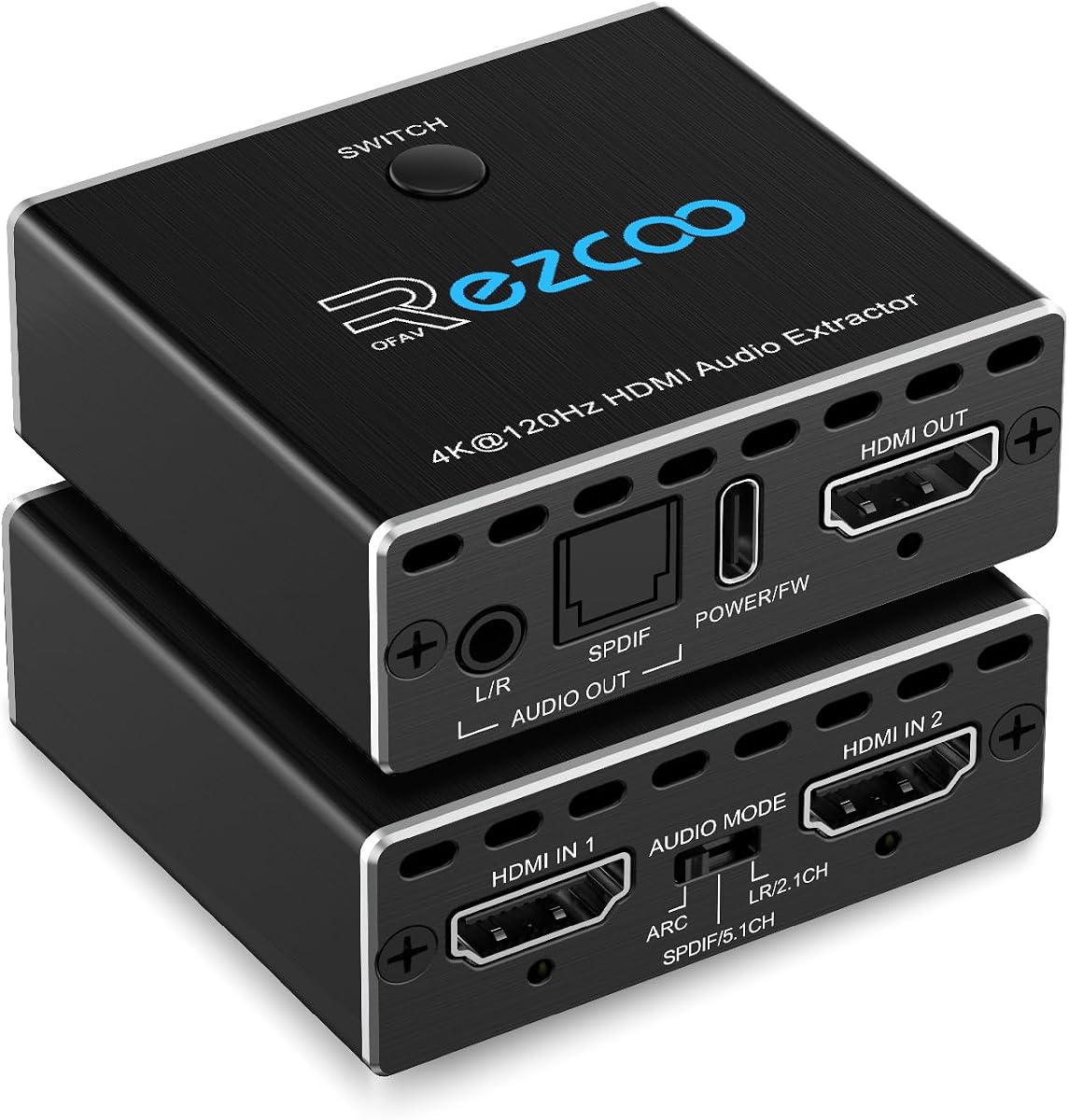
This extractor stands out because it offers three distinct operating modes to handle different audio scenarios. You can choose pass mode to mirror native audio R/L mode to downmix to stereo or SPDIF mode for multi-channel surround sound. This flexibility makes it suitable for a wide range of devices from Blu-ray players to gaming consoles.
We may earn a commission when you buy through this link, at no additional cost to you.
It supports 8K at 60Hz and 4K at 120Hz ensuring that it meets the needs of high-end displays. It also supports ARC and eARC via a DIP switch which allows you to adapt the device to different TV configurations. This is a unique feature that gives you control over how the device interacts with your setup.
The device requires Type-C power which is easy to manage but adds a small cable to your setup. It is important to configure the DIP switch correctly to ensure that ARC works as expected on your TV. Once configured it performs reliably without needing software updates or drivers.
This unit is best for users who want a single device that can adapt to different audio and video needs. Whether you want to downmix audio to stereo or get full surround sound from a receiver this device can handle it. Its support for 8K and eARC makes it a versatile choice for future setups.
Three modes allow you to adapt the audio output to any source device.
Manual switches provide control over ARC and mode settings without menus.
We may earn a commission when you buy through this link, at no additional cost to you.
This basic splitter is designed for simplicity and affordability making it perfect for users who just need to connect audio to a soundbar or external speakers. It supports 4K at 30Hz which is sufficient for streaming movies and static content. It is very lightweight and compact so you can hide it behind your TV or monitor without it taking up much space.
We may earn a commission when you buy through this link, at no additional cost to you.
The package includes a USB power cable which means you do not need to buy extra accessories to get it working. It is plug and play so there are no menus or complex settings to configure. This makes it an excellent choice for those who are not tech-savvy and just want a device that works out of the box.
It does not support ARC or eARC so you cannot use it with TV return channels. It also is limited to 30Hz refresh rates which means it is not suitable for high frame rate gaming. However for budget setups where video quality at 30Hz is acceptable this device does the job well.
This extractor is best for budget users who have older TVs or simple setups without the need for advanced features. It is a reliable way to get audio out of an HDMI source when your display lacks a headphone jack. Its simplicity and low price make it a safe entry point for anyone new to audio extraction.
Its small size allows it to fit in tight spaces behind TVs or monitors.
Having cables and power included means you can start using it immediately.
We may earn a commission when you buy through this link, at no additional cost to you.
Choosing the right extractor depends on understanding your source devices display capabilities and audio needs. This guide breaks down the essential factors to consider before buying to ensure compatibility and performance.
The most critical factor is ensuring the extractor matches your video signal. If you watch 4K content you need an extractor that supports at least 4K.60Hz to avoid frame rate drops. For next-gen consoles check that it supports HDMI 2.1 bandwidth for 4K at 120Hz or 8K resolution.
Always verify the maximum resolution the device can pass through. Using a lower rated extractor can cause your system to downgrade video quality to match the device capabilities.
Extraxors come with different output options such as optical SPDIF coaxial and analog 3.5mm or RCA. You must match these to the inputs on your soundbar or receiver. Optical is great for digital surround sound while analog outputs are necessary for older amplifiers.
Consider whether you need simultaneous outputs. Some devices allow you to use both optical and analog at the same time which is useful if you want to send audio to two different speakers.
If you want to extract audio from your TV's internal apps you need a device that supports ARC or eARC. Standard extractors only work when the TV is the display not the source. eARC allows for higher bandwidth audio like Dolby TrueHD that standard ARC cannot handle.
Check if the device supports CEC pass-through which allows you to control the extractor with your TV remote. This improves the user experience by reducing the need for multiple remotes.
For gamers refresh rate is just as important as resolution. A device that supports 4K at 30Hz will struggle with gaming at 60Hz or 120Hz. Always look for explicit support for higher refresh rates if you play competitive games on a PC or console.
Ensure the device can handle variable refresh rate technologies if your monitor supports them. This helps prevent screen tearing and stuttering during fast action sequences.
Different extractors support different audio formats. Some may only support PCM stereo while others support Dolby Digital or DTS 5.1. If you want to enjoy surround sound make sure the extractor can pass through the formats your content provider uses.
Advanced users may also want to check for downmix capabilities. This allows you to convert surround sound to stereo without losing synchronization between audio and video.
Some extractors are powered via USB which is convenient if you can plug them into your TV or console. Others require a dedicated power adapter. Always check what is included in the package to avoid extra costs.
If you have limited outlet space prioritize USB powered models. However ensure your TV USB port can supply enough power to run the extractor steadily.
Metal enclosures are generally better at dissipating heat than plastic ones. Since extractors process high bandwidth signals they generate heat. A sturdy build ensures longevity and prevents overheating during long movie marathons.
Look for devices that mention active or passive cooling features. This can help the device run silently without fans that might pick up in your audio output.
Choose brands that offer warranties and accessible customer support. In case of connection issues having access to help can save you time and money. Some brands like OREI offer lifetime tech support which is a strong selling point.
Check for online resources like manuals or firmware updates. Good manufacturers keep their documentation up to date to help users troubleshoot compatibility issues.
To use an extractor connect the HDMI source like a console or player to the input port and your display to the output port. Connect your speakers to the audio outputs and power the device to ensure signal flow. Most devices work instantly without setup.
For ARC setups connect the TV to the HDMI port labeled ARC and enable ARC in the TV settings. Ensure the device supports ARC and the TV output is set to PCM or Auto. Check the manual for DIP switch settings if applicable.
Clean your device with a dry cloth and ensure it has airflow to prevent overheating. Do not place it on soft surfaces like carpets. Keep firmware updated if supported to maintain compatibility with new content formats.
Only extractors that support ARC or eARC will work with TV internal apps. Standard extractors only function when the TV acts as a display for an external source. If you need to extract audio from Netflix on a TV check for ARC support.
This issue usually occurs when the source audio is not set to PCM or Dolby Digital. Ensure your source device is configured to output the correct format. Also check if the device requires a specific mode to enable optical output.
Yes but only if the extractor supports 1080p at 144Hz. Most basic models only support 4K at 30Hz or 60Hz. Check the product specs for refresh rate support before using it with a high refresh rate monitor.
Most extractors are powered via USB or an included adapter. If your TV USB port is weak you may need a separate adapter. Check the power requirements before connecting to your device.
eARC offers higher bandwidth for lossless audio formats compared to ARC. It supports Dolby TrueHD and DTS-HD Master Audio. If you have a newer TV and soundbar check for eARC support for better audio quality.
No extractors typically pass video to one display while extracting audio. If you want to split video you need an HDMI splitter. Ensure you buy a device that matches your specific routing needs.
Choosing the right HDMI Audio Extractor depends on your specific setup and whether you need features like ARC or high refresh rates. We highlighted models that range from budget-friendly options to future-proof solutions for 8K content to help you decide.
Prioritize the features that matter most to you such as audio format support or resolution. Do not buy a premium 8K unit if you only watch 1080p content just as you should not buy a basic unit for a 4K gaming console.
Product availability and pricing change often so always verify current specs before finalizing your purchase. These models provide reliable performance and will help you improve your audio setup effectively.