
1080P60 HDMI Video Encoder
4.0Editor score
Compact palm-sized design
Browser-based setup
Low power consumption
This expert guide compares the top H265 H264 HDMI Iptv Encoders for live streaming and IPTV distribution across platforms like YouTube and Facebook.
Finding the right encoder is crucial for professional streaming. High-quality H265 and H264 support ensures efficient bandwidth usage while maintaining crystal clear video resolution for your audience.
We evaluated ten top-rated models based on protocol support, resolution capabilities, and ease of setup. Each option offers unique features for live events, surveillance, and digital signage applications.
Each pick highlights key strengths and trade-offs to help you choose wisely. Please note that availability and pricing can change frequently, so verify details before purchasing your new hardware.
4.0Editor score

4.5Editor score

5.0Editor score
This side-by-side comparison helps you quickly identify the right encoder for your specific streaming needs and technical requirements.

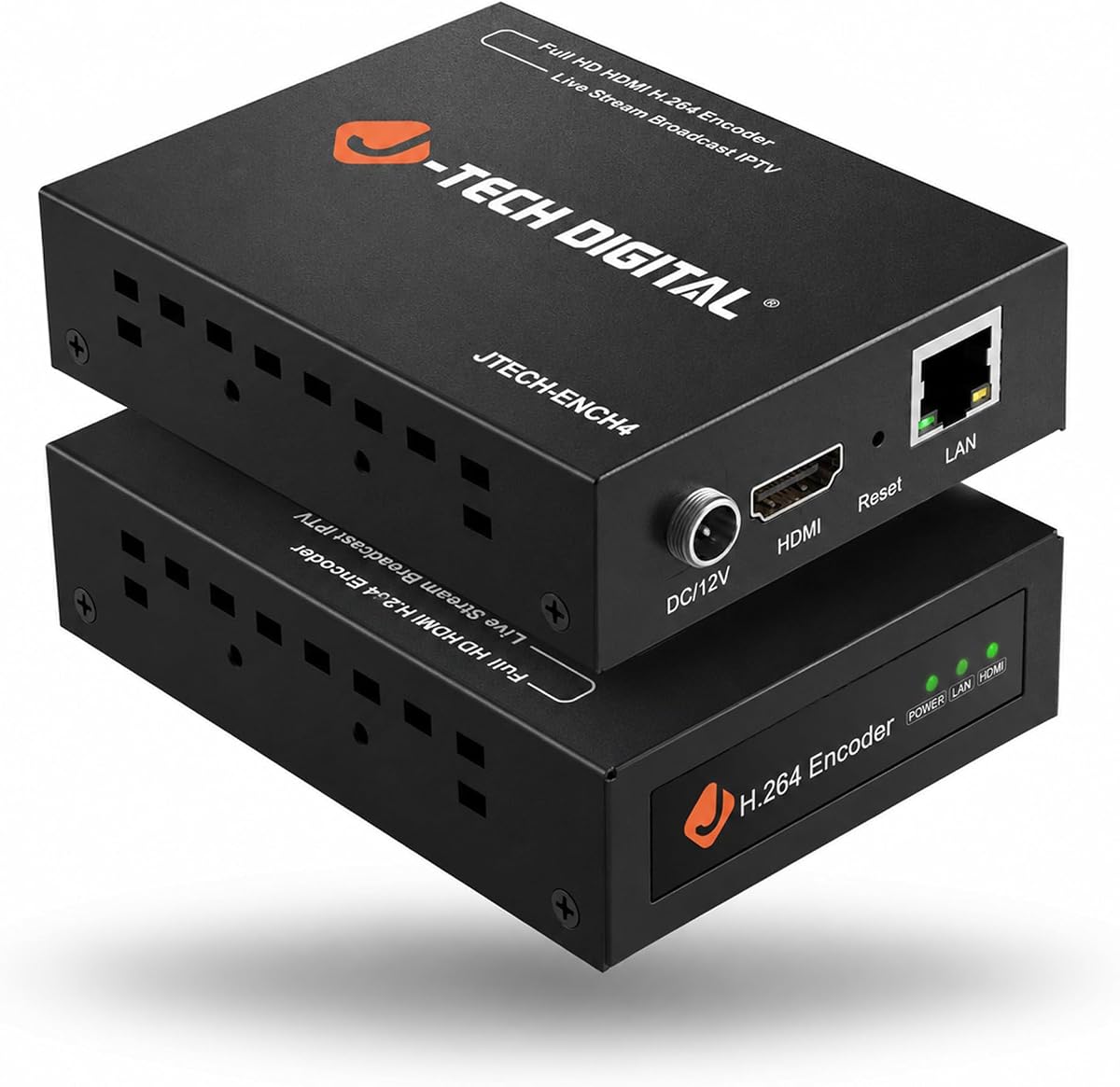


This encoder stands out as a top choice for professional streaming applications requiring high fidelity output. With a 4.5 rating from users, it reliably handles 4K input while offering versatile streaming protocol support.
We may earn a commission when you buy through this link, at no additional cost to you.
The device supports a wide array of protocols including RTSP, RTMP, HLS, and SRT allowing simultaneous output to platforms like YouTube and Facebook. It also allows customization of captions and logos to enhance brand visibility.
While setup involves network configuration, the intuitive interface makes it accessible. Users report stable performance even under varied network conditions ensuring consistent delivery during live events.
Ideal for broadcasters and content creators seeking robust hardware encoders, this model balances performance and flexibility. Its lifetime warranty adds significant value for long-term deployment scenarios.
The wide range of supported protocols ensures compatibility with most streaming platforms and distribution networks.
Adjustable overlays and text inputs enable personalized branding that enhances viewer engagement and professionalism.
We may earn a commission when you buy through this link, at no additional cost to you.
Rated 4.7 by users, this encoder excels in multi-platform streaming scenarios. It supports up to four simultaneous streams with different protocols ensuring broad compatibility.
We may earn a commission when you buy through this link, at no additional cost to you.
The inclusion of WebRTC and ONVIF makes it ideal for interactive applications and security systems. Setup is straightforward with an intuitive interface designed for quick deployment.
While advanced customization options are limited compared to higher-end models, its stability and protocol versatility make it a reliable choice for most use cases.
For users seeking a versatile encoder with strong community feedback this model offers excellent value. Its performance in streaming to YouTube and Facebook is particularly noteworthy.
With a 4.7 rating, this encoder has proven reliability and performance across a wide range of applications.
WebRTC support enables low-latency interactive streaming suitable for conferences and real-time viewer engagement.
We may earn a commission when you buy through this link, at no additional cost to you.
This encoder stands out for supporting 4K 60Hz input making it ideal for high-motion video sources. The web GUI allows remote adjustments to settings like bitrate and frame rate.
We may earn a commission when you buy through this link, at no additional cost to you.
Users can add OSD overlays like logos and text to create branded streams. The device supports a wide range of protocols including ONVIF which is useful for NVR integration.
While substreams offer lower resolution than the main output this limitation is typical for multi-stream encoders. The included manufacturer warranty adds peace of mind for professional use.
For events or broadcasts requiring high frame rate input this encoder delivers consistent performance. Local US-based support is a valuable resource for troubleshooting during deployment.
Support for 4K 60Hz input ensures smooth encoding of fast-paced video content without motion artifacts.
Web GUI access allows operators to tweak settings remotely which simplifies management of distributed encoder networks.
We may earn a commission when you buy through this link, at no additional cost to you.
This budget-friendly encoder delivers 1080P60 streams with H.265 compression reducing bandwidth needs by up to 50 percent. Browser-based setup simplifies configuration without requiring PC software.
We may earn a commission when you buy through this link, at no additional cost to you.
Its compact design makes it easy to hide behind monitors or in racks. Built-in OSD supports logos and text enhancing branding for events or digital signage.
While it lacks 4K input it remains a strong choice for standard HD streaming. DHCP default enables quick network integration preventing IP conflicts.
For small businesses or casual streamers this model offers professional performance at a lower cost. Its efficiency and ease of use make it a practical entry-level option.
HEVC encoding significantly reduces data usage maintaining quality while lowering network strain for smoother streaming.
Web-based configuration removes the need for drivers or OS compatibility ensuring quick setup anywhere.
We may earn a commission when you buy through this link, at no additional cost to you.
Designed for enterprise use this encoder provides SDK and API access for secondary development. It supports dual video streams per input allowing different protocols per stream.
We may earn a commission when you buy through this link, at no additional cost to you.
Customization services include shell pattern printing and logo addition enabling tailored branding. The lifetime technical support ensures reliable operation in demanding environments.
While the price is higher than basic models the flexibility it offers for custom applications is unmatched. It suits organizations needing specific hardware integration or workflow customization.
For IT departments managing custom streaming infrastructure this encoder provides essential tools. Its robust feature set justifies the investment for professional deployment needs.
API and SDK documentation enable developers to integrate encoding functions into custom applications or workflows.
Hardware customization options allow companies to imprint logos or patterns for a unified aesthetic.
We may earn a commission when you buy through this link, at no additional cost to you.
This encoder delivers 60fps high definition video ensuring smooth playback for dynamic content. Dual audio inputs allow HDMI and line-in with adjustable sound quality enhancing overall media fidelity.
We may earn a commission when you buy through this link, at no additional cost to you.
OSD features support brand logos and scrolling captions helping to create distinctive streams. The device manages network transmission efficiently reducing lag during live broadcasts.
While setup involves manual network configuration the results are stable and reliable. The combination of audio flexibility and visual quality makes it stand out for content creators.
For users prioritizing high frame rate and audio customization this model is ideal. Its performance suits live events and broadcasts needing polished presentation.
Dual audio inputs with adjustable quality settings provide precise control over sound synchronization and clarity.
60fps output ensures smooth motion for sports or action content reducing motion blur in encoded streams.
We may earn a commission when you buy through this link, at no additional cost to you.
This model simplifies installation with Power over Ethernet allowing power and data through one cable. It supports 4K 60Hz input and adds 3.5mm audio input for external sources.
We may earn a commission when you buy through this link, at no additional cost to you.
Custom branding includes logos and a no signal image improving professional appearance. The encoder supports many protocols ensuring compatibility across multiple platforms and systems.
Using PoE requires a compatible network switch adding to initial setup cost. However it reduces cable clutter and eases deployment in remote or hard-to-reach areas.
For AV setups needing streamlined wiring this encoder is excellent. The added audio and branding features enhance its value for live events and churches.
Power over Ethernet removes the need for separate power adapters simplifying installation in structured environments.
Custom no signal screens and logos keep viewers informed even when no live input is available.
We may earn a commission when you buy through this link, at no additional cost to you.
With support for ICECAST alongside common video protocols this encoder serves both audio and video streaming needs. Mobile management options allow status checks and configuration on the go.
We may earn a commission when you buy through this link, at no additional cost to you.
4K input support ensures high fidelity capture while mirroring and flipping functions allow flexible content adaptation. Low latency design suits real-time broadcasting scenarios.
While ICECAST may not suit every user it expands use cases to radio-style streaming. The device performs reliably across varied network environments.
For multimedia stations needing mixed media support this encoder offers distinct advantages. Its broad protocol suite ensures it adapts to various streaming infrastructures easily.
Native ICECAST support enables audio streaming alongside video for radio or podcast broadcasting scenarios.
Smartphone compatibility allows administrators to monitor stream health and adjust settings remotely from anywhere.
We may earn a commission when you buy through this link, at no additional cost to you.
Weighing just 32 grams this encoder is designed for frequent moves and limited installation space. Cloud-based control allows remote management via DDMALL Cloud System from any location.
We may earn a commission when you buy through this link, at no additional cost to you.
USB power options eliminate extra adapters making it ideal for mobile setups. Real-time OSD customization lets users edit text overlays during live streams effortlessly.
As a newer product it has limited user reviews but features promise ease of use. Its portability suits traveling broadcasters or temporary event installations.
For mobile professionals needing lightweight encoding this model stands out. Cloud monitoring adds a layer of control ideal for remote production workflows.
Mini dimensions and low weight make this encoder perfect for on-the-go streaming and temporary setups.
Cloud systems allow operators to control settings remotely enabling flexible workflow adjustments from afar.
We may earn a commission when you buy through this link, at no additional cost to you.
Holding a perfect 5.0 rating this encoder delivers top-tier performance for premium streaming setups. Web UI managing and Telnet remote access provide flexible control options anytime.
We may earn a commission when you buy through this link, at no additional cost to you.
Dual stream encoding enables adapting to different terminals simultaneously improving accessibility. Multicast support optimizes network usage for one-to-many distribution scenarios.
While features like Telnet may be advanced they add significant value for network administrators. The device maintains high quality with low bitrate video transfer.
For demanding environments needing precise control this encoder is unmatched. Its flawless feedback and robust toolset make it a worthy investment for experts.
Telnet and Web UI allow administrators to manage encoders remotely improving operational efficiency and monitoring.
Multicast and dual stream features enable efficient distribution to multiple endpoints reducing network overhead.
We may earn a commission when you buy through this link, at no additional cost to you.
Selecting the right encoder depends on your specific streaming needs and infrastructure. Understanding key factors ensures you invest in hardware that performs reliably.
Check if the encoder supports the resolution and frame rate of your source content. Higher resolution inputs like 4K ensure crisp output while higher frame rates maintain smooth motion.
Ensure the device handles your content without downscaling or introducing lag that could degrade viewer experience.
Streaming platforms use different protocols like RTMP, HLS, and SRT. Verify the encoder supports the protocols required by your target services and distribution networks.
Broad protocol support increases flexibility for streaming to multiple destinations without extra hardware.
Look for HDMI audio embed and optional line-in inputs to capture synchronized sound. Adjustable audio settings help balance clarity and volume for professional streams.
Dual inputs allow mixing external mics with HDMI sources offering richer audio control.
Customizable overlays like logos and text enhance brand presence. Look for encoders that let you edit these elements easily during setup and streaming.
Branding tools help differentiate your content and build viewer recognition over time.
Ethernet ports should support stable LAN or WAN connections. Management options like Web UI or mobile apps simplify configuration and monitoring.
PoE support can reduce cable clutter in complex installations making setup cleaner and safer.
A solid warranty protects your investment against defects. Check if the vendor offers lifetime support or local service teams for troubleshooting.
Reliable support ensures minimal downtime during critical broadcasts or deployments.
Consider power options like USB or PoE for flexible deployment. Low power consumption models suit 24/7 operation without excessive energy costs.
Choose power options that match your environment and available infrastructure.
For enterprise users, SDKs and APIs allow custom integration. Multi-stream output expands reach without buying extra encoders.
Scalable hardware ensures your setup grows with your streaming needs efficiently.
Connect your HDMI source to the encoder and link it to your network via Ethernet. Configure stream settings through the Web UI using your computer or mobile device.
Use the device to manage settings like bitrate and overlays. Test streams locally with VLC or similar players before going live.
Keep the encoder in a well-ventilated area and avoid dust buildup. Regular firmware updates and monitoring ensure consistent performance and longevity.
H.265 offers better compression efficiency than H.264 reducing bandwidth usage by up to 50 percent. This allows higher quality video at lower data rates which is vital for streaming.
No most encoders in this list have built-in management via Web UI. They operate independently after configuration without needing continuous PC software.
Yes many models support simultaneous multi-stream output with different protocols. This lets you push to YouTube Facebook and others simultaneously.
Common protocols include RTMP HLS SRT RTSP and UDP. Support varies by model so verify compatibility with your target streaming services.
Use the OSD settings to upload and position logos. Most devices allow customization during setup or via remote management interfaces.
Most vendors provide free lifetime technical support with detailed manuals. Some offer local support teams for troubleshooting and configuration assistance.
Each encoder in this roundup delivers unique strengths suited for various streaming needs. From portable units to enterprise models there is an option for every requirement.
Prioritize protocol support and resolution capabilities when selecting hardware to match your workflow. Consider future scalability for growing production or distribution demands.
Verify current availability and features before purchase as specifications may evolve. This guide provides a reliable starting point for informed decisions.