
LG 27GX704A-B
4.6Editor score
OLED Display Panel
240Hz Refresh Rate
TrueBlack HDR 400
Finding the right gaming monitor with HDMI 2.1 for consoles can transform your play experience. Modern consoles need high bandwidth to deliver stunning visuals and smooth gameplay without compromising quality or performance.
We evaluated top models based on refresh rates, response times, and panel technologies. Each product offers unique strengths for different gaming styles, ensuring you find the perfect match for your setup and preferences.
Every pick highlights key specs and real-world performance insights. Note that prices change frequently, so check current listings before buying to ensure you get the best value for your investment today.
4.6Editor score

4.2Editor score

4.2Editor score
As an Amazon Associate we earn from qualifying purchases.
This side-by-side comparison highlights key differences across all ten models. You can quickly identify which monitors excel in resolution, refresh rate, and connectivity to suit your specific console gaming needs.




The ASUS TUF Gaming VG27UQ1A is a standout choice for console gamers seeking crisp visuals and smooth motion. With a 4K resolution and 160Hz refresh rate, it delivers sharp details and fluid gameplay. Its G-SYNC compatibility ensures tear-free visuals, while the Fast IPS panel offers vibrant colors and wide viewing angles.
We may earn a commission when you buy through this link, at no additional cost to you.
This monitor supports HDMI 2.1 without chroma subsampling, making it ideal for next-gen consoles like the PS5 and Xbox Series X. The ELMB Sync technology combines motion blur reduction with variable refresh rates, keeping action clear during fast-paced sequences. HDR support and 95% DCI-P3 color coverage enhance media consumption too.
While it lacks built-in speakers, the monitor's performance focuses on image quality and responsiveness. The stand offers tilt but lacks full ergonomic flexibility. For gamers prioritizing resolution and refresh rate, these trade-offs are acceptable given the robust feature set and reliable performance.
Ideal for console enthusiasts wanting a premium screen without overspending, this monitor balances specs and value effectively. Its strong synchronization tech and color fidelity make it a top pick for immersive gaming sessions and streaming content alike.
The 4K resolution paired with 160Hz refresh rate ensures every frame is sharp and fluid for competitive edge.
HDMI 2.1 support with full bandwidth delivers native 4K 120Hz visuals from your console without compromise.
We may earn a commission when you buy through this link, at no additional cost to you.
The LG 27GX704A-B offers unparalleled image quality with its OLED panel and 240Hz refresh rate. Its near-instantaneous 0.03ms response time eliminates ghosting, making it perfect for fast-paced games. The display delivers deep blacks and vivid colors, enhancing immersion in every scene.
We may earn a commission when you buy through this link, at no additional cost to you.
Equipped with dual HDMI 2.1 ports, it supports next-gen consoles effortlessly. The VESA DisplayHDR True Black 400 certification ensures consistent performance in dark and bright environments. Additional features like pixel care cycles help protect the panel from burn-in over time.
While OLED panels carry a risk of image retention, LG's built-in protections mitigate this concern. The glossy finish may reflect light in bright rooms, but it enhances color vibrancy. For gamers seeking top-tier visuals, this monitor justifies its premium status with exceptional performance.
Best for high-end setups where image fidelity is paramount, this monitor excels in both competitive and cinematic experiences. Its combination of speed, contrast, and connectivity makes it a future-proof choice for serious players.
OLED technology provides infinite contrast and true blacks that bring dark scenes to life with stunning detail.
The 0.03ms response time ensures every movement is tracked precisely without blur or lag.
We may earn a commission when you buy through this link, at no additional cost to you.
The MSI MAG 274QP QD-OLED X24 combines OLED's deep blacks with Quantum Dot color enhancement. Its 240Hz refresh rate and 0.03ms response time deliver buttery smooth visuals ideal for competitive gaming. The panel supports 10-bit color and 99% DCI-P3 coverage for rich, accurate hues.
We may earn a commission when you buy through this link, at no additional cost to you.
Built-in AI software helps prevent burn-in and offers console-specific modes. The graphene heatsink ensures durability without fans. Dual HDMI 2.1 ports allow simultaneous console connections. Adaptive sync technology guarantees tear-free gameplay across different hardware setups.
While the monitor comes at a premium price, its performance justifies the investment. The stand allows height and tilt adjustments but lacks swivel or pivot. For users seeking cutting-edge tech and vibrant visuals, this monitor provides a next-level gaming experience.
Recommended for enthusiasts who want both speed and color accuracy, this model stands out with its advanced cooling and AI features. It excels in both high-action titles and immersive single-player games.
The QD-OLED panel delivers over a billion colors for stunning realism and vibrant game environments.
AI Crosshair and console modes enhance precision and immersion without needing external software.
We may earn a commission when you buy through this link, at no additional cost to you.
The SANSUI 34 Inch Curved Monitor offers an expansive 21:9 aspect ratio for an immersive experience. Its 240Hz refresh rate ensures smooth motion during fast gameplay. The UWQHD resolution provides sharp visuals while the 1000R curve wraps around your field of vision.
We may earn a commission when you buy through this link, at no additional cost to you.
AI features like Crosshair and Picture Quality enhance performance and reduce eye strain. It supports HDMI 2.1 for next-gen consoles, ensuring high refresh rates at full resolution. Multiple game modes tailor the display to different genres for optimal viewing.
While the lack of speakers requires external audio, the monitor's performance compensates for it. The curved design may feel unusual initially but adds depth to gameplay. For fans of open-world or racing games, the extra screen real estate is a major advantage.
Best suited for gamers seeking a panoramic view and strong performance, this monitor balances value with features. Its AI tools and high refresh rate make it a versatile choice for various gaming styles.
The 34-inch curved screen provides a wider field of view, improving situational awareness in games.
Built-in AI optimizes brightness and color settings dynamically for a clearer, more comfortable view.
We may earn a commission when you buy through this link, at no additional cost to you.
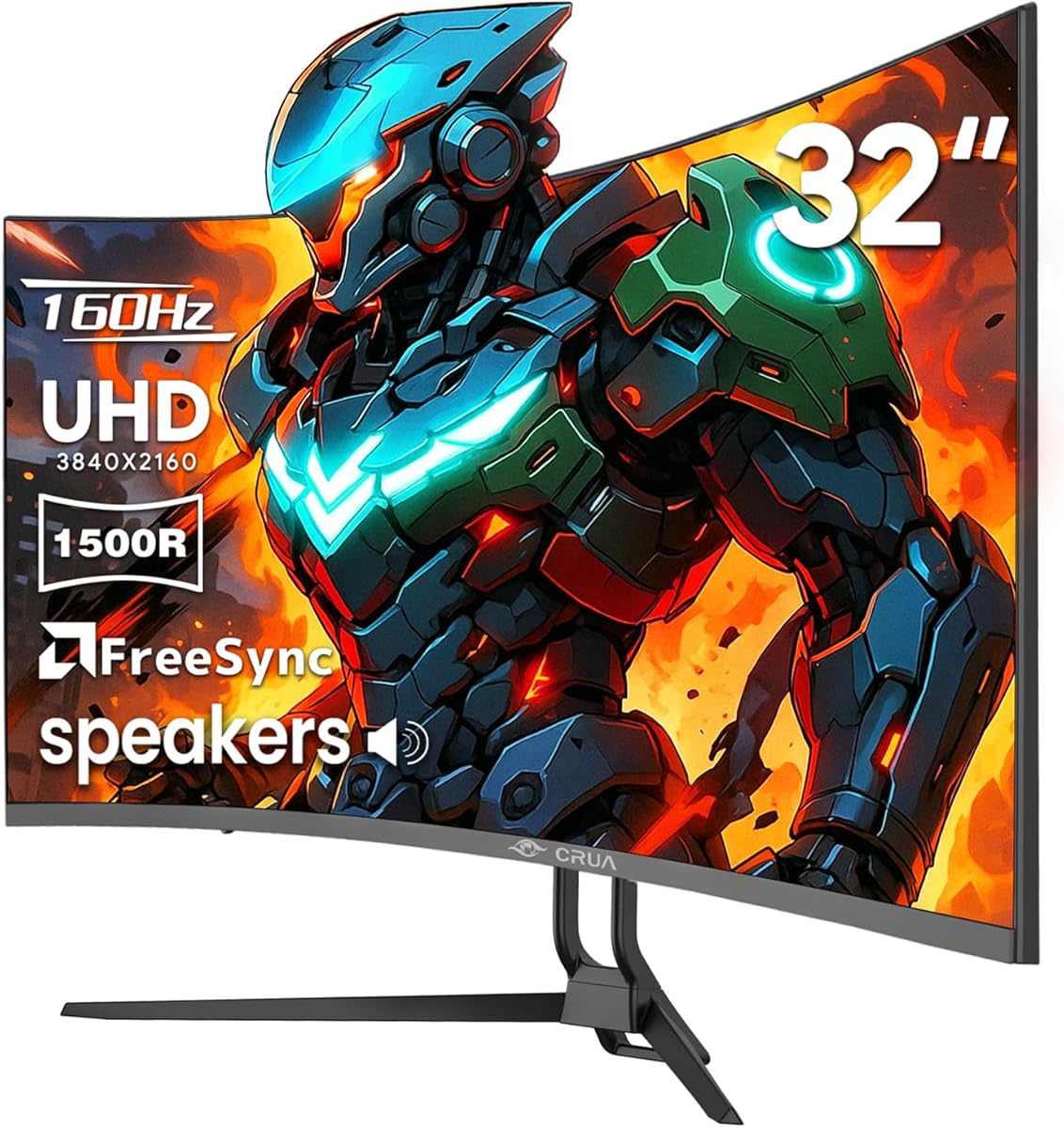
The CRUA 32 Inch 4K Curved Monitor delivers high resolution in a large format. Its 160Hz refresh rate supports fast-paced titles, while the curved design enhances immersion. The built-in speakers simplify setup by removing the need for external audio devices.
We may earn a commission when you buy through this link, at no additional cost to you.
With 3000:1 contrast and 120% sRGB, it produces vibrant and deep visuals. The HDMI 2.1 port ensures compatibility with next-gen consoles at high frame rates. AMD FreeSync reduces tearing for a smoother experience across various games.
While the response time is slower than top-tier options, the monitor balances performance and cost well. The stand is basic, but wall mounting is possible. For budget-conscious gamers wanting 4K visuals, this is a practical and capable solution.
Recommended for users prioritizing screen size and resolution over extreme speed, this monitor fits well in home entertainment setups. Its speaker inclusion and curved display make it convenient and engaging for casual and competitive play.
Integrated speakers reduce desk clutter while delivering decent sound for gaming and media consumption.
High contrast and wide color gamut ensure deep shadows and vibrant highlights in every scene.
We may earn a commission when you buy through this link, at no additional cost to you.
The Hikers 27 Inch Curved Monitor offers excellent value for console gamers on a budget. With 2K resolution and 170Hz refresh rate, it delivers smooth gameplay without breaking the bank. Its VA panel provides a 4000:1 contrast ratio for deeper blacks than IPS.
We may earn a commission when you buy through this link, at no additional cost to you.
AI Crosshair and Picture Quality features assist in competitive scenarios. Two HDMI 2.1 ports enable console connections with high bandwidth. The monitor is G-Sync compatible for NVIDIA users, ensuring tear-free visuals and reliable performance across titles.
While it lacks speakers and advanced stand features, the display's performance is impressive for its price. The curved design improves focus and immersion. For entry-level gamers or secondary setups, this monitor delivers strong value and solid functionality.
Best for budget buyers seeking essential features, this model supports next-gen consoles effectively. Its AI tools and connectivity options make it a versatile and accessible choice for a wide range of users.
Packed with key features like 170Hz and HDMI 2.1, it offers premium capabilities at an entry price.
Built-in AI optimizes visuals and provides in-game aids for a competitive edge.
We may earn a commission when you buy through this link, at no additional cost to you.
The Amzfast 32 Inch 4K Curved Monitor balances gaming and multimedia performance. Its 4K resolution and 120Hz refresh rate deliver sharp visuals suitable for consoles. The built-in speakers simplify setups for users wanting integrated audio solutions.
We may earn a commission when you buy through this link, at no additional cost to you.
With 131% sRGB and HDR support, it provides vibrant colors for content creation. PIP/PBP allows multitasking across devices. Adaptive sync technology reduces tearing, while eye care features like Low Blue Light reduce strain during long sessions.
While not ideal for high-speed competitive gaming, its resolution and features suit casual and entertainment-focused users. The stand lacks full adjustability, but VESA mounting is supported. For home users seeking versatility, this monitor fits well.
Recommended for those needing a display for both games and movies, it offers strong clarity and usability. Its speaker inclusion and color accuracy make it a practical choice for general computing and console gaming.
PIV/PBP enables split-screen use, allowing simultaneous console and PC input for enhanced workflow.
Anti-flicker and Low Blue Light settings help reduce eye strain during extended viewing sessions.
We may earn a commission when you buy through this link, at no additional cost to you.
The Acer Nitro 27in 4K Monitor delivers sharp visuals with its IPS panel and 4K resolution. It supports 160Hz at 4K, scaling to higher refresh rates at lower resolutions via DFR technology. The 0.5ms response time ensures quick pixel transitions for fluid motion.
We may earn a commission when you buy through this link, at no additional cost to you.
HDR 10 support and 90% DCI-P3 coverage offer vibrant colors. The ZeroFrame design maximizes screen space and suits multi-monitor setups. Two HDMI 2.1 ports allow flexible console connections with full bandwidth for next-gen performance.
While VA panels offer better contrast, this IPS model provides superior viewing angles and color consistency. The stand allows basic tilt adjustments. For users prioritizing image sharpness and multi-monitor use, this monitor is a solid pick.
Best for gamers and creators needing accurate color and resolution, it balances clarity with gaming performance. Its DFR flexibility and HDMI 2.1 make it a versatile and future-ready option.
DFR lets you switch between high resolution and refresh rates depending on your game needs.
Thin bezels maximize screen space and make multi-monitor setups look clean and uniform.
We may earn a commission when you buy through this link, at no additional cost to you.
The AOC 27 Gaming Monitor QHD offers OLED performance with a focus on speed and color. Its 240Hz refresh rate and 0.03ms response time deliver ultra-smooth visuals ideal for competitive gaming. The QD-OLED panel ensures infinite contrast and vivid colors.
We may earn a commission when you buy through this link, at no additional cost to you.
G-SYNC Compatible support ensures tear-free gameplay with NVIDIA GPUs. HDMI 2.1 connectivity supports next-gen consoles effectively. The ergonomic stand includes a USB hub for convenience, enhancing the overall usability and connectivity options.
While OLED carries burn-in risks, AOC's protective measures help mitigate this. The glossy screen enhances saturation but may reflect light. For gamers seeking high-speed OLED visuals, this monitor offers a compelling mix of performance and practicality.
Best suited for competitive players who need speed and accuracy, it combines advanced tech with ergonomic features. The USB hub and adjustability make it a flexible option for both console and PC setups.
A height-adjustable stand and USB hub improve accessibility and reduce cable clutter on your desk.
With 240Hz refresh and low response time, it ensures every frame is sharp and instantly responsive.
We may earn a commission when you buy through this link, at no additional cost to you.
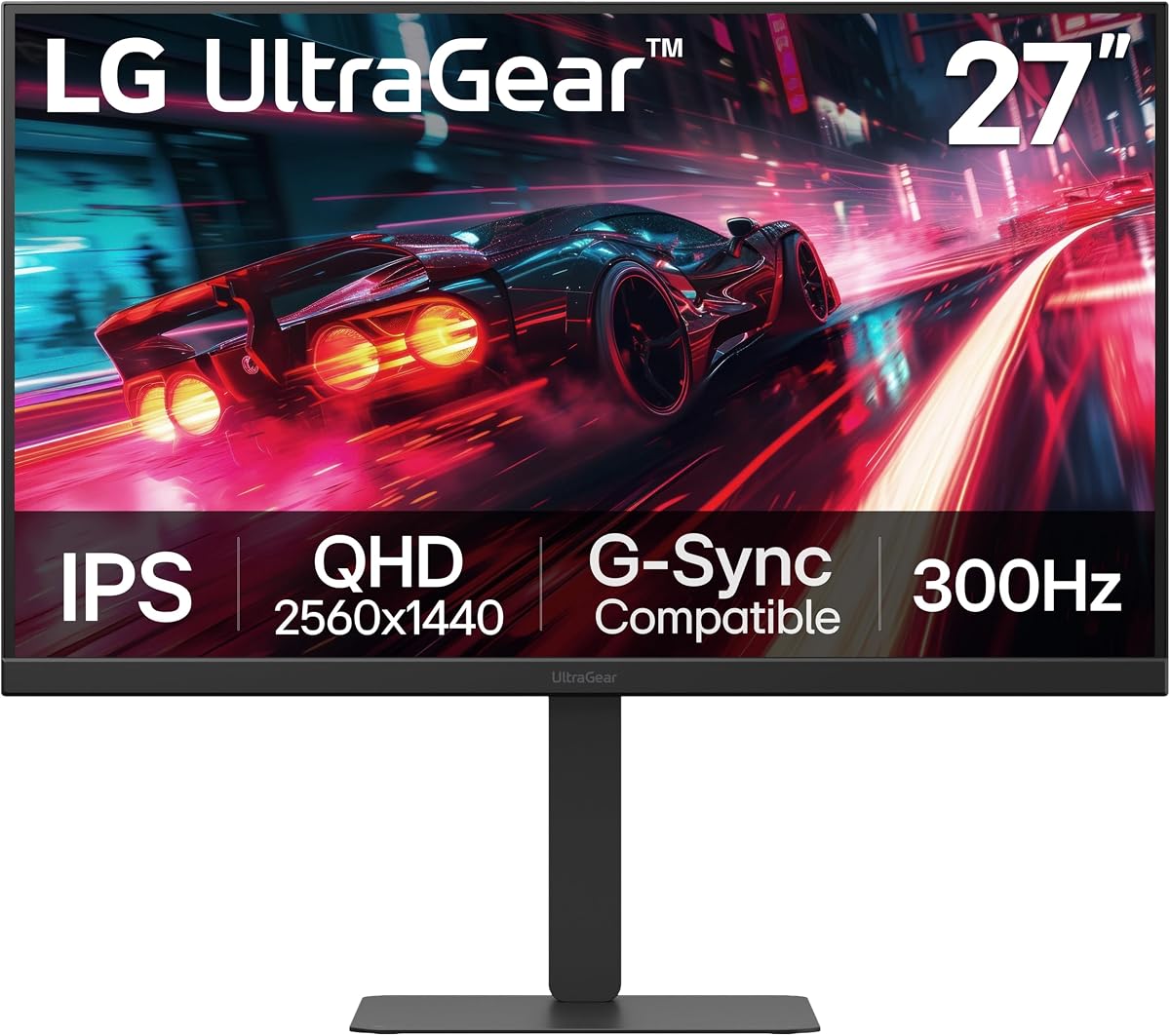
The LG 27G640A-B focuses on speed with a 300Hz refresh rate and 1ms response time. Its IPS panel ensures vibrant colors and wide viewing angles. The monitor supports both G-Sync and FreeSync for consistent performance across different hardware ecosystems.
We may earn a commission when you buy through this link, at no additional cost to you.
USB Type-C connectivity adds versatility for laptops or modern devices. The full ergonomic stand allows tilt, height, swivel, and pivot adjustments for personalized comfort. Dual HDMI 2.1 ports maintain compatibility with next-gen consoles at high refresh rates.
While it lacks 4K resolution, the QHD balance and high refresh rate suit competitive gamers well. HDR 400 is present but modest. For esports-focused players, the speed and adjustability make this monitor a top-tier and flexible choice.
Best for users prioritizing fluid motion and ergonomic customization, it delivers premium performance in a practical package. Its connectivity options and stand design ensure it adapts to various setups easily.
At 300Hz, this monitor offers one of the smoothest experiences available for competitive gaming.
USB Type-C and dual HDMI 2.1 support ensure flexible device connections and power delivery options.
We may earn a commission when you buy through this link, at no additional cost to you.
Selecting the right gaming monitor with HDMI 2.1 for consoles involves balancing resolution, refresh rate, and panel technology. Here are the key factors to consider for optimal performance and value.
Resolution defines image clarity while refresh rate determines how smoothly motion displays. For consoles like PS5 and Xbox Series X, a 4K resolution with 120Hz support is ideal for immersive gameplay. QHD options offer high performance at lower demands, balancing visual quality with console capabilities.
IPS panels offer excellent color accuracy and wide viewing angles, while VA panels provide deeper contrast. OLED technology delivers infinite contrast and fast response times but may risk burn-in. Choose based on whether you prioritize color, contrast, or speed.
HDMI 2.1 is crucial for supporting 4K 120Hz outputs without chroma subsampling. Ensure your monitor has full-bandwidth HDMI 2.1 ports to unlock next-gen console features. This connectivity ensures minimal latency and maximum visual fidelity during gaming.
Fast response times reduce motion blur and ghosting, essential for competitive gaming. Look for monitors with 1ms or lower response times to maintain sharp visuals. Low input lag ensures your commands reflect instantly on screen for precise control.
G-SYNC Compatible and FreeSync Premium technologies synchronize the monitor's refresh rate with the console's frame rate. This eliminates screen tearing and stuttering for smoother gameplay. Verify compatibility with your console's adaptive sync features.
Adjustable stands with tilt, height, and swivel improve comfort during long sessions. VESA mount compatibility offers flexibility for wall mounting. A sturdy build ensures the monitor withstands daily use and enhances the setup's aesthetic.
Features like AI picture quality, built-in speakers, and eye care technologies enhance usability. PIP/PBP modes allow multitasking across devices. Consider these extras if they align with your gaming and media consumption needs.
Monitors range from budget-friendly to premium. Set a budget that balances your priorities like resolution versus refresh rate. Investing in a monitor with HDMI 2.1 ensures future-proofing for upcoming console updates.
Connect your console to the monitor using a certified HDMI 2.1 cable for full bandwidth support. Enable the correct HDMI input in your monitor's OSD menu to activate 4K 120Hz modes. Adjust console settings to prioritize performance over resolution for smoother gameplay.
Calibrate the display to match your room lighting by tweaking brightness, contrast, and color temperature. Use game-specific presets for optimized visuals. Regularly check for firmware updates to ensure compatibility with new console features and performance tweaks.
Protect your OLED panels by enabling automatic pixel care or screen dimming when idle. Avoid static images during long play sessions to prevent burn-in. Keep the monitor clean with a soft microfiber cloth and avoid harsh chemicals on the screen surface.
HDMI 2.1 is a high-bandwidth interface that supports up to 48Gbps, enabling 4K at 120Hz without compression. It is essential for PS5 and Xbox Series X consoles to deliver high refresh rates and advanced features like VRR and HDR effectively.
Not all HDMI 2.1 monitors support 4K 120Hz; some may limit bandwidth or only support lower resolutions. Check the monitor's specs to ensure it offers full HDMI 2.1 support for the resolution and refresh rate you need.
IPS panels offer better color accuracy and viewing angles, while OLED panels provide infinite contrast and faster response times. OLED is ideal for dark environments but carries a slight risk of burn-in over time.
Yes, you need a Ultra High Speed HDMI cable certified for HDMI 2.1 to ensure full 48Gbps bandwidth. Standard cables may limit performance and prevent access to 4K 120Hz features.
VRR (Variable Refresh Rate) synchronizes the monitor's refresh rate with the console's frame rate, reducing tearing and stuttering. It ensures smoother gameplay, especially in games where frame rates fluctuate frequently.
Yes, 120Hz refresh rates provide significantly smoother motion and reduced input lag. Consoles like PS5 and Xbox Series X support 120Hz in many titles, making it a valuable feature for competitive and immersive play.
Enable automatic pixel care features, avoid static screens for long periods, and vary your content. Many OLED monitors include built-in tools to mitigate burn-in risk during idle or shutdown modes.
The ASUS TUF Gaming VG27UQ1A leads as the best overall choice, offering exceptional clarity and smooth performance. For premium OLED experiences, the LG 27GX704A-B delivers unmatched contrast and speed. Budget gamers will appreciate the value provided by the Hikers 27 Inch Curved Monitor.
Prioritize features that align with your gaming style and console capabilities. If speed matters, focus on high refresh rates and low response times. For visual fidelity, choose panels with superior color accuracy and contrast ratios for immersive gameplay.
Prices fluctuate frequently, so verify current deals before purchasing. Ensure your chosen model supports full HDMI 2.1 bandwidth to maximize your console's potential. Investing in the right monitor today ensures years of high-performance gaming.