
Thrustmaster T-Flight Stick X USB Ergonomic Flight Sim Joystick
4.2Editor score
Instant plug and play setup
Adjustable resistance control
Built-in throttle and rudder
This guide compares the best flight stick for flight simulator to help you choose the right controller for realistic gaming and professional simulation.
Finding the right flight stick for flight simulator can transform your gaming experience into a realistic cockpit session. A good controller offers precise movement, comfortable grip, and reliable connectivity to ensure smooth gameplay during long simulation hours.
We compared ten top-rated controllers based on build quality, sensor technology, programmable buttons, and compatibility with major sim titles. Our analysis focuses on durability, ease of setup, and how well each stick handles complex maneuvers in different aircraft types.
Each pick shows unique strengths for budget buyers, enthusiasts, and professionals seeking authentic controls. Remember that prices change frequently so check current listings before purchasing to ensure you get the best value for your investment today.
4.2Editor score

4.4Editor score

4.0Editor score
This side-by-side comparison highlights key specifications across all ten products to help you quickly identify which controller matches your simulation needs and budget requirements.





The Thrustmaster T16000M FCS stands out as a top choice for pilots seeking reliable and precise controls. With its patented H.E.A.R.T magnetic sensor technology, it ensures your inputs remain consistent and accurate throughout thousands of flight hours.
We may earn a commission when you buy through this link, at no additional cost to you.
Its ambidextrous design allows both left and right handed users to customize the grip for maximum comfort. The 16 braille style buttons and eight way hat switch provide immediate access to essential functions without needing to look away from the screen.
While it lacks a dedicated throttle, the four independent axes including built in twist rudder offer comprehensive control for most flight scenarios. The target software lets you map complex profiles for different aircraft and mission types with ease.
This stick is ideal for intermediate to advanced users who want professional grade precision without breaking the bank. It balances durability, accuracy, and comfort better than most competitors in this price range.
The H.E.A.R.T technology eliminates potentiometer wear so you never face drift issues that ruin precise maneuvers during critical flight moments.
Swappable components let you tailor the joystick to your hand shape while target software enables deep mapping for specific aircraft.
We may earn a commission when you buy through this link, at no additional cost to you.
The Thrustmaster T-Flight Stick X offers an excellent entry point for newcomers to flight simulation. Its plug and play design means you can start flying within seconds of connecting it to your USB port.
We may earn a commission when you buy through this link, at no additional cost to you.
Featuring adjustable resistance control and a weighted base, it provides stability and precision without requiring additional peripherals. The built in throttle and rudder twist allow you to manage speed and direction effectively.
While it may lack the advanced programmability of higher end models, its simplicity makes it perfect for casual pilots who want reliable controls without complex setup. The preset memory lets you save configurations for quick switching.
For those on a tight budget, this stick delivers exceptional value with solid build quality and essential features that support most popular flight simulator titles.
The instant setup ensures you spend less time configuring drivers and more time enjoying realistic flying experiences on your PC.
Combining throttle and rudder into one unit saves desk space while still offering complete flight management capabilities.
We may earn a commission when you buy through this link, at no additional cost to you.
The Logitech G X56 H.O.T.A.S represents the pinnacle of consumer flight control systems. With 189 programmable controls and hall-effect sensors, it offers unmatched precision and flexibility for demanding simulation enthusiasts.
We may earn a commission when you buy through this link, at no additional cost to you.
Its RGB lighting and advanced 4-spring system enhance both aesthetics and performance allowing you to fine-tune resistance for different aircraft types. The mini analog stick control surfaces provide extra input options for complex maneuvers.
Although it requires software configuration to unlock its full potential, the effort pays off with a highly personalized cockpit experience. It is especially suited for VR users who need distinct tactile feedback.
Pilots seeking a complete and immersive setup will find this controller worth the investment due to its robust features and professional-grade build quality.
Controls are placed under your fingers so you can navigate the set easily while wearing a headset without looking at buttons.
The 4-spring system lets you change stick force to match light commercial planes or heavy combat jets perfectly.
We may earn a commission when you buy through this link, at no additional cost to you.
The Turtle Beach VelocityOne Flightstick brings a fresh approach to flight simulation controls. Its high-precision non-contact axes ensure smooth and accurate movement while the OLED display shows vital flight information directly.
We may earn a commission when you buy through this link, at no additional cost to you.
With 27 programmable buttons and eight axes, it offers extensive customization for both fighter jets and airliners. The touchpad navigation sensor adds cursor control which is useful for menu navigation.
Its universal compatibility with Xbox and PC makes it versatile for users who switch between console and desktop gaming. However, some pilots may find the OLED screen unnecessary for pure flight tasks.
This stick is a strong contender for those wanting modern features and cross-platform support without compromising on control accuracy and build quality.
The integrated OLED display shows critical data like altitude and speed so you can monitor flights without looking at your screen.
Supporting both Xbox and PC means you can use the same controller across different gaming platforms with minimal reconfiguration.
We may earn a commission when you buy through this link, at no additional cost to you.
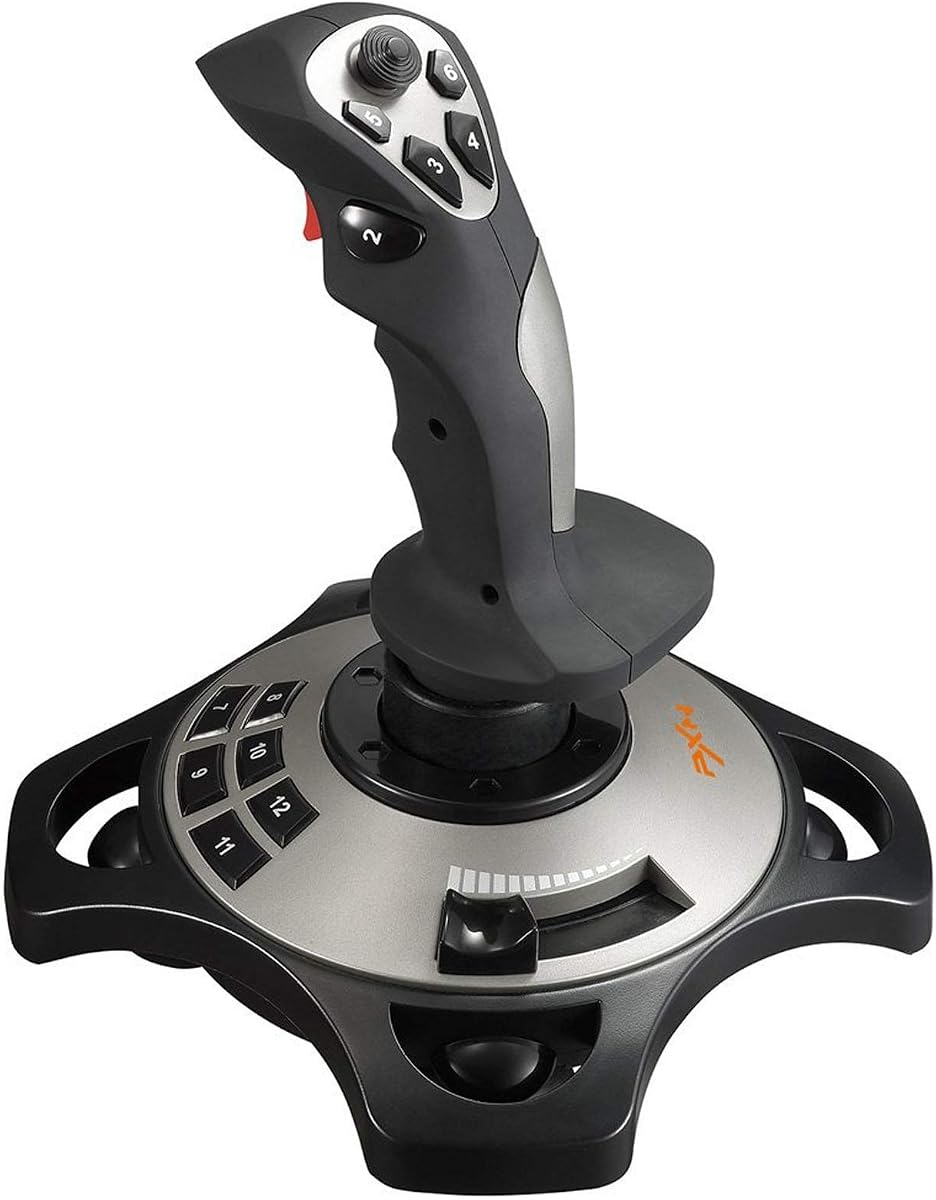
The PXN 2113PRO provides a budget-friendly solution for those interested in trying flight simulation without major investment. Its vibration function adds immersion by simulating engine rumbles and turbulence during flight.
We may earn a commission when you buy through this link, at no additional cost to you.
Featuring twelve programmable buttons and a rapid fire trigger, it handles essential controls for most games like Microsoft Flight Simulator and War Thunder. The ergonomic design ensures comfort during extended gaming sessions.
While it is restricted to Windows PCs and lacks advanced software features, it works well out of the box for simple setups. The suction cups on the base help keep it stable on smooth surfaces.
Casual gamers or those testing the hobby for the first time will appreciate its low cost and straightforward plug-and-play functionality.
The vibration switch at the bottom allows you to enable or disable feedback depending on your game settings preferences.
Most users do not need to install drivers as the system identifies the joystick automatically for immediate use.
We may earn a commission when you buy through this link, at no additional cost to you.
The Thrustmaster T-Flight Hotas One bridges the gap between console and PC flight simulation. Its plug and play support for Xbox Series X and S makes it ideal for console pilots wanting immersive controls.
We may earn a commission when you buy through this link, at no additional cost to you.
The detachable throttle allows you to use the stick on your lap or desk depending on your preference. This modularity offers flexibility that fixed units cannot match.
It includes adjustable resistance and a responsive trigger ensuring precise input during critical moments like landing or dogfights. The S.M.A.R.T. rail system enables smooth throttle movements.
For console gamers who want authentic flight controls without expensive PC-only hardware, this stick provides an excellent balance of functionality and ease of use.
Designed specifically for Xbox compatibility means you can use it without needing a PC or extra adapters.
Separating the throttle from the stick lets you configure the setup based on your available desk space.
We may earn a commission when you buy through this link, at no additional cost to you.
This bundle combines the Logitech G X56 with Pro Flight Rudder Pedals for a complete cockpit experience. The pedals add another layer of realism essential for serious simulation and landing accuracy.
We may earn a commission when you buy through this link, at no additional cost to you.
The adjustable tension dial on the pedals lets you customize feel from light aircraft to heavy jets. This level of detail is hard to find in other budget or mid-range options.
While the price is significantly higher than single units, the value lies in the full control set and seamless integration. You avoid compatibility issues that can arise when mixing different brands.
If you are building a dedicated simulation setup, this package offers the most realistic and cohesive flight experience available today.
Smooth self-centering rudder pedals give you accurate yaw control without needing separate force feedback units.
Getting both stick and pedals together ensures all components work together optimally for the best performance.
We may earn a commission when you buy through this link, at no additional cost to you.
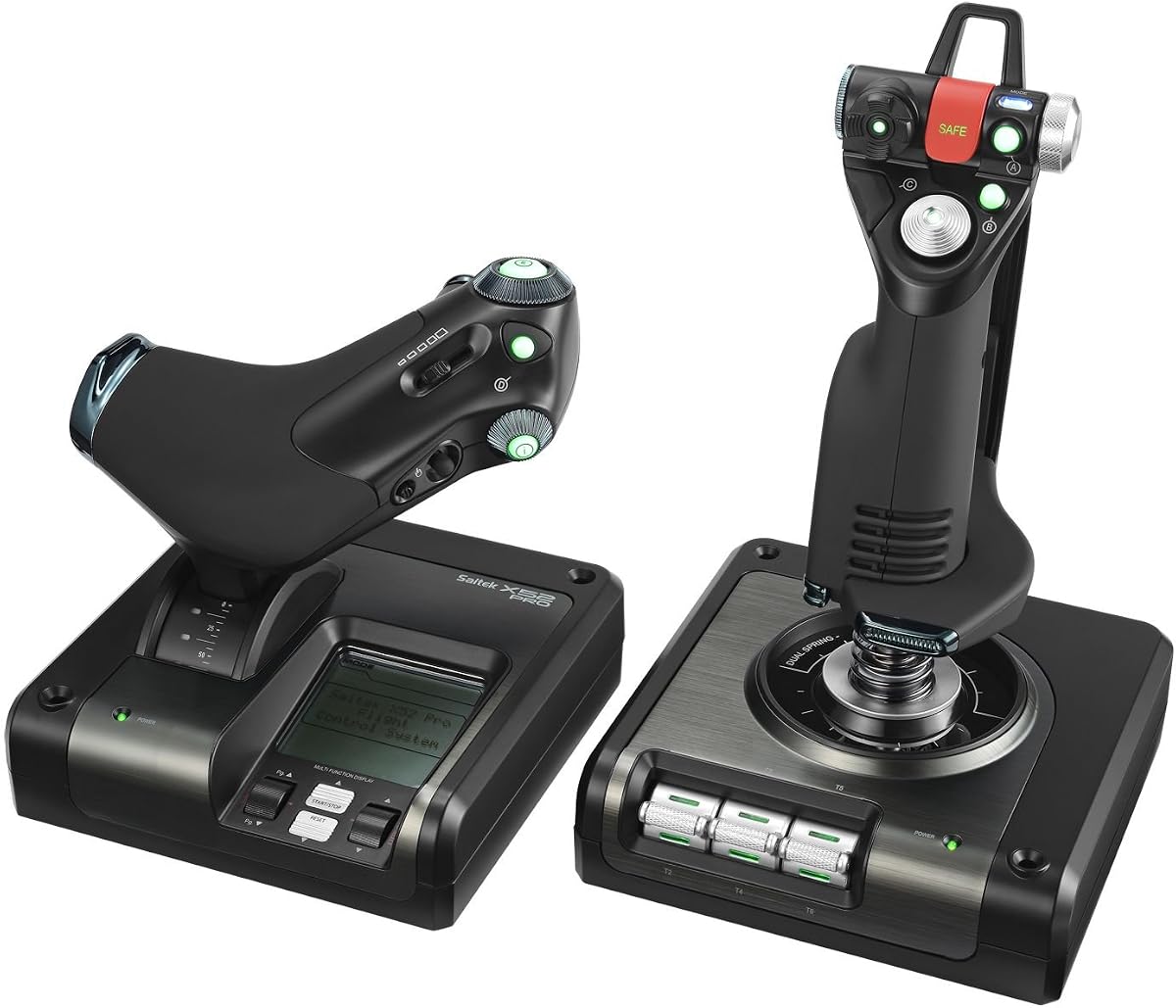
The Logitech G Saitek X52 Pro is a veteran in the flight control market offering a unique LCD multi-function display. This screen provides real-time data so you can adjust settings without switching windows.
We may earn a commission when you buy through this link, at no additional cost to you.
Its progressive throttle with detents allows you to set idle and afterburner positions easily. The five-position handle adjustment ensures it fits a wide range of hand sizes comfortably.
Although newer models have more RGB lighting, the X52 Pro remains valued for its straightforward functionality and durability. It is well-suited for pilots who prioritize function over flashy aesthetics.
This system is ideal for users seeking a reliable and feature-rich controller that works seamlessly with various simulation software.
The LCD display enhances gameplay by showing status messages so you can keep focus on the flight path.
Changing the handle position helps reduce fatigue during long sessions by adapting to your preferred grip.
We may earn a commission when you buy through this link, at no additional cost to you.
The Thrustmaster TCA Sidestick Airbus Edition delivers an authentic cockpit experience with its 1:1 scale replica design. Its magnetic sensor technology ensures flawless accuracy and eliminates wear over time.
We may earn a commission when you buy through this link, at no additional cost to you.
Built with 17 action buttons and four swappable head modules, it offers high customization for various flight scenarios. The integrated throttle and rudder control reduce desk clutter significantly.
While it mimics Airbus controls specifically, it works well with all flight sims and is great for commercial aviation enthusiasts. The plug and play setup makes it ready to fly quickly.
Pilots who value realism and ergonomic design will appreciate the authentic feel and precision this stick brings to their simulations.
The ergonomic 1:1 scale replica puts realistic controls right at your fingertips for a true captain experience.
Swappable modules and remappable buttons let you tailor the layout to suit different airlines and flight modes.
We may earn a commission when you buy through this link, at no additional cost to you.
The Logitech G PRO Flight Yoke System offers professional simulation controls designed for realism and muscle memory. Its stainless steel yoke shaft ensures smooth and accurate control of your virtual aircraft.
We may earn a commission when you buy through this link, at no additional cost to you.
With 14 button controls and a 3-position mode switch, it provides up to 54 programmable controls for most aircraft functions. The desk clamps make mounting flexible for different setups.
This system is perfect for those who prefer traditional yoke over joysticks for commercial flight training. The included throttle quadrant adds essential speed management without extra hardware.
Investing in this yoke system transforms your desk into a professional cockpit that appeals to serious aviation simulation enthusiasts.
Realistic yoke controls help experienced pilots build muscle memory while giving new pilots a true flight experience.
The two position desk clamp provides flexibility for various desk sizes and ensures your controls stay put during use.
We may earn a commission when you buy through this link, at no additional cost to you.
Choosing the right flight stick involves understanding key features that affect performance, comfort, and realism.
Look for hall-effect or magnetic sensors instead of potentiometers as they prevent drift and ensure long-lasting accuracy.
This technology guarantees your stick remains precise over time without calibration issues.
Ensure the controller supports your specific platform whether PC, Xbox, or console since some models are restricted.
Always check system requirements before purchasing to avoid connectivity problems.
Choose a grip size and shape that suits your hand to reduce fatigue during long simulation sessions.
Ambidextrous designs allow both left and right-handed users to adjust for comfort.
More programmable buttons give you flexibility to map complex commands for different aircraft types and game mechanics.
Models with over 20 buttons are better suited for detailed and immersive setups.
Decide if you want a stick with built-in throttle or a separate unit depending on your space and realism needs.
Integrated throttles save desk space while separate units offer more customization and range.
Metal components and weighted bases improve stability and durability ensuring the stick stays put during intense maneuvers.
Solid construction prevents unwanted movement that can disrupt critical flight moments.
Robust software allows you to create and save custom profiles for different flights and aircraft settings easily.
Always check that the manufacturer provides updated drivers and mapping tools.
Balance your budget with required features as higher cost usually means better sensors and more buttons.
Entry-level options work well for casual play while premium units suit serious professionals.
Connect your flight stick to a USB port and install necessary drivers before launching your simulator software.
Calibrate the stick in your operating system settings to ensure all axes respond correctly before flight.
Keep the joystick clean by wiping it with a soft cloth and store it away from direct sunlight to maintain material integrity.
Most modern flight sticks work instantly via plug and play but some models may need specific software for full customization. Check the product page for system requirements before connecting your device.
Not all sticks support Xbox so look for those explicitly labeled as compatible with Xbox Series X S or Xbox One. The Thrustmaster Hotas One is one example designed for console use.
HOTAS stands for Hands On Throttle And Stick meaning it combines both controls into one unit. This gives you more realistic management compared to a joystick only setup.
Drift can be caused by worn potentiometers which magnetic sensors prevent. If drift happens, recalibrate the stick or replace worn parts depending on the model.
No pedals are optional but recommended for realistic yaw control and landing precision. Some sticks include twist rudder for basic functionality without extra hardware.
Most controllers work with racing or space games that support joystick input. You will need to map buttons manually in each game's control settings.
The Thrustmaster T16000M FCS leads as the best overall choice while the T-Flight Stick X offers the best value for casual users.
Prioritize sensor technology and ergonomics to ensure comfort and accuracy during extended simulation sessions.
Always check current prices and availability since deals can change frequently across online retailers.