
MINISFORUM DEG1 Docking Station Oculink 4i
4.5Editor score
Compact and portable design
OCuLink 4i interface support
ATX and SFX power compatible
This guide compares the top ten eGPU docks for laptops and mini PCs, analyzing bandwidth, compatibility, and design to help you choose the right external
External GPU docks transform laptops into desktop powerhouses by connecting high-performance graphics cards. They are essential for creators and gamers who need more power than their portable device offers.
We evaluated ten leading eGPU solutions based on interface speed, build quality, and ease of use. Each product was reviewed for compatibility with modern laptops and support for desktop graphics cards.
Each pick highlights key strengths and trade-offs to help you decide. Note that pricing and availability change frequently, so check current listings before purchasing your ideal eGPU dock.
4.5Editor score

4.4Editor score

4.8Editor score
The following table compares the top ten eGPU docks side by side. Review interface types, power support, and unique features to find the model that matches your laptop and workflow needs.




The MINISFORUM DEG2 stands out as the top choice with its dual-mode USB4 V2 and OCuLink support. It delivers high bandwidth and includes an M.2 NVMe slot for storage.
We may earn a commission when you buy through this link, at no additional cost to you.
Its hardware switch lets you toggle between modes without swapping cables. The built-in re-drive signal booster ensures stable transfers for AI tasks or rendering.
While it requires separate GPU and power supply purchases, the modular design allows easy upgrades. The auto-on feature syncs with your host for a seamless desktop experience.
This dock is ideal for users needing maximum flexibility and future-proofing. It supports universal power supplies and keeps your workflow clean with single-cable connectivity.
Switch between USB4 V2 and OCuLink instantly for optimized performance on different devices.
Store AI models and project files directly on the dock to reduce file transfers.
We may earn a commission when you buy through this link, at no additional cost to you.
This variant of the DEG2 offers a robust feature set with OCuLink and USB4 V2 support. It maintains a perfect 5.0 rating for reliability and performance.
We may earn a commission when you buy through this link, at no additional cost to you.
The physical toggle allows quick switching between interfaces. The inclusion of a 2.5G LAN port and USB 3.2 ports adds significant connectivity value.
It supports both ATX and SFX power supplies, ensuring broad GPU compatibility. The auto-on feature delivers a desktop-like plug-and-play experience.
Best for users wanting a versatile hub with excellent build quality. It minimizes file transfers and smooths workflows for heavy rendering or AI tasks.
Includes LAN and USB 3.2 ports for a comprehensive peripheral hub experience.
Supports both ATX and SFX power supplies for customizable component upgrades.
We may earn a commission when you buy through this link, at no additional cost to you.
The Razer Core X V2 brings next-gen Thunderbolt 5 performance to eGPU setups. It supports up to 80 Gbps bandwidth for smooth creative apps and AAA games.
We may earn a commission when you buy through this link, at no additional cost to you.
Its vented steel chassis with active cooling ensures thermal stability. The tool-free install with thumbscrews makes swapping graphics cards straightforward.
It works with various laptops including Thunderbolt 4 and USB 4 devices. While not compatible with Mac M1 or later chips, it offers broad Windows support.
Ideal for gamers and creators seeking a premium brand enclosure. It maximizes GPU power with a dedicated 140W PD delivery and flexible PSU support.
Thunderbolt 5 connection ensures minimal latency for high-demand applications.
Upgrade graphics and power supplies easily without specialized tools.
We may earn a commission when you buy through this link, at no additional cost to you.
The MINISFORUM DEG1 delivers exceptional value with its compact size and OCuLink 4i support. It fits easily in a backpack for portable power on the go.
We may earn a commission when you buy through this link, at no additional cost to you.
Supporting PCIe 4.0 x4 speeds of up to 64Gbps, it handles high-performance gaming needs. The Force Power On function adds convenience with LED indicators.
It supports ATX and SFX power supplies, offering flexibility for different GPU sizes. Safety protection and locking mechanisms ensure stable signal transmission.
Best for budget-conscious users needing a reliable portable solution. It simplifies workflows by allowing quick upgrades for mini PCs and laptops.
Compact dimensions allow easy storage in bags for mobile computing needs.
High-quality amplifier chips ensure stable signal transmission during tasks.
We may earn a commission when you buy through this link, at no additional cost to you.
This eGPU DOCK offers reliable OCuLink connectivity with a detachable design. It supports PCIe 4.0 x4 speeds for smooth graphics processing experiences.
We may earn a commission when you buy through this link, at no additional cost to you.
The gold-plated contacts ensure superior conductivity and reduce oxidation risks. Its flat cable design minimizes interference and port damage compared to rigid cables.
While it requires ATX power only, it supports various graphics cards without length restrictions. LED indicators provide clear real-time device monitoring for users.
Ideal for budget users needing a straightforward expansion solution. The included cable and simple design make it accessible for standard laptop upgrades.
Gold-plated contacts and shielding maintain high data transfer reliability.
Flat flexible cable reduces interference and protects connection ports.
We may earn a commission when you buy through this link, at no additional cost to you.
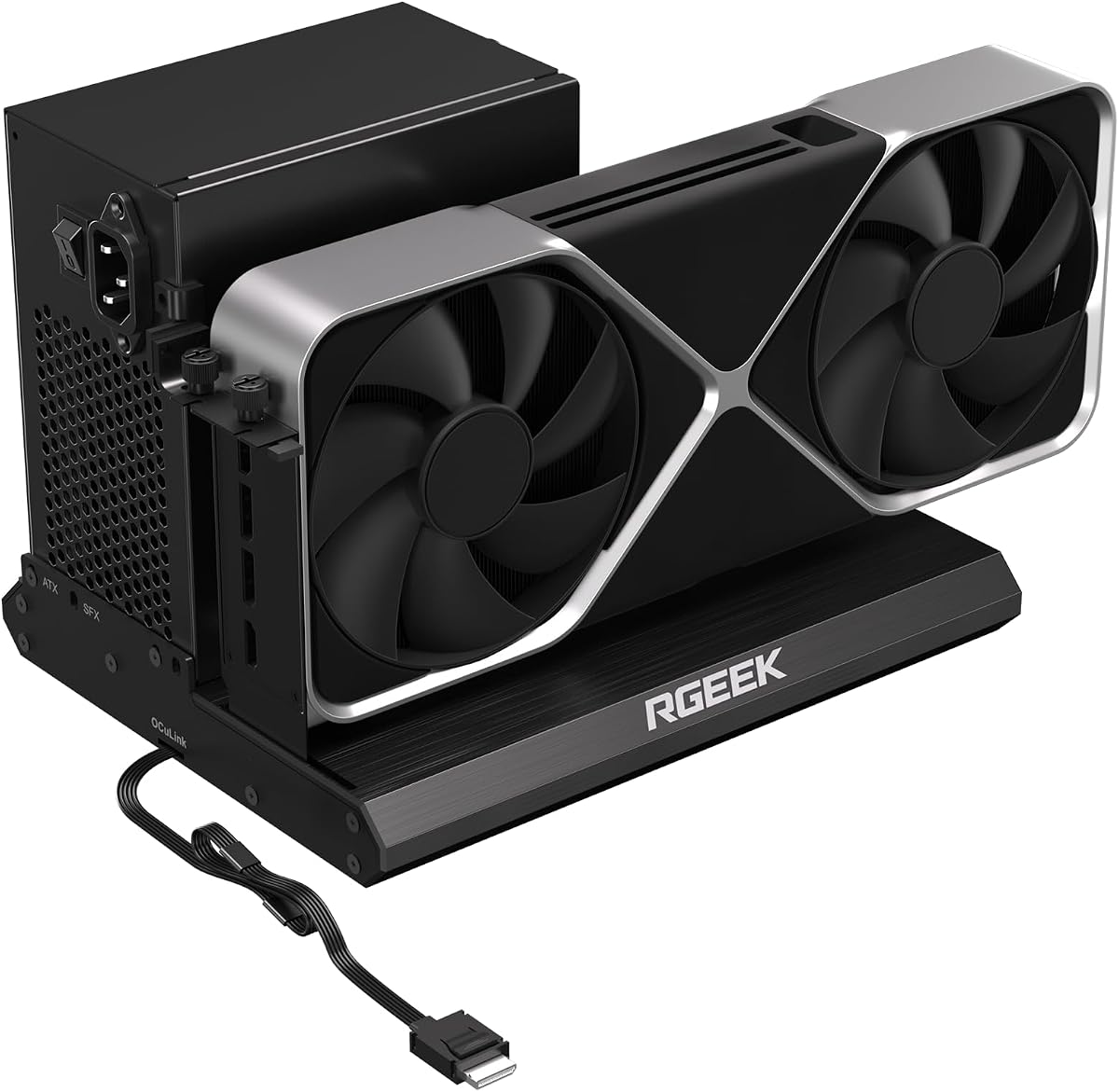
The RGEEK OCuLink dock is forward-looking with PCIe 5.0 x4 support for 128Gbps bandwidth. It is backward compatible with 4.0 and 3.0 systems.
We may earn a commission when you buy through this link, at no additional cost to you.
Its full aluminum material ensures great heat dissipation and durability. The factory-soldered cable avoids extra adapters and keeps signal loss negligible.
It supports mainstream GPUs including RTX 4090 and RX 7900. The I/O layout keeps desktop wiring neat and installation is hassle-free.
Best for users planning upgrades to high-speed interfaces. It offers a robust solution for gaming, 3D modeling, and AI computing tasks.
Prepare your system for future GPUs with high 128Gbps bandwidth support.
Aluminum chassis aids heat dissipation for sustained performance.
We may earn a commission when you buy through this link, at no additional cost to you.
UGREEN LinkStation excels with its dual-channel OCuLink and USB4 options. It supports up to four-slot GPUs and offers unmatched compatibility for major brands.
We may earn a commission when you buy through this link, at no additional cost to you.
The built-in signal booster ensures stable transmission for intensive tasks. Its semi-open aluminum chassis and low-RPM fan deliver quiet operation.
Features like 100W PD charging and cable storage keep your desk clean. It supports the latest 12V-2×6 connectors directly without adapters.
Ideal for professionals seeking high performance and stability. This dock transforms laptops into desktop powerhouses for gaming and content creation.
Low-RPM fan design ensures library-quiet workspace operation.
Direct plug-and-play with latest 12V-2×6 connectors without adapters.
We may earn a commission when you buy through this link, at no additional cost to you.
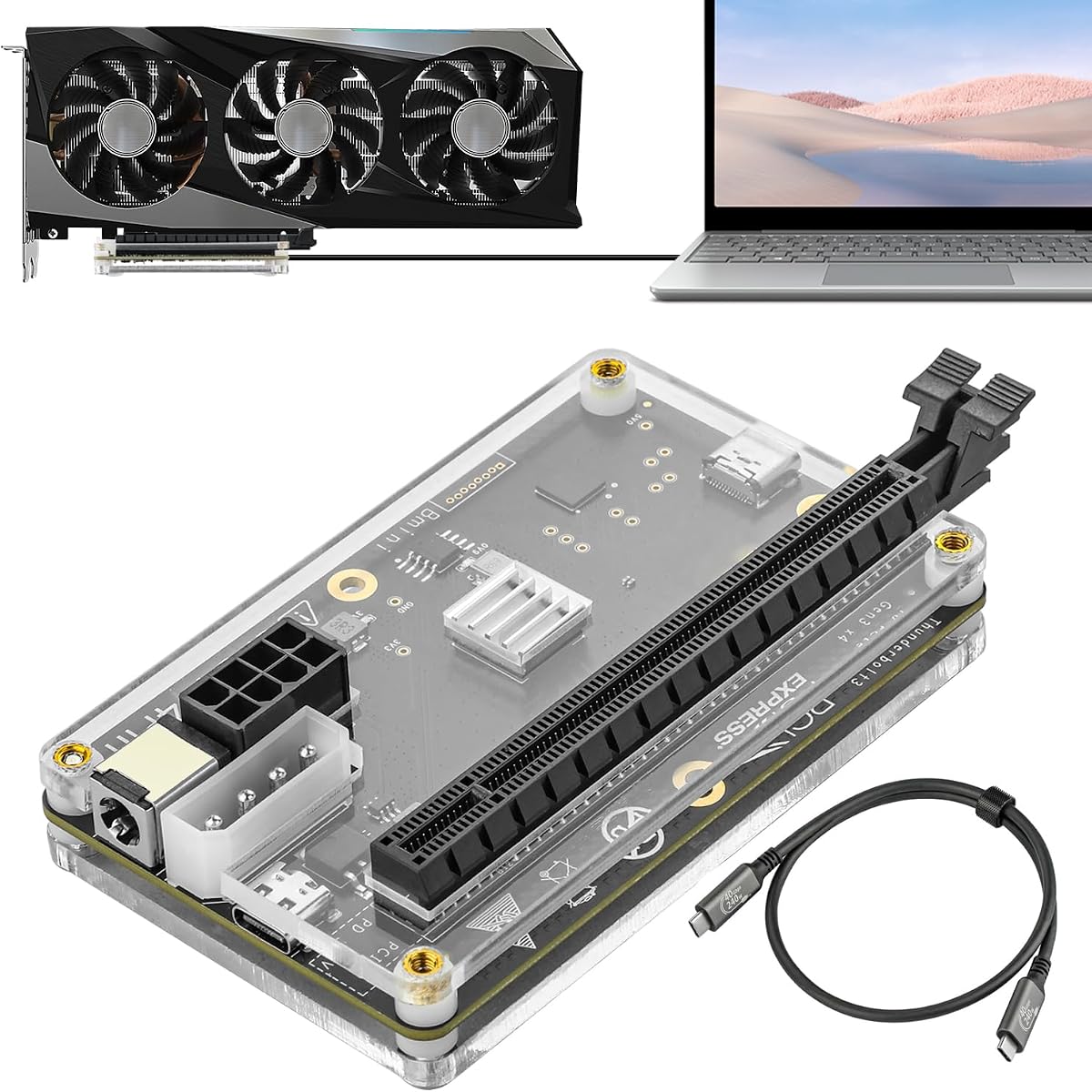
This DOCK utilizes a JHL6340 controller for stable 22Gbps performance. It comes with a Thunderbolt 4 cable and supports Windows and Linux devices.
We may earn a commission when you buy through this link, at no additional cost to you.
It offers flexible power input options including PD and Molex. Compatibility extends to various GPUs from GTX 450 to RTX 5090.
Ideal for users needing a versatile interface for consoles or older laptops. It allows connection of external graphics for gaming or editing tasks.
Best for those seeking a cost-effective Thunderbolt solution. It delivers reliable performance for AI art and AAA gaming without high costs.
Four input options ensure you can power it with common adapters.
JHL6340 controller provides stable performance on Windows 10 and 11.
We may earn a commission when you buy through this link, at no additional cost to you.
This MINISFORUM model combines OCuLink and TBT5 for a versatile dual interface. It includes an M.2 slot and LAN port for enhanced connectivity options.
We may earn a commission when you buy through this link, at no additional cost to you.
The design allows you to store project files directly on the dock. It minimizes file transfers by running rendering tasks directly on the GPU.
Features like auto-on and single-cable docking make it a convenient hub. It supports ATX and SFX supplies for flexible GPU upgrades.
Best for users wanting a complete desktop replacement in a dock. It ensures seamless interoperability across diverse cables and host devices.
Store files locally to minimize transfers and streamline rendering workflows.
Includes LAN and USB ports to replace a separate dock entirely.
We may earn a commission when you buy through this link, at no additional cost to you.
The External eGPU Dock is a universal option supporting Thunderbolt 3 and 4. It features an 85W PD port and a 40Gbps transfer speed.
We may earn a commission when you buy through this link, at no additional cost to you.
It works with various laptops and NUCs. Supporting latest GPUs like RTX 50 series, it is a solid choice for general expansion.
Note to avoid inserting CPU cables into the PCIe 8PIN port to prevent power-off. Always ensure your device has a valid Thunderbolt or USB4 port.
Best for users needing a simple, certified solution. It is a versatile hub that keeps your external devices attached and charged easily.
Officially certified JHL7440 module ensures high performance reliability.
USB A and daisy chain ports let you attach more peripherals easily.
We may earn a commission when you buy through this link, at no additional cost to you.
Selecting the right eGPU dock depends on your laptop interface, power needs, and portability requirements. This guide breaks down the key factors to consider.
Choose between Thunderbolt, USB4, or OCuLink based on your device. Thunderbolt offers universal compatibility and hot swapping, while OCuLink provides higher bandwidth for gaming.
Check your laptop ports to ensure the dock matches your interface for maximum speed.
Bandwidth determines data transfer rates. Look for docks supporting PCIe 4.0 or 5.0 and up to 80Gbps for demanding tasks like AI or 8K rendering.
Higher bandwidth reduces bottlenecks and improves overall graphics performance.
Most docks support ATX and SFX supplies. Ensure your chosen unit matches your existing PSU or fits your upgrade plans.
Flexible power options allow you to use compact SFX units for portable setups.
Check the maximum GPU slot width and length supported. Docks like UGREEN support up to four slots or 370mm length.
Verify your graphics card dimensions fit inside the enclosure without modification.
Look for docks with additional ports like LAN, USB, or M.2. These features can replace a separate docking station.
Integrated hubs simplify your desktop setup and reduce cable clutter.
Aluminum or steel chassis with active fans ensure stability. Durable materials help dissipate heat during long rendering sessions.
A robust build protects your expensive GPU and maintains consistent performance.
Thunderbolt docks allow hot swapping; OCuLink typically requires power-off. Decide if convenience or maximum bandwidth is your priority.
If you travel often, hot plug capability is essential for quick connections.
Opt for docks supporting USB4 V2 or PCIe 5.0 to stay compatible with next-gen GPUs. This protects your investment as technology evolves.
Choosing a flexible dock ensures longevity as your hardware needs grow.
Before connecting, shut down your laptop and plug in the GPU to the dock. Secure the power supply and ensure all cables are locked properly.
Power on the dock first then your laptop. If using OCuLink, wait until the system recognizes the device before launching applications.
Keep vents clear and monitor temperatures. Update drivers regularly to maintain stable performance and avoid connection issues.
Most docks support standard ATX or SFX desktop GPUs. However, check the specific dimensions and power requirements. Ensure your chosen unit accommodates the card length and connectors.
Support varies by interface and chip. Many Thunderbolt docks work with Intel-based Macs, but M1 or later chips may have limitations. Always check the manufacturer specifications for your model.
No, most eGPU docks do not include a power supply or GPU. You must purchase these separately. Ensure the PSU matches your unit's requirements and fits the enclosure.
OCuLink generally offers higher bandwidth without overhead. It can deliver up to 64Gbps or more compared to Thunderbolt speeds. Choose OCuLink for maximum gaming performance.
Many docks support reverse power delivery. For instance, USB4 or Thunderbolt models often provide 85W to 140W charging. Check if the dock supports charging your specific device.
Most docks work out of the box. However, install GPU drivers from NVIDIA or AMD for best performance. Some features may require software updates or specific firmware.
Thunderbolt docks support hot plugging while OCuLink usually requires a power-off. This difference affects workflow convenience. Choose based on your need for quick disconnection.
Check the dock's specifications for width and length limits. Most support 4-slot cards, but larger models may need special docks. Verify dimensions before purchasing to avoid fit issues.
The MINISFORUM DEG2 and UGREEN LinkStation lead our top picks for versatility and performance. They offer dual interfaces and excellent build quality for most users.
Prioritize bandwidth and power needs when selecting a dock. Consider compatibility with your GPU and laptop to ensure a smooth experience.
Prices and availability vary, so check current listings before purchasing. Investing in the right eGPU dock extends the life of your portable device.