
Guermok USB C to AR Glasses Video Adapter
4.5Editor score
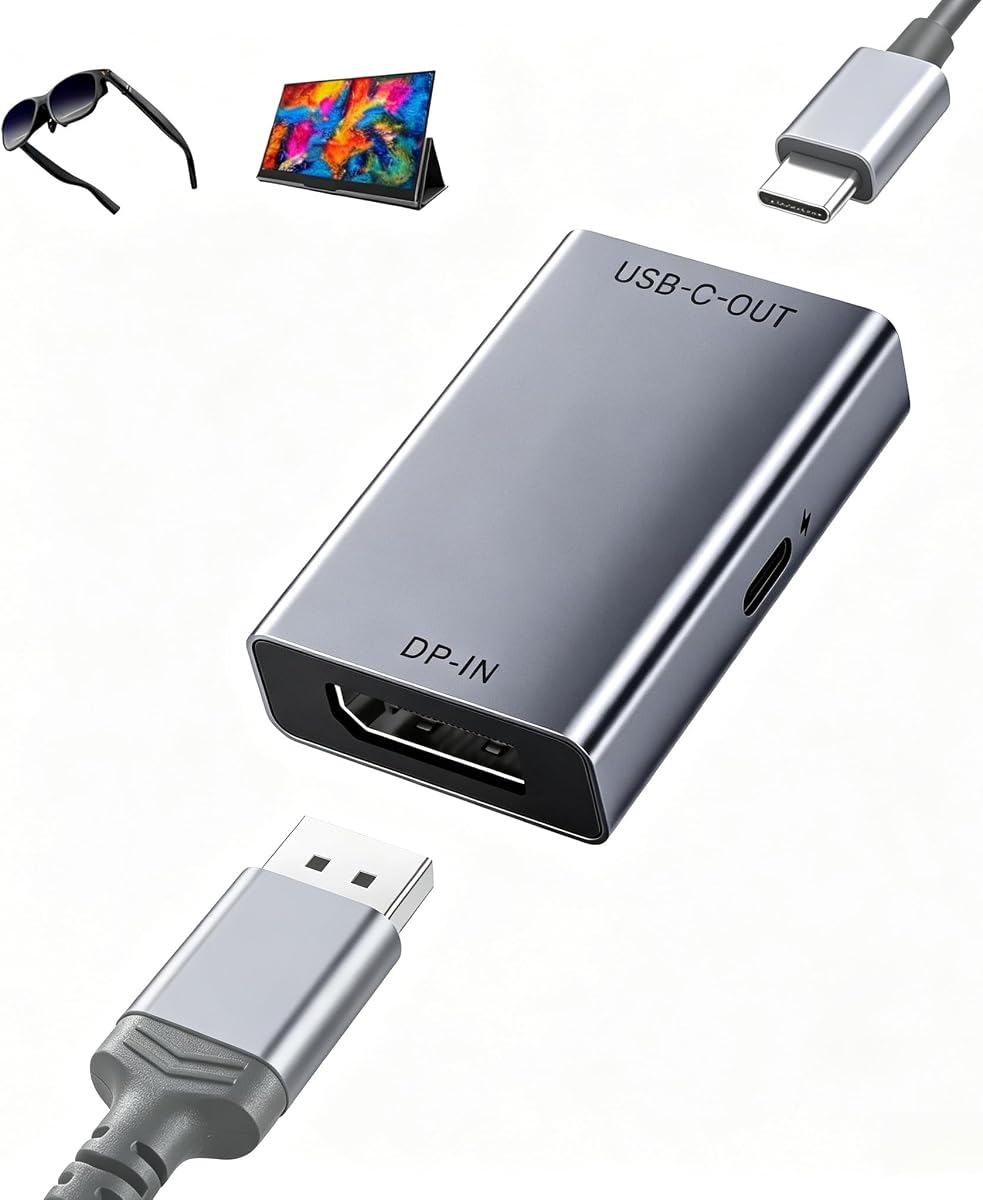
PD3.0 charging pass-through support
4K60Hz and 1080P144Hz video
Compact travel-friendly design build
This guide compares the top Displayport Adapter for AR Glasses models for 2026 focusing on resolution compatibility power delivery and durability for immersive
Finding the right Displayport Adapter for AR Glasses is essential for immersive viewing experiences. High-quality adapters ensure stable video transmission and proper power delivery to your smart glasses. We focus on compatibility with major brands and support for high refresh rates.
Our team analyzed ten leading Displayport Adapter for AR Glasses options available in the market. We evaluated specifications like resolution support, cable length, and build quality to help you choose. Each product was reviewed based on user feedback and technical capabilities.
Every pick below highlights unique strengths and potential limitations for different use cases. You will see detailed specs and pros cons to guide your decision making. Please note that prices and availability can change frequently on retailer sites.
4.5Editor score
4.5Editor score

4.8Editor score
The following table provides a side-by-side comparison of all ten Displayport Adapter for AR Glasses models. It highlights key specifications like resolution support, power delivery capabilities, and cable length to help you identify the best fit for your specific device setup.


This adapter stands out for its ability to deliver 4K@120Hz resolution to AR glasses. With a 4.5 rating it is highly regarded by users for immersive gaming and movie watching. The one-way DP to USB-C design ensures stable video transmission from your PC.
We may earn a commission when you buy through this link, at no additional cost to you.
The standout feature is the high refresh rate support which minimizes motion blur during fast-paced games. The compact aluminum build helps dissipate heat effectively during long sessions. It works seamlessly with Xreal Rokid and other popular AR brands without needing drivers.
One trade-off is that audio may require manual settings adjustments on some glasses to switch to DP mode. Additionally it only works with DisplayPort sources so USB-C to DP is not supported. These limitations are minor given the performance benefits.
Gamers and media consumers looking for smooth visuals should choose this adapter. It offers the best balance of resolution and refresh rate for AR glasses in this category. Ensure your source device supports DP Alt Mode before purchasing.
The 4K@120Hz capability makes this adapter ideal for competitive gaming on AR glasses.
The aluminum alloy housing provides excellent heat dissipation and a sleek look for portability.
We may earn a commission when you buy through this link, at no additional cost to you.
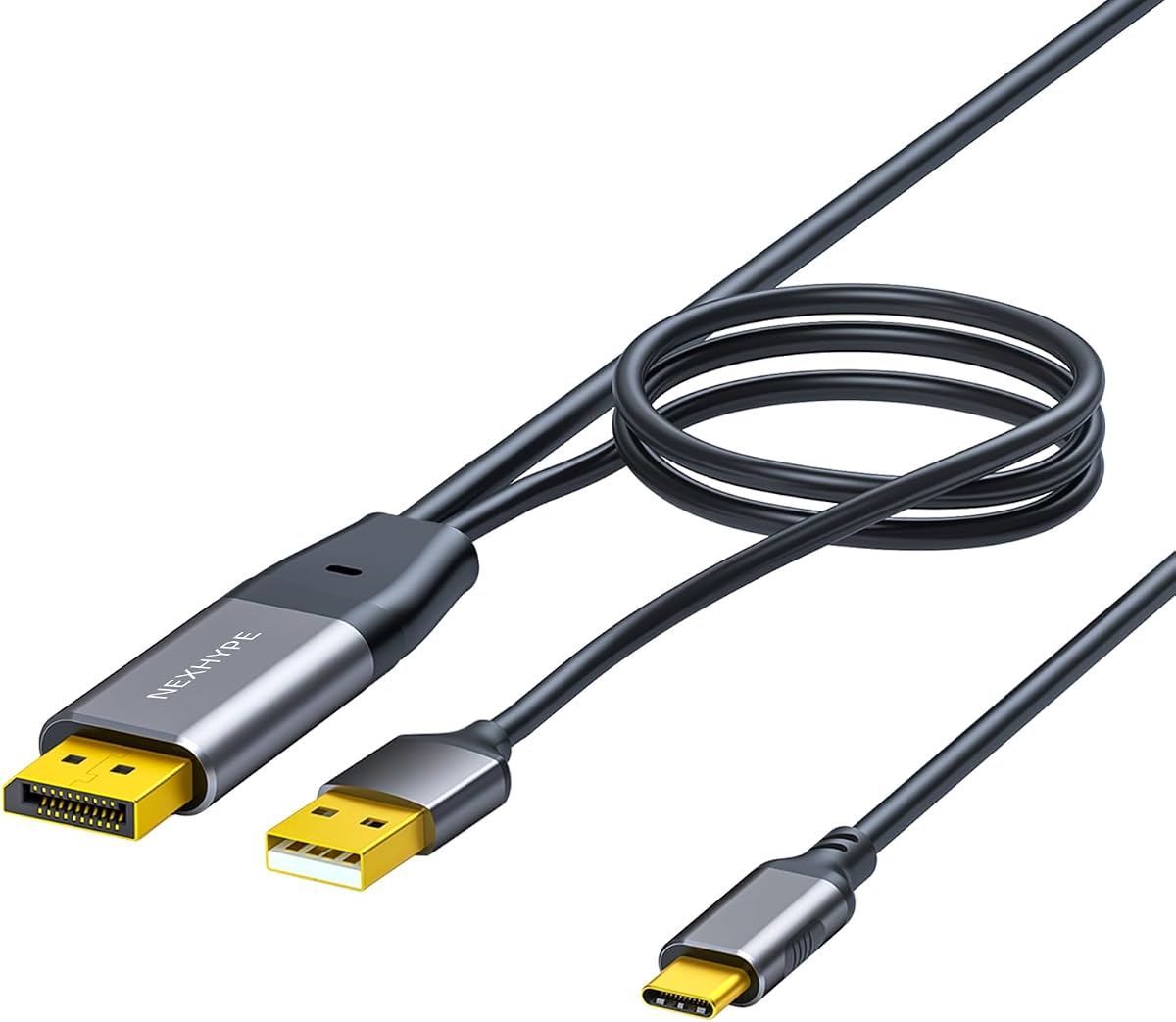
This cable offers a generous 6.6ft length which provides flexibility in placing your AR glasses relative to your source. It has a strong 4.7 rating and includes an integrated USB power cable to support battery-free monitors. The gold-plated connectors ensure stable signal transmission.
We may earn a commission when you buy through this link, at no additional cost to you.
The integrated power design allows you to power portable monitors or AR glasses directly from a USB port. This reduces the need for extra power bricks and keeps your setup clean. It works well with Lenovo and Thunderobot portable monitors.
However it may not provide enough power for larger 15.6 inch monitors which require additional power cables. Also HDMI devices like PS5 need an extra adapter since this only has a DisplayPort input. These are small constraints for a versatile cable.
Users needing longer cable reach for home theater setups will appreciate this choice. The durability and power integration make it a reliable option for everyday use with AR glasses. Check your monitor power requirements before buying.
The 6.6ft length allows you to sit further back from your source device comfortably.
The additional USB cable helps power your display without extra adapters.
We may earn a commission when you buy through this link, at no additional cost to you.
This adapter is highly rated at 4.8 and is optimized for creative pros using Apple Studio Display. It supports 4K@60Hz and transmits pristine audio and touch signals over one cable. The graphene shielding ensures signal integrity for color-critical work.
We may earn a commission when you buy through this link, at no additional cost to you.
The USB-A power tail is crucial for stabilizing the signal and enabling touch functionality on monitors. It connects seamlessly with MacBook Pro and Dell XPS laptops for high-resolution output. The aluminum casing helps manage heat during intensive tasks.
It does require GPU DSC support for certain displays and does not work with Nintendo Switch 2. These technical requirements may limit its use for console gamers but it is perfect for workstation setups. The 18-month warranty adds peace of mind.
Apple users and designers should consider this adapter for its touch and audio sync capabilities. It delivers professional-grade performance for video editing and design work on AR glasses or monitors. Verify your GPU compatibility before purchase.
Full touch support allows you to interact with content directly on connected monitors.
Built to work flawlessly with Mac Mini and MacBook Pro for high-fidelity display.
We may earn a commission when you buy through this link, at no additional cost to you.
This active adapter supports 4K@120Hz and includes a 3-port USB hub for peripherals. It is great for gamers who need to connect keyboards and mice alongside their display. The aluminum housing helps dissipate heat during intense gaming sessions.
We may earn a commission when you buy through this link, at no additional cost to you.
The DP 1.4 bandwidth allows for HDR and 10-bit color which enhances visual quality significantly. It minimizes motion blur for FPS and racing games. The USB hub adds convenience for connecting accessories directly to the adapter.
However the hub function requires a separate USB 3.0 data cable not included. Also it cannot drive high-power monitors so you may need separate power. These are minor downsides for the added functionality it provides.
Gamers needing peripheral connectivity will find this adapter very useful. It balances performance and connectivity in one compact device for AR glasses setups. Ensure you have a USB data cable for the hub feature.
Connect mice and keyboards directly to the adapter for a tidy setup.
DP 1.4 ensures HDR and 10-bit color for accurate visuals.
We may earn a commission when you buy through this link, at no additional cost to you.
This adapter supports 8K@30Hz and 4K@144Hz output for high-performance setups. It includes 65W Power Delivery to keep your display charged while transmitting video. The graphene-coated cable is flexible and durable for travel.
We may earn a commission when you buy through this link, at no additional cost to you.
The 65W PD port simplifies mobile workstations by reducing the need for separate power adapters. It works well with portable monitors that require power input. The short 0.5m length keeps your desk organized and tangle-free.
Touchscreen functionality is not supported which limits use on interactive displays. The short cable may not reach from your PC to a distant setup. These are acceptable trade-offs for the power and resolution capabilities.
Professionals with portable monitors needing power and high resolution should choose this. It delivers stability and performance for creative work on AR glasses. Verify your monitor power needs before purchasing.
Keep your display charged without an extra power brick during use.
Stunning 8K resolution provides crisp details for creative tasks.
We may earn a commission when you buy through this link, at no additional cost to you.
This adapter is compact and lightweight with a 1.6FT length ideal for travel. It supports 4K/60 resolution and includes a USB-A power cable for stability. The gold-plated connectors prevent corrosion and ensure signal quality.
We may earn a commission when you buy through this link, at no additional cost to you.
Its small form factor makes it easy to carry in a bag or pocket. It works well with Xreal and Viture AR glasses for streaming movies on the go. The aluminum housing dissipates heat effectively during use.
The short length might be restrictive if you need to connect from a desk PC. High-power devices may require an additional power source beyond the included cable. These constraints are minor for travelers needing a quick setup.
Travelers and users needing a small adapter will love this option. It provides essential features without bulk for AR glasses and portable monitors. Ensure your setup fits within the 1.6FT range.
Compact design fits easily in pockets for mobile viewing.
USB-A power cable ensures the signal remains stable during use.
We may earn a commission when you buy through this link, at no additional cost to you.
This cable offers excellent value with 4K@60Hz support at a competitive price. The 6FT length provides good reach between your PC and display. It supports touch function on compatible monitors and works with most AR glasses.
We may earn a commission when you buy through this link, at no additional cost to you.
Gold-plated connectors and a PVC jacket ensure durability for daily use. It works with Lenovo and Thunderobot monitors easily without extra drivers. The plug and play setup makes it accessible for all users.
It does not charge the monitor directly so you may need a separate power source. The touch function requires the monitor to have built-in touch capabilities. These are standard limitations for this price range.
Users looking for a budget-friendly reliable cable should consider this. It balances cost and performance well for everyday AR viewing tasks. Check your monitor power requirements before use.
Delivers solid 4K performance at an affordable price point.
Works seamlessly with monitors that have touch capabilities.
We may earn a commission when you buy through this link, at no additional cost to you.
This adapter is optimized for Switch 2 and handheld consoles for AR glasses gaming. It supports PD3.0 charging and 4K60Hz video output. The compact aluminum design ensures effective cooling during gameplay.
We may earn a commission when you buy through this link, at no additional cost to you.
It allows uninterrupted gameplay with pass-through charging so your device stays powered. The low latency performance is great for fast-paced games. It works with laptops and portable monitors as well.
Users report heat generation which requires proper ventilation. The short cable limits reach from console to glasses. These are manageable issues for a specialized gaming adapter.
Console gamers looking for AR compatibility will find this adapter ideal. It offers a specialized solution for Switch users with essential power features. Ensure you have proper airflow during use.
Optimized chip for seamless connection to Switch 2 handhelds.
Keep your device charged while playing games without interruption.
We may earn a commission when you buy through this link, at no additional cost to you.
This cable is designed to work with MacBook Pro and Air models for AR glasses. It supports 4K@60Hz output with a 6.6ft length for flexible placement. The USB power supply ensures stable signal transmission.
We may earn a commission when you buy through this link, at no additional cost to you.
It works with portable monitors and supports touch functionality on compatible devices. The gold-plated connectors ensure corrosion resistance and durability. No drivers are needed for setup.
It may not work with certain VR or AR glasses requiring different modes. The one-way transmission limits bidirectional use cases. These are specific constraints for Mac users.
Mac users needing a reliable cable for AR glasses should consider this. It delivers stable performance for Mac laptops and portable displays. Verify your AR device compatibility first.
Designed to work seamlessly with MacBook Pro and Air laptops.
Supports touch functionality on compatible monitors for interactivity.
We may earn a commission when you buy through this link, at no additional cost to you.
This adapter connects VITURE Neckbands to USB-C displays for easy viewing. It supports 10 Gbit/s transfer and 4K@60fps video output. The magnetic port ensures quick and secure connections.
We may earn a commission when you buy through this link, at no additional cost to you.
You can pair with the Mobile Dock for dual display setups. It is compact and designed specifically for VITURE accessories. The transfer speed ensures smooth video streaming.
It only works with VITURE products and does not support VR glasses. The specificity limits its use outside the VITURE ecosystem. These are expected limitations for proprietary accessories.
VITURE users looking to expand connectivity should choose this adapter. It offers a seamless way to connect neckbands to monitors. Ensure you own VITURE gear for compatibility.
Magnetic connection makes attaching and detaching the adapter quick and secure.
Works with Mobile Dock for multi-monitor setups with Neckband.
We may earn a commission when you buy through this link, at no additional cost to you.
Choosing the right Displayport Adapter for AR Glasses requires understanding your specific hardware needs and usage scenarios. Here are key factors to consider before making a purchase.
Ensure the adapter supports the maximum resolution and refresh rate your AR glasses can handle. Higher rates like 4K@120Hz provide smoother visuals for gaming.
Check if the adapter includes a power delivery port. This is crucial for battery-free portable monitors or AR glasses needing external power.
Select a cable length that fits your space. Flexible materials like graphene or PVC ensure durability and ease of movement.
Verify the adapter works with your specific AR glasses brand. Some adapters are optimized for Xreal or VITURE products.
If you need touch support on your display, ensure the adapter supports touch signal transmission along with video and audio.
Aluminum housings dissipate heat better than plastic. Look for adapters that mention cooling features for long sessions.
Choose products with clear warranty policies like 12 months or 18 months. Good customer support helps resolve technical issues quickly.
Confirm if you need DP to USB-C only or bidirectional support. Most adapters are one-way which is sufficient for PC to AR glasses.
Start by connecting the DisplayPort end of the adapter to your PC or graphics card output. Ensure the connection is firm to avoid signal interruptions during use.
Plug the USB-C end into your AR glasses or portable monitor. If the device requires power, connect the included USB power cable to a USB port or power bank.
To care for the adapter, avoid excessive bending or pulling of the cable. Store it in a cool dry place when not in use to preserve its integrity.
Most adapters work with popular brands like Xreal Rokid and Viture but compatibility depends on USB-C DP Alt Mode support. Check your device specs before purchasing.
If your laptop lacks a DisplayPort output you may need a USB-C to DisplayPort adapter first. These adapters only support one-way DP to USB-C transmission.
Audio issues often occur because the device defaults to HDMI mode. Switch your glasses to DP mode in settings or update firmware to resolve this.
No drivers are needed for most adapters as they are plug and play. Install drivers only if your graphics card or OS prompts you to do so.
Only adapters with specific console support work. Standard DP adapters won't work directly with Switch unless the console has DP output or you use a dock with DP.
Yes adapters supporting 4K@60Hz or higher are suitable. For color-accurate work ensure the adapter supports HDR and 10-bit color depth.
The top picks in this guide offer strong performance for AR glasses use. Our Editor's Choice delivers 4K@120Hz for gamers while our Budget pick suits console users.
Prioritize power delivery and compatibility with your specific glasses model before buying. Longer cables offer flexibility but ensure signal stability remains intact.
Check current prices and availability on retailer sites as these change regularly. This guide provides a solid starting point for making an informed choice.