
Procolored K13-Lite DTF
3.7Editor score
Beginner-friendly touchscreen
Automatic white ink circulation
Smart printhead protection
Starting a custom apparel business requires the right equipment to produce high-quality designs. Beginners often struggle with choosing between direct to garment and direct to film technologies. This guide simplifies the decision by highlighting machines built for ease of use and reliable performance.
We evaluated ten top-rated printers based on print quality, maintenance requirements, and user feedback. Each product was selected for its ability to handle beginner workflows without compromising on output. Our analysis includes detailed specifications to help you understand what matters most for your specific needs.
Every pick includes pros, cons, and specific use cases to guide your final decision. Prices fluctuate frequently so verify current listings before purchasing. Use this resource to invest confidently in a machine that grows with your small business or creative studio.
3.7Editor score

4.3Editor score
5.0Editor score
As an Amazon Associate we earn from qualifying purchases.
This table compares all ten selected printers side by side to highlight key differences in resolution, ink systems, and included accessories for your review.
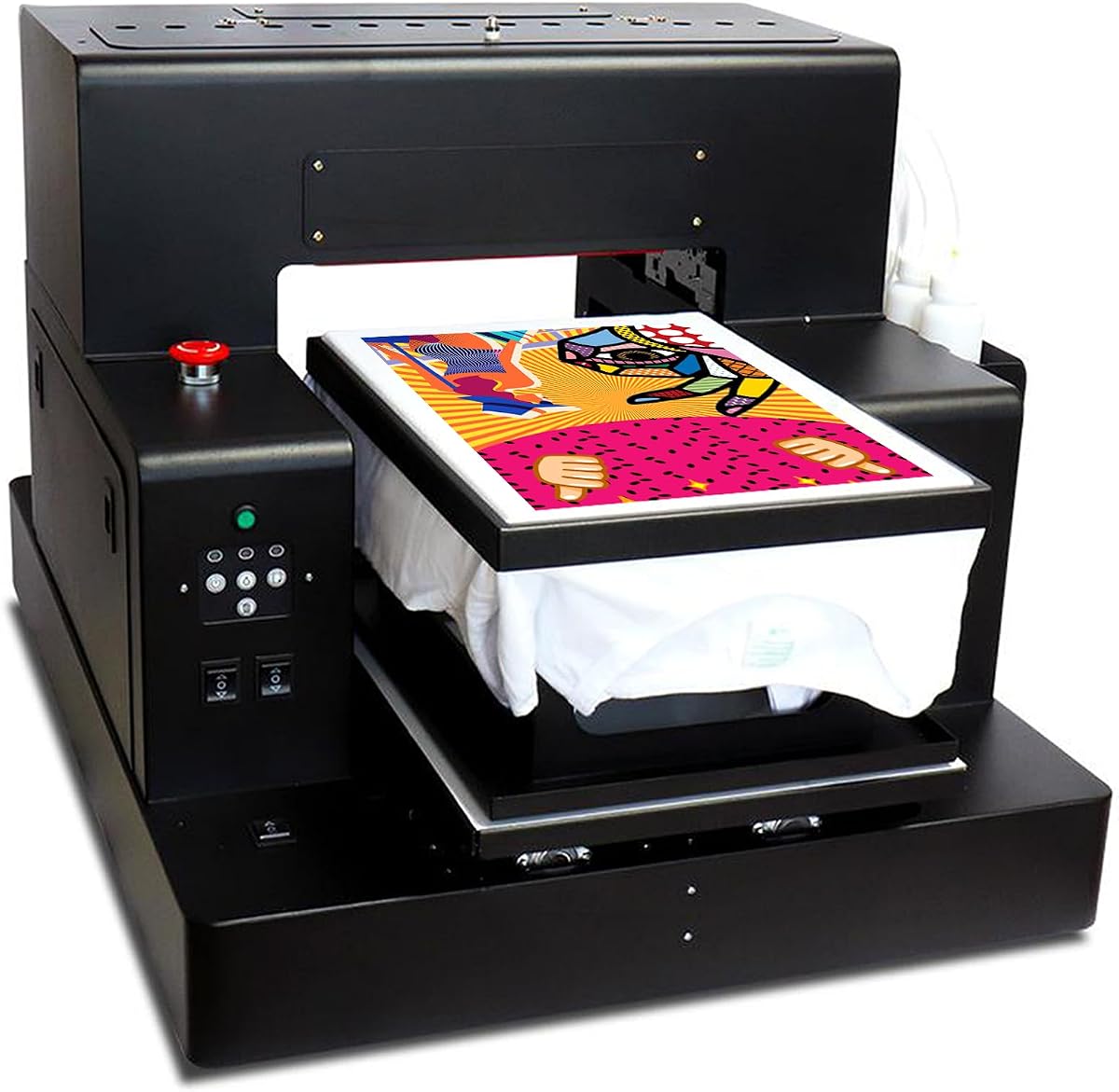


The DXZ A3 DTG Printer stands out as a top choice for beginners seeking high-quality output. With a 4.3 rating from verified users it delivers razor-sharp detail and vibrant colors. Its water-based ink system ensures safe handling and consistent results for cotton apparel.
We may earn a commission when you buy through this link, at no additional cost to you.
Key strengths include the white ink mixing engine that prevents clogs and maintains flow. The electric sprayer simplifies pre-treatment application reducing manual errors. Users appreciate the straightforward setup process and intuitive controls designed for effortless printing.
Trade-offs involve a higher price compared to entry-level DTF options. The unit operates only on Windows systems which limits flexibility. However the professional quality and included supplies justify the investment for serious starters.
This printer suits small business owners prioritizing print fidelity over cost. It handles complex graphics and fine text exceptionally well. We recommend it for those ready to invest in reliable production from day one.
Ultra-high resolution up to 2800×1440 DPI ensures lifelike photographic clarity and smooth gradient transitions for complex graphics.
Water-based inks are non-toxic and safe for sensitive skin ideal for printing on baby or children's clothing.
We may earn a commission when you buy through this link, at no additional cost to you.
The Procolored K13-Lite offers an accessible entry point for beginners exploring DTF printing. Its one-touch ink pumping and intuitive touchscreen make operation simple for first-time users. The system helps reduce maintenance complexity with built-in automatic cleaning features.
We may earn a commission when you buy through this link, at no additional cost to you.
This model excels in flexibility for custom apparel businesses needing multi-logo layouts. The automatic white ink circulation prevents sedimentation ensuring consistent results. Beginners benefit from the LiteHead Technology which reduces daily upkeep demands significantly.
Despite a lower rating the unit performs well for its price class. Windows-only compatibility restricts usage to specific environments. The affordable setup and easy workflow make it ideal for home studios on a tight budget.
We recommend this printer for creators prioritizing ease of use over speed. It handles standard T-shirt transfers reliably. Ideal for startups testing the market before scaling up to industrial machines.
One-touch ink pumping and intuitive touchscreen interface make operation simple even for first-time users and startup creators.
Automatic white ink circulation runs every 30 minutes to prevent sedimentation and maintain smooth ink flow.
We may earn a commission when you buy through this link, at no additional cost to you.
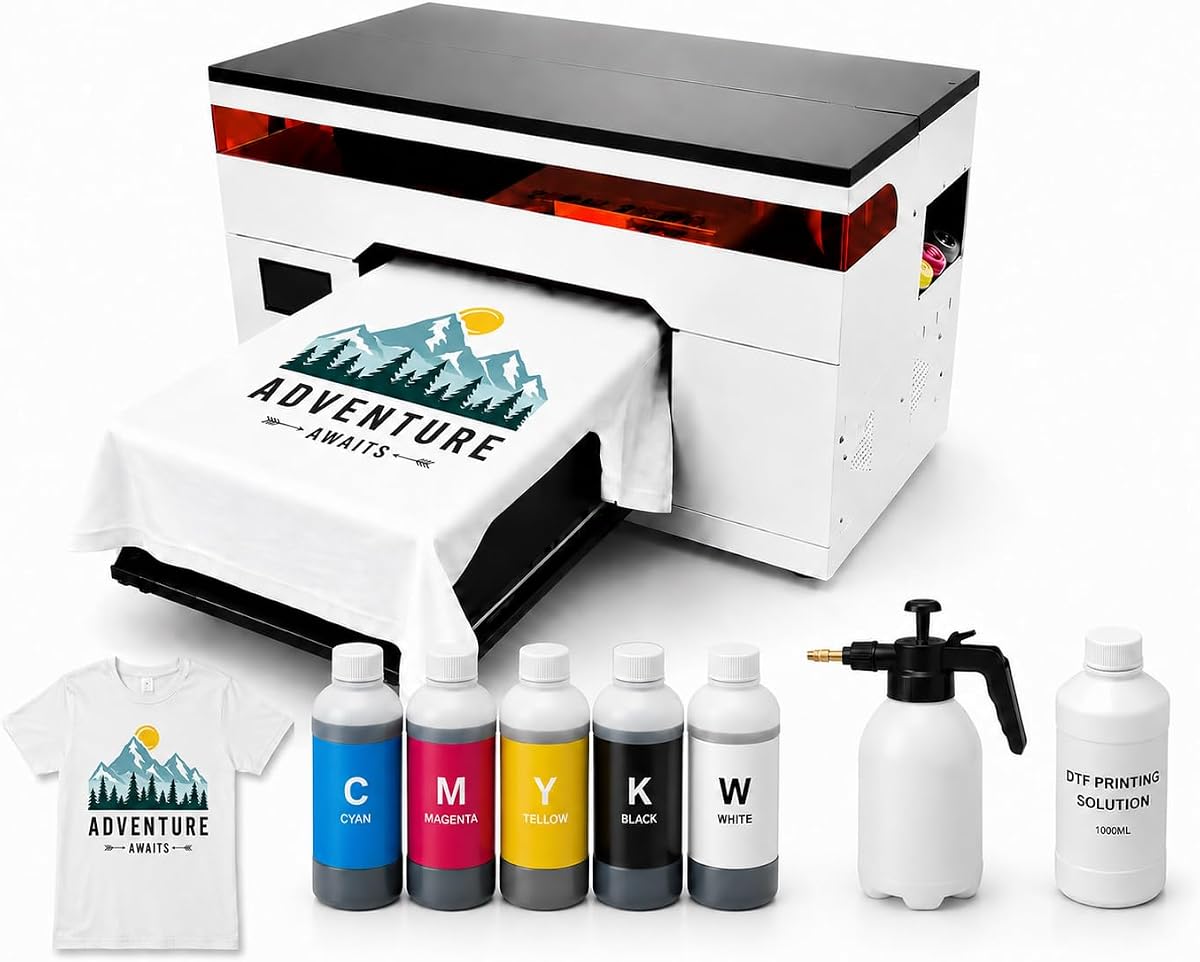
The A3 DTG Printer with Dual XP600 Printheads delivers industrial performance for serious small businesses. With a perfect 5.0 rating it produces detailed images and smooth gradients. The complete starter kit ensures users can begin production immediately without additional purchases.
We may earn a commission when you buy through this link, at no additional cost to you.
Its dual printhead setup enhances speed and reliability for daily operations. The white ink circulation system reduces sediment buildup supporting consistent prints. Users value the adjustable platform accommodating various garment thicknesses for flexible production.
Premium pricing reflects the robust build quality and included accessories. Initial setup requires technical attention compared to simpler models. The professional output justifies the investment for high-volume custom apparel needs.
We recommend this printer for businesses requiring consistent high-quality results. It handles cotton T-shirts hoodies and canvas bags effectively. Choose this for reliability and professional-grade performance in a demanding environment.
Dual XP600 printheads deliver high-resolution printing up to 1440 DPI producing detailed images smooth gradients and vibrant colors.
Includes CMYKW inks pretreatment solution spray bottle printing software and essential accessories to start production immediately.
We may earn a commission when you buy through this link, at no additional cost to you.
The Procolored K13-Lite Bundle includes a smokeless oven for complete curing convenience. It features G7-certified color accuracy ensuring reliable reproduction from screen to fabric. A perfect 5.0 rating highlights user satisfaction with its performance and setup.
We may earn a commission when you buy through this link, at no additional cost to you.
Expanded starter supplies reduce initial costs and simplify the learning curve. The automatic cleaning system prevents clogging saving time for busy print shops. Its intuitive interface makes operation simple for new DTF printing businesses.
Windows system requirements limit operating system compatibility. The bundle cost is higher than standalone units but offers more value. It remains ideal for indoor studios needing clean and efficient production workflows.
We recommend this bundle for users valuing professional color accuracy. It suits custom apparel businesses seeking a turnkey solution. Choose it for consistent high-quality prints without additional accessory purchases.
G7-certified color accuracy and optimized color curves deliver accurate color reproduction from screen to fabric.
Paired with Smokeless Oven curing unit it reduces odors and fumes compared with traditional DTF setups.
We may earn a commission when you buy through this link, at no additional cost to you.
This 2-in-1 machine supports both DTG and DTF printing for maximum versatility. Its large print area enables perfect printing experiences for diverse garment sizes. The advanced DTG technology ensures ink penetrates deep for long-lasting vibrant results.
We may earn a commission when you buy through this link, at no additional cost to you.
Features like vacuum suction prevent movement and misalignment during printing. The white ink mixing system reduces nozzle blockages. It works well with cotton canvas and linen fabrics providing premium softness and breathability.
Ink is not included so buyers must budget separately. The N/A rating suggests limited review data. Its dual functionality makes it ideal for studios needing multiple output methods.
We recommend this for businesses wanting both transfer and direct printing. It suits canvas cotton and various textile items well. Choose it for flexibility across different product lines.
Advanced DTG technology allows direct printing on white clothes while DTF function supports bright color transfers on any fabric.
16.5×11.7 inch print area allows you to enjoy the perfect printing experience for large designs.
We may earn a commission when you buy through this link, at no additional cost to you.
This model repeats as a solid budget DTF option for home studios. It features a smart printhead protection system detecting particles as small as 2 mm. One-touch pumping and touchscreen interface make operation simple for new users.
We may earn a commission when you buy through this link, at no additional cost to you.
The automatic white ink circulation ensures stable performance during long sessions. LiteHead Technology reduces maintenance complexity for daily smooth operation. Users appreciate the professional color accuracy for apparel designs.
Low rating reflects potential reliability concerns over time. Windows-only compatibility limits setup options. It remains a viable choice for small startups needing basic transfer capabilities.
We recommend this for startups testing DTF workflows. It handles custom apparel businesses and Etsy sellers well. Choose it for cost-effective entry into garment transfers.
Infrared Printhead SafeGuard System monitors printing area detecting film warping or particles as small as 2 mm.
Automatic white ink circulation runs every 30 minutes preventing sedimentation and maintaining smooth ink flow.
We may earn a commission when you buy through this link, at no additional cost to you.
The InkSonic R1390 offers 24/7 technical guidance for smooth workflows. A California-based service center provides ongoing support for long-term use. The 13-inch print width enables sharp colors and smooth film feeding.
We may earn a commission when you buy through this link, at no additional cost to you.
Its 3-in-1 white ink protection reduces pigment settling ensuring smooth flow. Matched ink film and powder improve color consistency. Users get installation videos and manuals to reduce setup errors.
N/A rating suggests limited public reviews. Support hours may vary by region. The bundle saves time by including essential consumables for startups.
We recommend this for users needing reliable assistance. It suits custom apparel businesses and small businesses well. Choose it for consistent transfers and strong service.
InkSonic pairs every printer with 24/7 one-on-one technical guidance phone assistance and clear installation videos.
White ink circulation mixing and filtration helps reduce pigment settling and keeps ink flowing smoothly.
We may earn a commission when you buy through this link, at no additional cost to you.
This DTF printer features 24/7 auto maintenance preventing clogs and downtime. A 2-Year ink supply plan ensures no shortages or downtime for eligible buyers. The F1080 printhead is twice as fast as previous generations.
We may earn a commission when you buy through this link, at no additional cost to you.
Its all-in-one bundle includes powder shaker oven air purifier and accessories. Heating plate delivers touch-dry prints quickly. One-key refill pulls ink automatically eliminating syringes and bubbles.
Supply plan limited to US only. Higher cost covers extensive accessories and support. The auto maintenance reduces manual workload for consistent quality.
We recommend this for users prioritizing reliability. It suits custom T-shirts hoodies and bags. Choose it for a complete ready-to-run system.
Automatic timed cleaning and printhead moisturizing via 5 touch screen ensure no clogs and no worry.
Contact every 2 months for refill pack paying only shipping. Supplies are free for two full years.
We may earn a commission when you buy through this link, at no additional cost to you.
This multifunction machine handles both DTF and DTG printing for fabric versatility. Its automatic flatbed and standard white ink stirring reduce failure rates. A standard clothes hanger allows direct printing on white T-shirts and sweaters.
We may earn a commission when you buy through this link, at no additional cost to you.
Users praise its ability to restore picture effects regardless of material. The motherboard and printhead are easier to replace and cheaper. It eliminates pretreatment steps required for DTG printing on colors.
Higher price reflects dual functionality and standard specs. Details are sparse compared to premium models. It offers value for diverse garment printing needs.
We recommend this for businesses needing both technologies. It suits T-shirts hoodies pants and hats. Choose it for material flexibility and easy replacement.
Handles both DTF and DTG printing allowing you to choose the best method for each garment type.
Standard white ink stirring system greatly reduces probability of print head clogging.
We may earn a commission when you buy through this link, at no additional cost to you.
This L805 multifunction printer features semi-automatic cleaning for easier maintenance. It includes white ink mixing and a vacuum platform for precise results. A perfect 5.0 rating reflects user satisfaction with its functionality.
We may earn a commission when you buy through this link, at no additional cost to you.
The vacuum platform holds film and bronzing paper securely preventing misalignment. High precision L1805 printhead produces vibrant colors and crisp details. Package includes software USB manual and ink stir components.
Ink not included requires extra purchase planning. Setup requires attention to cleaning steps. It balances quality and control for diverse printing needs.
We recommend this for users needing manual control. It suits T-shirts hats shoes and pants. Choose it for high precision and reliable suction.
Semi-automatic cleaning function prevents clogging and protects the printer during regular use.
L1805 6-color printhead achieves faster and more consistent printing results with vibrant colors.
We may earn a commission when you buy through this link, at no additional cost to you.
Selecting the right printer depends on your budget, fabric types, and maintenance tolerance.
Direct to Film (DTF) prints on film and transfers to fabric handling all colors and materials. Direct to Garment (DTG) prints directly on cotton garments offering softer hand feel. Choose DTF for versatility and DTG for cotton-heavy workflows.
Resolution impacts detail and clarity measured in DPI. Higher DPI ensures sharp graphics and smooth gradients. Beginners should look for at least 1440 DPI for professional results.
Automatic white ink circulation reduces sediment and clogs. Semi-automatic cleaning simplifies daily upkeep. Prioritize models with self-maintenance features to save time.
Bundles with ink, powder, and cure ovens reduce initial costs. Check for starter kits including pretreatment liquids and software. Complete packages accelerate your time-to-market.
Most printers require Windows 7-11 drivers. Ensure your PC meets specifications before purchase. Mac support is rare so plan your workstation accordingly.
Reliable technical support prevents long downtimes. Look for 1-year warranties on non-consumables. 24/7 guidance is ideal for beginners troubleshooting issues.
DTF works on cotton, polyester, and blends. DTG is best for cotton or cotton-rich fabrics. Verify the printer matches your target product materials.
Entry-level DTF units cost less than premium DTG machines. Balance initial cost with long-term ink and supply expenses. Consider total cost of ownership.
Before first use install drivers and run initial priming cycles to ensure ink flows smoothly. Pre-treat fabrics using included sprayers for DTG to improve adhesion and color vibrancy.
Clean printheads daily using automatic cycles and manual swabs if needed. Store ink bottles upright in a cool place away from sunlight to prevent drying.
After sessions run cleaning cycles to prevent clogging. Cover units with dust covers and maintain stable temperature to extend lifespan and reduce maintenance needs.
Yes most models feature intuitive interfaces and tutorials. Automated maintenance and guidance videos simplify setup. However basic tech familiarity helps resolve issues quickly.
DTF offers broader fabric compatibility and lower maintenance. DTG provides softer prints for cotton. For mixed apparel businesses choose DTF for versatility.
Most require Windows drivers only. Check specs carefully as macOS support is rare. Plan your workstation accordingly to avoid compatibility issues.
Daily cycles prevent sediment and clogging. Automatic cleaning reduces manual effort. Run cycles after idle periods to maintain flow.
DTG printing needs pretreatment for color vibrancy. DTF usually does not require fabric pre-treatment. Follow product guides for optimal results.
One year on non-consumable parts and six months on printheads is typical. Extended support is available via select manufacturers.
DTF prints on darks easily. DTG requires white underbase. Choose printers with white ink circulation for dark colors.
Most bundles include starter inks but some do not. Check package content before purchasing to avoid extra costs.
Our top picks balance performance and ease of use for new creators. The DXZ A3 DTG leads in resolution while the Procolored K13-Lite offers affordable entry.
Prioritize maintenance features and included accessories to reduce setup time. Match the printer to your fabric needs and technical comfort level.
Always verify current pricing and availability before purchasing. This guide helps you choose a machine that scales with your business.