
Corsair RS120-R ARGB 120mm PWM ARGB Reverse Fans Triple Pack
4.7Editor score
Reverse rotor for flawless lighting
High static pressure for radiators
Daisy-chain connection support
This guide compares ten top Corsair case fans for performance and lighting. Find the best model for your build needs today.
Choosing the right cooling solution is critical for any PC build. Corsair case fans offer a wide range of options designed to keep your system cool while adding stunning visual effects through customizable RGB lighting.
We evaluated ten distinct models based on airflow, static pressure, noise levels, and ease of installation. Each product was selected to represent different user needs from budget-friendly options to premium high-performance kits.
Each pick in this list highlights specific strengths and trade-offs to help you decide. Keep in mind that availability and pricing can shift frequently so always check the latest details before purchasing your new fans.
4.7Editor score

4.6Editor score

4.5Editor score
This table provides a side-by-side look at the core specifications of each fan model including size bearing type and airflow capabilities to help you find the perfect match.


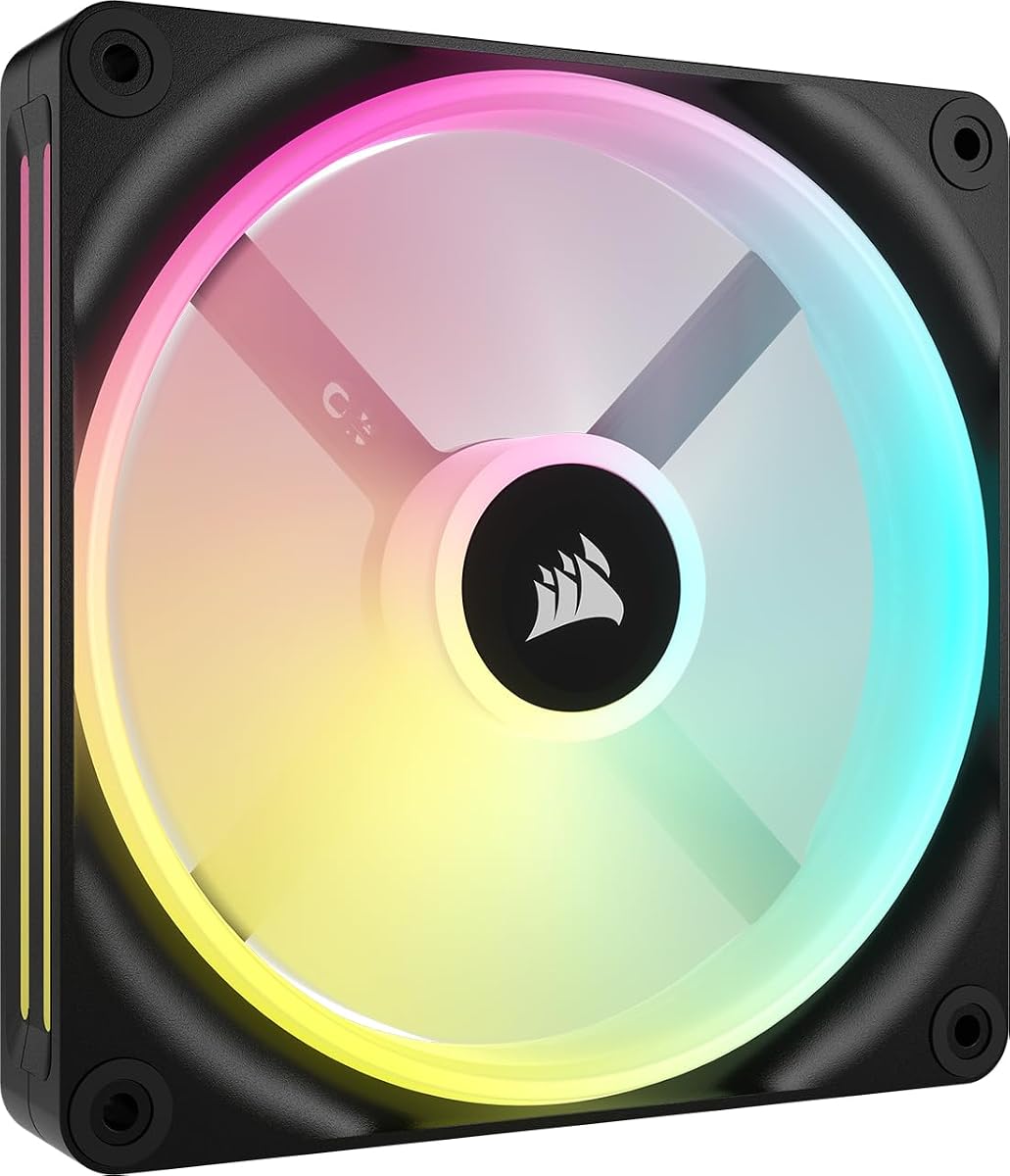


The Corsair iCUE Link LX120 RGB Triple Pack stands out as a top choice for builders who prioritize aesthetics and ease of use. With a solid rating of 4.6 stars, these fans offer a balance of performance and visual appeal that is hard to match in this category.
We may earn a commission when you buy through this link, at no additional cost to you.
The standout feature is the inclusion of the iCUE Link System Hub which simplifies cable management significantly. The dual light loops with 18 LEDs per fan create a vibrant lighting effect that syncs beautifully with other iCUE devices. The magnetic dome bearing ensures these fans remain quiet even at higher speeds.
While the price is higher than basic options, the convenience of the link system and the superior lighting justify the cost for many users. The high static pressure also makes them suitable for radiator mounting where airflow resistance is a concern.
This pack is ideal for users building a new high-end PC who want a clean look and powerful cooling. If you value RGB customization and cable reduction this set offers a premium experience that delivers on both fronts.
The iCUE Link system uses bridge connectors to daisy-chain fans reducing the need for multiple headers and cables.
Inner and outer light loops provide a unique look that enhances the visual appeal of any PC interior.
We may earn a commission when you buy through this link, at no additional cost to you.
The Corsair RS120-R ARGB Reverse Triple Pack offers an impressive solution for those who want to see their fan lighting even when mounted as intake. With a high rating of 4.7 stars, these fans prove that budget-friendly does not mean compromising on quality or performance.
We may earn a commission when you buy through this link, at no additional cost to you.
The reverse rotor design ensures the RGB ring faces outward for a clean look without needing a special case. They provide up to 65.8 CFM airflow and high static pressure making them effective for radiators as well. The magnetic dome bearing contributes to quiet operation and longevity.
While they lack the advanced features of the iCUE Link series the straightforward ARGB control via motherboard is sufficient for most users. The price point makes these an accessible option for anyone looking to upgrade their cooling setup without breaking the bank.
Choose this pack if you need reliable cooling with a good look at a reasonable cost. The white color option helps brighten up builds and the performance is solid for standard case mounting tasks.
The blades spin backwards so the logo and lights remain visible even when the fan pushes air into the case.
Zero RPM mode and magnetic bearings keep noise levels low during idle or light usage scenarios.
We may earn a commission when you buy through this link, at no additional cost to you.
The Corsair iCUE Link RX140 MAX RGB is engineered for users who need maximum cooling power in a single fan. With a rating of 4.5 stars it delivers exceptional airflow that can handle the most demanding thermal loads in high-performance systems.
We may earn a commission when you buy through this link, at no additional cost to you.
The 5mm thicker blade design allows for more air movement at lower speeds which can reduce overall noise. It produces up to 102.9 CFM airflow and has significant static pressure for pushing air through dense radiators. The vivid RGB lighting adds a nice touch to any build.
Installation might be limited by case clearance due to the extra thickness so check your chassis dimensions before buying. The iCUE link connectivity ensures it integrates well with other Corsair components for unified control.
This fan is perfect for liquid cooling setups or cases with limited front intake space. If you prioritize cooling efficiency and airflow volume this model offers the performance needed to keep high-end components safe.
The extra thickness increases blade surface area allowing for higher airflow without increasing spin speed.
Compatible with the iCUE Link system for simplified wiring and synchronized lighting effects.
We may earn a commission when you buy through this link, at no additional cost to you.
The Corsair RS120 ARGB Triple Pack offers a reliable and straightforward solution for general PC cooling needs. With a rating of 4.6 stars these fans are designed to provide consistent airflow and low noise without requiring complex setup processes.
We may earn a commission when you buy through this link, at no additional cost to you.
AirGuide technology helps direct airflow efficiently towards hot components which improves cooling performance in tight spaces. The magnetic dome bearing ensures smooth operation and longevity. Each fan supports daisy-chain connections allowing for cleaner cable management.
While it does not include a dedicated hub like the iCUE models the standard PWM control works well with most motherboards. The lighting is bright and customizable via your system's built-in controls.
This set is a great choice for users who want dependable performance and basic lighting features. It balances cost and functionality effectively making it suitable for a wide range of system builds.
Anti-vortex vanes focus airflow to maximize cooling where it is needed most within the case.
Engineered to operate quietly even under load so you can enjoy your system without distraction.
We may earn a commission when you buy through this link, at no additional cost to you.
The Corsair RS120-R ARGB Reverse Triple Pack in black is a versatile option for builders who prefer a monochrome aesthetic. With a rating of 4.6 stars it provides high-quality performance and excellent visibility for RGB fans.
We may earn a commission when you buy through this link, at no additional cost to you.
The reverse rotor design ensures lights are visible even when the fan is pushing air into the case. It delivers up to 65.8 CFM airflow and handles radiators well with high static pressure. The magnetic dome bearing adds to the overall durability and quietness.
While it lacks the iCUE ecosystem features the simple ARGB connection works with most standard boards. The black finish blends well with dark cases and components for a cohesive look.
This model is ideal for users seeking a clean black build with visible lighting. The performance is robust for general cooling and the price remains competitive for a triple pack.
The black frame matches black components perfectly for a unified look throughout the system interior.
Ensure your lighting remains visible from the front panel without extra modifications or fans.
We may earn a commission when you buy through this link, at no additional cost to you.
The Corsair iCUE Link QX140 RGB Single Fan is perfect for users who need to fill a 140mm slot without a full pack. With a rating of 4.4 stars it offers high performance and unique lighting features for a single unit.
We may earn a commission when you buy through this link, at no additional cost to you.
Time Warp lighting mode creates a strobing effect that is visually striking when used with the iCUE Hub. The 34 LEDs spread across two zones provide ample illumination. The magnetic dome bearing ensures low noise during operation.
Since it is a single fan you will need to purchase more if you want a set but the flexibility is useful for custom setups. It connects seamlessly to the iCUE Link system for unified control.
Select this fan if you need to replace a specific unit or have a 140mm intake spot. The high airflow and unique lighting make it a standout choice for detailed builds.
A special lighting effect that creates a dynamic visual experience using the iCUE Link features.
Included connectors allow easy chaining to other fans for simplified power management.
We may earn a commission when you buy through this link, at no additional cost to you.
The Corsair iCUE Link LX120-R RGB Triple Pack combines reverse airflow benefits with advanced iCUE Link capabilities. With a strong rating of 4.7 stars it is a powerful choice for users who value both looks and connectivity.
We may earn a commission when you buy through this link, at no additional cost to you.
The reversed rotor ensures the RGB ring is visible even on intake sides. Dual light loops provide brilliant lighting effects that sync with other devices. The included bridge connectors make setup easy and tidy.
While the hub is sold separately the fans are ready to link directly to it. The QuikTurn screws simplify installation and the magnetic dome bearing keeps noise down during use.
This set is best for those wanting a reverse fan setup with high-end control. It offers a premium build quality and excellent cooling potential for demanding systems.
Special screws allow you to install fans quickly and easily without tools.
Two distinct LED zones create a detailed and vibrant lighting effect.
We may earn a commission when you buy through this link, at no additional cost to you.
The Corsair RS120 MAX 120mm PWM Thick Fan is designed for maximum cooling efficiency in specific areas. With a rating of 4.6 stars it offers a robust solution for high static pressure applications like water cooling radiators.
We may earn a commission when you buy through this link, at no additional cost to you.
The 30mm thickness allows for a larger blade which increases airflow without raising noise. The liquid crystal polymer construction ensures durability and reduces vibration. AirGuide technology helps direct air exactly where it is needed.
It is a single fan so it is best for targeted improvements rather than full case replacement. The high static pressure makes it an excellent match for dense radiators or heatsinks.
This fan is a smart choice for builders focusing on thermal performance over lighting. The thick design offers reliable cooling and a premium feel for specialized cooling needs.
The extra depth allows for more efficient air movement through restricted spaces.
Liquid crystal polymer material ensures rigidity and reduces vibration for quieter operation.
We may earn a commission when you buy through this link, at no additional cost to you.
The Corsair iCUE Link RX140 RGB Single Fan offers a great balance of size and performance. With a rating of 4.7 stars it is a reliable choice for a single 140mm slot needing robust airflow.
We may earn a commission when you buy through this link, at no additional cost to you.
It provides up to 95.7 CFM airflow which is impressive for a single fan. The high static pressure helps push air through radiators effectively. The iCUE link system allows for easy chaining to other fans.
The vivid RGB lighting is clear and bright. While the hub is not included the fans are ready for integration with iCUE Link systems.
This fan is best for users needing to fill one 140mm spot with high performance. It delivers solid cooling and lighting for a clean build setup.
Designed to push air through dense fins for efficient radiator cooling.
Bridge connectors allow for clean wiring and simple fan chains.
We may earn a commission when you buy through this link, at no additional cost to you.
The Corsair iCUE LINK QX140 RGB Double Fan Starter Kit is a value option for those new to the iCUE Link system. With a rating of 4.5 stars it provides fans and a hub in one package.
We may earn a commission when you buy through this link, at no additional cost to you.
This kit includes two fans and the necessary hub to get started immediately. The magnetic dome bearing ensures quiet operation and durability. It offers a cost-effective way to build a complete linked fan setup.
Because it is renewed there may be signs of prior use but functionality is guaranteed. It allows users to enter the ecosystem without buying items separately.
This is ideal for buyers on a budget who want an immediate solution. The included hub saves significant time and money for your cooling and lighting needs.
Get everything needed for a linked setup in one convenient package.
Refurbished products offer lower prices while maintaining functional standards.
We may earn a commission when you buy through this link, at no additional cost to you.
Selecting the right case fans involves considering size, airflow, static pressure, and connection type.
Most cases support 120mm or 140mm fans. Measure your case mounts carefully to ensure compatibility before purchasing.
Choose the largest size your case allows for optimal airflow and noise reduction.
Airflow (CFM) matters for general case circulation while static pressure is critical for radiators.
Prioritize high static pressure if you plan to mount fans on liquid cooling radiators.
Decide if you want RGB and whether standard ARGB or specific iCUE Link lighting is required for your build.
Check motherboard compatibility for standard RGB before choosing a dedicated lighting ecosystem.
PWM connectors give better control over speed and noise compared to DC connectors.
Use PWM headers on your motherboard to ensure proper speed regulation.
Magnetic dome bearings typically offer quieter operation than sleeve bearings.
Look for low noise ratings if you build a PC for a quiet environment.
Daisy-chain or link connectors reduce cable clutter and make installation simpler.
Choose models with included bridge connectors for easier cable management.
iCUE software allows advanced lighting and performance tuning but requires specific hardware.
Ensure you are willing to use proprietary software before committing to iCUE Link products.
Single fans offer flexibility while triple packs often provide better value for money.
Compare features against cost to find the best option for your specific budget.
Connect the main PWM cable to your motherboard header and daisy chain other fans using provided connectors.
Install the iCUE software if you are using Link models to customize lighting and performance settings.
Clean dust filters regularly to maintain airflow and reduce noise levels over time.
Standard PWM fans work with any motherboard with a 4-pin header. Link models need compatible headers but work with most boards if using the hub.
RGB uses fixed color cycles while ARGB allows for individual LED control. This enables more advanced lighting effects and synchronization.
With daisy-chain cables you can connect multiple fans to one header. Each header usually supports up to 3 to 5 amps of power.
Yes models with high static pressure like the RS MAX and RX series are designed to push air through dense radiators effectively.
You can mix models but lighting may not sync perfectly. Use the iCUE Link hub for consistent lighting across different fan sets.
Standard fans use PWM cables. Link fans use proprietary bridge cables but they work with standard power for basic functionality.
We reviewed ten top models that balance performance and style effectively.
Prioritize static pressure for radiators and airflow for general case cooling.
Always check current availability and pricing before making your final purchase.