
HUANUO Printer Stand
4.5Editor score
Compact under desk design
Built-in storage drawer
Locking caster wheels
This guide compares the top computer printer drawers for home offices, analyzing storage, mobility, and durability to help you find the perfect organizer.
Finding the right storage solution for your office equipment can transform your workspace. Computer printer drawers offer a practical way to keep devices accessible while maintaining a clean environment. These units combine functionality with design to meet diverse needs.
We evaluated ten leading models based on build quality, storage capacity, and ease of movement. Our comparison focuses on how well each unit supports printers and organizes documents. This list covers various styles to suit different office layouts and budgets effectively.
Each pick highlights specific strengths like heavy-duty support or mobile flexibility. You will see detailed specs and real-world benefits for every option listed here. Please note that product availability and pricing can change frequently over time.
4.5Editor score

4.8Editor score

4.4Editor score
This side-by-side comparison breaks down the key specifications of all ten selected units to help you make an informed decision for your specific workspace requirements.


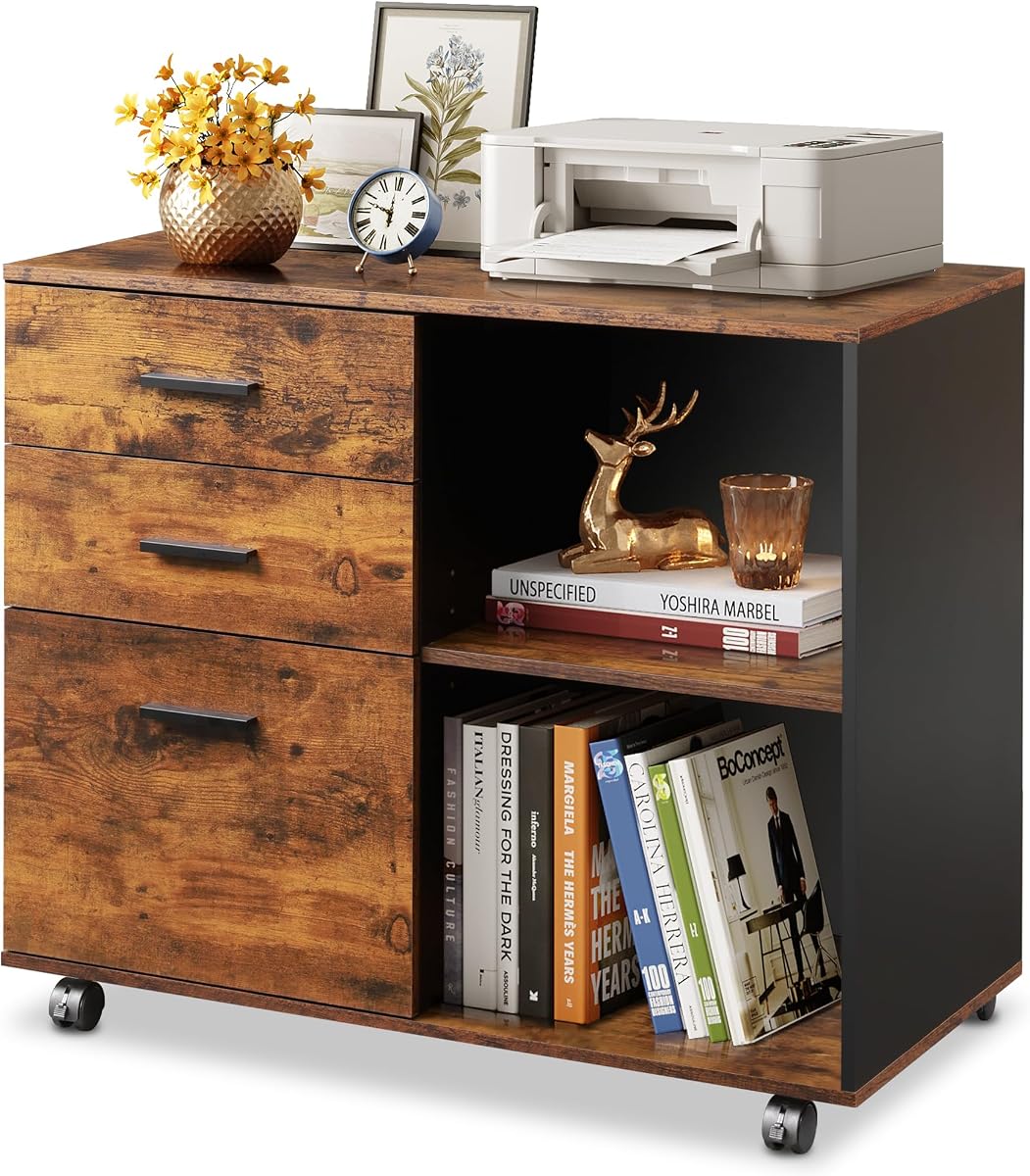
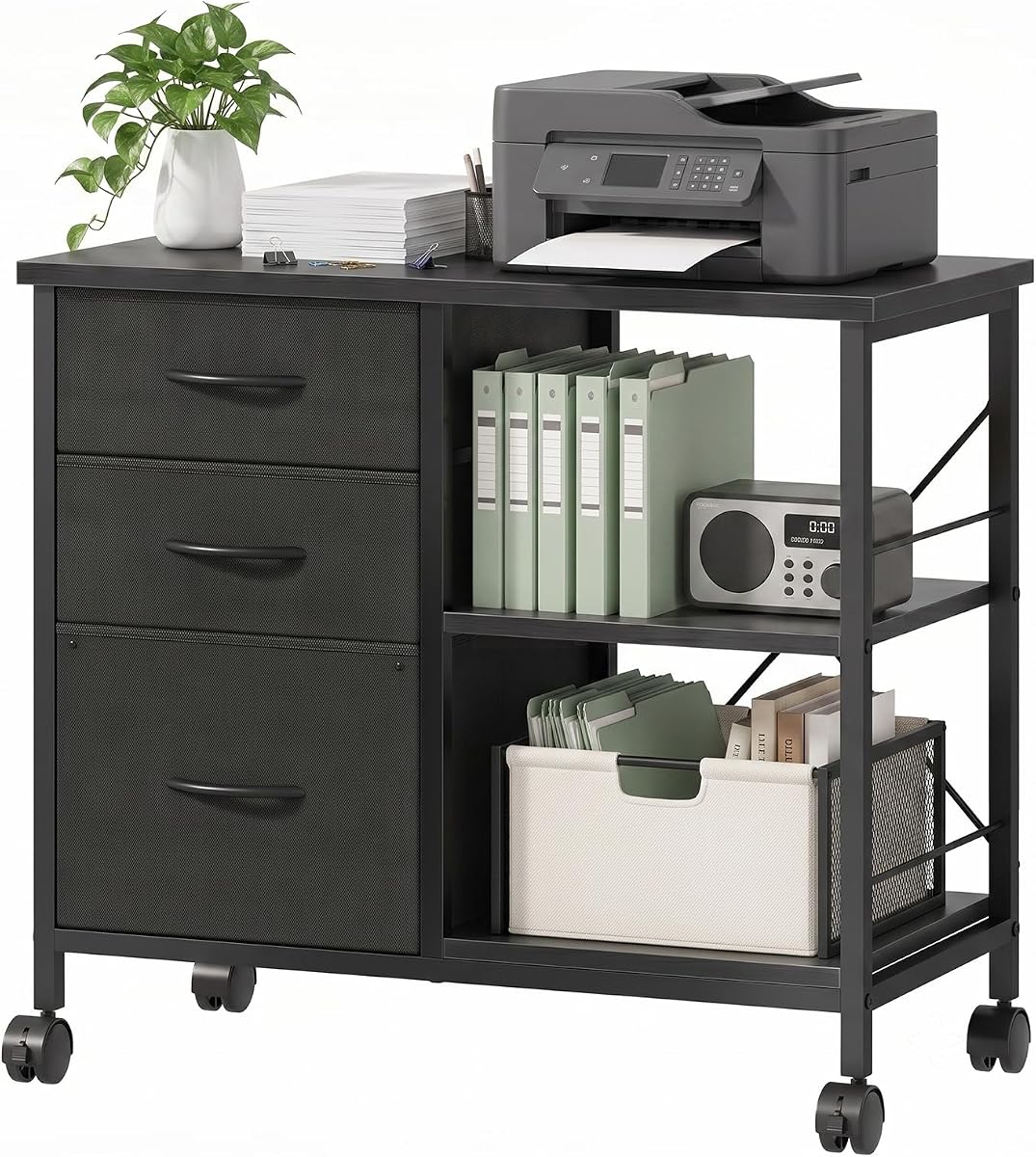
The OLIXIS Mobile File Cabinet stands out with a 4.8 rating for its practical design. It offers a perfect blend of storage and mobility for modern workspaces. Users appreciate the sturdy build and the ability to fit under most desks.
We may earn a commission when you buy through this link, at no additional cost to you.
Its three drawer setup handles daily essentials efficiently. The bottom drawer is spacious enough for standard letter size folders. The top surface provides a reliable place to position printers or scanners without wobbling.
While the fabric drawers are functional they might collect dust over time. Regular cleaning will keep them looking fresh. The assembly process requires some patience but the end result is worth the effort.
This unit is ideal for home office users who need a compact solution. It keeps documents accessible while freeing up desk space. We recommend it for anyone seeking reliability and style in equal measure.
The dedicated large drawer accommodates hanging folders making retrieval quick and simple.
Reinforced metal frames ensure the cabinet stays steady even when drawers are open.
We may earn a commission when you buy through this link, at no additional cost to you.
JUSTOGO Printer Stand with 4 Drawer offers massive storage with a 4.4 rating. It is built for busy offices needing to store multiple devices securely. The industrial design adds a professional touch to any room.
We may earn a commission when you buy through this link, at no additional cost to you.
The three open shelves allow you to place printers and scanners side by side. Fabric drawers keep smaller items organized and out of sight. The heavy duty frame supports up to 130 pounds with ease.
Its size is both a benefit and a limitation for smaller rooms. Moving it fully loaded can be difficult due to the weight. Ensure you have enough space before purchase to avoid inconvenience.
This is the best choice for those with extensive equipment needs. It consolidates workspace efficiently and looks great. Consider this unit if you need robust support for heavy office gear.
The wide shelves accommodate multiple printers allowing for efficient workflow setups.
Wear resistant surfaces ensure the unit lasts through years of daily use.
We may earn a commission when you buy through this link, at no additional cost to you.
The HUANUO Printer Stand is a fantastic budget option with a 4.5 rating. It fits neatly under desks to save valuable space. The simple design ensures it works with various office layouts easily.
We may earn a commission when you buy through this link, at no additional cost to you.
Its storage drawer helps organize small supplies and accessories. The open bottom shelf is great for holding paper stacks. Locking wheels provide stability when you are actively using the printer.
It has a lower weight limit compared to heavier models. Ensure your printer is within the 38.5 pound limit. The drawer is small so it may not fit large files.
Choose this if you need a cost effective storage solution quickly. It offers great value for money and easy setup. Perfect for students or home offices with limited space.
The compact structure slides under desks to free up valuable work surfaces.
No tools are required for assembly making it ready to use quickly.
We may earn a commission when you buy through this link, at no additional cost to you.
GYIIYUO offers a unique dual support system with a 4.2 rating. The 24 inch tabletop is spacious enough for large printers. Its design caters to professionals needing both mobility and stability.
We may earn a commission when you buy through this link, at no additional cost to you.
The ability to switch between casters and leveling feet is rare. This ensures stability on uneven floors while allowing movement when needed. The side storage bag adds extra space for tablets.
The weight makes it sturdy but hard to reposition frequently. You might find assembly challenging without help. The depth may exceed standard desk space in smaller rooms.
Ideal for accountants or tax pros needing extra desk space. It balances function and style effectively. We recommend it for those prioritizing a wide work surface.
Users can lock the unit firmly in place or roll it around freely.
The side bag provides convenient access to smaller items without clutter.
We may earn a commission when you buy through this link, at no additional cost to you.
MAHANCRIS integrates a charging station with a 4.4 rating. This feature solves the issue of distant outlets for printers. The rustic brown finish adds warmth to your office space.
We may earn a commission when you buy through this link, at no additional cost to you.
Three fabric drawers offer flexible storage for various items. The open shelves hold printers and scanners securely. You can power multiple devices simultaneously without extra extension cords.
The power cord length is fixed which limits placement options. Fabric drawers can show wear over time if not handled gently. Ensure you have space for the cord to reach comfortably.
This is perfect for tech heavy setups requiring constant power. It reduces cable clutter significantly. Consider this if charging access is a priority for your workflow.
Built-in USB ports allow you to charge devices directly near the printer.
The rustic finish blends well with traditional home office decor styles.
We may earn a commission when you buy through this link, at no additional cost to you.
DEVAISE provides a classic wood look with a 4.4 rating. The white finish matches any color scheme easily. Five drawers offer ample organization for various office needs.
We may earn a commission when you buy through this link, at no additional cost to you.
The spacious desktop accommodates printers and scanners well. One door helps isolate specific items for better privacy. The wheels allow you to adjust the position effortlessly.
Particle board is durable but adds weight to the unit. It may take longer to assemble than metal options. The depth might not fit under very low desks.
Select this for a traditional office aesthetic. It offers reliable storage and a clean look. Ideal for those wanting a standard filing cabinet that doubles as a stand.
The white wood finish blends seamlessly into most home office environments.
Built-in brakes on front casters keep the unit stable when needed.
We may earn a commission when you buy through this link, at no additional cost to you.
DUMOS emphasizes stability with a reinforced back support bar 4.5 rating. The top holds heavy printers securely without tipping. Its compact design fits effectively in small offices.
We may earn a commission when you buy through this link, at no additional cost to you.
The large drawer is perfect for files while small ones hold supplies. Smooth rails ensure easy access to contents. The steel and wood frame adds to its longevity.
Fabric drawers may require more cleaning than solid materials. Assembly is straightforward but you still need to place parts correctly. It is a solid choice for reliability.
This unit suits those needing a stable printer platform. It combines storage strength and ease of use. We recommend it for daily office use requiring durability.
The reinforced structure supports heavy equipment without wobbling.
Fabric drawers slide smoothly on rails for quick access to items.
We may earn a commission when you buy through this link, at no additional cost to you.
VASAGLE blends fabric and steel with a 4.1 rating. The worktop is generous enough for large printers. This unit offers a balanced look between softness and strength.
We may earn a commission when you buy through this link, at no additional cost to you.
Fabric drawers help organize supplies while the pouch adds side space. Adjustable feet help stabilize the cabinet on uneven floors. Lockable casters allow for flexible layout choices.
The assembly instructions are clear but time consuming. Fabric requires occasional wiping to remove dust. It is not the most unique design but very practical.
Choose this for a harmonious office look. It provides reliable storage and a large surface. Perfect for those needing a mix of soft and hard elements.
The generous surface holds large printers and extra office gear easily.
Separate drawers and a side pouch help organize various items efficiently.
We may earn a commission when you buy through this link, at no additional cost to you.
DEVAISE offers exceptional strength with a 4.2 rating. It supports up to 150 pounds for heavy printers. The rustic brown finish adds a touch of elegance to offices.
We may earn a commission when you buy through this link, at no additional cost to you.
Full extension slides make accessing files smooth and quiet. The five casters ensure stability even when drawers are open. Wiping with a wet towel keeps it looking new.
The heavy build makes it hard to move once set. Assembly requires some time but tools are included. You should measure your space to ensure it fits well.
This is ideal for heavy office environments. It combines reliability and style for high use. We recommend it for offices needing serious storage power.
The heavy duty build supports large and heavy printers without issues.
Full extension slides allow for quiet and smooth access to files.
We may earn a commission when you buy through this link, at no additional cost to you.
The 3-Drawer Lateral File Cabinet boasts a 5.0 rating for reliability. The reinforced back bars support up to 110 pounds safely. It is designed to clear desktop clutter effectively.
We may earn a commission when you buy through this link, at no additional cost to you.
Fabric drawers slide smoothly to organize stationery and notebooks. The thickened steel frame ensures stability during printing work. Labeled parts make assembly fast and straightforward.
The design is basic which limits aesthetic customization. It is a pure utility unit without extra features. However it performs its main tasks very well.
Choose this for a no frills reliable option. It offers great value and easy setup. Perfect for those wanting a simple and sturdy storage solution.
The reinforced steel frame ensures the cabinet stays stable under heavy loads.
Labeled parts allow for quick and hassle free assembly.
We may earn a commission when you buy through this link, at no additional cost to you.
Selecting the right printer storage unit involves considering several key factors to ensure it meets your specific office needs and space constraints.
Always check the maximum weight capacity before purchasing. Printers vary in weight and the unit must support them safely without wobbling. Look for sturdy steel or reinforced wood frames to handle heavy loads effectively.
Ensure the weight rating exceeds your printer mass for safety and durability.
Measure your available space to fit the cabinet comfortably. Check the width and depth to ensure your printer sits on top without overhang. A good unit should provide extra room for cables and supplies.
Verify that the top surface dimensions accommodate your device fully.
Consider if you need to move the unit regularly. Look for casters or wheels with locking mechanisms for stability. Some models offer dual modes for both fixed and mobile use effectively.
Choose locking wheels to keep the unit steady during operation.
Material quality affects the lifespan of the cabinet. Steel frames are generally more durable than thin wood or plastic. Scratch resistant surfaces help maintain a professional look over time.
Prioritize materials that resist wear and daily office use.
Assess how the drawers are organized for your needs. Some have fabric bins while others offer solid drawers for privacy. Consider the depth needed for files versus small office supplies.
Choose a drawer layout that matches your filing habits.
Some units require tools and detailed steps to assemble. Look for pre numbered parts and clear instructions for ease. Tool free designs save time and reduce frustration during setup.
Opt for straightforward assembly processes if you prefer quick setup.
The visual style should match your existing decor. Options range from industrial metal to rustic wood finishes. A cohesive look contributes to a pleasant and productive work environment.
Select a finish that complements your office aesthetic.
Compare features against the price to find value. Budget models may lack advanced features like charging ports. Invest in a durable unit that offers long term savings.
Balance cost with essential features for the best investment.
Start by placing the unit on a level floor to ensure stability. Use the locking wheels to secure the position before loading heavy items on top. This prevents accidental movement that could damage the printer or surrounding objects.
Organize your drawers based on frequency of use. Keep frequently needed supplies in accessible spots while storing less used items in the bottom drawer. This routine helps maintain a clean and efficient workspace.
Regularly clean the surface and drawers to prevent dust buildup. Use a damp cloth for steel or wood surfaces and a vacuum for fabric parts. Proper care extends the life of the unit and keeps it looking new.
The ideal height should allow you to reach the printer comfortably while seated. Units around 20 to 25 inches usually work best for standard desks. Ensure the drawers do not obstruct your legs when placed under a desk.
Fabric drawers are generally best for lightweight supplies like pens or notebooks. Heavy files may cause them to sag over time. For heavy documents choose units with solid wood or metal drawers instead.
Look for models with adjustable leveling feet instead of casters. These feet provide stability on soft surfaces by distributing weight evenly. Some units offer a dual mode feature specifically for this purpose.
Yes, most units are easy to clean with basic household tools. Wipe down wood and metal surfaces with a damp cloth regularly. Fabric drawers can be vacuumed or spot cleaned to remove dust.
Not all models come with locking wheels so check the specifications carefully. Locking wheels are crucial for stability when the printer is in use. If your chosen model lacks them consider using adhesive floor pads.
Typical drawers hold between 10 to 30 pounds depending on the design. Solid wood drawers generally support more weight than fabric ones. Always check the specific weight limit in the product details before loading files.
Choosing the right computer printer drawers helps create an organized and efficient workspace. The units highlighted in this guide offer a range of options from budget friendly to premium builds. Each has unique strengths tailored to different office needs.
Prioritize weight capacity and storage dimensions to ensure a perfect fit. Mobility features like locking wheels add versatility to your setup. Consider these factors alongside your budget for the best decision.
Remember to check current availability and pricing before purchasing. Our guide provides a solid starting point for finding the ideal storage solution. With the right unit you can maintain a clean and functional office.