
Nicer CD/VCD/DVD Player Cleaner Kit NS-1
4.0Editor score
Quick 1.5 minute process
Includes microfiber cloth
Simple voice guidance
This guide compares the top CD and DVD Player Cleaner options to help you restore playback quality and extend the life of your optical disc devices.
Keeping your optical media devices running smoothly requires regular maintenance to prevent skipping and loading issues. A reliable CD and DVD Player Cleaner helps remove dust and debris from laser lenses, ensuring your discs play without interruption. Choosing the right cleaning solution protects your investment and maintains audio and video fidelity.
We evaluated ten highly rated cleaning kits based on user feedback, compatibility, and cleaning effectiveness. Each product was analyzed for its ability to resolve common playback problems like freezing or slow loading. Our comparison highlights key features, specifications, and real-world performance to help you make an informed decision.
Each pick in this guide showcases specific strengths tailored to different player types and maintenance needs. Whether you need a quick wipe or a full brush system, you will find a suitable option here. Please note that product availability and pricing may change over time, so check current listings before purchasing.
4.0Editor score

4.2Editor score
4.2Editor score
The following table provides a side-by-side comparison of all ten cleaning solutions to help you evaluate specifications and compatibility at a glance.







This cleaning set is designed to restore playback quality for CD and DVD players that struggle with loading or freezing. With a rating of 4.2 stars, it stands out for its ability to remove dust using a dual-brush system. Users appreciate that it comes with a glasses cloth for additional surface cleaning.
We may earn a commission when you buy through this link, at no additional cost to you.
The 2-brush clean process targets dirt and dust deposits that typically cause audio and video dropouts. By cleaning the laser lens, this kit helps extend the service life of your player while improving overall sound and image quality. It is specifically compatible with most standard CD, VCD, and DVD players.
While effective for standard players, it is not compatible with gaming consoles like PlayStation or Xbox. This limitation is acceptable since it focuses on dedicated media players. The cleaning process is straightforward and requires no special tools beyond inserting the disc and playing it.
If you own a standalone CD or DVD player that has started acting up, this cleaner offers a reliable solution. It is a cost-effective way to avoid purchasing a new device. We recommend using it regularly to maintain optimal performance and prevent future playback issues.
The two-brush system removes stubborn dirt and dust deposits that single-brush cleaners might miss.
Regular cleaning helps prevent laser wear, extending the life of your CD or DVD player.
We may earn a commission when you buy through this link, at no additional cost to you.
This variant includes extra cleaning fluid alongside the standard disc and cloth. With a higher rating of 4.3 stars, users find the added fluid helpful for deeper cleaning. It targets common issues like slow loading and freezing by removing dust from the laser lens.
We may earn a commission when you buy through this link, at no additional cost to you.
The kit is ideal for users who want a more comprehensive solution than just a dry cleaner. It includes two bottles of disc cleaning fluid for extra maintenance. The 2-brush clean process ensures dirt is removed efficiently to restore smooth playback.
Like other models in this line, it does not work with gaming consoles such as PlayStation or Xbox. This focus on CD and DVD players makes it specialized. The support team is available 24 hours for any product issues or questions.
Choose this kit if you want additional cleaning fluid and reliable support. It is a great option for keeping your player running smoothly over time. Regular use will help maintain high audio and video quality during playback.
Two bottles of disc cleaning fluid are included for enhanced maintenance capabilities.
The manufacturer offers 24-hour standby service to assist with any product concerns.
We may earn a commission when you buy through this link, at no additional cost to you.
This cleaning disc offers a budget-friendly way to maintain your optical players. It features the same 2-brush clean process as other models to remove dust and debris. Users report improvements in sound and image quality after using it.
We may earn a commission when you buy through this link, at no additional cost to you.
The kit includes one bottle of disc cleaning fluid for added versatility. It targets issues like slow loading and freezing by cleaning the laser lens. While the rating is slightly lower than other models, it remains a solid choice for basic maintenance.
It is not compatible with gaming consoles like PlayStation or Xbox. This limitation ensures the cleaning process is optimized for CD and DVD players. The 24-hour support team is available to help with any issues that arise.
For those looking for an affordable maintenance solution, this cleaner is worth considering. It helps extend the life of your player and improves playback quality. Use it regularly to keep your device running at its best.
This cleaner provides an affordable way to extend the life of your optical disc player.
The 2-brush process removes dirt deposits that cause audio and video dropouts.
We may earn a commission when you buy through this link, at no additional cost to you.
Endust is a well-known brand in electronics cleaning, and this product lives up to its reputation. It safely cleans the lens of any device that is CD/DVD compatible. The 4.3 rating reflects strong user satisfaction with its performance.
We may earn a commission when you buy through this link, at no additional cost to you.
The cleaner is perfect for office desktops, school use, and home offices where media players are common. It removes dust and dirt effectively without damaging the sensitive lens components. Users appreciate its versatility across different device types.
One important note is that you must turn your device audio on for use instructions once the disc is inserted. This step ensures you follow the correct cleaning process. Without this, you might miss the cleaning instructions.
If you want a trusted brand name for your electronics, this is a great choice. It is reliable for maintaining the lens of various optical devices. Make sure to follow the audio instructions for best results.
This cleaner is designed to safely clean the lens of any CD/DVD compatible device.
Perfect for office desktops, school use, and home offices with media players.
We may earn a commission when you buy through this link, at no additional cost to you.
Maxell is a trusted name in media, and this cleaner uses a unique microfiber brush system. The ultra-fine synthetic fibers impregnated with copper offer maximum cleaning and demagnetization. This helps fix issues like slow loading, skipping, and freezing.
We may earn a commission when you buy through this link, at no additional cost to you.
The product is safe for use with Blu-Ray players, all DVD players, computers, laptops, Xbox, and PS1/2 gaming systems. However, it is not suitable for PS3, PS4, or WiiU. This compatibility makes it versatile for many older and newer systems.
Maxell recommends cleaning the lens after every 10 hours of use. When the brush shows signs of wear or after 20 usages, it is recommended to replace the product. Regular replacement ensures optimal cleaning performance.
If you need a cleaner that combines microfiber and demagnetization, this is a strong choice. It helps improve sound and image quality while extending player durability. Follow the usage instructions for the best results.
Ultra-fine synthetic fibers impregnated with copper provide maximum cleaning and demagnetization.
Safe for use with Blu-Ray players, computers, laptops, Xbox, and PS1/2 systems.
We may earn a commission when you buy through this link, at no additional cost to you.
This kit includes voice guidance and left and right channel testing for easy operation. The entire process takes only three minutes to complete. Users appreciate the simplicity and the inclusion of a microfiber cloth for additional cleaning.
We may earn a commission when you buy through this link, at no additional cost to you.
It helps bring better playback effects to players that have been used for a long time. The kit addresses issues like slow loading, freezing, and unclear pictures. The 6-month after-sales service period provides added peace of mind.
The kit is designed for CD, VCD, and DVD equipment. It does not support gaming consoles like PlayStation, Xbox, or Wii. This specialization ensures the cleaning process is optimized for standard media players.
If you prefer guided instructions for cleaning your player, this kit is a good option. The voice guidance and testing features make it easy to use. Regular maintenance with this kit can extend the life of your machine.
Voice guidance and channel testing simplify the cleaning process for users.
The entire cleaning process takes only three minutes to complete effectively.
We may earn a commission when you buy through this link, at no additional cost to you.
This kit offers a quick cleaning process that takes only 1.5 minutes. It includes voice guidance and left and right channel testing for ease of use. The microfiber cloth helps clean CD discs in addition to the lens.
We may earn a commission when you buy through this link, at no additional cost to you.
It helps bring better playback effects to players used for a long time without cleaning. The kit addresses issues like slow loading, freezing, and unclear pictures. The 6-month after-sales service period ensures support is available if needed.
The kit is designed for CD, VCD, and DVD equipment. It does not support gaming consoles like PlayStation, Xbox, or Wii. This focus on media players makes it a reliable choice for home entertainment systems.
If you want a fast and easy cleaning solution, this is a budget-friendly option. The quick process saves time while effectively removing dust. Use it regularly to keep your player running smoothly.
The entire cleaning procession takes only 1.5 minutes to complete efficiently.
A microfiber cloth is included to clean CD discs alongside the laser lens.
We may earn a commission when you buy through this link, at no additional cost to you.
These wipes are designed to clean the discs themselves rather than the player lens. They effectively restore discs to peak performance by removing dirt, dust, smudges, and fingerprints. The 4.3 rating shows users are happy with the results.
We may earn a commission when you buy through this link, at no additional cost to you.
The pack contains 20 individual, soft, non-abrasive wipes. They offer a quick and safe way to clean your CDs and DVDs without causing damage. These wipes help prevent skipping and ensure a smooth, uninterrupted playback experience.
Ideal for routine maintenance, these wipes help maintain the longevity of your media. They are not a substitute for lens cleaners but are perfect for keeping discs in top condition. Maxell recommends cleaning lenses at least once a month.
If you have discs that skip or have smudges, these wipes are an essential tool. They are easy to use and safe for all disc types. Pair these with a lens cleaner for complete system maintenance.
These wipes clean the discs themselves to prevent skipping and playback issues.
The soft, non-abrasive wipes ensure safe cleaning without damaging your discs.
We may earn a commission when you buy through this link, at no additional cost to you.
This cleaner features an eight brush carbon system that removes static build-up from the lens. By reducing static, it helps prevent skipping during playback. The model number is 23321, and it is designed for DVD, CD drives, and game players.
We may earn a commission when you buy through this link, at no additional cost to you.
The carbon brushes work to remove static that can interfere with reading the disc. This feature is particularly useful in environments with high static buildup. It helps improve the reliability of your optical drives.
While the design may appear basic compared to modern kits, it performs its core function well. Users appreciate the removal of static that causes playback issues. It is a simple but effective solution for maintaining your drives.
If static buildup is a problem in your home or office, this cleaner can help. It prevents skipping by removing the charge that interferes with the laser. Use it as part of your regular maintenance routine for best results.
The eight brush carbon system effectively removes static build-up from the lens.
By removing static, the cleaner helps prevent skipping during playback.
We may earn a commission when you buy through this link, at no additional cost to you.
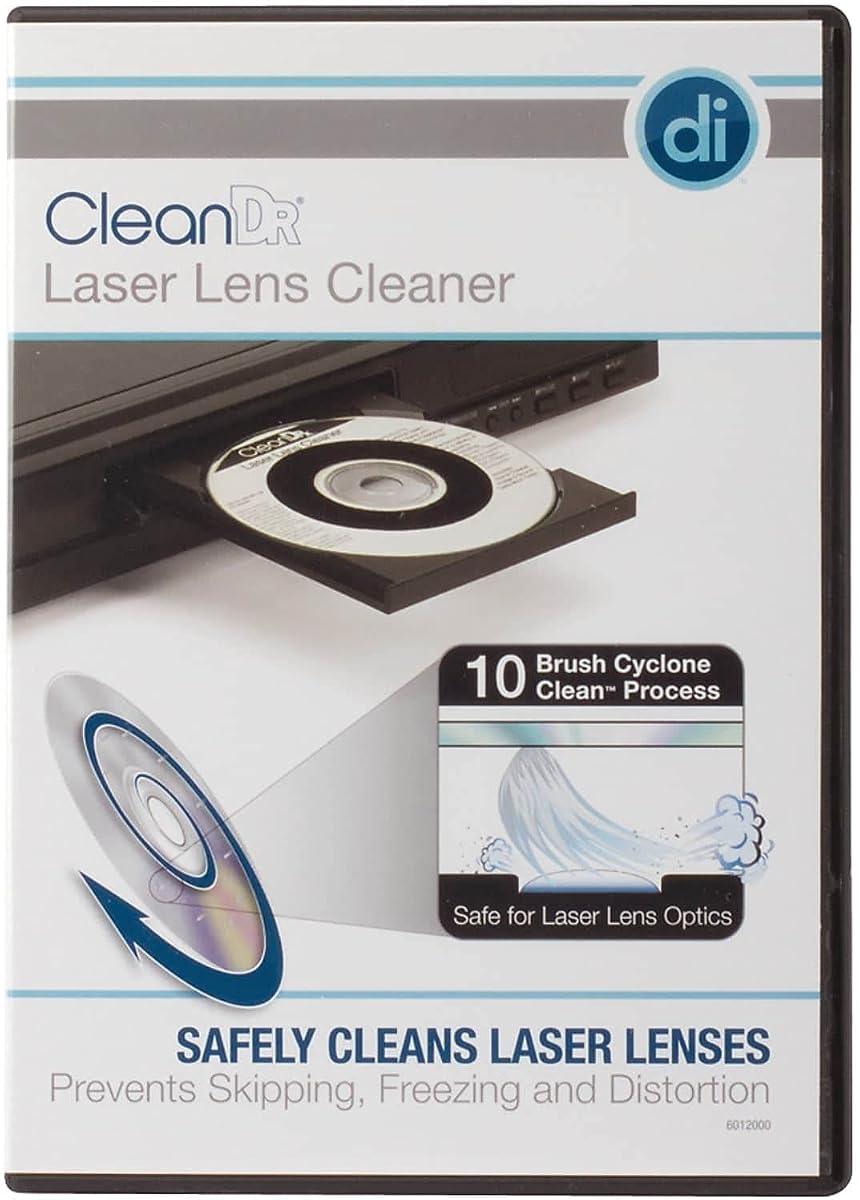
This cleaner uses a unique 10-brush, three-stage Cyclone Clean Process to remove dust and dirt. It also demagnetizes the laser lens to ensure optimal performance. This approach is more thorough than standard cleaning methods.
We may earn a commission when you buy through this link, at no additional cost to you.
Cleaning the laser lens extends the life of the CD or DVD player while improving sound and image quality. It is safe for CD and DVD players, computers, Xbox, and PS1/2 game systems. However, it is not intended for Blu-ray players.
The 10-brush system is designed to remove debris more effectively than fewer brushes. This makes it a premium choice for those who want maximum cleaning power. The unique process ensures your player runs at peak performance.
If you want the most thorough cleaning available, this product is worth the investment. The three-stage process and demagnetization features set it apart from basic cleaners. Use it for critical maintenance on your optical devices.
The 10-brush system removes dust, dirt, and debris from the laser lens thoroughly.
This unique process demagnetizes and removes dust to ensure optimal performance.
We may earn a commission when you buy through this link, at no additional cost to you.
Choosing the right cleaner involves considering compatibility, cleaning technology, and extra features like included fluids or cloths.
Always check if the cleaner is compatible with your specific device type. Some cleaners work for CD and DVD players but not for gaming consoles like PlayStation or Xbox. Others may not support Blu-ray players. Ensuring compatibility prevents wasted purchases.
Verify the supported devices listed in the product description before buying.
Different cleaners use different technologies like brushes, fluids, or cloths. Brush systems remove dust physically, while fluids help dissolve grime. Microfiber cloths are often included for extra cleaning. Choose the technology that matches your cleaning needs.
Brush-based systems are generally effective for dry dust removal.
Some kits include extra items like glasses cloths or disc cleaning fluids. These accessories add value by allowing you to clean other parts of your setup. More comprehensive kits often have higher ratings due to added utility.
Look for kits that include fluids if you want a deeper cleaning experience.
The cleaning process should be simple to encourage regular maintenance. Kits with voice guidance or step-by-step instructions make it easier. Time efficiency matters if you clean multiple devices. Look for products that promise quick processes like under three minutes.
Simpler processes ensure you will actually use the cleaner regularly.
Well-known brands like Maxell or Endust often provide reliable products. Their products have been tested over time and have positive user feedback. Newer brands might offer better value but check reviews carefully. A good reputation often correlates with better quality.
Stick with reputable brands to ensure safety and effectiveness.
Check the overall user rating to gauge satisfaction. Products with 4.0 stars or higher generally perform well. Read recent reviews to see if there are any common issues. High ratings often indicate a cleaner is easy to use and effective.
Higher ratings usually mean fewer compatibility or cleaning issues.
Consider how often you will use the cleaner. Regular cleaning extends the life of your device. Some manufacturers recommend cleaning every 10 hours of use. Choose a cleaner that fits your maintenance schedule without being too costly.
Frequent maintenance prevents long-term damage to the laser lens.
Prices vary based on features and brand. Basic discs are cheaper than kits with fluids. Determine your budget before shopping to narrow down options. Sometimes paying a bit more for better features saves money in the long run.
A slightly higher upfront cost often pays off in better results.
Insert the cleaner disc with graphics facing up and the arrow pointing forward. Press play on your player to start the cleaning process. Some cleaners may require you to turn audio on for instructions. Follow any voice prompts if provided.
Allow the cleaning disc to run through the full cycle without interruption. Do not press stop unless the instructions say to. The brushes will clean the lens as the disc spins. This usually takes between 1.5 to 3 minutes.
Remove the disc carefully and return it to its case for storage. Repeat the process if your player still skips after the first cleaning. For best results, clean your lens every 10 hours of use. Regular maintenance keeps your player running smoothly.
It is recommended to clean the lens after every 10 hours of use. Regular cleaning helps prevent skipping and freezing. If your player acts up, try cleaning it first before assuming it is broken. Consistent maintenance extends the device's life.
Most standard CD and DVD cleaners are not compatible with gaming consoles. Some models like Maxell DVD-LC work with PS1 and Xbox but not PS3 or PS4. Always check the compatibility list before using to avoid damage. Using the wrong cleaner can harm your console.
Not all cleaners are compatible with Blu-Ray players. Some models specifically note they are not for Blu-Ray use. Always check the product description to see if it supports Blu-Ray. Using a non-compatible cleaner can lead to poor results.
Most cleaning discs are safe when used as directed. They use soft brushes that do not scratch the lens. However, ensure your device is compatible before inserting the disc. Using the right cleaner prevents potential damage to your player.
If the disc does not fit, your device may not be compatible. Check the list of supported devices in the product description. Some players have different tray sizes or requirements. Using the wrong size can jam the device.
Common signs include slow loading, skipping, or freezing during playback. If discs are readable but fail to start properly, the lens may be dirty. Dust and debris accumulate over time. Cleaning the lens usually resolves these issues.
We reviewed ten top-rated cleaning solutions to help you restore playback quality. Options like the Arsvita sets and Digital Innovations offer effective cleaning for various needs. The right cleaner can solve common issues like skipping and freezing without buying new hardware.
Prioritize compatibility and ease of use when making your choice. Budget options work well for basic needs, while premium picks offer advanced features. Regular cleaning extends the life of your player and keeps media running smoothly.
Remember that prices and availability change, so check current listings before purchasing. A reliable cleaner is a small investment that protects your optical media devices. Keep your player running like new with the right cleaning solution.