
MSI Z370-A PRO
4.5Editor score
Supports up to 64GB RAM
ATX form factor design
CrossFireX multi GPU support
Discover the top brand for Z370 motherboard options compared in this detailed guide for October 2026 to find the perfect match for your build needs.
Finding the right brand for Z370 motherboard is crucial for building a stable and high performing system. You need a board that supports your processor well and offers reliable connectivity for all your components without compromising on quality or long term performance.
We have carefully reviewed ten top rated models to help you navigate the options available in the market. Each product was analyzed based on its features, build quality, and user feedback to ensure you get a comprehensive view of what matters most for your specific requirements.
Every pick in this list highlights unique strengths so you can choose what fits your budget and goals. Keep in mind that stock and availability can shift quickly so checking the latest details before ordering is always a smart move for your peace of mind.
4.5Editor score
4.6Editor score

4.4Editor score
This side by side comparison gives you a clear overview of the ten leading models we evaluated. Each entry highlights the core specifications and unique traits so you can quickly spot which board aligns best with your system goals and budget constraints.


This model stands out as a top contender for anyone seeking a reliable brand for Z370 motherboard. It carries a solid rating from users and offers a balance of performance and features that appeal to both enthusiasts and general users.
We may earn a commission when you buy through this link, at no additional cost to you.
The standout qualities include dual M.2 slots for fast storage and Thunderbolt 3 support which is rare in this segment. The five way optimization feature helps tune your system automatically ensuring you get the best performance without deep technical knowledge.
While it comes at a higher cost the durability and feature set justify the investment. The Safe Slot Core design protects your graphics cards and the audio system provides immersive sound for media and gaming experiences.
If you want a board that grows with your needs this is a smart pick. It is ideal for builders who value connectivity and stability and want a motherboard that can handle demanding tasks efficiently over time.
Dual M.2 slots let you install multiple high speed SSDs for faster boot times and application loading.
The Realtek S1220A codec paired with Japanese capacitors delivers warm and clear sound for all your multimedia needs.
We may earn a commission when you buy through this link, at no additional cost to you.
This board is designed to maximize speed and connectivity for 8th and 9th gen processors. Its rating reflects a reliable build that handles multi GPU setups well making it a strong choice for mining or extensive expansion needs.
We may earn a commission when you buy through this link, at no additional cost to you.
The six PCIe slots provide ample room for expansion cards while the USB 3.1 Gen2 ensures fast data transfers. Fanxpert 4 gives you precise control over system cooling which is vital when running multiple components under load.
Hardware level safeguards like LANGuard and Safe Slot Core add peace of mind for long term use. However the audio codec is not as advanced as other models and it does not support the very latest generation of processors.
It is a practical pick for users focused on expansion and stability rather than pure gaming performance. If you need many slots and reliable power delivery this board delivers solid value for your specific setup requirements.
Six PCIe slots allow you to add multiple graphics cards or other expansion cards for specialized workloads.
Five layers of protection including Safe Slot Core keep your components safe from physical damage and electrical surges.
We may earn a commission when you buy through this link, at no additional cost to you.
This board delivers solid performance without unnecessary extras that drive up costs. It holds a strong rating from users who value simplicity and reliability when building a system focused on core tasks and stability.
We may earn a commission when you buy through this link, at no additional cost to you.
With support for up to 64GB of DDR4 memory it is ready for heavy workloads and future upgrades. The CrossFireX capability allows for multi GPU setups if you need extra graphics power for rendering or gaming.
The design is straightforward and VR ready which makes it easy to integrate into modern builds. While it lacks some of the flashy features found on premium models it focuses on what matters most for consistent operation.
Ideal for budget conscious builders this board offers great value. If you need a dependable platform that supports your processor and memory without complexity this is a smart choice for your next project.
Four DDR4 slots support up to 64GB total allowing for smooth multitasking and heavy data processing.
Optimized for virtual reality setups ensuring low latency and smooth performance for VR applications.
We may earn a commission when you buy through this link, at no additional cost to you.
This model targets gamers and enthusiasts who want top tier features right out of the box. Its rating highlights a solid build that balances performance with premium amenities for a high end gaming experience.
We may earn a commission when you buy through this link, at no additional cost to you.
The three M.2 slots offer incredible storage flexibility while the ESS Sabre DAC ensures crystal clear audio. Killer networking helps prioritize game traffic for lower latency and a smoother online experience during intense sessions.
Thermal guards on the M.2 slots prevent throttling during long sessions and USB Type-C provides modern connectivity. The main drawback is the complexity of managing all the lighting zones and the cost compared to simpler boards.
If you are building a dedicated gaming rig this board is worth considering. It delivers the performance and features needed to maximize your hardware without holding you back with connectivity or thermal limitations.
Three M.2 slots let you install multiple ultra fast NVMe drives for massive speed in storage access.
The ESS Sabre DAC delivers high resolution audio that enhances both music and in game sound effects.
We may earn a commission when you buy through this link, at no additional cost to you.
Designed with mining in mind this board provides the slots and decoding needed for multi GPU setups. It maintains a good rating for stability and power delivery which is essential for continuous operation over long periods.
We may earn a commission when you buy through this link, at no additional cost to you.
The six PCIe slots give you plenty of room for graphics cards while Above 4G decoding helps utilize large VRAM effectively. Smart Fan 5 allows precise cooling control to keep temperatures low even when the system is under heavy load.
The RGB support adds some personalization but the focus remains on function and reliability. While it lacks features for modern CPUs it is well suited for specific use cases like mining or multi expansion needs.
For those running mining rigs this board offers strong value and capability. It handles the demands of multiple GPUs well and keeps your system running smoothly with efficient cooling and power management.
Six PCIe slots allow you to connect multiple graphics cards for mining or compute tasks efficiently.
Smart Fan 5 with multiple sensors ensures your system stays cool and quiet during extended usage.
We may earn a commission when you buy through this link, at no additional cost to you.
This board focuses on longevity and protection for your components. It receives a high rating from users who appreciate the durability and reliability that comes with the TUF branding and military grade engineering.
We may earn a commission when you buy through this link, at no additional cost to you.
Components like TUF Languard and chokes protect against electrical and physical stress ensuring long term stability. The safe slot design keeps your graphics cards secure and the dual M.2 support meets modern storage needs without compromise.
The five year warranty is rare and shows the manufacturer confidence in the build. While it lacks some high end gaming features it excels at providing a tough foundation for systems that need to run reliably without issues.
If you want a board that will last this is an excellent choice. It is perfect for those who prioritize build quality and warranty support over flashy features and want a dependable base for their system.
Military grade TUF components safeguard your system from heat and electrical damage to extend lifespan.
A five year warranty offers peace of mind knowing your investment is protected against defects.
We may earn a commission when you buy through this link, at no additional cost to you.
This model offers a clean reliable experience for those who need essential features without complexity. It has a consistent rating for stability and ease of use making it a good fit for standard system builds and general use.
We may earn a commission when you buy through this link, at no additional cost to you.
Dual M.2 slots and USB 3.1 Gen1 give you enough speed for most users. The 5X Protection III safeguards ensure your components stay safe while FanXpert 4 keeps your fans running efficiently to maintain proper cooling.
While it does not have advanced gaming or audio features it covers all the basics well. The Optane memory compatibility helps boost system responsiveness without needing a full drive upgrade for storage.
Ideal for standard builds this board delivers solid performance at a reasonable level. It is great for users who want a dependable platform that works well with standard components and offers good stability.
USB 3.1 Gen1 ports and dual M.2 slots provide fast data transfer for your common storage and devices.
Five layers of hardware level protection keep your board safe from common electrical and physical risks.
We may earn a commission when you buy through this link, at no additional cost to you.
A straightforward board that covers the essentials without extra cost. It earns a steady rating from users looking for a no fuss platform to run their system reliably without unnecessary features.
We may earn a commission when you buy through this link, at no additional cost to you.
The PCIE Gen3 M.2 slot offers decent storage speeds for everyday needs while Crossfire support allows for basic multi GPU upgrades. The HDMI port ensures you can display output easily without needing a dedicated graphics card.
The design is simple and easy to work with for those new to building. While it lacks advanced features the core performance is solid enough for general tasks and standard gaming setups.
This board is perfect for tight budgets where functionality is the priority. It gets the job done well and is a smart pick for anyone who does not need advanced connectivity or RGB lighting.
A single M.2 slot gives you a fast storage option for your operating system and key applications.
Built in HDMI support means you can run a display even without a discrete graphics card installed.
We may earn a commission when you buy through this link, at no additional cost to you.
This board offers a strong mix of modern connectivity and build quality for its price. It holds a decent rating from users who value fast data transfer and compatibility with newer peripherals and memory configurations.
We may earn a commission when you buy through this link, at no additional cost to you.
Both USB 3.1 Gen2 Type-A and Type-C ports ensure you can connect fast devices easily. Four DDR4 slots give you plenty of room for memory upgrades and the overall design supports stable performance for daily use.
While it may not have as much community feedback as other brands the features are solid. The HDMI output and memory support make it a good fit for those who want modern ports without paying premium prices.
If you need fast USB connectivity this is a good option. It suits users who want to future proof their system with the right ports while keeping costs reasonable for a capable platform.
USB 3.1 Gen2 Type-A and Type-C provide fast data transfer for your peripherals and storage devices.
Four DDR4 DIMM slots allow you to expand your memory easily as your system needs grow.
We may earn a commission when you buy through this link, at no additional cost to you.
This model blends performance and everyday usability well. It has a strong rating for reliability and feature set making it a versatile choice for general users and light gaming builds alike.
We may earn a commission when you buy through this link, at no additional cost to you.
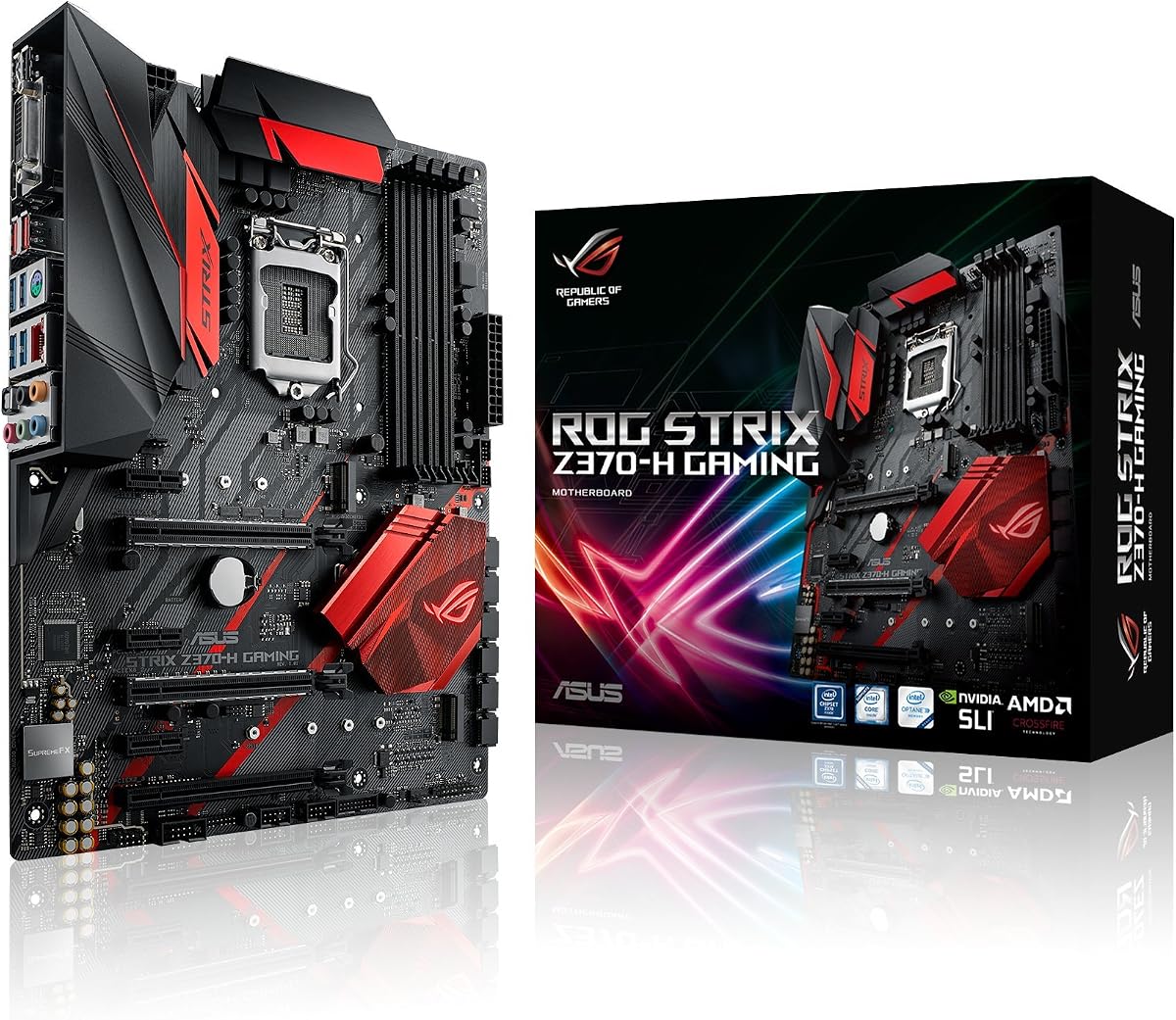
With support for 64GB of RAM and plenty of USB ports you can connect many devices. The ATX form factor ensures it fits in most cases and the build quality is consistent with the Strix line.
While it may not have extreme gaming features the overall package is solid. The three year warranty adds confidence and the general performance is enough for most tasks without needing a high end model.
For a balanced experience this board is a great pick. It is ideal for those who want a dependable system that supports plenty of devices and runs well without unnecessary complexity or cost.
Multiple USB 3.1 Gen1 and Gen2 ports let you connect all your devices without needing extra hubs.
ROG design ensures robust performance and reliability for both daily tasks and gaming sessions.
We may earn a commission when you buy through this link, at no additional cost to you.
Choosing the right brand for Z370 motherboard involves looking at several key factors to ensure your system runs smoothly and meets your goals.
Ensure the motherboard supports your specific Intel generation to avoid issues with booting or performance. Most boards listed support 8th and some 9th gen CPUs so check the socket and chipset details carefully.
Always confirm compatibility before buying to prevent frustration and extra costs from swapping parts later.
Look for DDR4 slots that match your desired capacity and speed. Some boards support up to 64GB which is useful for heavy multitasking or content creation.
More slots give you room to upgrade memory later without replacing the whole motherboard.
Check the number of PCIe slots if you plan to add multiple graphics cards or other cards. Boards with six slots offer more flexibility than those with fewer options.
Having enough slots ensures you can expand your system as your needs grow over time.
M.2 slots provide faster storage access and are great for your operating system. Look for boards with multiple M.2 slots if you need several fast drives.
Having M.2 support helps your system boot and load programs faster than standard SATA drives.
USB 3.1 Gen2 and Type-C ports are useful for modern devices and fast data transfers. Ensure you have enough ports for your peripherals and external drives.
More and faster ports reduce clutter and improve your ability to connect devices quickly.
Higher quality audio codecs and dedicated networking chips can improve your gaming and media experience. Look for features like Killer LAN or enhanced audio components.
Good audio and networking help you enjoy games and stream content without lag or poor sound.
Features like military grade components or Safe Slot Core add reliability to your build. A longer warranty period also gives you peace of mind against potential defects.
Investing in a durable board saves you from replacement costs and downtime in the long run.
Compare features against the cost to find the best balance for your budget. A more expensive board may not be necessary if you do not need extra features.
Focus on what you need now rather than paying for capabilities you will not use soon.
Always handle the motherboard by the edges to avoid touching sensitive components or leaving oils on the surface. Use an anti static wrist strap to protect the board from electrostatic discharge during installation.
Keep the system cool and dust free by cleaning the heatsinks and slots regularly. Use compressed air to remove dust and ensure fans spin freely to maintain proper airflow.
Update the BIOS only when needed and follow the manufacturer instructions carefully. Avoid changing settings you do not understand and stick to defaults for stability unless you have specific performance needs.
Most Z370 motherboards support 8th generation Intel Core processors. Some models also support 9th generation CPUs but you should check the specific motherboard specifications to confirm compatibility.
Many Z370 boards support up to 64GB of DDR4 memory. Check the manual to see the exact limits for your model and the speed requirements for your memory.
Most models listed include at least one M.2 slot for fast NVMe storage. Some higher end boards have two or even three M.2 slots to support multiple fast drives.
Some models are designed with multiple PCIe slots which are suitable for mining setups. Look for boards that support Above 4G Decoding and have enough slots for your graphics cards.
USB 3.1 Gen1 offers up to 5Gbps data transfer speeds while Gen2 provides up to 10Gbps. Gen2 is faster and better for large file transfers and high speed peripherals.
Most boards use manufacturer software like Aura Sync or RGB Fusion to control lighting. You can download this from the company website to customize colors and effects on your system.
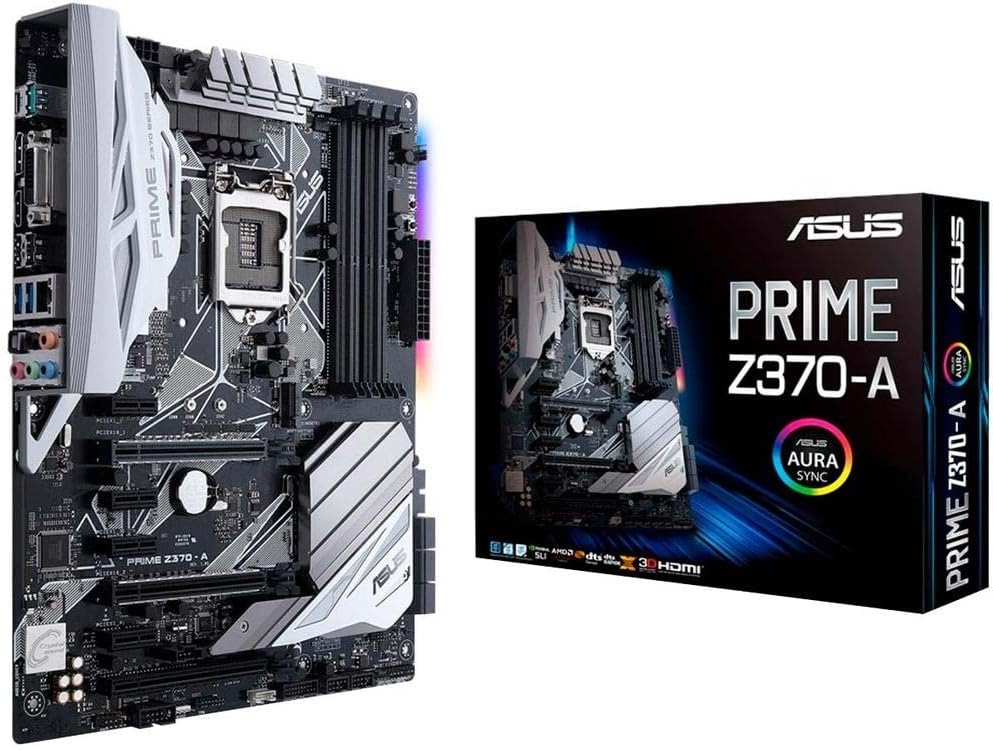
We have covered ten solid options that offer a range of features from basic reliability to advanced gaming capabilities. The ASUS Prime Z370-A leads for overall performance while MSI and Gigabyte offer strong value for specific needs.
Consider your budget and what features matter most to you. If you need many PCIe slots look for mining focused boards and if you want storage speed prioritize M.2 support.
Prices and availability change often so check current listings before placing your order. The right board depends on your specific build goals and keeping an eye on updates helps you get the best deal.