
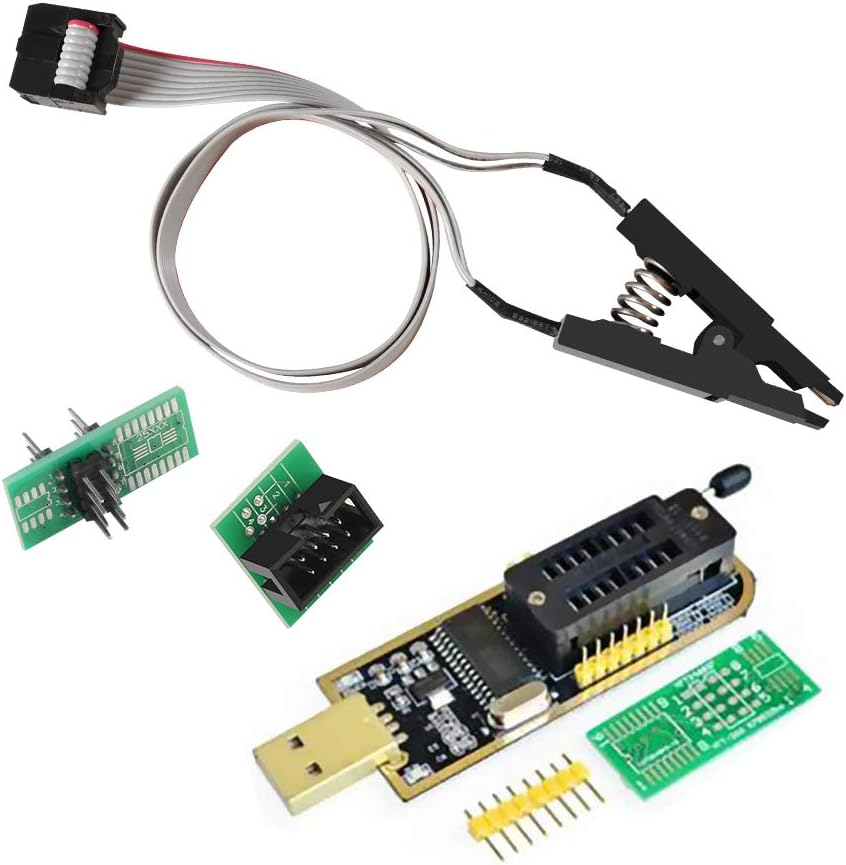
WWZMDiB CH341A EEPROM BIOS Programmer
4.1Editor score
Supports 24 25 Series Chips
Includes SOP8 Clip for Easy Access
No Welding Required for Operations
This guide compares the top bios flash tool options for professionals and hobbyists, covering programmers, clips, and recovery utilities for reliable system
Selecting the right bios flash tool is critical for maintaining system integrity and performance. Whether you are updating firmware or recovering a bricked board, precision and compatibility matter immensely for successful operations.
We evaluated ten leading products based on compatibility, speed, ease of use, and customer feedback. Our analysis covers hardware programmers, test clips, and bootable recovery drives to ensure you find the right solution.
Each pick highlights specific strengths and ideal use cases to help you make an informed decision. Please note that pricing and availability can change frequently, so verify details before purchasing your preferred item.
4.1Editor score
4.4Editor score

4.3Editor score
The following table provides a side-by-side comparison of all ten selected products. It highlights key specifications to help you quickly identify which tool fits your specific hardware needs and budget constraints.




The WWZMDiB CH341A EEPROM BIOS Programmer stands out as an accessible entry point for those needing reliable flash tool capabilities. With a solid rating from users, it delivers essential functions like backup, erase, and programming for various chips without breaking the bank.
We may earn a commission when you buy through this link, at no additional cost to you.
Its main strength lies in its versatility with the 24 and 25 series chips, which are ubiquitous in modern electronics. The included SOP8 clip allows you to clamp directly onto chips without soldering, saving time and reducing the risk of damage during repetitive tasks.
However, users must confirm chip voltage manually to avoid burning components, as the device supports 3.3V and 5V switching but requires user intervention. This is a reasonable trade-off for the price, but it demands caution and attention to detail during operation.
This tool is ideal for hobbyists or technicians who need a budget-friendly solution for routine BIOS tasks. If you are comfortable with basic electronics safety, this programmer offers excellent value and functionality for everyday firmware maintenance needs.
The included test clip enables in-circuit programming without desoldering, making it safe for quick testing and recovery tasks on motherboards.
Support for the 24 and 25 series covers most common EEPROM and flash memory chips found in consumer electronics and routers.
We may earn a commission when you buy through this link, at no additional cost to you.
The ACEIRMC SOIC8 SOP8 Flash Chip IC Test Clips package is a preferred choice for technicians who prioritize efficiency and ease of use. Rated highly by users, it simplifies the process of flashing BIOS by enabling in-circuit programming without removing chips from boards.
We may earn a commission when you buy through this link, at no additional cost to you.
Its design specifically targets the CH341A ecosystem, ensuring seamless integration with common programmers. The inclusion of double clips means you can swap or test multiple configurations without delay, which is crucial for troubleshooting and batch operations in professional settings.
While generally effective, some chips may be influenced by peripheral circuits preventing direct clipping, and specific brands like ESMT SST class 25 chips might only be read. These limitations are documented well, allowing users to verify compatibility before attempting critical operations.
We recommend this kit for anyone already using a CH341A programmer who needs a reliable clip solution. It balances cost and performance well, making it a top choice for efficient firmware work on standard EEPROM and flash components.
Programming without disassembly saves significant time and reduces the risk of damaging sensitive motherboard traces during removal processes.
The package includes double clips and a USB module, offering a complete solution ready for immediate use upon arrival.
We may earn a commission when you buy through this link, at no additional cost to you.
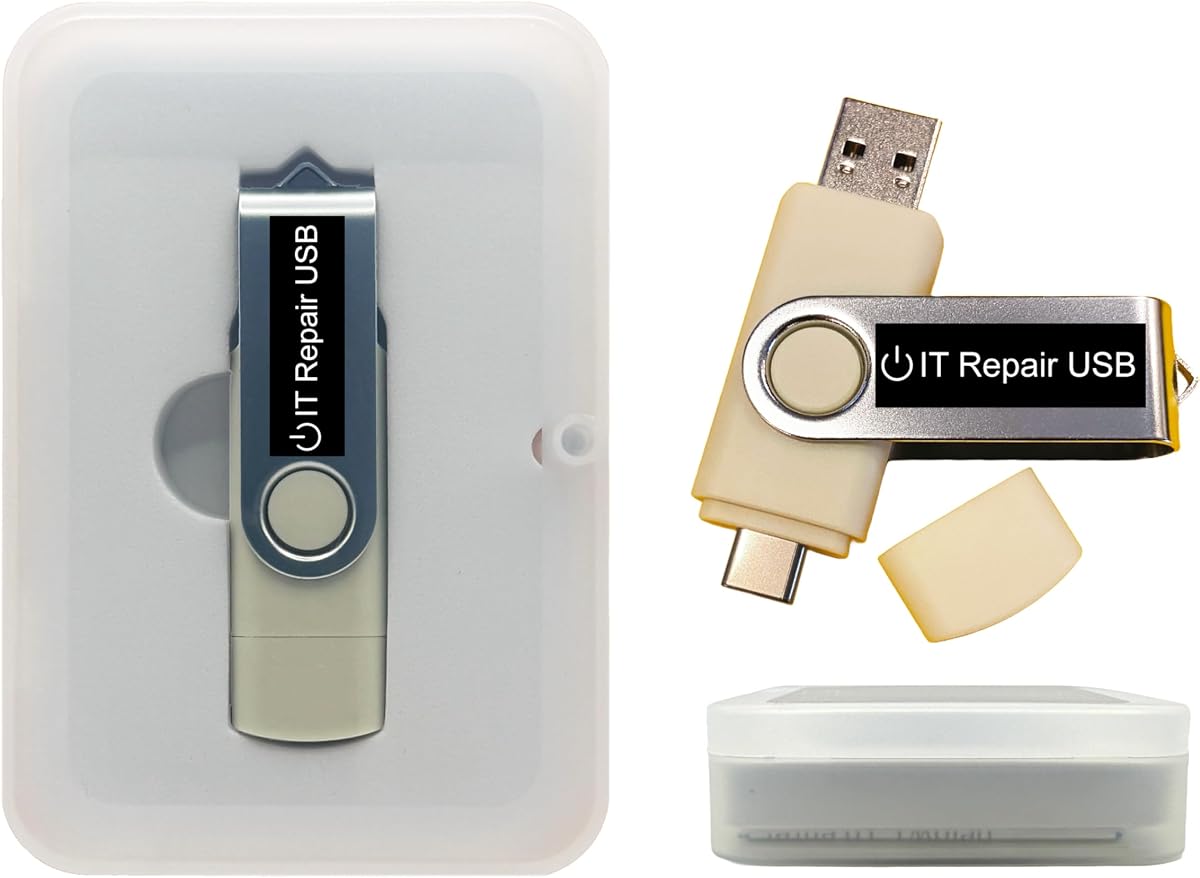
This Password Reset Bootable USB serves as a specialized tool for restoring access to locked systems. While not a traditional flash tool, it addresses firmware-level access issues by allowing recovery without reinstalling the operating system or losing files.
We may earn a commission when you buy through this link, at no additional cost to you.
Its dual USB-A and USB-C compatibility ensures it works across nearly all laptops and desktops, supporting both Legacy BIOS and UEFI modes. The user-friendly interface provides step-by-step instructions, making it accessible even for those with limited technical expertise.
Users should note that its primary function is password recovery, not general BIOS flashing or hardware repair. Ratings are mixed, suggesting that while effective for many, some configurations may require additional steps or alternative tools for full system access.
For IT professionals and power users managing system access, this drive offers a convenient and secure way to restore functionality. If your goal is to bypass login barriers quickly, this tool provides a reliable path forward without complex software setups.
Support for both Legacy BIOS and UEFI ensures the drive works on older desktops and newer laptops alike without BIOS configuration changes.
Unlike a clean install, this utility unlocks accounts while keeping existing files intact, preventing data loss during the recovery process.
We may earn a commission when you buy through this link, at no additional cost to you.
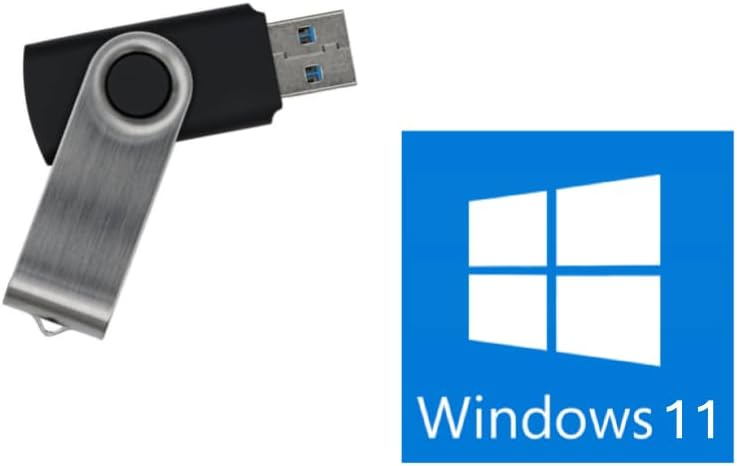
This Bootable USB Drive for Windows 11 provides a straightforward solution for installing or recovering the operating system without TPM constraints. It is designed to boot on most systems, ensuring that you can access the installer even on hardware that does not meet standard requirements.
We may earn a commission when you buy through this link, at no additional cost to you.
The drive supports both UEFI and Legacy modes, which broadens its usability across different generations of computers. It is marketed as a reliable tool for setup and recovery, with the added assurance of being handmade and tested by a family-owned tech business.
Important limitations include its inability to fix failing hardware such as bad RAM or dead motherboards. It also does not include a product key, so users must have their own license. These details are clearly stated to manage expectations before purchase.
For users needing a quick way to reinstall Windows on a working machine, this drive is a practical choice. Its simplicity and compatibility make it a valuable addition to any tech toolkit where standard media might fail due to hardware checks.
Compatibility with both UEFI and Legacy modes ensures the drive can boot on a wide range of systems without needing BIOS tweaks.
The drive is optimized specifically for installation and recovery tasks, offering a lean and efficient experience for system setup.
We may earn a commission when you buy through this link, at no additional cost to you.
This ACEIRMC kit offers a comprehensive solution for programmers working with various EEPROM and flash series. It is rated highly by users who appreciate the inclusion of adapters that extend compatibility to chips requiring specific voltage levels like 1.8V.
We may earn a commission when you buy through this link, at no additional cost to you.
The programmer is noted for its speed, operating significantly faster than older ATMEGA8-based options. This efficiency makes it a strong candidate for hobbyists and professionals who need to process multiple chips without long wait times between operations.
While it covers the 24, 25, and 93 series well, users should ensure their specific chips are supported before purchase. The kit includes necessary adapters and clips, which simplifies the initial setup but requires careful handling to avoid voltage mismatches.
For those looking to expand their hardware repair capabilities, this kit provides the essential components to start. Its balance of speed, compatibility, and included accessories makes it a solid investment for serious electronics enthusiasts and repair shops.
The included 1.8V adapter allows safe programming of low-voltage chips that standard 3.3V or 5V tools cannot handle.
Speed improvements over older models reduce programming time, making it efficient for batch operations or frequent use.
We may earn a commission when you buy through this link, at no additional cost to you.
The EZP2023 USB Programmer is marketed as the fastest BIOS chip programmer available, offering significant time savings for professionals. With a high rating, it stands out for its ability to identify chip models automatically and select supply voltages without manual intervention.
We may earn a commission when you buy through this link, at no additional cost to you.
Its read and write speeds are exceptional, taking only seconds to process specific chips like the EN25T80. This performance boost is crucial for high-volume work where efficiency directly impacts profitability and turnaround time for repair services.
The included 15 adapters ensure compatibility with a wide range of chip packages and series, though some EEPROM types may still require manual selection. This broad support makes it a versatile tool that can handle diverse projects within a single hardware setup.
For technicians who need top-tier speed and automation, this programmer justifies its price with performance and reliability. It is an excellent investment for those who frequently update or repair firmware across different device types and chip configurations.
Automatic detection of chip models and voltage reduces human error and simplifies the setup process for new chips.
With read and write times measured in seconds, it outperforms many competitors in terms of raw efficiency and output.
We may earn a commission when you buy through this link, at no additional cost to you.
This Windows PC Repair Bootable USB Recovery Toolkit is designed to provide a versatile platform for system diagnostics and repair. It supports both Legacy BIOS and UEFI modes, making it suitable for a wide range of hardware configurations in both consumer and business environments.
We may earn a commission when you buy through this link, at no additional cost to you.
A key feature is its customizability, allowing users to add, replace, or upgrade compatible bootable apps and utilities. This flexibility means the drive can evolve with your needs, serving as a central hub for various repair and recovery tasks beyond a single purpose.
While it offers strong utility for system issues, some users report mixed experiences with reliability across different machines. It excels at diagnostics and file recovery, but may not always replace hardware-specific tools for firmware flashing or deep motherboard repairs.
For general PC maintenance and recovery, this toolkit is a valuable asset. It provides a safe way to diagnose and fix startup problems without altering the main drive, making it ideal for technicians or home users who want a reliable backup option.
Users can tailor the USB with specific ISOs to match their repair needs, offering flexibility that fixed drives cannot provide.
Operating directly from the USB without needing an internet connection ensures functionality even in disconnected or restricted environments.
We may earn a commission when you buy through this link, at no additional cost to you.
This SOP16 IC Test Clip is a specialized accessory designed for those who work specifically with 16-pin flash chips. With a strong rating for build quality, it features a hardened clip and gold-plated pins to ensure a stable and reliable connection during programming.
We may earn a commission when you buy through this link, at no additional cost to you.
The design accommodates both wide and narrow body chips, supporting the common 150MIL to 300MIL range. This versatility makes it a useful addition for users who need to handle different package styles without buying multiple clips for every variation.
As with many clips, peripheral circuits on the board can interfere with successful in-circuit programming, necessitating chip removal in some cases. The clear note about this limitation helps users avoid frustration and plan their workflow accordingly before attempting to flash.
For technicians needing a durable solution for SOP16 chips, this clip provides solid value. Its robust construction and compatibility with popular programmers make it a practical choice for maintaining a reliable toolkit for specific hardware needs.
The hardened clip and thick gold-plated pins are designed to withstand repeated use without degrading connection quality over time.
The 40cm connection line offers flexibility in positioning, allowing users to work comfortably without straining the USB port.
We may earn a commission when you buy through this link, at no additional cost to you.
This Bootable USB for Windows 11 and 10 offers a solution for users who need a reliable method to reinstall or recover their operating system. Unlike many generic drives, it is designed to work with Secure Boot enabled, eliminating the need for BIOS changes before use.
We may earn a commission when you buy through this link, at no additional cost to you.
It always installs the latest official version of Windows directly from Microsoft, ensuring that users receive genuine software without outdated ISOs or potential security risks. This commitment to authenticity provides peace of mind for those setting up systems for business or personal use.
While effective for modern 64-bit systems, it does not support Legacy BIOS, which may limit its utility for older hardware. Additionally, no product key is included, so users must have their own license. These constraints are clearly stated to manage expectations.
For those working with newer PCs, this drive offers a streamlined recovery path that is both secure and compliant with Microsoft standards. Its US-based support and genuine software focus make it a trustworthy choice for critical system restoration needs.
By supporting Secure Boot out of the box, the drive works on modern machines without requiring users to disable security settings.
Direct downloads from Microsoft ensure that the installed system is up to date and safe from tampered or pirated sources.
We may earn a commission when you buy through this link, at no additional cost to you.
This Kali Linux Bootable USB is a powerful tool for cybersecurity professionals and ethical hackers who need a ready-made environment. With over 600 pre-installed tools, it provides immediate access to network and wireless auditing utilities without the need for complex installations.
We may earn a commission when you buy through this link, at no additional cost to you.
The drive supports both Legacy BIOS and UEFI, making it versatile for different hardware setups. It also includes builds for both Intel/AMD and ARM platforms, ensuring broad compatibility across various devices from laptops to embedded systems like Raspberry Pi.
While highly effective for security work, this is a specialized tool that requires technical expertise to use effectively. It is not designed for general hardware repair or BIOS flashing but serves as a professional-grade platform for vulnerability assessment and forensics.
For security researchers and IT professionals, this USB offers a reliable and portable solution for testing and analysis. Its robust toolset and platform support make it an essential resource for those who need to assess and secure systems on the go.
With over 600 pre-installed tools, the drive eliminates setup time and allows immediate testing for security assessments.
Support for both Intel/AMD and ARM builds ensures compatibility with a wide range of devices beyond standard PCs.
We may earn a commission when you buy through this link, at no additional cost to you.
Choosing the right bios flash tool requires understanding your specific needs and technical constraints. This guide outlines key factors to consider to ensure you select a reliable and compatible solution.
Ensure the tool supports the specific chip series you need to flash, such as 24, 25, or 93 series. Checking the manufacturer's list of supported chips prevents wasted time and failed operations.
Always verify chip compatibility before purchase to avoid purchasing a device that cannot handle your specific hardware requirements.
Different chips require different voltages like 1.8V, 3.3V, or 5V. A tool that offers multiple voltage options or adapters will be more versatile across various projects.
Select a programmer that supports the voltage levels of your target chips to prevent damage and ensure successful programming.
For high-volume work, read and write speeds matter significantly. Look for tools that advertise faster processing times to improve your workflow efficiency.
Prioritize models with high-speed capabilities if you need to process multiple chips quickly for professional or business use.
Tools that support in-circuit programming without soldering save time and reduce the risk of damaging components. Clips and adapters can simplify the process significantly.
Choose a solution with user-friendly accessories like clips if you want to avoid complex soldering work.
Advanced tools may offer auto chip model identification and voltage detection. These features reduce manual errors and streamline the setup process.
Look for automation capabilities if you want a more straightforward and error-free programming experience.
USB connectivity is standard, but consider tools with dual interfaces like USB-A and USB-C for better modern device support. Portable solutions are also valuable for field work.
Ensure the drive supports your computer's ports and is easy to transport if you work on-site.
Good documentation and responsive customer support can help resolve issues quickly. Products from reputable sellers often provide better guidance for troubleshooting.
Check for available manuals and support channels to ensure you can get help when needed.
Balance the cost against the features offered. While budget options exist, premium tools often provide better reliability and longer lifespan.
Invest in a tool that offers the best value for your frequency of use and technical requirements.
Always verify chip voltage and orientation before connecting the clip to prevent damage. Ensure the target chip is compatible with your chosen programmer.
Use the included software to read the current BIOS image before writing a new one. This backup allows you to restore the original state if needed.
Store your tool in a dry, static-free environment to protect sensitive components. Regularly update the programming software to ensure optimal performance.
A bios flash tool is used to update, repair, or recover the firmware on a computer motherboard or electronic device. It allows you to install new BIOS versions or restore existing ones to fix system issues.
Not always, but using a clip makes in-circuit programming much easier without desoldering the chip. Clips are recommended for most modern systems where soldering is risky or unnecessary.
No, compatibility depends on the specific chip series and voltage. Always check the tool's supported list before use to ensure it works with your target hardware.
Flash chips commonly use 1.8V, 3.3V, or 5V. Make sure your tool can support the required voltage to avoid damaging the chip during programming.
Use the programmer's software to read the current chip content and save it to a file. This backup allows you to restore the original BIOS if the update fails.
It is generally safe but may be affected by peripheral circuits on the board. If the clip fails, you may need to remove the chip for successful programming.
The top picks in this guide offer a range of solutions from budget-friendly kits to premium high-speed programmers. Each option brings unique strengths depending on your technical requirements and workflow needs.
Prioritize compatibility with your specific chips and ease of use when making your decision. Selecting the right tool can save time and prevent costly mistakes in your repair or development projects.
Remember to check current prices and availability before purchasing as these can change frequently. Always verify the latest specifications from the manufacturer to ensure the tool fits your needs.