
California JOS GPU Support Bracket
4.7Editor score
All aluminum construction
Height adjustable fit
Simple tool free setup
Modern graphics cards are becoming heavier and larger, often causing them to sag over time. This can damage the PCIe slot or motherboard. A quality support bracket prevents this issue effectively.
We evaluated ten top-rated brackets based on build quality, adjustability, and stability. Our analysis focuses on materials, mounting methods, and compatibility with various case sizes.
Each pick highlights key features and user experiences. Prices may vary by retailer, so verify current costs before purchasing your preferred model.
4.7Editor score

4.8Editor score
4.7Editor score
As an Amazon Associate we earn from qualifying purchases.
The following table offers a side by side comparison of all ten products included in this guide, highlighting their key specifications and features.


This bracket offers a robust solution for heavy graphics cards. It features high quality aluminum alloy construction that ensures long term stability for your system.
We may earn a commission when you buy through this link, at no additional cost to you.
The magnetic base provides strong adhesion to metal surfaces like power supply shrouds. Adjustments are easy with precise 0.5mm increments for a perfect fit.
While it costs more than some alternatives, the build quality and warranty justify the expense. It is an excellent choice for builders seeking reliability.
Highly recommended for users with heavy GPUs or those who want a secure, durable support without compromising on aesthetics or performance.
Constructed from high quality aluminum alloy with an anodized finish, this bracket resists rust and provides lasting support for your expensive graphics card.
The detachable design features precise increments that allow for easy height calibration, ensuring a perfect fit in various case configurations.
We may earn a commission when you buy through this link, at no additional cost to you.
An excellent budget option that does not compromise on essential strength. This bracket uses durable aluminum alloy to prevent sagging and protect your hardware.
We may earn a commission when you buy through this link, at no additional cost to you.
Its simple design makes installation straightforward with tool free setup. The height is adjustable to fit most case types effectively.
While it lacks some advanced features, it delivers core functionality at a great price point. It is ideal for value conscious users.
Choose this if you need reliable support without spending much. It offers solid protection for standard gaming setups.
This bracket provides reliable protection against sagging and damage at a very competitive price, making it accessible for all budgets.
Made from high quality aluminum alloy, it ensures superior strength and resistance to wear compared to plastic alternatives.
We may earn a commission when you buy through this link, at no additional cost to you.
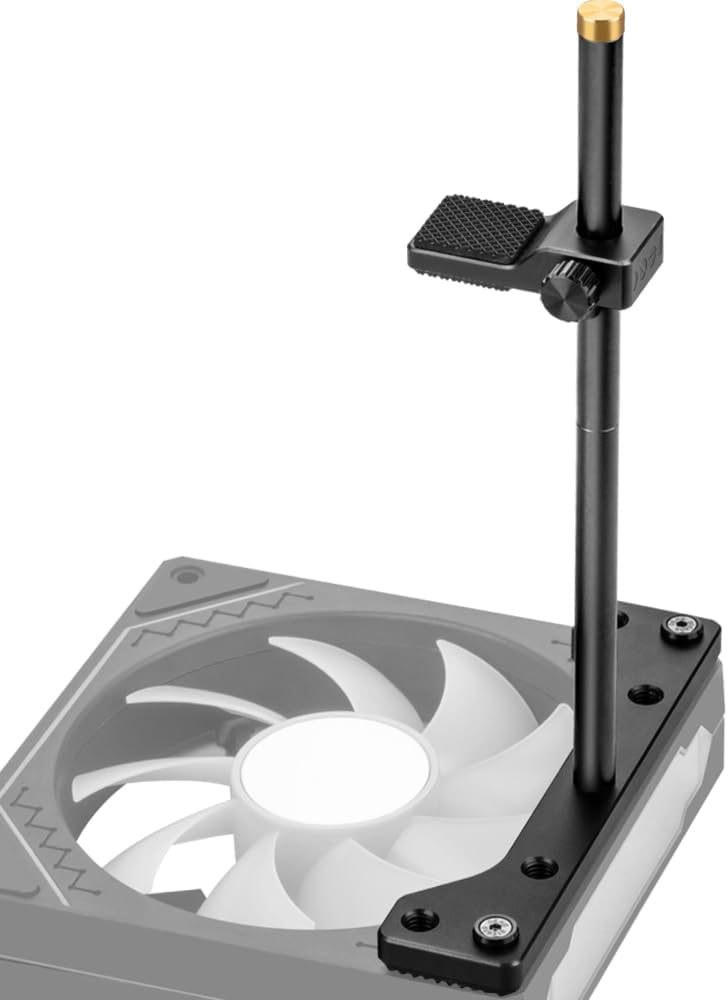
This is a specialized bracket designed to integrate with your case fan setup. It uses full CNC aluminum for a premium look and feel.
We may earn a commission when you buy through this link, at no additional cost to you.
It can be detached into two parts to fit different fan locations. The non slip pads ensure your graphics card remains safe from scratches.
The price is higher than standard brackets but the unique design justifies it for custom builds. It offers flexibility others do not.
Perfect for enthusiasts who want a custom solution that uses existing case features to support their GPU.
Specifically designed for 12cm fan mounts, this bracket offers a unique way to secure your GPU using existing case hardware.
The full aluminum design and CNC process ensure a high quality finish that matches high end PC builds.
We may earn a commission when you buy through this link, at no additional cost to you.
This bracket is built to last with all aluminum construction and detailed CNC processes. It offers reliable support for heavy cards.
We may earn a commission when you buy through this link, at no additional cost to you.
A hidden magnet in the base aids installation and stability. Screw adjustments allow you to fit various chassis configurations.
The anode process ensures durability but adds to the complexity. It is a solid choice for long term use.
Consider this if you prefer metal over plastic and want a magnetic mounting option for stability.
Made of all aluminum metal, it avoids plastic aging and provides long term support for your graphics card.
The bottom hidden magnet design ensures stable standing in the chassis for easy and secure placement.
We may earn a commission when you buy through this link, at no additional cost to you.
A straightforward option that combines aluminum strength with magnetic convenience. It fits standard cases and prevents sagging well.
We may earn a commission when you buy through this link, at no additional cost to you.
Tool free fixing modules make setup simple. The non slip pad protects your case from scratches while holding firm.
It is a good mid range choice for those needing reliable support without extra fluff. It works well for most builds.
Buy this if you want a balanced mix of price and performance with magnetic stability.
Made of aluminum alloy, it is durable and resistant to rust for long term support of your graphics card.
Tool free fixing modules with anti scratch pads make installation quick and protect your case during setup.
We may earn a commission when you buy through this link, at no additional cost to you.
This bracket stands out for its extended height range. It supports GPUs in taller cases where standard brackets may fall short.
We may earn a commission when you buy through this link, at no additional cost to you.
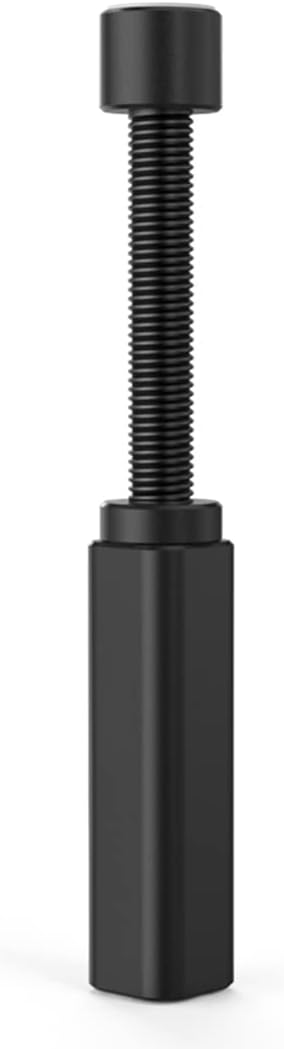
A simple twist of the nut adjusts the height easily. The hidden magnet ensures it sticks securely to the case base.
It is an ideal choice for larger chassis. While the warranty is average, the functionality is strong.
Choose this if you have a taller case and need extra vertical adjustment for your GPU.
Adjustable height from 4.53 inch to 8.27 inch makes it compatible with many chassis configurations.
Simply twist the nut of the graphic card support holder to adjust height as you need without other tools.
We may earn a commission when you buy through this link, at no additional cost to you.
Designed with aesthetics in mind, this bracket comes in sleek finishes. It is lightweight yet effective at keeping your GPU level.
We may earn a commission when you buy through this link, at no additional cost to you.
Setup takes under 30 seconds with the magnetic base. It is universal enough for most major brands.
While it uses some plastic, it handles standard GPUs well. It is great for clean builds.
Select this if you prioritize a minimalist look and quick installation.
Features a white finish that complements modern PC aesthetics while providing essential structural reinforcement.
The setup process allows beginners to secure their graphics card stand effortlessly in 30 seconds.
We may earn a commission when you buy through this link, at no additional cost to you.
This bracket offers a large height range from 2.9 to 5 inches. It uses solid aluminum with a soft rubber pad to protect your GPU.
We may earn a commission when you buy through this link, at no additional cost to you.
No tools are needed for installation. Just adjust the height and place it under the card for instant support.
It is a robust choice for standard cases. The pad prevents vibrations and ensures safe contact.
Buy this if you need a wide adjustable range with safe rubber protection for your card.
Adjusts from 2.9 inch to 5 inch which makes it a perfect GPU riser to support almost any graphics card.
Made of solid aluminium with a soft rubber pad that prevents vibrations and ensures safe contact with your GPU.
We may earn a commission when you buy through this link, at no additional cost to you.
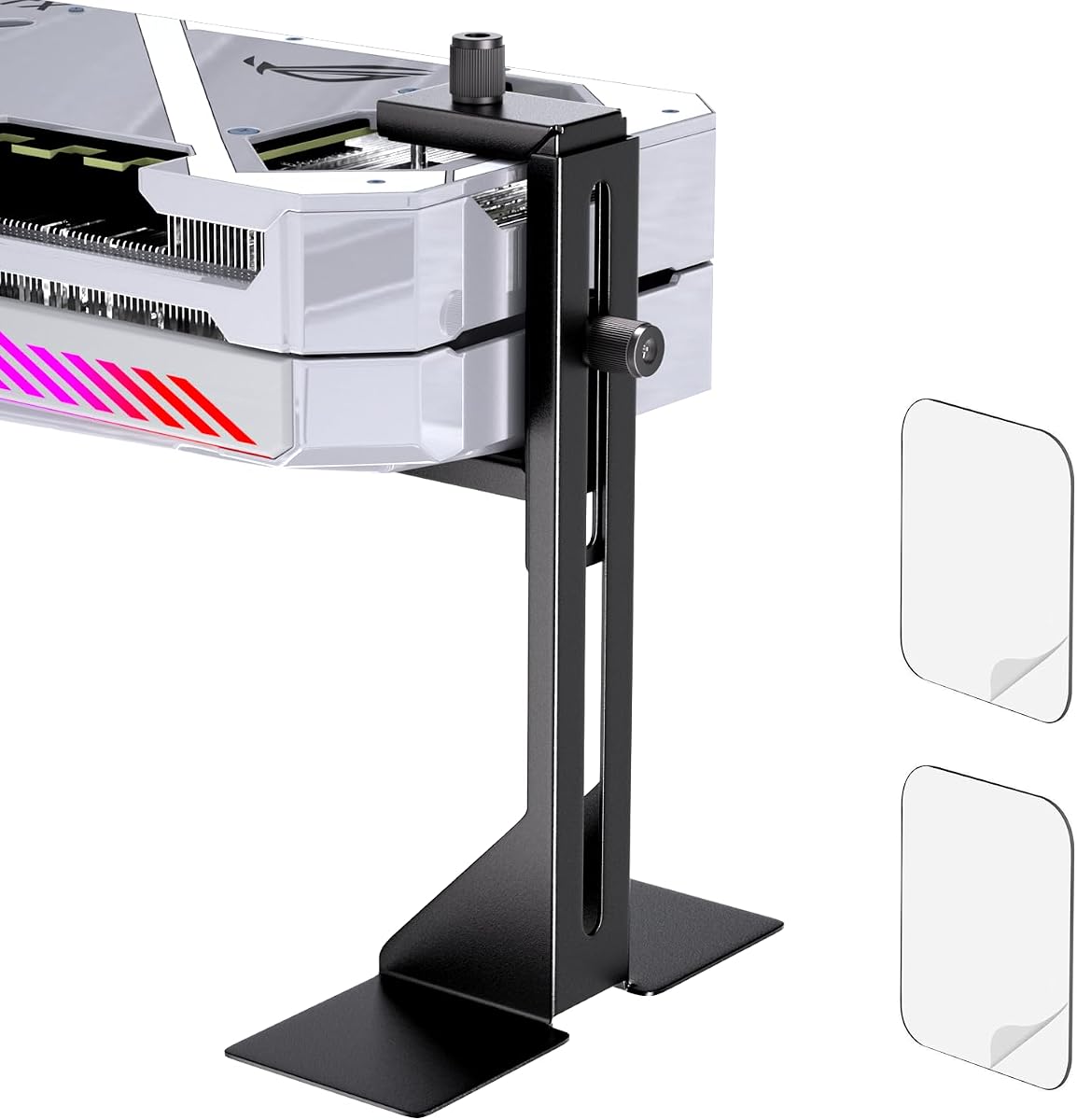
This bracket uses a strong adhesive base for flexible mounting. It supports thick GPUs up to 75mm and fits many widths.
We may earn a commission when you buy through this link, at no additional cost to you.
It can be used horizontally or vertically. The adhesive leaves minimal residue and ensures a stable attachment.
Ideal for cases where magnetic mounting is not possible. It is reliable for heavy cards.
Choose this if you need non magnetic mounting for thick or wide graphics cards.
Strong double sided adhesive provides a secure attachment to the chassis ensuring the graphics card remains firmly in place.
Designed for both horizontal and vertical use to provide flexibility for installation orientation.
We may earn a commission when you buy through this link, at no additional cost to you.
A simple yet effective solution to prevent sagging. It uses premium aluminum for long lasting support without deforming.
We may earn a commission when you buy through this link, at no additional cost to you.
The magnetic base with rubber pads ensures a good degree of extensibility and grip. It is easy to install by twisting a nut.
It fits most chassis and is not obtrusive. A good value choice for general use.
Buy this if you want a reliable, unobtrusive bracket at a reasonable price.
Made of premium quality aluminum which is sturdy and not deformed providing strong and long lasting support.
Being magnetic it sticks to PSU shrouds and has rubber on the ends to add grip and prevent slippage.
We may earn a commission when you buy through this link, at no additional cost to you.
Choosing the right support bracket requires understanding key factors that affect performance and compatibility. This section outlines what to look for.
Metal materials like aluminum alloy are preferred over plastic because they resist bending and aging. Plastic can crack under heavy loads. Look for all aluminum models for long term durability.
Always choose metal for heavy GPUs to ensure stability.
Mounting methods vary from adhesive to magnetic and screw based. Magnetic bases offer quick installation on metal cases. Adhesive works on plastic. Ensure the mechanism fits your case type.
Match the mounting style to your case material.
An adjustable height feature ensures a perfect fit for different GPU sizes. Look for ranges that cover at least 70 to 120mm. This ensures compatibility with various cases and GPUs.
Adjustable height provides better fit.
Thick graphics cards require brackets that support wider dimensions. Check the product specs for thickness limits. Some supports handle up to 75mm which is useful for large cards.
Verify thickness capacity before buying.
The finish impacts both durability and aesthetics. Anodized finishes resist rust and look better. Ensure the color matches your case interior to keep the build clean.
Choose a finish that matches your case.
Rubber or silicone pads protect your GPU from scratches. They also prevent the bracket from sliding during use. Look for features that mention anti scratch protection.
Protect your GPU with rubber pads.
Tool free designs save time and effort during assembly. Models that use simple twisting or magnets are easier to set up. Complex assemblies may frustrate beginners.
Prefer tool free designs for ease.
A good warranty indicates manufacturer confidence. Look for at least one year of coverage. Support teams should respond quickly if issues arise.
Check warranty terms before purchase.
First, measure the height and width of your graphics card to ensure compatibility with the bracket's range. Most brackets work best when the GPU is level.
Second, install the bracket before mounting the GPU. Place it under the end of the card and adjust the height until it touches gently.
Third, clean the base surface before applying adhesive or magnet. Regular dusting keeps the bracket stable and prevents scratches on your card.
Yes, heavy graphics cards can sag over time causing damage to the PCIe slot or motherboard. A support bracket provides the necessary stability to prevent this. It also enhances the visual appeal of your build.
Magnetic brackets only work on cases with metal floors or power supply shrouds. If your case has a plastic floor, an adhesive or screw based model is better. Always check your case materials before buying.
Measure the height from the bottom of the case to the end of your GPU. Compare this to the adjustable range listed in the specs. If the bracket range covers your measurement, it will fit well.
Some brackets allow vertical use but most are designed for horizontal setups. Check the product details for dual orientation support. If not stated, it may not fit well in a vertical slot.
Plastic brackets can bend or break under heavy loads over time. It is safer to choose metal brackets for cards weighing over 2 pounds. Metal ensures long term stability and safety.
The screw adjustment allows you to twist a nut to change the height incrementally. This lets you fine tune the support height until the GPU is perfectly level. It is usually tool free.
High quality adhesives usually leave minimal residue but it can vary by brand. Some allow clean removal. If concerned, test a small area or choose a magnetic or screw option.
Use a soft cloth to wipe dust from the metal or rubber parts. Avoid harsh chemicals that might damage the finish or adhesive. Keep it dry to prevent rust.
The top picks in this guide offer excellent protection for a variety of budgets and case types. The acer bracket stands out for its quality while California JOS offers great value.
Prioritize metal construction and adjustability to ensure your GPU stays secure. A solid bracket is a small investment for the longevity of your expensive components.
Remember to check the current prices and availability before making your purchase. These models are reliable choices to keep your system stable.