
Ai Pen Chat Gpt Pen
5.0Editor score
Built In GPT integration
Offline translation 150 languages
HD touchscreen voice recording
Compare the top AI scan pens with Chatgpt integration for students and professionals. This guide reviews ten leading models for OCR, translation, and smart
AI scan pens with Chatgpt integration are transforming how students and professionals handle text. These devices combine optical character recognition with advanced language models to deliver instant answers, translations, and study aids directly from printed pages. As technology evolves, these tools become essential for efficient learning and seamless communication across languages.
We evaluated ten leading models based on scanning accuracy, AI integration depth, translation capabilities, and ease of use. Our analysis focused on real-world performance for students, travelers, and language learners. Each product was assessed for battery life, storage capacity, and the quality of its text to speech features to ensure reliable daily use.
Each pick highlights specific strengths like offline translation, dyslexia support, or premium note-taking ecosystems. While prices may fluctuate due to market demand and promotions, the core features remain consistent. Readers should verify current listings for the most accurate availability and warranty details before making a final purchase decision for their needs.
5.0Editor score

3.3Editor score

4.0Editor score
This side by side comparison evaluates all ten AI scan pens based on key specifications and user benefits to help you find the perfect fit for your study or work requirements.




The Scanmarker AI Pen is a powerful tool that brings instant scan to text magic to your daily workflow. With a rating of 3.3 it is a solid choice for those needing quick access to printed information without typing. Its built-in screen ensures that scanned words appear immediately, allowing you to review and organize notes on the go.
We may earn a commission when you buy through this link, at no additional cost to you.
This device shines with its text to speech confidence boost feature which helps users stay focused on learning tasks. By hearing text read aloud clearly, students can improve understanding and reduce reading fatigue significantly. The ability to save and export scans keeps everything organized in one place, which is essential for efficient revision.
While the rating is moderate, the functionality provides real value for adults and students alike who need portable translation. The main trade-off is the screen size and rating score which might limit advanced users. However, for basic scanning and speech needs, the performance remains reliable and consistent during daily use.
If you need a portable AI translator device for work or travel, this pen offers a straightforward solution. Its ability to turn reading into clean notes makes it a versatile addition to any study kit. We recommend it for users prioritizing immediate text access and speech feedback over advanced connectivity features.
Slide the pen over printed text and watch words appear on screen in seconds for fast learning.
Hear text read aloud clearly to improve focus and reduce fatigue during long study sessions.
We may earn a commission when you buy through this link, at no additional cost to you.
The NEWYES AI Pen is designed specifically for learners who need support with reading challenges like dyslexia. Equipped with an AI Dictionary and Homework Checker, this device integrates multi-language dictionaries to provide in-depth word explanations. Its dyslexia-friendly design allows users to adjust word reading speed, making text easier to process and reducing stress.
We may earn a commission when you buy through this link, at no additional cost to you.
This pen offers versatile translation for every scene including photo translation using a 5MP built-in camera. With support for 112 languages, it is perfect for travel or dining out when directions are needed. The 16GB storage allows you to save and edit content effortlessly without needing extra software on your computer.
While it adapts to six reading levels from pre-readers to advanced users, some users report battery inconsistencies. The sync capabilities with phones and tablets are generally smooth, but connectivity may require occasional troubleshooting. Despite minor issues, it grows with you and offers significant value for those needing tailored learning tools.
For students and adults facing reading hurdles, this AI device provides a comprehensive set of tools. The combination of translation, scanning, and adaptive reading levels makes it a strong contender. We recommend it to those prioritizing accessibility and comprehensive study support.
Adjust word reading speed and use special fonts to reduce reading stress and improve comprehension.
Translate between 112 languages instantly using scan, photo, or voice input for travel needs.
We may earn a commission when you buy through this link, at no additional cost to you.
The XNote Smart Pen & Notebook Starter Set offers a premium experience by combining real paper writing with digital AI-Powered Every Every stroke is captured instantly and synced to the XNote app via Bluetooth, making it ideal for creatives and professionals who prefer handwriting. The included starter plan gives access to core AI features like summaries and chat interactions.
We may earn a commission when you buy through this link, at no additional cost to you.
Its AI-powered organization goes beyond simple digitization by summarizing lectures and auto-tagging notes for easy keyword search. The ability to integrate with Google Meet and Zoom allows for intelligent meeting notes where audio and handwriting are combined into a searchable record. This feature saves significant time during work planning and review.
While the pen itself does not include a microphone, the companion app handles audio recording seamlessly. The battery life supports up to 17 hours of continuous use, ensuring reliability during long workdays. Offline storage capabilities also mean you can continue working even without an active internet connection.
For users seeking a complete digital note-taking solution, this bundle offers unmatched versatility. The combination of real paper and smart AI features ensures productivity remains high. We recommend it for professionals who need reliable transcription and organizational tools.
Enjoy the comfort of real pen and paper while capturing every stroke to the app instantly.
Summarize lectures and auto-tag notes to make studying and working faster and more productive.
We may earn a commission when you buy through this link, at no additional cost to you.
This translator pen is an assistive tool designed to help dyslexic readers and adult language learners improve comprehension. With a perfect 5.0 rating, it boasts precise OCR scanning and original text reading technology that reads text aloud instantly. It effectively assists users with reading difficulties and enhances autonomous learning efficiency significantly.
We may earn a commission when you buy through this link, at no additional cost to you.
The pen covers 142 languages for online dialogue and 10 languages offline, solving cross-language pain points in outdoor settings. Equipped with a 5MP HD camera, it supports high-definition photo text recognition and translation, which is useful for non-standard typesetting. This versatility makes it a robust choice for travelers and office workers alike.
Manual transcription is slow and error-prone, but this device supports 52-language precise OCR text scanning with one-click sync to mobile phones. While it lacks a display screen, the reliance on mobile sync ensures that content remains accessible and editable. The all-in-one design also includes high-definition smart voice recording functions for meetings.
For those who need a comprehensive language assistant without complex menus, this pen is ideal. The combination of translation, scanning, and voice recording makes it a valuable tool for daily work. We recommend it for users prioritizing high language support and accessibility.
Cover 142 languages online and 10 offline for barrier-free multi-form translation.
Identify various complex text scenarios with high-definition photo text recognition technology.
We may earn a commission when you buy through this link, at no additional cost to you.
This Ai Pen combines Chat GPT functionality with real-time translation to offer a high-value study tool. With a perfect 5.0 rating, it is designed for real-time translation and voice recording, ensuring you never miss a moment during travel or meetings. The 3.69-inch HD touchscreen provides clarity while scanning text across 60+ languages.
We may earn a commission when you buy through this link, at no additional cost to you.
Enhance your learning experience with the integration of smart suggestions and insights via GPT. This feature allows you to ask questions and brainstorm ideas directly through an intuitive AI interface. The fast scanning capabilities allow for quick text scanning across languages to help you efficiently store and organize notes.
While the screen is compact, the offline translation for 150+ languages ensures you have access to vital tools even without data. The all-in-one portable design combines translation, scanning, and file storage into a single device. It is a smart choice for on-the-go professionals needing versatile tools in a small package.
For budget-conscious buyers needing advanced AI features, this pen delivers strong performance. The 5.0 rating reflects high user satisfaction with its instant answers and ease of use. We recommend it for those prioritizing portability and language versatility.
Enhance learning with built-in GPT integration offering intelligent suggestions and insights.
Enjoy the clarity of an HD touchscreen interface while utilizing advanced voice recording features.
We may earn a commission when you buy through this link, at no additional cost to you.
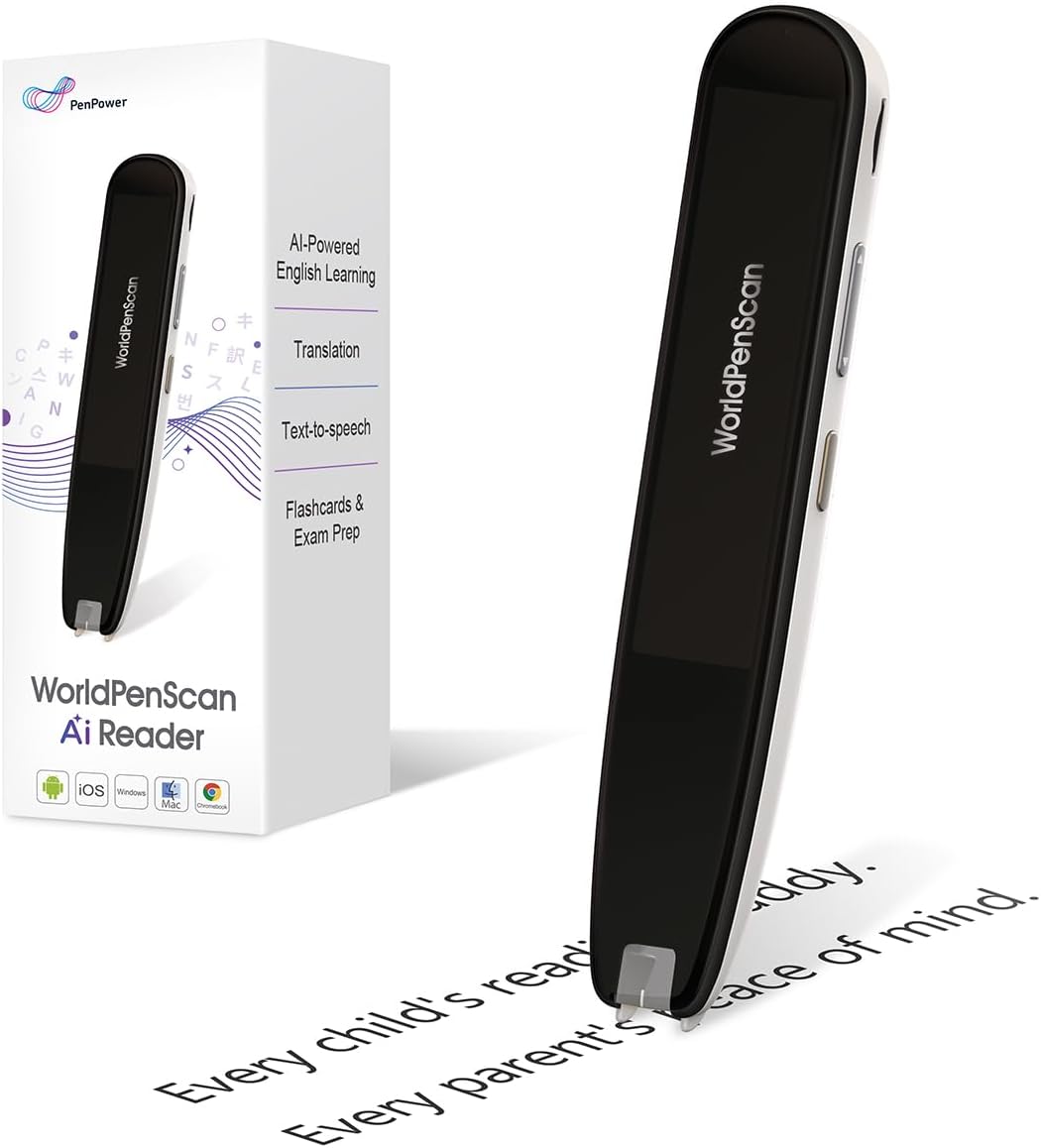
The WorldPenScan AI Reader is designed to help children stay engaged with every book using AI reading support. Scan difficult words to get reading-level explanations with Quick AI, which taps simplify for easier understanding. This tool helps children understand complex ideas without leaving the page, building confidence to read independently.
We may earn a commission when you buy through this link, at no additional cost to you.
Every scan syncs to the AI Reading Buddy for deeper learning and fun facts beyond the text. It includes offline tools like Text-to-Speech and a built-in dictionary for uninterrupted reading anywhere. This makes it an ideal companion for growing readers and ESL learners needing extra support at home.
While it focuses on English, Spanish, and Chinese, the features are robust enough for early literacy development. The ability to reduce frustration through Simplify features ensures children remain motivated during reading time. It serves as more than a dictionary pen by offering quizzes and insights to reinforce comprehension.
For parents looking to support their child's literacy journey, this pen offers the right balance of assistance and independence. We recommend it for kids who need encouragement to explore complex vocabulary on their own.
Scan difficult words to get reading-level explanations that reduce frustration and build confidence.
Discover big ideas and insights beyond scanned text to reinforce comprehension with fun facts.
We may earn a commission when you buy through this link, at no additional cost to you.
This Pen Gpt AI Pen is a must-have tool for language learners needing offline translation for over 50 languages. It easily digitizes books and documents to bridge analog and digital learning instantly. With built-in ChatGPT, you can ask questions and brainstorm ideas through an intuitive AI interface on the vibrant 3.5-inch HD touchsn.
We may earn a commission when you buy through this link, at no additional cost to you.
Record lectures and meetings with a single tap and sync files wirelessly to your devices. The chat gpt pencil is designed to maximize efficiency by organizing clear searchable content powered by AI. This feature allows you to pair scanned notes with audio for complete review and smarter studying.
While the rating is not listed, the functionality supports efficient study and professional workflows. The device combines translation and scanning into a compact design that is easy to carry. It is particularly useful for travelers working across cultures who need immediate translation without internet access.
For those prioritizing offline capabilities and direct AI answers, this pen is a strong candidate. We recommend it for professionals needing reliable scanning and translation in diverse environments.
Break language barriers with offline translation for over 50 languages for travelers.
Boost productivity with built-in ChatGPT to ask questions and refine essays directly.
We may earn a commission when you buy through this link, at no additional cost to you.
This Smart Pen Notebook Set features Voice Creation technology that transforms ideas into reality with simple verbal expressions. You can input voice commands to generate visuals in about 40 seconds effortlessly. The sound to text feature catches sound with clarity to convert voice into text in real time for recording.
We may earn a commission when you buy through this link, at no additional cost to you.
The handwriting recognition allows you to write meeting notes while activating voice transcription to generate editable Word documents. Users simply draw a sketch and the phone generates compliant artwork in seconds. This innovation makes recording convenient and efficient with the ability to translate your notes as well.
Each smart pen comes equipped with pencil refills whose markings can easily be erased for repeated usage. Wireless charging support makes starting your device as easy as a single touch. This feature ensures the device remains ready for use without complex charging requirements.
For creatives who want to turn voice and sketches into editable digital files, this set is unique. We recommend it for users prioritizing creative workflows and voice-to-text capabilities.
Transform your ideas into reality with simple verbal expressions to generate visuals.
Write meeting notes while activating voice transcription to generate editable Word documents.
We may earn a commission when you buy through this link, at no additional cost to you.
The Scanmarker Pal is a versatile translator pen for kids and adults needing immediate language support. It scans and translates text in over 100 languages, including offline support for English, Spanish, French, German, and Italian. This makes it perfect for dyslexia support, studying and travel without constant internet access.
We may earn a commission when you buy through this link, at no additional cost to you.
Listen and learn with text read aloud instantly, with highlighted words on the screen for improved comprehension. Perfect for auditory learners, it offers a seamless text-to-speech experience. Scan text with precision and export as a digital file to save important information for future use efficiently.
The compact and portable design makes it ideal for on-the-go use anywhere. You can connect Bluetooth headphones for an immersive audio experience without disturbing others. While offline support covers common languages, it is a reliable choice for quick translations in diverse settings.
For travelers needing a lightweight translator with dyslexia support, this pen is a strong option. We recommend it for users prioritizing portability and audio feedback.
Scan and translate text in over 100 languages including offline support for major languages.
Read text aloud instantly with highlighted words for improved comprehension and auditory learning.
We may earn a commission when you buy through this link, at no additional cost to you.
This portable scanning pen uses OCR technology to convert scanned text into audio and provide real-time voice translation. It supports online scanning translation for 142 languages and offline translation for 10 languages, solving communication barriers effectively. The device also supports paper, printed text, and digital screens for multilingual solutions.
We may earn a commission when you buy through this link, at no additional cost to you.
Text excerpt extraction allows you to synchronize scanned documents with your phone for easy editing. The photo translation function supports image to text translation, allowing translation of foreign menus and magazines easily. It also serves as a recorder for interviews and meetings to allow for quick and accurate translation of text in images.
While the rating is lower at 3.6, the device offers multiple functions including music and video players. The compact size makes it suitable for travel, study, and business meetings where simplicity is needed. The ability to handle simultaneous interpreting and photo translation adds value to its feature set.
For users needing a device that combines reading, translation, and multimedia playback, this pen is practical. We recommend it for travelers who need a versatile tool for diverse scenarios.
Support online scanning translation for 142 languages and offline for 10 languages.
Support photo image to text translation for translating foreign menus and magazines easily.
We may earn a commission when you buy through this link, at no additional cost to you.
Selecting the right AI scan pen involves evaluating several key factors to ensure the device meets your specific study or professional needs.
Modern AI scan pens integrate language models like Chatgpt to provide instant answers and summaries. Look for devices that offer context-aware responses rather than simple dictionary definitions. This ensures that you can understand complex concepts in history, math, and general knowledge directly from the scanned text.
Prioritize pens that support advanced features like lecture summarization or keyword search to enhance your study efficiency.
Optical Character Recognition (OCR) accuracy is the foundation of any scan pen. High precision ensures that text is read correctly without errors in symbols or letters. Poor OCR can lead to mistranslations or incorrect notes which defeats the purpose of the device.
Choose models with proven accuracy in real-world testing for both printed documents and digital screens.
Offline translation and scanning capabilities are crucial for travelers and students in areas with limited connectivity. Devices that support offline text extraction and speech conversion ensure continuity during flights or in remote libraries. This feature saves you from relying solely on data plans for basic translation needs.
Always verify how many languages are available offline before purchasing a device for travel.
A quality text-to-speech engine helps users with dyslexia or auditory learning preferences understand content better. Look for options that allow you to adjust reading speed and choose accents. This personalization reduces fatigue and allows you to focus on comprehension rather than decoding text.
Ensure the speech output sounds natural to maintain attention during long study sessions.
Efficient storage and synchronization features help you keep your notes organized across devices. Models with Bluetooth connectivity and cloud sync allow you to export scans directly to your phone or laptop. Sufficient local storage prevents you from losing important data if the internet is unavailable.
Check for compatibility with popular file formats like PDF, TXT, and DOC for easy editing.
Battery life determines how long you can use the device on a single charge. For long study sessions or travel, a pen offering at least 10 to 15 hours of use is ideal. Fast charging capabilities also reduce downtime when the device runs out of power during work.
Aim for models that offer consistent performance without frequent recharging interruptions.
The interface should be intuitive with a responsive touchscreen or physical buttons. Complex menus can slow down scanning speed which defeats the purpose of instant access. Simple navigation ensures you can focus on learning rather than fighting with the device settings.
Test the ergonomics to ensure the pen is comfortable to hold during extended use.
Consider how the pen integrates with your existing digital ecosystem. Apps that sync with note-taking software or calendars increase productivity by keeping everything in one place. A seamless workflow ensures that your handwritten notes and digital scans are always accessible.
Choose devices that support standard protocols like Bluetooth and Wi-Fi for universal compatibility.
To get the most out of your AI scan pen, start by scanning printed text slowly and steadily. Most devices work best when the tip is kept flat against the page at a 45-degree angle. This ensures the OCR technology captures the text clearly without skipping lines or characters.
Regularly update the device firmware to access new AI features and improve translation accuracy. Connect the pen to your companion app via Bluetooth to synchronize notes and download language packs. Keeping the software current ensures you benefit from the latest improvements in language processing.
Clean the scanner window regularly with a soft cloth to prevent dust from affecting performance. Store the pen in a protective case when not in use to avoid drops and scratches. Following these simple maintenance steps will extend the life of your device and keep it functioning smoothly.
Many modern AI scan pens offer offline capabilities for translation and basic text extraction. However, advanced features like real-time AI chat and complex summarization usually require an internet connection. Check the product specifications to see how many languages are available offline.
Most scan pens are designed for printed text with clear fonts. While some models like the XNote support handwriting recognition, standard OCR tools struggle with cursive or messy handwriting. For handwritten notes, consider smart notebook systems that capture strokes digitally.
Yes, most top models support over 100 languages for scanning and translation. This allows users to translate between various languages instantly using the built-in tools. This feature is particularly useful for travelers and language learners.
You can typically export scanned text by connecting the pen to your computer via USB or syncing it through a mobile app. Most devices allow you to save notes in common formats like PDF or TXT for easy access. Refer to the user manual for specific steps.
Many high-end models allow you to adjust the speed and volume of the text-to-speech output. Some also support different accents or voices to suit personal preferences. This customization helps reduce fatigue and improves comprehension during study sessions.
Some pens include basic AI features for free, but advanced integration with tools like Chatgpt may require a subscription. Check the product details to understand any recurring costs associated with cloud features. Basic offline scanning often remains free regardless of subscription status.
We have reviewed ten leading AI scan pens that range from budget-friendly options to premium ecosystems. The Scanmarker AI Pen stands out for its instant text magic while the NEWYES AI Pen offers specific support for dyslexia. For professionals, the XNote Smart Pen Set provides an unmatched digital note-taking experience.
When choosing the right tool, prioritize features that match your specific workflow and needs. If you travel frequently, look for offline translation capabilities. For students, focus on devices with strong text-to-speech and educational aids like summaries. Finding the right balance ensures maximum value.
Always check current listings for the most accurate availability and warranty details before buying. Prices may fluctuate due to market demand but the core features remain consistent. With these top choices, you can enhance your learning and productivity efficiently.