
HP OmniBook 3 14 inch Next Gen AI PC
4.4Editor score
Snapdragon X Processor
2K OLED Display
Up to 41 Hours Battery
AI laptops are redefining how we work and create with dedicated neural processing units that handle complex tasks locally. These devices offer faster performance, better battery life, and intelligent features that adapt to your workflow seamlessly.
We evaluated ten leading models based on processor power, display quality, memory capacity, and AI-specific capabilities. Our analysis focuses on real-world performance for business professionals, students, and creative users seeking next-generation computing.
Each pick highlights unique strengths from budget-friendly options to premium machines with stunning OLED screens. Keep in mind that availability and configurations may shift quickly in this rapidly evolving market segment.
4.4Editor score
4.8Editor score

5.0Editor score
As an Amazon Associate we earn from qualifying purchases.
Compare key specifications across all ten models to find the right balance of performance, portability, and price for your specific needs.


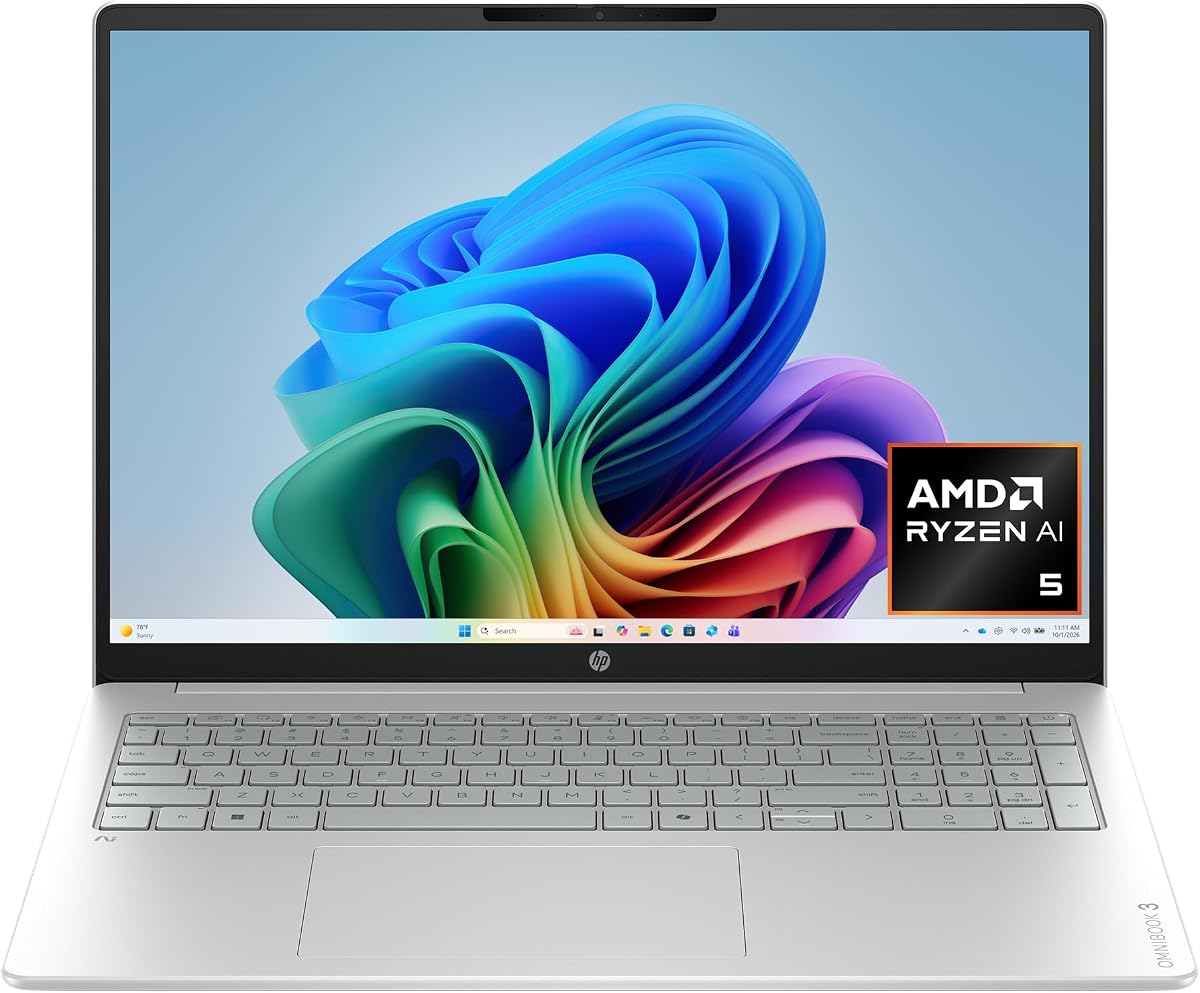
The HP OmniBook 3 16 inch stands out as a top contender in the AI laptop space with its impressive battery life and vibrant display. It delivers powerful AMD Ryzen AI processing that accelerates workflows while maintaining energy efficiency throughout the day.
We may earn a commission when you buy through this link, at no additional cost to you.
Its 2K IPS touchscreen offers incredible detail and wide viewing angles making it perfect for creative tasks or detailed data analysis. The advanced AI noise reduction feature ensures clearer communication during calls which is vital for remote work environments.
While it lacks a dedicated GPU for heavy gaming the integrated Radeon 840M handles everyday graphics smoothly. The SSD storage is efficient but power users might prefer more capacity for large media libraries or software suites.
This laptop is ideal for students and professionals who need reliable performance all day without constant charging. Its balance of features and performance makes it the best overall choice for most general AI workloads.
Built-in Copilot+ PC experiences allow seamless access to intelligent assistants with a single press of a dedicated Copilot key.
Advanced Personal Mode tracks your voice during meetings filtering out background noise for distinctively focused communications.
We may earn a commission when you buy through this link, at no additional cost to you.
The Lenovo ThinkBook 16 Gen 8 is engineered for demanding business environments where stability and security are paramount. Its Intel 16-Core Ultra processor handles complex spreadsheets and enterprise applications without slowing down even with many windows open.
We may earn a commission when you buy through this link, at no additional cost to you.
With 32GB of DDR5 RAM and a spacious 1TB SSD this machine eliminates lag during multitasking sessions. Professionals can run data analysis tools while editing documents and attending video calls simultaneously with ease.
The 16 inch FHD+ display provides ample real estate for side-by-side document viewing which boosts efficiency during long work sessions. Enterprise-grade security features including a fingerprint reader protect sensitive data from unauthorized access.
This laptop suits corporate users who need robust performance and reliable connectivity across various network environments. It is a solid investment for teams requiring consistent speed and secure access to business resources.
Windows 11 Professional combined with a hardware fingerprint reader ensures sensitive business data remains protected at all times.
WiFi 6E and Bluetooth 5.3 ensure stable connections for video conferencing and file sharing across networks.
We may earn a commission when you buy through this link, at no additional cost to you.
The HP OmniBook X 14 inch offers a premium visual experience with its 3K OLED touchscreen that delivers deeper blacks and richer contrast than traditional screens. This makes it a joy for designers or anyone who values color accuracy in their work.
We may earn a commission when you buy through this link, at no additional cost to you.
Powered by an Intel Core Ultra 7 processor this device balances powerful performance with incredible battery life lasting nearly 28 hours on a single charge. The AI-driven Smart Sense feature adjusts performance based on activity to maximize efficiency.
The built-in Intel graphics handle everyday entertainment and multitasking smoothly while the dual speakers provide pitch perfect audio for calls or media. Fast charge gets the battery to 50% in about 30 minutes for quick top-ups during busy days.
Creative professionals who prioritize display quality and portability will find this laptop meets their high standards. It is a refined machine that excels at media consumption and creative workflows on the go.
The 3K OLED display lights each pixel separately for enhanced color depth and power efficiency compared to LED screens.
Smart Sense uses AI to switch modes and adapt temperature and fan noise automatically for your comfort.
We may earn a commission when you buy through this link, at no additional cost to you.
The HP OmniBook 5 16 inch delivers a compelling mix of speed and visual appeal for users who need a large screen for work and entertainment. Its Intel Core Ultra 7 processor ensures fast intelligent performance for a wide range of daily tasks.
We may earn a commission when you buy through this link, at no additional cost to you.
With 16GB of high-speed RAM and a massive 1TB SSD you get smooth multitasking and ample space for files and apps. The 16-inch touchscreen provides crisp visuals and responsive touch control which enhances navigation and productivity.
Sleek silver aluminum design and backlit keyboard add a premium feel suitable for office or home use. Copilot AI support helps you work smarter with intelligent suggestions that streamline complex workflows automatically.
This model is great for users who want a modern laptop with strong performance and generous storage. It is a reliable choice for daily computing that looks great and handles heavy workloads with ease.
Windows 11 with Copilot AI support offers intelligent suggestions and faster workflows for enhanced productivity.
Sleek silver aluminum design with a backlit keyboard offers durability and style for everyday use.
We may earn a commission when you buy through this link, at no additional cost to you.
The HP OmniBook 5 with Snapdragon X processing redefines endurance by offering up to 34 hours of battery life on a single charge. This makes it ideal for travelers or students who need a device that can outlast even the longest days without a charger.
We may earn a commission when you buy through this link, at no additional cost to you.
Its 2K OLED display provides rich colors and crisp visuals for everyday productivity with 300 nits of brightness. The Qualcomm Adreno GPU optimizes power consumption while still delivering high performance graphics for mobile UIs and apps.
Built-in Otter.ai tools allow you to record audio and generate meeting summaries automatically saving time and keeping you organized. The True Vision FHD IR camera offers privacy by closing when not in use plus secure login via Windows Hello.
For users prioritizing all-day usage and mobile connectivity this laptop stands out significantly. It is a powerful yet efficient machine that ensures you stay connected and productive wherever your travels take you.
With Otter.ai an AI assistant records audio writes notes and generates meeting summaries automatically to save time.
Qualcomm Wi-Fi 6E technology unlocks unprecedented wireless performance with faster speeds in the 6GHz spectrum.
We may earn a commission when you buy through this link, at no additional cost to you.
The HP OmniBook 3 14 inch proves that AI features need not come with a prohibitive price tag. Despite its lower cost it delivers robust performance with a Snapdragon X processor that handles on-the-go productivity efficiently and effectively.
We may earn a commission when you buy through this link, at no additional cost to you.
Its battery life is truly remarkable with up to 41 hours of usage supported by fast charging that gets you to 50% in 45 minutes. The 2K OLED display ensures you are not compromising on visual quality despite the budget-friendly price point.
While storage is limited to 256GB this is often enough for users who rely on cloud services and streaming media. The 16GB RAM ensures smooth multitasking for daily apps and web browsing without frustrating lag or slowdowns.
This laptop is a fantastic entry point for students or casual users seeking next-gen tech on a budget. It brings premium features like OLED and AI assistants within reach for those mindful of spending.
Enjoy up to 41 hours of battery life with HP Fast Charge restoring power from 0 to 50% in 45 minutes.
Experience rich colors and crisp visuals with an OLED display featuring 300 nits of brightness for daily tasks.
We may earn a commission when you buy through this link, at no additional cost to you.
The Dell 16 Plus is built for those who need maximum power without compromising on modern connectivity standards. Its Intel Core Ultra 9 processor with 12 TOPS NPU performance ensures AI tasks run locally and quickly without delays.
We may earn a commission when you buy through this link, at no additional cost to you.
32GB of LPDDR5X memory and a 1TB SSD provide headroom for heavy workloads and large project files. The inclusion of Wi-Fi 7 means you are future-proofed against upcoming network upgrades offering blazing fast wireless speeds.
A modular design enhances durability while maintaining a sleek look suitable for professional environments. Ports include Thunderbolt 4 HDMI 2.1 and USB 3.2 allowing versatile connections to external displays and storage devices.
This machine is suited for power users who demand the latest tech and reliability. It handles demanding creative workloads and complex computations with ease making it a strong contender for high-end needs.
Supports up to 48 TOPS NPU performance ideal for running AI features like Microsoft Studio Effects during video calls.
Wi-Fi 7 and Bluetooth 5.3 provide Gig+ speeds and stable connections for seamless data transfers and streaming.
We may earn a commission when you buy through this link, at no additional cost to you.
The ASUS Vivobook S16 earns a perfect rating by delivering a refined experience that balances power with portability. Its AMD Ryzen AI 9 processor coupled with 32GB RAM handles heavy multitasking effortlessly providing a calm confident edge for any task.
We may earn a commission when you buy through this link, at no additional cost to you.
The 16-inch WUXGA OLED display offers immersive visuals with deep contrast and vivid detail thanks to narrow borders. This screen quality makes it a pleasure to watch media or edit photos with true color accuracy.
At just 3.75 lbs and 0.7 inches thin this laptop is incredibly easy to carry without sacrificing durability or style. Smart security features like Windows Hello and a privacy shutter give peace of mind during public use.
This device is ideal for users who want a beautiful machine that never lags in performance. It stands out as a top pick for creatives who need reliable tools that look as good as they perform.
Copilot+ PC performance delivers up to 50 NPU TOPS for fast on-device AI that keeps tasks running seamlessly.
Enjoy stunning visuals on a 16 inch OLED display with narrow borders enhancing the screen's spacious feel.
We may earn a commission when you buy through this link, at no additional cost to you.
The Acer Aspire 16 AI redefines the laptop experience with a 120Hz touchscreen that makes navigation smooth and responsive. This high refresh rate ensures animations feel fluid which is a distinct advantage over standard 60Hz panels.
We may earn a commission when you buy through this link, at no additional cost to you.
Powered by the Snapdragon X processor with 45 TOPS NPU it optimizes workloads across CPU GPU and NPU for balanced efficiency. The Qualcomm AI Engine supports Windows Studio Effects and other accelerated apps to streamline daily tasks.
Features like Recall and Click to Do allow natural searches and interaction with past content making data retrieval intuitive. The screen offers 100% sRGB colors providing vibrant visuals that engage your senses during work or play.
This laptop is a smart buy for users who want a responsive display and modern connectivity without overspending. It brings next-level performance to a broader audience making AI features accessible for daily productivity.
Enjoy stunning clarity on a 16 inch 120Hz touchscreen display acting as a panoramic playground for entertainment.
AcerSense intelligent AI solutions are at your fingertips to streamline settings and optimize your video presence easily.
We may earn a commission when you buy through this link, at no additional cost to you.
The HP Omnibook 16 delivers elite performance with its Ryzen AI 7 processor built on the latest 4nm Zen 5 architecture. This machine handles heavy multitasking and creative workloads with exceptional speed ensuring professional workflows are never interrupted.
We may earn a commission when you buy through this link, at no additional cost to you.
With a massive 32GB DDR5 RAM and 1TB SSD you have ample space for large project files and media libraries. The 50 TOPS NPU ensures seamless AI workloads making it a future-ready workstation for advanced computing tasks.
Its 2K IPS Touch display offers crystal-clear detail with AMD FreeSync for fluid visuals which is great for high-end creative work. Windows 11 Pro provides enterprise-grade security and AI-powered Studio Effects for enhanced collaboration.
This laptop is designed for creators and business users who need a powerful all-in-one solution. It balances high performance with reliable features making it an ideal choice for professional environments.
The 32GB DDR5 RAM ensures a smooth laptop touch screen experience delivering reliability expected from a premium laptop.
Versatile connectivity includes USB Type-C HDMI 2.1 and USB Type-A ports so you can plug in and go without hubs.
We may earn a commission when you buy through this link, at no additional cost to you.
Selecting the right AI laptop involves balancing processor capabilities memory and display quality to match your specific workflow needs.
Modern AI laptops rely on dedicated neural processing units (NPUs) within chips like Intel Core Ultra or AMD Ryzen AI to handle tasks locally.
Look for NPUs with higher TOPS ratings if you plan to use advanced AI features like local language models or video effects.
Multitasking with AI applications requires ample RAM to keep systems responsive without slowdowns during heavy usage.
Aim for at least 16GB of RAM but consider 32GB if you work with large datasets or multiple enterprise applications.
AI tools often cache data locally so a fast SSD with sufficient space ensures smooth access to files and models.
1TB storage is recommended for professionals who store large media files locally rather than relying solely on cloud storage.
Visual accuracy is key for creative work so OLED or high-resolution IPS screens provide better color fidelity.
Consider touchscreens if you interact heavily with diagrams or documents as they improve navigation speed significantly.
AI features can consume power so check for models that maintain long endurance even with intensive workloads.
Devices with efficient architectures like Snapdragon often offer significantly longer usage times compared to traditional chips.
Future-proof connectivity like Wi-Fi 7 ensures faster file transfers and stable connections in crowded network environments.
Ports such as Thunderbolt 4 allow high-speed external storage connections which are vital for video editors and data analysts.
Enterprise users need advanced security like biometric authentication and secure encryption to protect sensitive data.
Choose laptops with Windows 11 Pro or dedicated security suites if you handle confidential business information regularly.
If you travel frequently a lightweight chassis under 4 lbs helps reduce physical strain during long commutes or trips.
Thinner devices often compromise on ports so ensure it has the connectors you need without relying on external hubs.
To maximize battery life adjust your performance settings to balance power efficiency with speed when you are away from an outlet.
Keep your software updated to ensure you get the latest AI features and security patches provided by manufacturers.
Store your laptop in a cool dry place when not in use to prevent hardware degradation over time.
An AI laptop includes a dedicated neural processing unit (NPU) designed to accelerate machine learning tasks locally. This allows for features like real-time language translation and background noise cancellation without using the main processor.
Not necessarily as many modern AI laptops use integrated GPUs and NPUs that handle most creative workflows. However heavy rendering tasks may still benefit from a discrete graphics card for faster processing speeds.
Yes for general productivity and basic AI tasks 16GB is sufficient. For heavy data processing or running multiple complex models 32GB is recommended to prevent slowdowns.
No dedicated AI features require specific hardware like Copilot+ PCs with NPUs. Older laptops may not support all local AI capabilities even with the latest software updates.
Use battery saver modes and lower screen brightness when not in high-performance needs. Also disable unused background apps that drain power while you are away from chargers.
Many slim ultrabooks have soldered components making upgrades difficult. Check your specific model's manual before purchasing to ensure storage can be upgraded if needed.
Touchscreens offer faster navigation for presentations and interactive diagrams. They also support stylus input which is valuable for digital artists taking handwritten notes during meetings.
Pro offers enterprise security features like BitLocker encryption and Remote Desktop which are vital for business users. Home is sufficient for casual users who do not need these security controls.
Our top pick remains the HP OmniBook 3 for its exceptional balance of battery life and display quality suitable for most users.
Prioritize RAM and processing power if you handle heavy workloads but consider portability if you travel frequently for business or school.
Always verify current pricing and availability as these rapid tech segments see frequent updates and new model releases throughout the year.