
3DMakerpro Fox Entry-Level Medium-Format 3D Scanners
3.2Editor score
Entry-level affordable price
0.07mm accuracy
Markerless AI tracking
Choosing the right 3D scanner can transform your creative and industrial workflows. Whether you need to capture intricate details for prototyping or full body scans for digital art, modern devices offer impressive precision and speed.
We evaluated ten leading models based on accuracy, scanning speed, software capabilities, and versatility. Our analysis covers handheld units, desktop scanners, and industrial-grade tools designed for various budgets and professional needs.
Each pick highlights key strengths and ideal use cases to simplify your decision. Note that product availability and pricing can fluctuate, so check current listings before purchasing to ensure you get the best deal available today.
3.2Editor score

5.0Editor score

4.8Editor score
As an Amazon Associate we earn from qualifying purchases.
This table provides a side-by-side view of all ten models reviewed. Use it to quickly compare accuracy, scanning modes, and key features to find the device that best fits your specific project requirements.
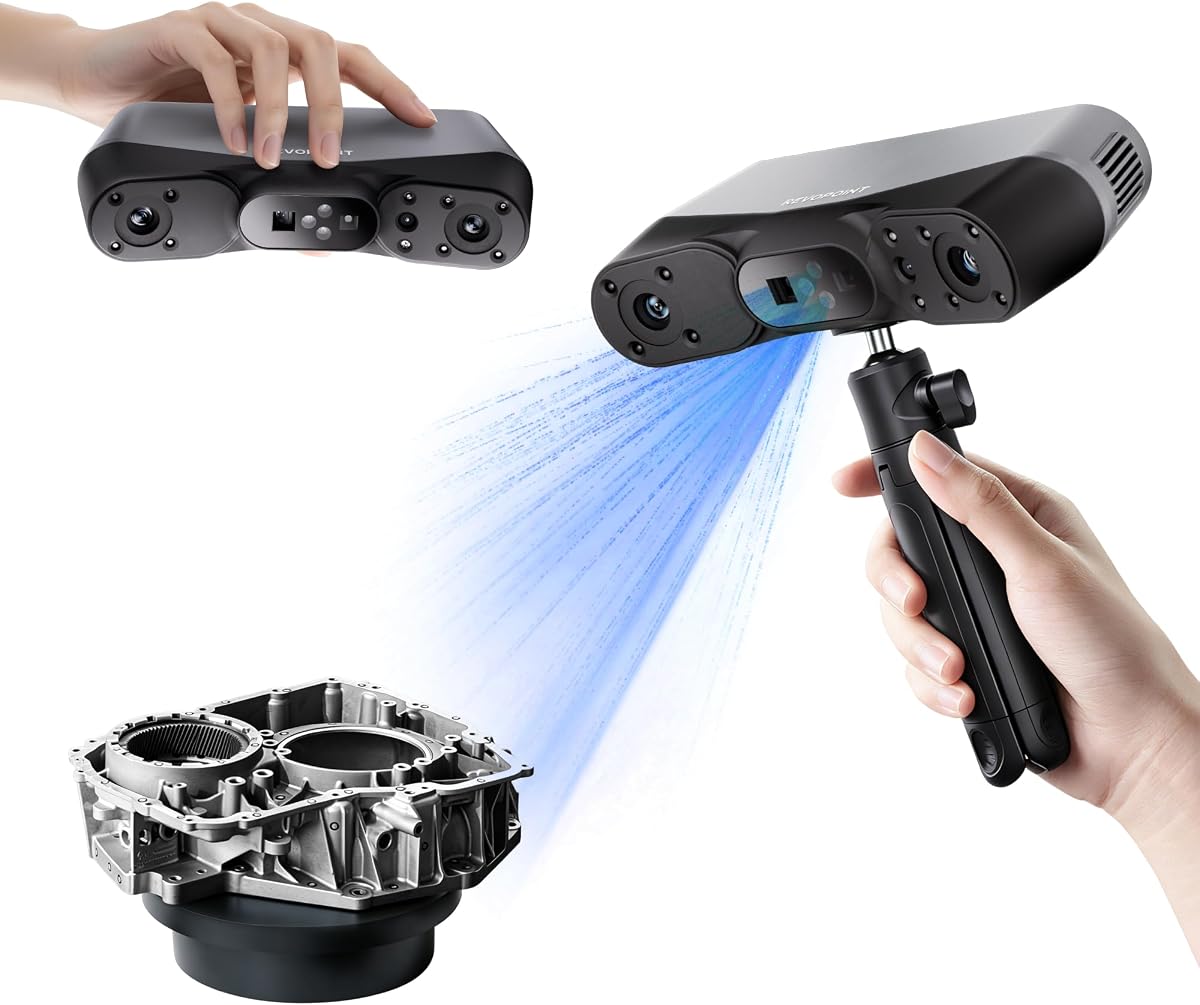


The Creality Pika stands out as the top choice for professionals seeking high accuracy and versatility. With 0.03mm precision and dual-mode scanning, it captures intricate details effortlessly. Its AI-powered body completion feature adds unique value for digital human workflows.
We may earn a commission when you buy through this link, at no additional cost to you.
This device excels in both small part inspection and full-body scanning. The 7-line blue laser ensures fine detail capture, while the NIR structured light handles larger surfaces. Wi-Fi 6 connectivity allows seamless wireless data transfer to your PC.
Although it comes at a higher price point, the build quality and feature set justify the investment. Users should note that advanced software features may require some time to master effectively. Overall it delivers professional results consistently.
Ideal for engineers, artists, and creators needing precise and flexible scanning capabilities. Whether reverse engineering parts or creating digital avatars, the Pika offers unmatched performance. It is the best overall pick for serious 3D scanning needs.
Switch between laser precision and structured light speed depending on your object size and material. This dual capability ensures you get the best data quality without needing multiple devices.
Built-in AI fills holes and generates full-body models from minimal input. These tools significantly reduce manual post-processing time and improve final model quality.
We may earn a commission when you buy through this link, at no additional cost to you.
The POP 4 delivers industrial-grade accuracy suitable for demanding engineering tasks. Its multi-line laser mode reaches up to 105 FPS, ensuring rapid data acquisition. The AI segmentation feature simplifies workflow by isolating objects automatically.
We may earn a commission when you buy through this link, at no additional cost to you.
Outdoor performance is a standout feature with filters allowing scans in bright sunlight. Five distinct scanning modes cater to various surface types and object sizes. This versatility makes it a strong candidate for fieldwork and indoor prototyping alike.
While the hardware is powerful, the software ecosystem is primarily Windows-focused. Users with macOS or Linux setups may face compatibility hurdles. Battery life supports several hours of use but may need recharging for extended sessions.
Choose this model if you need high speed and outdoor reliability. It balances precision with ease of use for most industrial applications. The POP 4 is excellent for professionals needing versatile field tools.
Designed to handle bright sunlight with up to 100,000 lux capability. Filters and VCSEL modes ensure consistent data capture even in challenging lighting conditions.
Automatically identifies targets and filters background noise for cleaner scans. This reduces the need for manual cleanup and speeds up the post-processing workflow significantly.
We may earn a commission when you buy through this link, at no additional cost to you.
The INSPIRE 2 balances performance and cost effectively for general-purpose scanning. Its infrared laser lines handle dark and reflective surfaces without spray. At 190 grams, it remains lightweight for extended handheld use.
We may earn a commission when you buy through this link, at no additional cost to you.
Optical zoom functionality allows focusing on details without moving closer to the object. This feature enhances flexibility during inspection tasks. Wireless streaming provides real-time previews on mobile devices for better control.
While not as precise as blue laser models, it offers great value. Users might need occasional software updates to maintain peak performance. The included accessories like calibration boards add immediate value.
Perfect for hobbyists and small businesses needing portable scanning. It handles mixed geometries well and provides reliable results. Consider this if budget and portability are priority factors.
Adjustable zoom from 1.5x to 2x magnification helps capture fine details on mixed surfaces. This reduces the need for extreme proximity during scanning sessions.
Built-in Wi-Fi 6.0 allows real-time streaming to mobile devices. This enables remote control and blind-spot detection during complex scans.
We may earn a commission when you buy through this link, at no additional cost to you.
The MetroY Ultra offers top-tier precision for industrial measurement and reverse engineering. With 0.01mm single-frame precision, it captures geometric details flawlessly. Blue laser technology ensures high accuracy on challenging surfaces.
We may earn a commission when you buy through this link, at no additional cost to you.
Five versatile scanning modes cover everything from small parts to full industrial components. The ability to scan without spray saves time and protects delicate parts. Wi-Fi 6 enables mobile control and monitoring from any angle.
The high speed requires an NVIDIA GPU for optimal performance, which is a consideration for setup. While costly, the accuracy justifies the expense for quality control teams. It sets a high standard for handheld metrology.
Choose this for critical applications where tolerance matters. It simplifies inspection workflows and delivers consistent results. The MetroY Ultra is the premium choice for professionals needing exact measurements.
Single-frame precision reaches 0.01mm for tight tolerance measurements. Volumetric accuracy ensures consistent results across large volumes.
One-click turntable scanning automates repetitive tasks. Revo Metro software facilitates seamless export to industry-standard formats.
We may earn a commission when you buy through this link, at no additional cost to you.
The MetroX Pro combines industrial precision with flexible tracking options. Blue laser scanning ensures accuracy on reflective or dark surfaces without spray. Its dual-axis turntable automates complex scans efficiently.
We may earn a commission when you buy through this link, at no additional cost to you.
Three tracking modes adapt to different object geometries. Real-time streaming to mobile devices aids in monitoring progress remotely. Revo Metro software provides powerful editing tools directly on the device.
Advanced users may find the setup complex compared to consumer models. Some software features require paid licenses for full CAD integration. Despite this, the accuracy and features meet professional industrial standards.
Ideal for manufacturers needing precise reverse engineering solutions. It bridges the gap between desktop and handheld capabilities. The MetroX Pro is a robust choice for technical users.
One-click automated scanning reduces manual alignment errors. This ensures consistent results for repetitive industrial parts.
Feature and marker tracking adapt to various surface types. Global marker mode enhances accuracy for complex shapes.
We may earn a commission when you buy through this link, at no additional cost to you.
The Fox offers an accessible entry into 3D scanning for hobbyists. At 0.07mm accuracy, it captures details sufficient for most printing needs. JMStudio software handles data processing seamlessly.
We may earn a commission when you buy through this link, at no additional cost to you.
Markerless AI visual tracking prevents interruptions if you move too fast. This feature is crucial for beginners who may struggle with steady hands. The medium-format size suits a range of object sizes.
While it lacks industrial precision, the value is excellent for personal projects. Users should expect occasional calibration checks for best results. It is a great starting point for learning scanning workflows.
Perfect for those on a budget seeking decent quality. It simplifies the learning curve with intuitive tools. The Fox is the top recommendation for casual users.
Software integrates scanning and editing into one seamless process. This reduces the need for external post-processing tools.
AI relocks onto objects instantly after movement. This prevents the need to restart scans due to hand shake.
We may earn a commission when you buy through this link, at no additional cost to you.
The Otter Lite uses a quad-camera design to scan large objects efficiently. 0.05mm accuracy ensures reliable results for printing and prototyping. Its infrared light allows safe full-body scanning.
We may earn a commission when you buy through this link, at no additional cost to you.
True 24-bit color capture creates realistic textures without post-processing. No spray is needed for dark surfaces. The range covers everything from coins to cars, making it highly versatile.
While frame rate is lower than laser models, the large capture area compensates. Users must ensure their system meets software requirements for compatibility. Overall, it offers excellent versatility for general use.
Ideal for users needing to scan large items like vehicles. The color accuracy is a standout for marketing. Choose this for broad scanning capabilities.
Dual focal lengths enable scanning from 0.8 to 78 inches. Large areas finish in minutes rather than hours.
Built-in RGB camera captures vibrant colors in dim environments. This enhances realism for e-commerce and digital archiving.
We may earn a commission when you buy through this link, at no additional cost to you.
The Ferret SE offers basic handheld scanning for hobbyists. Its anti-shake technology improves success rates for beginners. 30FPS speed allows smooth capture of simple objects.
We may earn a commission when you buy through this link, at no additional cost to you.
A 2MP color camera provides decent texture for 3D prints. It handles black metal surfaces without spray. However accuracy is limited compared to higher-end models.
Best for users testing the waters of 3D scanning. Setup is quick with no complex calibration. It is a cost-effective tool for non-critical projects.
Consider this for learning or casual modeling. It provides basic functionality without overwhelming features. The Ferret SE is a starter choice.
One-shot imaging increases success rates during hand movements. This ensures smooth results even with rapid shifts.
Vivid textures are captured with the built-in camera. Models retain original colors without extra steps.
We may earn a commission when you buy through this link, at no additional cost to you.
The Ferret Pro adds wireless capability to the entry-level series. WiFi6 transmission offers faster and more stable data transfer. It supports PC, Mac, and Android devices via bridge.
We may earn a commission when you buy through this link, at no additional cost to you.
Accuracy remains at 0.1mm, suitable for general modeling. The anti-shake tracking ensures smooth scanning for beginners. It bridges the gap between wired and wireless options.
Best for mobile use cases where cables are impractical. Users should note that high precision tasks are better suited for other devices. It remains a strong entry-level wireless solution.
Ideal for on-the-go scanning tasks. Connectivity is seamless across platforms. Choose this for convenience over extreme precision.
WiFi6 bridge enables 3x faster transmission than WiFi5. Stable connections ensure efficient data transfer during scans.
Supports Windows, Mac, and Android for versatile setups. This flexibility allows broader device integration.
We may earn a commission when you buy through this link, at no additional cost to you.
The MIRACO Plus combines scanning, processing, and storage in one unit. With 32GB RAM and a dedicated screen, it processes scans instantly. The photogrammetric kit enhances measurement accuracy.
We may earn a commission when you buy through this link, at no additional cost to you.
It features quad depth cameras for diverse sizes. High-quality color capture creates lifelike models. Fast charging ensures extended field usage without power issues.
While heavier than typical handhelds, it removes PC dependency. The built-in software simplifies the workflow significantly. This all-in-one approach is unique in the market.
Best for professionals needing field independence. It handles complex projects without extra hardware. The MIRACO Plus is a comprehensive professional solution.
Integrated kit provides length accuracy and scale. This is rare for standalone handheld units.
8-core processor and 32GB RAM handle large point clouds. Immediate results are available without PC transfer.
We may earn a commission when you buy through this link, at no additional cost to you.
Selecting the right scanner requires balancing accuracy, speed, and budget. This guide outlines key factors to ensure you choose a device that meets your specific project needs effectively.
Accuracy determines how closely the digital model matches the real object. For industrial reverse engineering, look for sub-0.1mm accuracy. Hobbyist models typically range from 0.1mm to 0.2mm which suffices for general printing.
Prioritize high precision if you need tight tolerances for parts assembly or quality control.
Faster frame rates reduce total scanning time and improve workflow efficiency. Look for 30 FPS or higher for smooth capture. Some high-end units exceed 100 FPS for rapid fieldwork.
Higher speeds are essential for large objects or dynamic subjects to prevent data gaps.
Blue laser offers best accuracy on dark surfaces. Structured light is faster but struggles with shiny textures. Photogrammetry helps with large-scale objects by measuring distances between markers.
Choose laser for precision and structured light for speed and color fidelity.
Software quality is just as important as hardware. Ensure the device offers robust post-processing tools for mesh repair and export. Compatibility with your OS is critical for seamless integration.
Look for solutions that support STL and OBJ formats for universal use.
If you plan to scan in the field, check battery life and weight. Handheld units under 500g are easier to manage. Wireless connectivity adds flexibility but consumes more power.
Prioritize devices with long-lasting batteries and lightweight chassis for field use.
Many scanners fail in bright sunlight. Look for models rated for high lux environments if outdoor use is needed. Filters or specialized modes can mitigate light interference.
Ensure your scanner can handle ambient light levels where you typically work.
Dark and shiny surfaces require special handling like spray or laser modes. Some units handle these directly without preparation. Check if the scanner supports multi-mode scanning.
Opt for models that reduce prep work for complex surface materials.
Consider hidden costs like accessories and software licenses. Professional software may cost extra. Entry-level units are cheaper but lack advanced features.
Balance upfront price with long-term value to stay within budget.
Before scanning, clean your object and calibration board thoroughly. Proper preparation ensures accurate data capture and prevents errors. Always check software updates to maintain performance.
During scanning, maintain a consistent distance and lighting. Avoid moving too quickly to prevent tracking loss. Use turntables for symmetry when possible to simplify alignment.
Store your scanner in a dry case to protect optics. Regularly clean lenses with soft cloths. Calibrate monthly to ensure continued accuracy and reliability.
For beginners, we recommend models like the 3DMakerpro Fox or Creality Ferret SE. These devices offer user-friendly software and decent accuracy without overwhelming complexity. They allow you to learn scanning basics affordably.
Standard scanners struggle with reflections. However, advanced units like the Creality Pika or Revopoint MetroX Pro use laser modes to handle dark and metallic surfaces without spray. Always check specific capabilities before buying.
High-end scanners processing large datasets benefit from 16GB RAM and a GPU. Budget models often work fine with standard laptops. If you use all-in-one units, the device handles processing internally.
Most units export STL, OBJ, PLY, and ASC formats. These are standard for 3D printing and CAD software. Ensure your workflow supports these formats for easy integration.
Handheld scanners can match industrial accuracy of 0.1mm or better. However, large industrial systems provide higher consistency for mass production. Handhelds offer the best balance of mobility and precision.
Scan duration depends on object size and speed. Small figurines take minutes, while large assemblies may take hours. High frame rates significantly reduce this time. Efficient workflow planning helps speed up tasks.
We reviewed ten top models from Creality and Revopoint. The Creality Pika leads with precision and AI features. The 3DMakerpro Fox offers excellent value for entry-level users.
Your decision should depend on your specific accuracy and portability needs. Industrial applications require laser precision while hobbyists benefit from ease of use. Choose a device that fits your workflow complexity.
Always verify current listings before buying as prices change frequently. Investing in the right tool ensures long-term satisfaction and project success. We hope this guide helps you find the perfect scanner.