
Sonnet Breakaway Box 850 T5
4.5Editor score
850W power supply
Built-in Thunderbolt 5 dock
Triple-wide GPU support
Variable-speed cooling fan
This guide compares the top eGPU enclosures for Thunderbolt and USB4 laptops, covering performance, power supply options, and connectivity features for gamers
External GPU enclosures transform lightweight laptops into powerful desktop workstations by connecting discrete graphics cards via high-speed ports. They are essential for creators needing rendering power and gamers seeking high frame rates without sacrificing portability.
We evaluated ten leading models based on bandwidth, power supply capacity, thermal management, and build quality. Each selection offers unique advantages for different workflows, from compact handheld setups to full-sized workstation builds.
Every pick highlights specific strengths like AI integration, multi-display support, or budget-friendly designs. Keep in mind that availability and pricing fluctuate frequently, so verify current stock before making your final decision today.
4.5Editor score

4.0Editor score
5.0Editor score
The following table provides a side-by-side comparison of all ten eGPU enclosures, detailing their power supply wattage, interface standards, and physical compatibility to help you find the perfect match.


The Razer Core X V2 stands out as the most future-proof enclosure for Thunderbolt 5 systems. It delivers an impressive 80Gbps of bandwidth which nearly doubles what older Thunderbolt 4 setups offer for your GPU.
We may earn a commission when you buy through this link, at no additional cost to you.
Its design supports up to 4-slot wide cards allowing you to install the most powerful desktop graphics cards without worrying about physical constraints. The included cooling fan ramps up automatically to keep performance stable during heavy gaming.
While it does not support M1 Macs, this enclosure is perfect for Windows users who need a reliable way to upgrade their laptop graphics. The tool-free installation makes swapping GPUs easier than ever before.
If you want a powerful setup that will last for years, this enclosure is the top recommendation. It balances speed, size, and flexibility better than most competitors currently available on the market.
The 80Gbps Thunderbolt 5 connection ensures that high-resolution gaming suffers minimal performance loss compared to a desktop connection.
Installing your graphics card requires no screws and you can quickly swap components using the included thumbscrews for easy access.
We may earn a commission when you buy through this link, at no additional cost to you.
This enclosure from Sonnet is designed for professionals who need reliable power and extra connectivity for their laptops. It features a built-in Thunderbolt 5 dock that adds USB ports and Ethernet directly to the chassis.
We may earn a commission when you buy through this link, at no additional cost to you.
The 850W power supply is one of the strongest in its class ensuring that even the most power-hungry GPUs run without issue. It also supports triple-wide cards which many competitors cannot accommodate.
While it is a premium option, the added functionality of the dock means you do not need separate hubs for your peripherals. This streamlines your workspace significantly when working from home or traveling.
If you need maximum power and extra ports in one unit, this is the best choice available. It offers a professional grade solution for creatives and power users who demand stability and speed.
Beyond just the GPU, the dock includes USB ports and Ethernet so you can connect all your peripherals through one cable.
The 850W supply supports tomorrow power power-hungry graphics cards so your system stays ready for future hardware upgrades.
We may earn a commission when you buy through this link, at no additional cost to you.
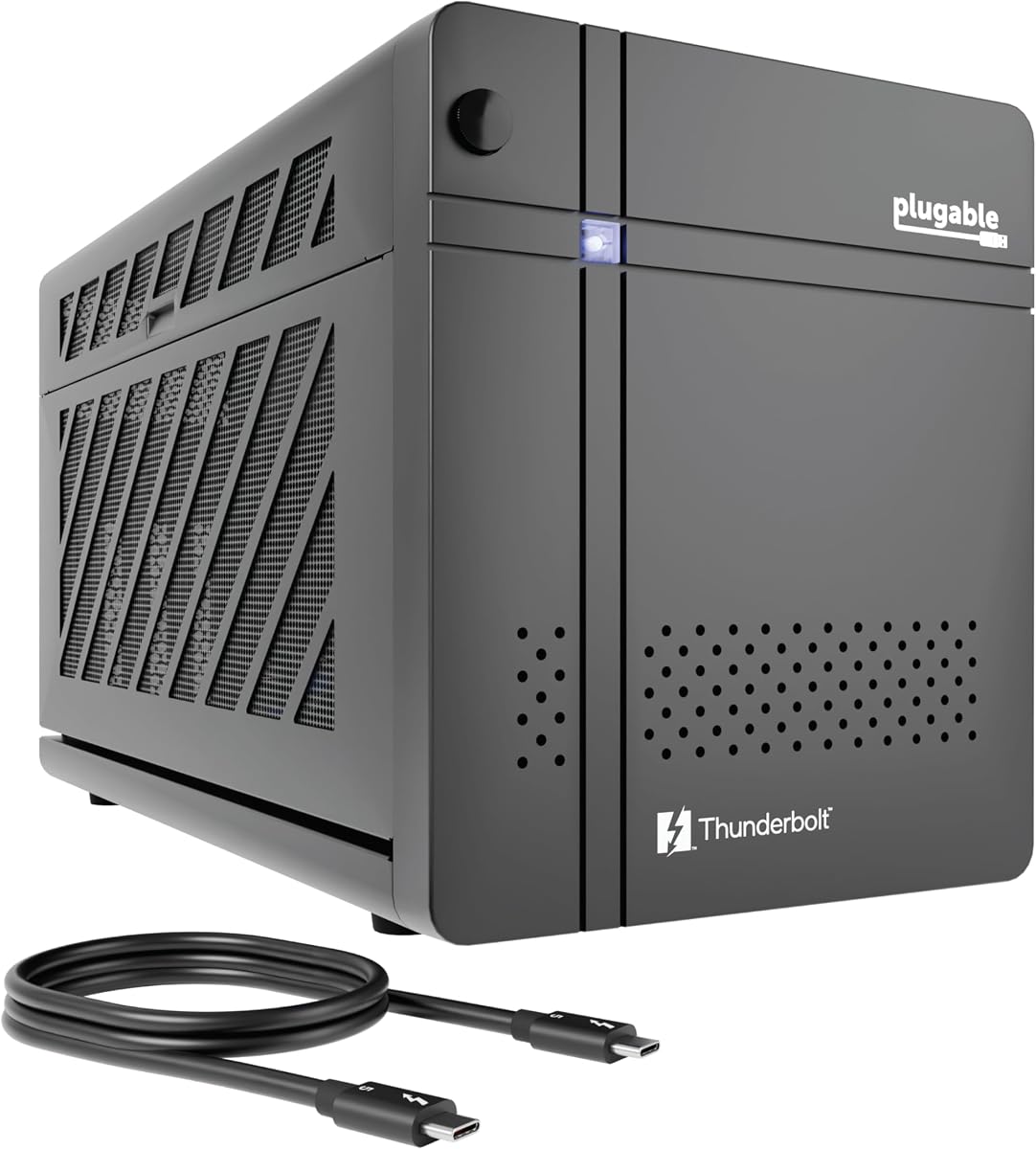
The Plugable Thunderbolt 5 AI enclosure is unique because it is built specifically for running local AI models securely. It allows you to keep your data private by processing everything locally without sending it to the cloud.
We may earn a commission when you buy through this link, at no additional cost to you.
It comes with an 850W power supply and high-speed connectivity that handles large language models and other demanding AI tasks efficiently. The lifetime support from a North American team adds significant value for business users.
While it is labeled for AI, it works equally well for standard gaming and creative tasks thanks to its robust power and bandwidth. The privacy focus makes it ideal for businesses concerned with data security.
For anyone looking to run AI tools locally or needing robust business support, this enclosure is a top pick. It balances high performance with strong privacy features that few other products offer.
This setup ensures your sensitive prompts and data never leave your perimeter keeping your work secure from cloud risks.
Plugable provides lifetime support from experts ensuring you can resolve any technical issues quickly and easily.
We may earn a commission when you buy through this link, at no additional cost to you.
This enclosure is ideal for users who want a complete kit ready to use right out of the box. It includes the power supply, cable, and even a carrying case to make transport easy.
We may earn a commission when you buy through this link, at no additional cost to you.
The aluminum shell is lightweight yet robust protecting your graphics card while adding a premium feel to the setup. It supports a 85W charging speed keeping your laptop powered while using the GPU.
Keep in mind that it only supports GPUs up to 205mm in length which limits the choice of graphics cards you can install. However, it works well for mid-range cards that do not require massive power.
If you need a portable solution with everything included, this is a strong option. It is perfect for students or travelers who need extra graphics power without carrying a heavy desktop tower.
Everything you need is in the box including the power supply and a custom case so you can set up immediately.
The 85W PD charging ensures your laptop battery stays full while you use the external GPU for heavy tasks.
We may earn a commission when you buy through this link, at no additional cost to you.
This mini enclosure is designed to be flexible with power solutions allowing you to choose between ATX SFX or DC supplies based on your needs. It is particularly well suited for handheld gaming consoles like the ROG Ally X.
We may earn a commission when you buy through this link, at no additional cost to you.
It offers 40Gbps bandwidth which is sufficient for most current gaming needs while being compatible with Windows Mac and Linux systems. The dual Thunderbolt ports allow you to chain other devices if needed.
The pass-through charging feature is great for handhelds ensuring that your device does not lose power while connected. This makes it a practical choice for mobile gamers who want better graphics performance.
If you use a handheld console or need a small form factor enclosure, this is a solid choice. It provides the flexibility to adapt to different power setups and hardware preferences easily.
Specifically optimized for devices like the ROG Ally X enabling turbo modes and seamless connectivity.
Supports multiple power supply standards so you can use what you already have or buy a specific compact unit.
We may earn a commission when you buy through this link, at no additional cost to you.
This model uses an official Intel controller to ensure stable data transfer with your laptop. It is unique in that it offers support for TinyGPU allowing limited AI deep learning on Apple Silicon Macs.
We may earn a commission when you buy through this link, at no additional cost to you.
The dual Thunderbolt ports provide flexibility for connecting other devices while charging your laptop at 85W. The PCB is built with high-grade materials to resist oxidation over time.
While the AI support is not for gaming it is a useful feature for developers looking to experiment with local models on Mac hardware. For standard users it functions as a reliable eGPU dock.
If you need a compatible unit that supports Mac AI workflows or has strong build quality, this is worth considering. It offers a balance of stability and unique features for developers.
Enables running LLM models on Apple Silicon using TinyGPU for specialized development tasks.
High-grade PCB materials ensure the device stays protected from oxidation and maintains conductivity long-term.
We may earn a commission when you buy through this link, at no additional cost to you.
The 750ex model is a classic choice that offers proven reliability for users who do not need the latest Thunderbolt 5 speeds. It supports both Mac and Windows systems making it versatile for mixed environments.
We may earn a commission when you buy through this link, at no additional cost to you.
It includes a 750W power supply and a Gigabit Ethernet port for wired network connectivity. The design handles a wide range of GPUs from AMD and NVIDIA effectively.
While it uses Thunderbolt 3 the bandwidth is still sufficient for most gaming and creative tasks. It is a solid option for users looking for a trusted brand with good support.
If you have a Thunderbolt 3 laptop or want a reliable enclosure from a reputable brand, this is a great fit. It delivers consistent performance for everyday professional and gaming use.
Sonnet has a long history of reliable eGPU solutions ensuring a stable connection for your graphics card.
This enclosure works seamlessly with both Mac and Windows laptops giving you flexibility in your setup.
We may earn a commission when you buy through this link, at no additional cost to you.
This mini enclosure is designed for users who want a compact solution to add graphics power to their laptop. It offers basic downstream ports to help you connect additional peripherals easily.
We may earn a commission when you buy through this link, at no additional cost to you.
It is compatible with multiple power supply types giving you flexibility in how you power your GPU. The 40Gbps bandwidth is standard for current Thunderbolt 3 and 4 systems.
Note that it requires some DIY knowledge to set up including selecting the right power supply. If you are comfortable with hardware setup this is a cost-effective way to add a GPU.
For users seeking a small and flexible option without extra bloat, this enclosure works well. It focuses on the core function of connecting a GPU while keeping size manageable.
The small design fits easily into a backpack making it great for users who move frequently between locations.
You can choose SFX ATX or DC power supplies based on what you prefer or already own.
We may earn a commission when you buy through this link, at no additional cost to you.
This enclosure stands out by offering both USB4 V2 and OCuLink modes for different performance needs. It includes a built-in M.2 slot so you can store projects directly on the dock.
We may earn a commission when you buy through this link, at no additional cost to you.
The ability to switch between docking and pure GPU modes gives you flexibility based on what you are doing. The signal booster helps minimize latency during high bandwidth tasks like AI inference.
While it requires specific host support the high speeds and extra storage make it a powerful tool for professionals. The single-cable workflow ensures your desk stays organized.
If you need extra storage on your dock and want interface flexibility, this is a top contender. It balances advanced features with practical workflow improvements.
Switch instantly between docking and pure GPU performance modes depending on your current task needs.
The built-in M.2 NVMe slot lets you store AI models and projects directly on the dock for easy access.
We may earn a commission when you buy through this link, at no additional cost to you.
This complete kit offers everything you need to get started with an external GPU setup immediately. It includes the power supply and a custom carrying case which is great for travel.
We may earn a commission when you buy through this link, at no additional cost to you.
The aluminum shell is robust yet lightweight providing good protection for your card during transport. It supports 85W PD charging keeping your laptop battery topped up during use.
While the PSU is not the highest wattage it is sufficient for many mid-range graphics cards. This makes it a strong value option for those on a budget who want portability.
If you want an all-in-one solution that is easy to carry, this is a great pick. It simplifies the setup process and is ideal for users who move between locations frequently.
Everything comes in the box including power supply and case so you can start using it right away.
The custom carrying case keeps your setup safe making it easy to take your graphics power anywhere.
We may earn a commission when you buy through this link, at no additional cost to you.
Choosing the right enclosure requires looking at several factors beyond just the name. This guide breaks down the key specs to help you make a smart decision.
The interface you use determines how much data can pass between your GPU and laptop. Thunderbolt 5 offers 80Gbps which is double the speed of Thunderbolt 4. This bandwidth reduces bottlenecks and ensures your GPU runs at near desktop speeds.
Check your laptop port before buying. If you have USB4 or Thunderbolt 3 make sure the enclosure supports those speeds for best compatibility.
Modern GPUs can require significant power and your enclosure must be able to provide it. Look for an internal or external PSU that meets or exceeds the power needs of your chosen graphics card. Higher wattage like 850W future proofs your setup.
Always calculate the wattage your GPU needs plus a safety margin. This prevents sudden shutdowns and extends the life of your equipment.
Graphics cards come in many sizes and not all fit into every enclosure. Measure the length width and thickness of your card against the enclosures limits. Some models only fit single or double slot cards while others take triple or quad slot models.
Check the manufacturer specs carefully. Buying a card that is too large can cause physical fit issues that you cannot easily fix later.
Most laptops need charging while in use and many enclosures offer Power Delivery through the same cable. Look for models that support at least 65W charging but 85W or 100W is better for performance laptops.
This feature means you only need one cable connecting your laptop and the enclosure. It keeps your desk clean and simplifies your workflow.
High performance generates heat and the enclosure needs to dissipate it effectively. Fans that ramp up during heavy loads help maintain stable performance. Airflow design and material quality also play a role in how well the GPU stays cool.
Active cooling is usually better than passive options. It prevents thermal throttling which can slow down your games or creative tasks.
Not all systems work with all enclosures. Mac users with M1 or later chips often face compatibility issues while Windows systems generally have broad support. Always verify OS requirements before purchase.
Some models are specifically optimized for Linux or gaming handhelds. Knowing your exact device model ensures you pick a compatible unit.
Many enclosures double as docks offering extra USB Ethernet or Thunderbolt ports. These allow you to connect multiple devices without a separate hub. It adds value by consolidating your peripherals into one unit.
If you need extra connectivity check how many ports are available on the back of the enclosure. More ports mean more flexibility for your setup.
Materials like aluminum or steel provide better durability and protection. Look for robust construction that can withstand transport if you plan to move the unit. Quality builds also handle heat dissipation more efficiently.
Check reviews for durability feedback. A sturdy case protects your expensive GPU from damage and keeps the enclosure looking good over time.
Start by installing your GPU into the enclosure before connecting it to your laptop. Most modern enclosures allow tool-free installation so you can simply slide the card in and secure it with thumbscrews. Ensure the power cables from the PSU are firmly connected to the card.
Connect the Thunderbolt or USB4 cable between the enclosure and your laptop. Make sure you plug it into the correct port that supports the protocol required for the unit. Once connected turn on the enclosure and let your system detect the new hardware.
Keep the enclosure in a well ventilated area to prevent overheating. Avoid covering the vents or placing the unit inside a tight cabinet. Periodically check the fans to ensure they are spinning freely and clean any dust that might clog the air intake.
You can use most desktop NVIDIA and AMD cards but size and power requirements limit choices. Always check the enclosure limits for length and wattage before buying a card. Some models only fit smaller dual slot cards.
Mac support is limited especially for Apple Silicon chips like M1 or later. Most newer models focus on Windows compatibility so verify system specs before purchasing. Older Macs may work better with Thunderbolt 3 options.
Not all models include a power supply so check the product details carefully. Some come with a full unit while others require you to buy one separately. Ensure the PSU wattage meets your GPU needs.
Thunderbolt 5 provides higher bandwidth at 80Gbps compared to 40Gbps on Thunderbolt 4. This extra speed reduces bottlenecks and improves performance with high end GPUs. Check if your laptop supports Thunderbolt 5 before buying.
Most modern enclosures support Linux but driver installation can be more complex than on Windows. Check the product support pages to confirm Linux compatibility and driver availability for your version.
Place the unit in an open area with good airflow. Do not block the intake or exhaust vents on the chassis. If you notice heat issues clean the fans and check that they are operating correctly.
The Razer Core X V2 leads our list for its balance of speed and flexibility while the Sonnet Breakaway Box 850 T5 offers premium power for professionals. The Plugable Thunderbolt 5 AI eGPU stands out for privacy focused local workflows.
Your choice depends on your specific needs such as bandwidth speed power supply size or portability. Consider your laptop specs and the graphics card you plan to use to ensure everything fits and works well.
Prices and stock change frequently so check current availability before making your final decision. These units offer a great way to boost graphics performance and extend the life of your laptop for years to come.