
Power Strips with Surge Protection
4.8Editor score
16-in-1 charging station
Flat plug ultra slim design
4 smart USB ports included
Compare the top 10 desk mounted outlet towers for power and charging needs. This guide reviews features, safety, and design to help you choose the right model.
Desk mounted outlet towers organize power needs by stacking outlets vertically. They save space on desks and nightstands while keeping cords tidy and accessible for all devices.
We compared ten real products based on port count, safety features, cord length, and user ratings. Each model offers unique benefits for home offices, dorms, or living rooms.
This guide shows ratings, specs, and key features for every pick. Prices change frequently, so check current offers before buying to ensure you get the best deal available.
4.8Editor score

4.8Editor score

5.0Editor score
The following table compares all ten products side by side. Check each model's ports, safety rating, and design features to find the best fit for your setup.




The TenTrend Power Strip Tower is a versatile 14-in-1 charging station rated 4.5 stars. It combines six AC outlets with eight USB ports to power multiple devices efficiently.
We may earn a commission when you buy through this link, at no additional cost to you.
It delivers up to 230W total charging with two 65W USB-C ports for laptops. Overcurrent and overvoltage protection keep electronics safe during daily use.
The flat plug design avoids blocking neighbors while the 5FT cord offers flexibility. However, the plastic build is less premium than metal alternatives.
Choose this tower if you need high port density at a budget-friendly cost for home or dorm setups.
With 14 outlets total, this tower replaces multiple adapters on crowded desks.
Two 65W USB-C ports charge most laptops quickly without extra bricks.
We may earn a commission when you buy through this link, at no additional cost to you.
This retractable tower earns a perfect 5.0 rating for its innovative auto-rewind cord system. It keeps extension cords tidy and prevents tripping hazards on floors.
We may earn a commission when you buy through this link, at no additional cost to you.
The surge protector guards devices with 320 joules of protection. Its mountable feet allow secure installation on walls or under desks to save floor space.
While it offers fewer ports, the retractable design justifies the premium price for organized spaces. The stable cube body resists tipping easily.
Ideal for users prioritizing cable management and sleek design over maximum port count.
Pull only needed length and let it rewind automatically to avoid mess.
Use the included feet to fix the tower to walls or workbenches.
We may earn a commission when you buy through this link, at no additional cost to you.
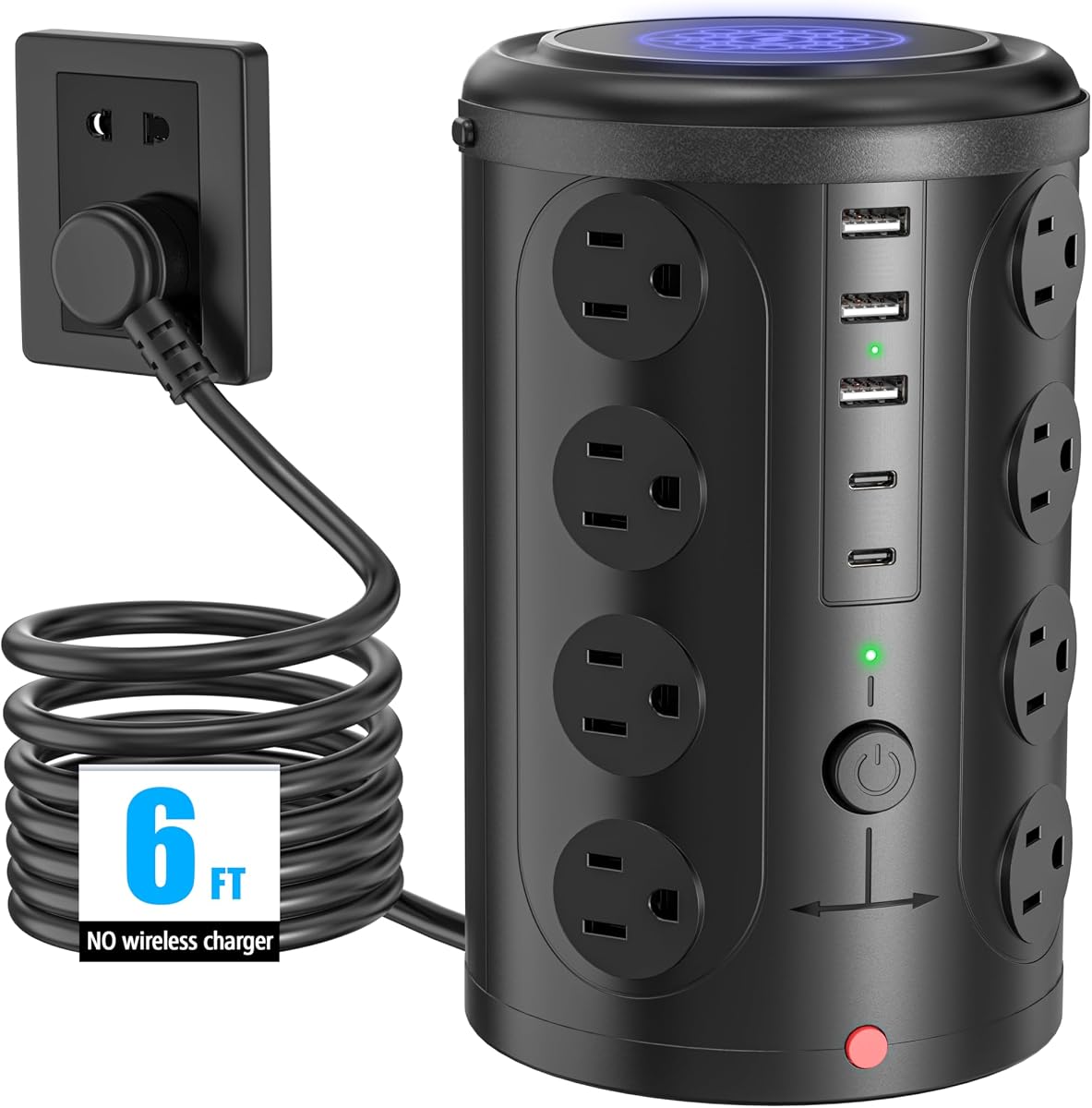
The SMALLRT Power Strip Tower offers 16-in-1 charging capability at a competitive price. It includes 12 AC outlets and 4 USB ports for versatile device support.
We may earn a commission when you buy through this link, at no additional cost to you.
Four separated switches let you control power zones individually to save energy. Overload protection cuts power automatically if irregularities occur for safety.
Its 6.5FT cord provides excellent reach across rooms. The vertical shape helps large power supplies fit better than horizontal strips.
Best for students and families needing many outlets without overspending on features.
Use 4 switches to turn off unused devices without unplugging.
The 6.5FT length reaches outlets behind furniture easily.
We may earn a commission when you buy through this link, at no additional cost to you.
Anker Nano Power Strip mounts directly to desks using an adjustable clamp. This frees up surface space while keeping outlets accessible for laptops and phones.
We may earn a commission when you buy through this link, at no additional cost to you.
It delivers 70W via USB-C for fast laptop charging. The dual-zone layout separates AC and USB ports to reduce cable mess effectively.
The clamp fits most desk edges up to 1.8 inches thick. While costly, the build quality and safety features justify the investment.
Recommended for professionals wanting a clutter-free workspace with reliable charging.
Clamp it to the desk edge to save valuable table space.
70W USB-C output charges most laptops without a separate brick.
We may earn a commission when you buy through this link, at no additional cost to you.
This tower uses smart USB technology to deliver optimal charging speeds automatically. It powers 16 devices with 12 AC outlets and 4 USB ports.
We may earn a commission when you buy through this link, at no additional cost to you.
The pure copper cord ensures durable energy transfer over time. A flame retardant shell adds safety against overheating during extended use.
Overload protection cuts power to prevent damage. The anti-slip base keeps it steady on smooth desks.
Good for tech users needing reliable USB charging without manual adjustments.
Built-in chips detect devices to optimize charging speeds safely.
Pure copper wiring inside resists wear better than aluminum.
We may earn a commission when you buy through this link, at no additional cost to you.
This surge protector features wide spaced outlets to fit large power bricks easily. It handles up to 1875W while offering 16 AC outlets and 5 USB ports.
We may earn a commission when you buy through this link, at no additional cost to you.
Lightning protection guards devices during storms or outages. The vertical tower minimizes floor space use while keeping ports accessible.
While simple, its capacity suits high-demand setups. It comes with a standard warranty for quality assurance.
Choose for offices with many bulky adapters needing reliable surge protection.
Extra space between outlets prevents bulky adapters from blocking neighbors.
1875W rating supports heavy loads like desktops and monitors.
We may earn a commission when you buy through this link, at no additional cost to you.
TESSAN Tower Power Strip uses a 0.31 inch flat plug to fit tight spots. Its 45-degree design allows outlets below without blocking them.
We may earn a commission when you buy through this link, at no additional cost to you.
It offers 11 AC outlets and 3 USB ports for 14 devices total. The grey tower saves space while keeping cords organized.
Rubber feet prevent sliding on floors. Overload protection ensures safety during spikes.
Perfect for apartments with limited wall outlet access.
Sits flush against walls for hidden placement behind furniture.
Creates extra space for adjacent outlets on the wall.
We may earn a commission when you buy through this link, at no additional cost to you.
VILONG offers a dual-layer design to stack outlets vertically. Its clamp-on mount holds securely on desks up to 1.6 inches thick.
We may earn a commission when you buy through this link, at no additional cost to you.
It includes 10 AC outlets and 3 USB ports. The fire-resistant shell adds safety during overloads.
Installation requires twisting the clamp, no drilling needed. A 6FT cord provides reach.
Great for shared workspaces needing extra outlets without taking floor space.
Stack outlets vertically to minimize footprint on your desk.
Simply clamp and twist to secure without extra tools.
We may earn a commission when you buy through this link, at no additional cost to you.
This tower supports fast charging with USB-C outputs up to 3.4A. It delivers 1800J surge protection for reliable device safety during power spikes.
We may earn a commission when you buy through this link, at no additional cost to you.
12 AC outlets offer ample spacing. A flat plug ensures wall fit without blocking neighbors.
The compact tower saves space. Rubber feet keep it stable on smooth surfaces.
Recommended for users needing quick USB charging and strong surge protection.
USB-C ports charge devices faster than standard 5W adapters.
1800J protection defends against high-energy voltage spikes.
We may earn a commission when you buy through this link, at no additional cost to you.
This tower delivers 16-in-1 power at a low cost. It includes 12 AC outlets and 4 USB ports for versatile charging needs.
We may earn a commission when you buy through this link, at no additional cost to you.
Overload protection with circuit breaker ensures safety. The braided cord resists tangles and adds a decorative touch.
Wide spacing fits multiple adapters. A flat plug fits tight spaces.
Top choice for budget buyers needing many outlets for home use.
Fabric braiding protects the cord and looks better than plastic.
Space between outlets lets you plug in bulky power adapters.
We may earn a commission when you buy through this link, at no additional cost to you.
Selecting the right tower requires balancing port count, safety features, and size. This guide covers the key factors to consider for any setup.
Check how many AC outlets and USB ports the tower offers. Ensure USB-C supports fast charging for laptops or phones.
Look for at least 6 AC outlets and 2 USB ports for general home use.
Surge protection measured in joules guards devices from power spikes. Higher ratings mean better safety during storms or outages.
Choose a tower with at least 1000 joules for sensitive electronics.
Cord length determines where you can place the tower relative to wall outlets. Flat plugs fit better in tight spaces.
Select 5 to 6 feet for flexibility and a flat plug to avoid blocking neighbors.
Some towers come with clamps or mountable feet for wall or under-desk use. This saves valuable desk surface space.
Opt for clamp models if you want to free up table area.
Look for overload, short-circuit, and over-heat protection. These features prevent fires or damage during voltage irregularities.
Ensure the tower has built-in circuit breakers for automatic cutoffs.
Fire-resistant plastics like PC or ABS reduce risk. Metal shells may offer better durability but cost more.
Prioritize fire-retardant shells for long-term safety in any room.
Wide spacing allows bulky power adapters to fit without blocking other outlets. Vertical designs help large bricks fit better.
Check images to confirm outlets won't block each other in your setup.
High user ratings indicate reliable performance and customer satisfaction. Read reviews for real-world issues like cord strength.
Pick models with 4.5 stars or higher from verified buyers.
Place the tower on a stable surface away from water or heat sources. Plug it into a wall outlet before connecting your devices.
Avoid overloading the tower by checking total wattage limits. Distribute devices evenly across ports to prevent tripping breakers.
Regularly inspect cords for fraying. Unplug the tower during storms to maximize surge protection longevity.
Yes, many towers include enhanced surge protection and fire-resistant shells. They also organize cords to reduce clutter risks that can cause overheating.
Most towers are approved for dorms if they meet fire safety standards. Check your housing rules regarding power strip types.
Some models offer 65W to 70W USB-C outputs suitable for laptops. Confirm wattage specs match your device requirements before buying.
Flat plugs sit flush against walls so you can use adjacent outlets without blocking them. This helps in tight corners.
Combine two towers with different circuits to avoid overloading one wall outlet. Check total circuit breaker capacity in your room.
Yes, if the model has clamps or mountable feet. Standard towers may need separate adhesive mounts for under-desk use.
Surge protectors lose effectiveness over time after absorbing hits. Check indicator lights or replace every few years for safety.
Most towers offer 5 to 6 feet which reaches most wall outlets. Measure your distance before ordering to ensure fit.
The Anker Nano and Uncaged Ergonomics towers lead with premium features like clamps and retractable cords. TenTrend offers the best value with high port counts.
Prioritize surge protection ratings and USB-C speeds if you use expensive electronics. Safety should always come before saving money.
Check current prices and warranties before finalizing your purchase. Prices fluctuate, so compare deals to secure the best offer.