
Amazon Fire HD 8 tablet
4.5Editor score
Affordable price with long battery
Alexa voice control support
Lightweight design for portability
Finding the right device can be challenging for older adults who want to stay connected without frustration. A good tablet for seniors needs large icons, simple navigation, and reliable support to make technology accessible and enjoyable for daily use.
We evaluated ten leading models based on interface design, display quality, battery life, and connectivity options. Our comparison highlights devices that prioritize ease of use while offering the features needed for video calls, photos, and entertainment.
Each pick below shows specific strengths and potential limitations to help you choose the best fit. Prices and availability change frequently, so verify current details before purchasing to ensure you get the latest model and best support available.
4.5Editor score

4.2Editor score
4.7Editor score
As an Amazon Associate we earn from qualifying purchases.
The following table provides a side-by-side comparison of all ten tablets to help you quickly identify key specifications and features that matter most for senior users seeking simplicity and reliability.




The GrandPad is designed specifically for seniors who need a secure way to stay connected. It ranks as our top choice because it combines a tablet and phone with a private network that blocks spam and scams, offering peace of mind for users and families.
We may earn a commission when you buy through this link, at no additional cost to you.
Its interface features large icons and simple navigation that reduce confusion. Family members can download companion apps to share photos and videos securely. The device includes curated apps for music and games, keeping users engaged without overwhelming them with options.
The main trade-off is the requirement for a subscription plan, which adds to the cost over time. However, the plan includes all curated apps and the secure network, making the setup hassle-free for those who prefer not to manage complex settings.
This tablet is ideal for seniors who prioritize safety and ease of use over customization. If you want a device that works out of the box with minimal setup and strong protection against online threats, the GrandPad is the recommended choice.
The private network blocks spam and scams automatically, which is a critical feature for seniors vulnerable to online fraud. This ensures safe browsing and communication without requiring technical knowledge from the user.
Companion apps for Android and iOS allow family members to share photos and videos securely. This simplifies the process of staying connected, as seniors can view shared content directly on the tablet without needing complex apps.
We may earn a commission when you buy through this link, at no additional cost to you.
The Pix Star Touch tablet focuses on simplicity with an interface designed for beginners. It allows seniors to navigate email, internet, and photos easily by highlighting important buttons. This approach reduces the learning curve for new users.
We may earn a commission when you buy through this link, at no additional cost to you.
Key strengths include a zoom feature to enlarge the interface as needed and support for installing many applications via the Google Play Store. The tablet has two cameras for video calls and photo sharing, making it a versatile tool for staying in touch.
One limitation is that it relies on WiFi only, which restricts mobility compared to cellular options. The lower user rating suggests potential issues with performance or support, so it is best for users who prioritize simplicity over advanced features.
This device suits seniors who want a basic, affordable option for photos and video calls. If you need a simple tool for family sharing without complex features, the Pix Star Touch is worth considering for its straightforward design.
The clever zoom feature allows users to enlarge or reduce the interface as needed. This helps those with vision impairments read text and see buttons more clearly without requiring external magnification tools.
Photos taken with the cameras are automatically stored and can be shared with just a few clicks. This removes the complexity of managing files, making it easy to share memories with friends and family instantly.
We may earn a commission when you buy through this link, at no additional cost to you.
The Amazon Fire HD 10 offers a large, vibrant display that is perfect for streaming shows and reading. Its performance is 25% faster than previous generations, ensuring smooth navigation for seniors who want to enjoy media without lag.
We may earn a commission when you buy through this link, at no additional cost to you.
The 13-hour battery life is excellent for users who travel or use the device for extended periods. Alexa support allows for voice commands to read books, make video calls, or control smart home devices, adding convenience for those with limited mobility.
While the app ecosystem is focused on Amazon services, it covers most needs like streaming and reading. The expandable storage allows users to add more space for photos and files, but the stylus is sold separately if you want to write notes.
This tablet is ideal for seniors who prioritize entertainment and display quality. If you want a reliable device for watching content and reading with the convenience of voice commands, the Fire HD 10 is a strong choice.
With up to 13 hours of battery life, users can watch videos, read, or game without frequent charging. This is especially useful for seniors who may forget to charge devices daily or use them while away from home.
Alexa allows users to ask for recipes, jokes, or to control smart home devices using voice commands. This hands-free interaction simplifies tasks and makes the tablet more accessible for users with dexterity challenges.
We may earn a commission when you buy through this link, at no additional cost to you.
The Samsung Galaxy Tab A11+ features a large 11 inch screen that is excellent for family viewing and multitasking. Its upgraded chipset ensures responsive performance for day-to-day activities, making it suitable for seniors who enjoy streaming or games.
We may earn a commission when you buy through this link, at no additional cost to you.
The 90Hz refresh rate delivers fluid motion, which makes scrolling through photos and videos look smoother. Quad speakers powered by Dolby Atmos provide a cinema-like audio experience, enhancing movie watching without needing external speakers.
Google Gemini assistance and Circle to Search offer intelligent features to make everyday tasks easier. However, the device is heavier than some compact options, which might be challenging for users with limited grip strength.
This tablet is perfect for seniors who want a large screen for family fun and streaming. If you value audio quality and fast performance for a shared family device, the Galaxy Tab A11+ is a great option.
The quad speakers powered by Dolby Atmos provide rich sound depth for movies and music. This immersive audio makes entertainment more enjoyable without needing to use headphones or external speakers.
Google Gemini assistance helps with on-the-spot help for tasks, while Circle to Search allows searching anything on the screen. These features simplify finding information and managing apps for users who want smart tools.
We may earn a commission when you buy through this link, at no additional cost to you.
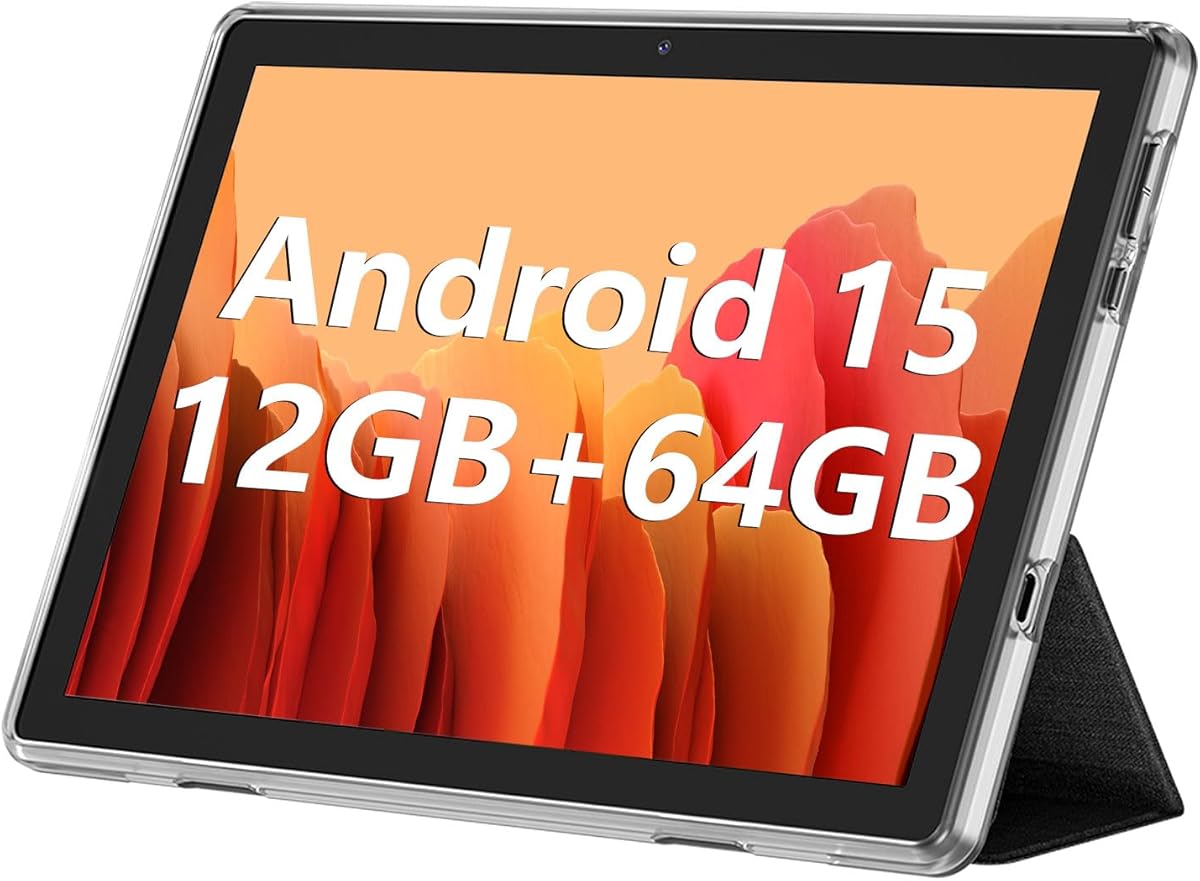
The ECOPAD tablet offers a balance of performance and affordability with Android 15. It features ample storage capacity that can be expanded up to 1TB, which is great for seniors who want to store many photos and videos without worry.
We may earn a commission when you buy through this link, at no additional cost to you.
The 6000mAh battery provides up to 8 hours of uninterrupted video playback, making it suitable for travel. Dual band WiFi ensures a stable connection, and the IPS display delivers a delightful experience for movies and books.
A potential downside is the average user rating and potential for less robust customer support compared to major brands. However, the warranty lasts for 1 year, offering some peace of mind for new buyers.
This device is ideal for budget-conscious buyers who need storage flexibility. If you want a basic Android tablet for media and photos at a low cost, the ECOPAD is a viable choice.
With support for SD card expansion up to 1TB, users can store a vast amount of media. This ensures you never run out of space for your favorite photos and videos.
Dual band WiFi ensures a stable and fast connection for streaming and video calls. This helps prevent interruptions during important family calls or movie watching sessions.
We may earn a commission when you buy through this link, at no additional cost to you.
The Amazon Fire HD 8 is a lightweight and affordable tablet perfect for seniors who want portability. With an 8 inch HD display, it offers seamless streaming and gaming while being easy to hold or tuck in a bag.
We may earn a commission when you buy through this link, at no additional cost to you.
Its 4GB memory provides fast performance for browsing, and the battery lasts up to 13 hours. Alexa support allows for video calls and smart home control, making it a versatile device for staying connected.
While it lacks Google Play Store access, the Amazon Appstore covers most basic needs. The smaller screen might be less ideal for those with severe vision issues, but it remains a reliable budget choice.
This tablet is best for seniors who need a portable device for reading and video calls. If you want an affordable option with good battery life, the Fire HD 8 is highly recommended.
The thin, light design makes it easy to carry around the house or travel with. Seniors can enjoy entertainment anywhere without the weight burden of larger tablets.
Ask Alexa to make video calls to friends and family, or download apps like Zoom. This simplifies communication without needing to navigate complex dialing interfaces.
We may earn a commission when you buy through this link, at no additional cost to you.
The Lenovo Tab One is a compact and efficient tablet that fits in your hand or purse easily. It weighs less than a pound and offers up to 12.5 hours of unplugged YouTube streaming, which is great for seniors who want portable entertainment.
We may earn a commission when you buy through this link, at no additional cost to you.
The included folio case provides all-around protection and a built-in stand for hands-free viewing. The HD display has good brightness, and dual Dolby Atmos speakers provide impressive sound depth for movies and music.
While the processor is basic, it ensures fluid browsing and lag-free streaming. The device is designed for extra care with Android 14 and 2 years of security patches, keeping it secure over time.
This tablet is ideal for seniors who want a compact device with added protection. If you value portability and a stand included in the box, the Tab One is a convenient choice.
The included folio case protects the tablet from accidental damage and includes a built-in stand. This means you do not need to buy a separate case and can set the device down for hands-free viewing easily.
At less than a pound, this tablet is easy to tuck in a purse or backpack. It is perfect for seniors who move around the house or travel and need a light entertainment option.
We may earn a commission when you buy through this link, at no additional cost to you.
The FEONAL tablet features the newest Android 16 operating system, offering a smoother and more efficient user experience. It has an 11-inch display with modes like Reading and Eye Protection to make it easier to use for extended periods.
We may earn a commission when you buy through this link, at no additional cost to you.
The 7000mAh battery offers impressive standby time and fast charging, reducing battery anxiety. With dual SIM 4G LTE support, you can connect online without relying on WiFi, providing greater convenience for travel.
Wireless projection allows you to cast your screen to a larger display for entertainment. The device is lightweight and ultra-slim, making it a portable option for seniors who want modern features.
This tablet is suitable for seniors who want the latest Android updates. If you need a large battery and cellular connectivity, the FEONAL 11-inch is a strong contender.
The tablet offers Reading Mode, Eye Protection Mode, and Dark Mode to reduce strain during long sessions. These settings make it more comfortable to read books or browse the web for extended periods.
With Dual SIM card support and 4G LTE, you can connect online anywhere. This allows seamless working and browsing without needing to find WiFi hotspots.
We may earn a commission when you buy through this link, at no additional cost to you.
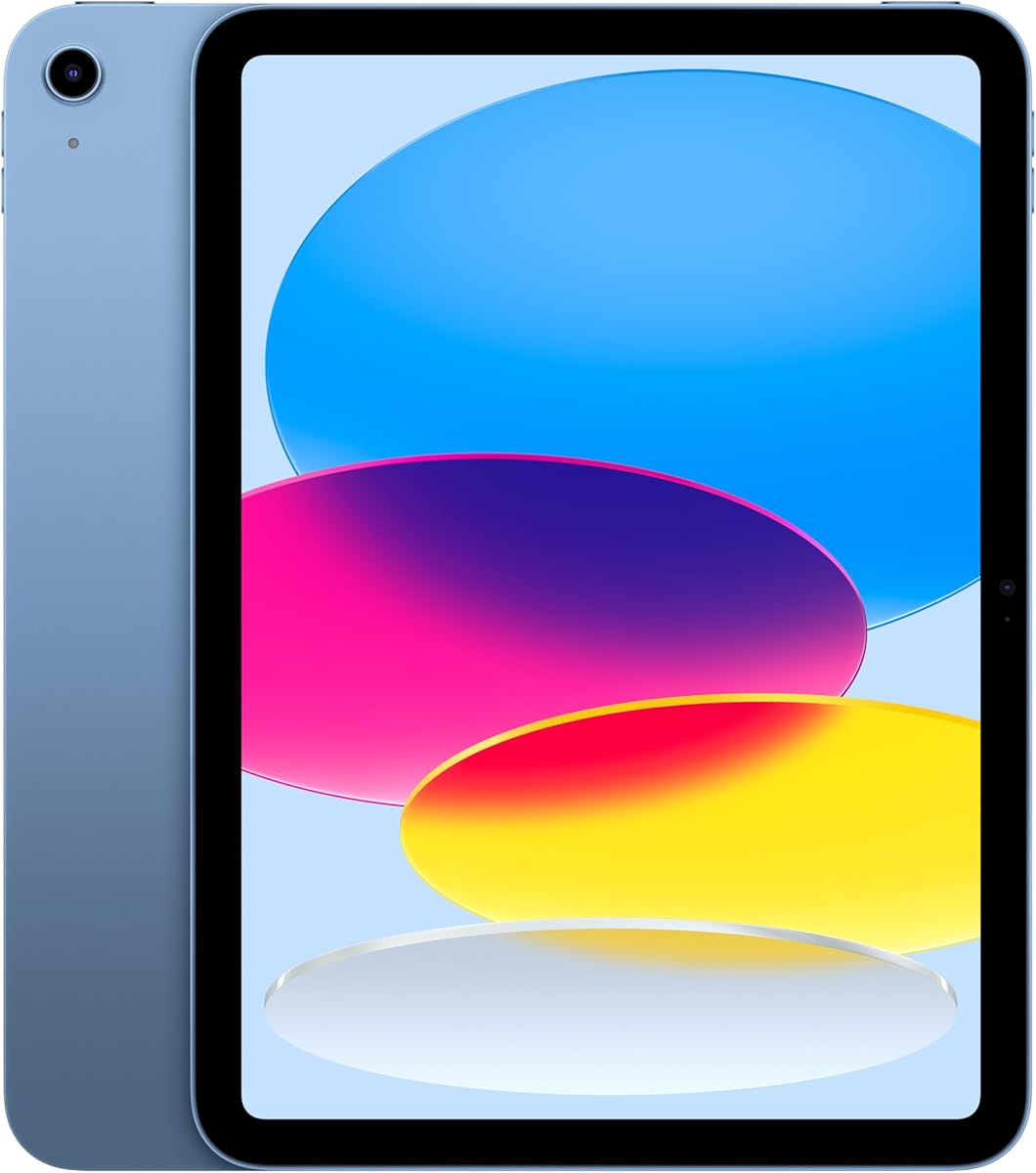
The Apple iPad 11-inch delivers a powerful way to stay connected with its superfast A16 chip and stunning Liquid Retina display. It is perfect for seniors who want a reliable device for gaming, photo editing, and video calls.
We may earn a commission when you buy through this link, at no additional cost to you.
The 12MP Center Stage front camera is excellent for video calls, ensuring you are always in frame. The Touch ID built into the top button allows for secure unlocking and payments without needing to remember passwords.
With all-day battery life and fast Wi-Fi 6, you can work and play uninterrupted. The ecosystem is intuitive, but the price is higher than other options, and accessories like the keyboard are sold separately.
This iPad is ideal for seniors who want premium performance and a seamless ecosystem. If you are invested in Apple products or need a high-quality device for creativity, it is worth the investment.
The 12MP Center Stage front camera automatically keeps you in frame during video calls. This makes conversations feel natural as the camera adjusts to your movements without manual help.
Touch ID in the top button allows secure unlocking and payments with a simple fingerprint scan. This simplifies security without needing to enter complex passwords or PINs.
We may earn a commission when you buy through this link, at no additional cost to you.
The Samsung Galaxy Tab A11 WiFi model offers a compact 8.7 inch display with a 90Hz refresh rate for fluid motion. It is an affordable option for seniors who want a lightweight device with modern features like Bluetooth 5.3.
We may earn a commission when you buy through this link, at no additional cost to you.
With 64GB ROM and expandable memory up to 2TB, you have space for apps and photos. The battery lasts for browsing and streaming, and the display is bright enough for indoor use.
One consideration is that it is an international version with no warranty, which may affect support. You will need to select a country during setup, and the charger is not included in the box.
This tablet is best for budget buyers who want a small, fast screen. If you need a portable Android device without needing cellular support, the Tab A11 WiFi is a viable option.
The 90Hz display delivers natural and fluid motion for scrolling and videos. This makes the device feel more responsive and smoother to use compared to standard 60Hz screens.
The MicroSD card slot allows up to 2TB of expanded memory. This gives you plenty of space to store files, apps, and media without worrying about running out of storage.
We may earn a commission when you buy through this link, at no additional cost to you.
Choosing a tablet for seniors requires considering specific needs to ensure the device is easy to learn and use daily. This guide covers key factors to help you select the right model for an older adult.
Look for devices with large icons and intuitive menus that reduce confusion. Simple interfaces should have clear buttons for common tasks like calls and photos so seniors do not get stuck in complex menus.
Prioritize tablets with a streamlined home screen to minimize distractions and make navigation easier.
A bright and sharp display helps seniors with vision issues read text and see photos clearly. Higher resolution and adjustable brightness settings ensure comfort in various lighting conditions throughout the day.
Choose screens with anti-glare properties to reduce eye strain during extended reading sessions.
Seniors often forget to charge devices frequently, so long battery life is essential. Aim for tablets offering at least 10 hours of usage to ensure reliability for daily activities without constant charging.
Look for power-saving modes that help extend usage time between charges effectively.
Decide between WiFi-only and cellular models based on mobility needs. Cellular options allow internet access anywhere, while WiFi is sufficient for home use and often costs less initially.
Ensure the device supports modern standards like 5G or fast WiFi for smooth video calls and streaming.
High-quality cameras are crucial for video calls to see family members clearly. Look for front cameras with features like auto-focus or auto-framing to keep the user centered during conversations.
A good rear camera also enables seniors to take and share photos of their daily activities easily.
Storage space is needed for photos and videos shared by family members. At least 64GB of internal storage is recommended, and expandable storage via SD card adds flexibility for growing collections.
More RAM ensures smooth performance when running multiple apps without lagging or crashing.
Reliable customer support is vital when seniors encounter setup or usage issues. Look for brands that offer dedicated senior support lines or simplified troubleshooting guides to resolve problems quickly.
Check warranty terms to ensure protection against hardware failures or accidental damage.
Consider the total cost including any required subscription plans or accessories. While some budget tablets are cheaper upfront, specialized models may include services that save money on other devices.
Balance the initial purchase price with long-term value and usability needs for the best investment.
Start by setting up the device with a family member or caregiver to ensure all accounts are correctly configured. Take time to explore the main screen and locate essential apps before using it independently to build confidence.
Keep the tablet charged and plugged in when not in use to avoid battery drain. Use a protective case and screen protector to guard against drops and scratches, which are common during daily handling.
Regularly update the software to fix bugs and maintain security against potential threats. Teach seniors simple steps to restart the tablet if it becomes unresponsive or slow to ensure smooth daily operation.
Yes, many tablets are designed with simplified interfaces and large icons specifically for beginners. Models like the GrandPad or Fire HD offer intuitive controls that reduce the learning curve significantly.
Not all tablets require subscriptions, but some specialized models like the GrandPad include plans for network security and customer support. Standard tablets like Amazon Fire or Samsung do not need monthly fees to function properly.
A screen size between 10 and 11 inches is ideal as it offers enough space to read text comfortably while remaining portable. Larger screens reduce eye strain and make video calls more enjoyable for older users.
Most standard Android and iOS tablets support major communication apps like Zoom and WhatsApp through their respective app stores. Specialized tablets may only offer curated apps, so check compatibility before purchasing.
You can enable parental controls or restricted profiles to limit access to certain settings. Locking the home screen or using specific apps that prevent deletion can also help maintain data integrity.
WiFi-only tablets are sufficient if the senior stays mostly at home. Cellular tablets are better for those who travel frequently and need internet access without relying on public WiFi networks.
We have reviewed ten top options ranging from budget-friendly Android devices to premium iPads with high performance. Each model offers unique strengths in terms of interface simplicity, battery life, and connectivity features tailored for older adults.
Prioritize ease of use and security features such as spam blocking or simple navigation menus. Ensure the device has a bright screen and long battery life to support daily activities without technical frustration.
Prices and models change frequently, so check current offers and availability before purchasing. Verify compatibility with any required plans or accessories to get the best value and reliable support for your loved one.