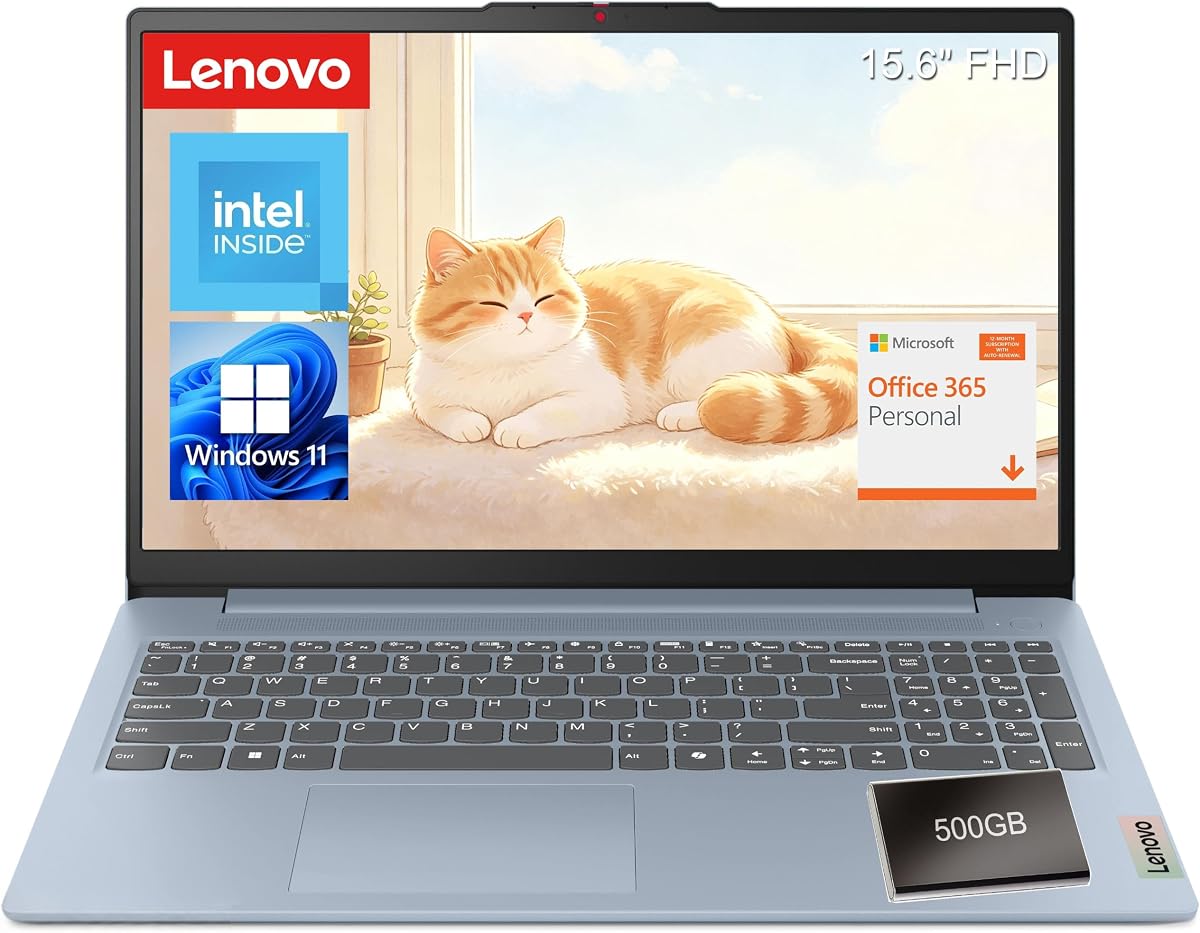
Lenovo Laptop Computer with 1-Year Office 365
4.4Editor score
Intel N150 Processor
8GB LPDDR5 RAM
15.6 Inch FHD Display
Includes Office 365
Lenovo Thinkpad Ls have long been the gold standard for professionals seeking reliable, durable, and high-performance computing solutions. Whether you are an executive, a student, or a creative professional, finding the right Thinkpad can significantly boost your productivity and workflow efficiency in various work environments.
We have carefully analyzed and compared ten distinct Lenovo Thinkpad Laptop models available in the current market to provide you with a comprehensive overview. Our evaluation process focuses on processor power, memory capacity, display quality, connectivity options, and overall build quality to ensure each recommendation meets rigorous professional standards for daily use.
Each pick in this list showcases specific strengths tailored to different user needs, from budget-friendly options to premium enterprise-grade machines. Please note that product availability and pricing can change frequently, so always verify the latest details on the official product pages before making your final purchasing decision.
4.4Editor score

4.4Editor score

5.0Editor score
As an Amazon Associate we earn from qualifying purchases.
This side-by-side comparison highlights the key specifications and features of all ten selected Lenovo Thinkpad Laptop models, allowing you to quickly identify which device aligns best with your performance requirements, budget constraints, and professional workflow needs.


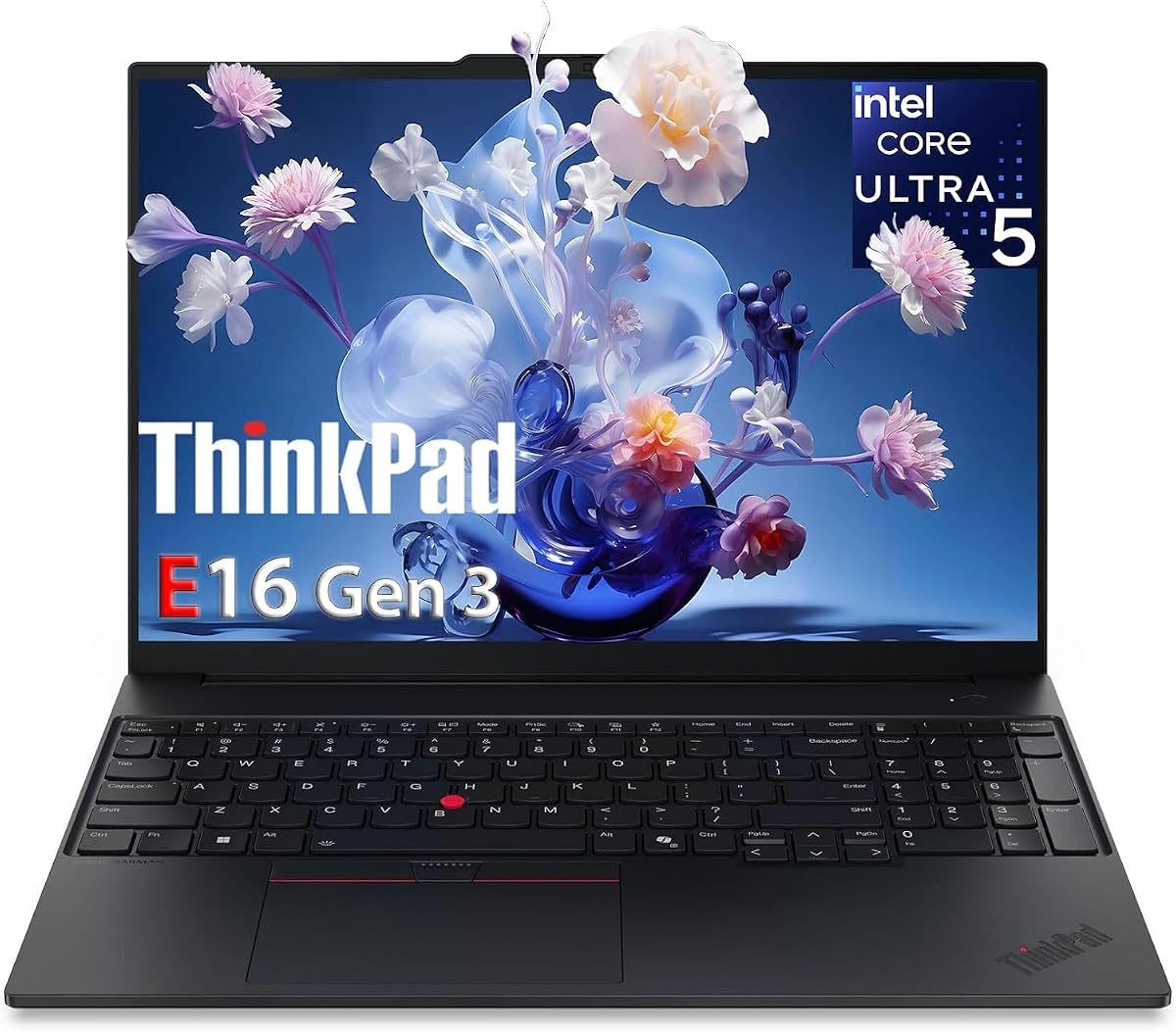


This laptop stands out as a top contender in the enterprise market due to its robust performance and AI-powered capabilities designed for modern business workflows.
We may earn a commission when you buy through this link, at no additional cost to you.
The Intel Core Ultra 5 225H processor delivers exceptional multitasking power, handling complex spreadsheets and resource-intensive software with ease for analysts and executives.
While the performance is high, the price reflects the premium features like Thunderbolt 4 connectivity and advanced security chips which may be more than some casual users need.
Ideal for professionals requiring reliable daily productivity, this machine offers a balanced mix of power, security, and durability that justifies its position as an editor's choice.
The integrated AI Boost NPU accelerates productivity workflows and data analysis, allowing for smoother operation of AI-enhanced applications without heavy cloud dependency.
Built-in fingerprint reader, TPM 2.0 chip, and privacy shutter ensure that sensitive corporate data remains protected during travel and daily office use.
We may earn a commission when you buy through this link, at no additional cost to you.
Featuring an AMD Ryzen 7 processor, this model provides significant processing power for multitasking and light creative work while maintaining a professional ThinkPad aesthetic.
We may earn a commission when you buy through this link, at no additional cost to you.
The inclusion of a 5-in-1 Hub in the bundle adds immediate value for users needing extra connectivity options without purchasing separate adapters or dongles.
The screen resolution offers a comfortable viewing experience, though the brightness level might be challenging in very bright outdoor environments compared to higher nit displays.
Best for users seeking AMD-based performance at a competitive price point, this laptop delivers reliable computing for standard business tasks and educational use cases.
The AMD 8-Core Ryzen 7 7735HS ensures smooth operation when running multiple applications simultaneously, making it suitable for developers and power users.
Bundling a 5-in-1 HUB with the laptop simplifies peripheral connections, allowing users to easily attach external drives or displays from day one.
We may earn a commission when you buy through this link, at no additional cost to you.
This model is an excellent entry point for users who need reliable everyday performance and come with essential software subscriptions included right out of the box.
We may earn a commission when you buy through this link, at no additional cost to you.
The pre-installed Microsoft 365 Personal subscription provides immediate access to Word and Excel, saving new users the cost of a separate software purchase.
While the storage is modest, it is sufficient for students and home users who store most of their files on cloud services or external drives.
A solid choice for students or casual users who prioritize affordability and essential tools, this laptop ensures you are ready to work or study immediately after purchase.
Having a full year of Microsoft 365 Personal included means users can start creating documents and spreadsheets without worrying about subscription fees.
Despite its lightweight build, the laptop passes MIL-STD-810H testing, offering peace of mind regarding durability for daily commuting and travel.
We may earn a commission when you buy through this link, at no additional cost to you.
With 32GB of RAM and a massive 1TB SSD, this device is tailored for users who run multiple virtual machines or handle large datasets regularly.
We may earn a commission when you buy through this link, at no additional cost to you.
The touchscreen functionality adds versatility for presentations and navigation, while the IR camera supports secure facial recognition login features.
The upgrade cost compared to standard models is justified by the substantial memory and storage, which future-proofs the device for demanding professional workflows.
Ideal for IT users and small business owners, this laptop provides the high-performance capacity needed to handle complex tasks without slowing down or freezing.
The 32GB DDR5 RAM ensures seamless switching between heavy applications, making it perfect for developers and data analysts who need constant access to large files.
Equipped with 2X Thunderbolt 4 ports, the laptop supports high-speed data transfer and connection to multiple external monitors for expanded workspace setups.
We may earn a commission when you buy through this link, at no additional cost to you.
This configuration represents a solid middle ground with powerful processors and ample memory to handle standard business applications with efficiency and speed.
We may earn a commission when you buy through this link, at no additional cost to you.
The backlit keyboard is a key feature for professionals who work in low-light environments, ensuring typing comfort during late-night or early-morning sessions.
While 512GB of storage is generally sufficient, users with extensive media libraries might need to manage files carefully or use cloud storage for long-term retention.
Recommended for general business users and remote workers, this laptop offers a reliable blend of speed and endurance that supports uninterrupted daily productivity.
The backlit keyboard allows for comfortable typing in dimly lit spaces, reducing eye strain and ensuring accurate data entry after hours.
Windows 11 Pro provides enterprise-grade management tools and security features that are essential for business environments and secure data handling.
We may earn a commission when you buy through this link, at no additional cost to you.
This model excels with its high-end memory and storage specifications, making it a robust choice for users who demand maximum performance for professional workflows.
We may earn a commission when you buy through this link, at no additional cost to you.
The Thunderbolt 4 port supports ultra-fast data transfer speeds, which is crucial for professionals working with large video files or complex engineering data.
The ability to connect up to three external 4K displays transforms this laptop into a powerful workstation hub, ideal for traders or creative professionals.
Perfect for executives and analysts, this laptop combines high-performance specs with reliable enterprise features to handle demanding tasks without compromise or lag.
Supporting triple 4K output allows users to spread their work across multiple screens, significantly improving efficiency for monitoring and data analysis tasks.
Thunderbolt 4 ensures the laptop can handle future peripherals and docking stations with ease, extending the useful life of the device.
We may earn a commission when you buy through this link, at no additional cost to you.
This edition is designed for students and light users who need a highly portable device that fits easily into backpacks and fits standard bags for travel.
We may earn a commission when you buy through this link, at no additional cost to you.
The inclusion of a 500GB Portable External Hard Drive helps mitigate the limited internal storage, providing immediate space for backups and media files.
While the processor is designed for basic tasks, the system remains responsive for web browsing and document editing, making it a practical choice for school.
Suitable for college students and light travelers, this laptop balances portability with enough performance to handle everyday digital tasks efficiently on the go.
Dolby Audio-enhanced stereo speakers deliver rich sound for video calls and media consumption, making remote meetings and entertainment sessions more enjoyable.
The slim profile and lightweight design ensure it is easy to carry daily, while MIL-STD testing protects it from shocks during commutes.
We may earn a commission when you buy through this link, at no additional cost to you.
This laptop is engineered for professionals working with specialized software like CAD and BIM, offering certified compatibility that ensures stability and accuracy.
We may earn a commission when you buy through this link, at no additional cost to you.
The AMD Ryzen AI 7 Pro processor includes an NPU that accelerates local Copilot+ AI workflows, enhancing productivity without relying on cloud connectivity.
While the price is higher, the ISV certification guarantees that complex applications run smoothly, which is critical for engineering and architecture professionals.
Ideal for multi-discipline professionals, this model provides the precision and reliability needed for specialist project work alongside robust security features.
ISV certification ensures that software like AutoCAD and Revit run reliably, reducing the risk of crashes during critical professional work sessions.
The AMD XDNA 2 NPU enables local AI workflows, ensuring faster processing and better data privacy for sensitive professional tasks.
We may earn a commission when you buy through this link, at no additional cost to you.
As a renewed option, this laptop offers a cost-effective way to access enterprise-grade hardware like the Ryzen PRO processor and Windows 11 Pro features.
We may earn a commission when you buy through this link, at no additional cost to you.
The 16GB of RAM ensures that everyday tasks run smoothly, while the Pro series processor provides stability for business applications and security updates.
Users should be aware that renewed products may show minor cosmetic wear, but they often provide excellent value for those on a tight budget.
Best for students or startups, this model delivers the essential performance and security of a ThinkPad without the high cost of a brand-new device.
The renewed status allows access to features like Windows 11 Pro and Ryzen PRO security at a fraction of the cost of new units.
Despite being renewed, the AMD Ryzen 5 processor ensures reliable speed for daily productivity tasks and general computing needs.
We may earn a commission when you buy through this link, at no additional cost to you.
This T14s model represents the classic ultrabook experience with a compact design and solid performance that suits professionals on the move regularly.
We may earn a commission when you buy through this link, at no additional cost to you.
The 512GB SSD provides ample space for documents and files, ensuring quick boot times and fast application launches for daily business routines.
While the processor is from an earlier generation, it remains capable of handling office workloads effectively, making it a practical choice for general tasks.
Ideal for remote workers needing portability, this laptop offers the durability and keyboard quality of the T series in a lightweight package.
The 14-inch form factor fits easily into small bags, making it the ideal companion for frequent travelers who need reliable access to their files.
With 16GB of RAM and fast SSD storage, this machine handles standard business applications and email clients with consistent speed and efficiency.
We may earn a commission when you buy through this link, at no additional cost to you.
Selecting the right Lenovo Thinkpad involves evaluating several key factors that impact performance, longevity, and user experience in a professional setting.
The processor is the brain of your laptop, determining how quickly tasks are completed. Look for Intel Core Ultra or AMD Ryzen 7 series for high-end tasks, while Core i5 or Ryzen 5 suits general office work.
Prioritize multi-core performance if you run multiple applications or virtual machines simultaneously to ensure smooth operation.
RAM affects how many programs you can run at once without slowing down. For professional use, 16GB is the sweet spot, but 32GB provides better longevity for future software demands.
Choose a model with upgradable memory if you plan to keep the laptop for several years.
Solid State Drives are essential for fast boot times and file access. Aim for at least 512GB to store documents, applications, and local backups efficiently.
Ensure the laptop has additional M.2 slots if you need to expand storage later without replacing the drive.
A high-resolution screen reduces eye strain during long work sessions. Look for IPS panels with at least 300 nits of brightness for visibility in various lighting conditions.
Consider a touchscreen if you prefer interactive navigation or use the device for presentations.
Ensure the laptop has enough ports for your peripherals. Thunderbolt 4 support allows for fast data transfer and daisy-chaining monitors for expanded productivity.
Check for Wi-Fi 6 or Wi-Fi 6E for stable wireless connections in busy office environments.
Thinkpads are known for MIL-STD-810H testing, which confirms resistance to shock and vibration. This is crucial if you travel frequently or work in harsh environments.
Look for a chassis made of carbon fiber or aluminum for a balance of light weight and strength.
Since you will type frequently, a comfortable keyboard is vital. The classic TrackPoint and backlit keys are standard on many models and essential for low-light typing.
Verify key travel and tactile feedback through user reviews to ensure it meets your typing preferences.
Business laptops require robust security. Look for TPM 2.0 chips, fingerprint readers, and privacy shutters to protect sensitive corporate data and user privacy.
Hardware-level encryption ensures data remains secure even if the device is lost or stolen.
Always place your laptop on a flat, hard surface to prevent overheating. Avoid using it on soft fabrics like blankets which can block air vents and reduce cooling efficiency.
Utilize the built-in privacy shutter when not in video calls to prevent unauthorized access to your camera. This simple habit adds an extra layer of security to your digital life.
Update your BIOS and drivers regularly through the Lenovo Vantage app to ensure optimal performance and security. Keeping your system up to date helps prevent software conflicts.
While Thinkpads are primarily designed for business, they can handle light gaming and casual titles well. Models with dedicated graphics cards or high-end integrated chips like the 680M offer playable frame rates for casual users.
Battery life varies by model and usage intensity. Most modern Thinkpads offer 8 to 12 hours of mixed use, though heavy processing tasks will reduce this duration significantly. Always check the specific battery rating for your model.
Many models allow RAM upgrades, but some newer ultrabook versions have soldered memory. Check the specific manual or specs for your model to confirm if the RAM is user-upgradeable before purchasing.
Standard warranties usually cover one year for hardware defects. Lenovo offers extended warranty plans that can be purchased separately to cover accidental damage or longer periods of time.
Yes, most Thinkpad models come with Windows 11 Pro pre-installed. Some budget options may include Home editions, while enterprise models always feature Pro for enhanced security and management tools.
Most Thinkpad models feature anti-glare coatings to reduce eye strain. This matte finish is beneficial for office environments with bright overhead lighting or sunlight exposure.
The Lenovo Thinkpad lineup offers a diverse range of options suitable for everyone from students to enterprise professionals. Each model reviewed provides a unique balance of power, portability, and specific features.
When making your decision, prioritize the specs that matter most to your daily workflow. Whether it is memory for multitasking or screen size for presentations, your specific needs should guide your choice.
Always verify the current availability and warranty terms on the official pages before buying. Prices and stock levels change, so checking the latest details ensures you get the best value available today.