
Amazon Basics HDMI Cable, 6ft, 4K@60Hz, High-Speed 4K HDMI 2.0 Cord with Ethernet, 18Gbps, 2160p, 48 bit, Compatible with TV/PS5/Xbox/Roku/Blu-ray, Black
4.7Editor score
18Gbps bandwidth
6-foot length
Ethernet support
This guide compares the best HDMI cable for Sky Q Box to ensure optimal picture quality and stable connections for your home entertainment setup in October
Choosing the right HDMI cable for your Sky Q Box is crucial for delivering high-definition content without interruptions. A quality cable ensures smooth 4K streaming, reliable audio return, and future-proof connectivity for your entertainment system.
We evaluated ten top-rated HDMI cables based on performance, durability, and compatibility with Sky Q devices. Our analysis focuses on bandwidth capacity, build quality, and user feedback to help you find the ideal connection for your needs.
Each pick highlights specific strengths such as speed, length, or value. Prices and availability change frequently, so verify current details before purchasing. These selections aim to optimize your viewing experience with Sky Q services.
4.7Editor score

4.7Editor score

4.6Editor score
The following table provides a side-by-side comparison of all ten selected HDMI cables. It highlights key specifications such as bandwidth, resolution support, and length to help you decide quickly.




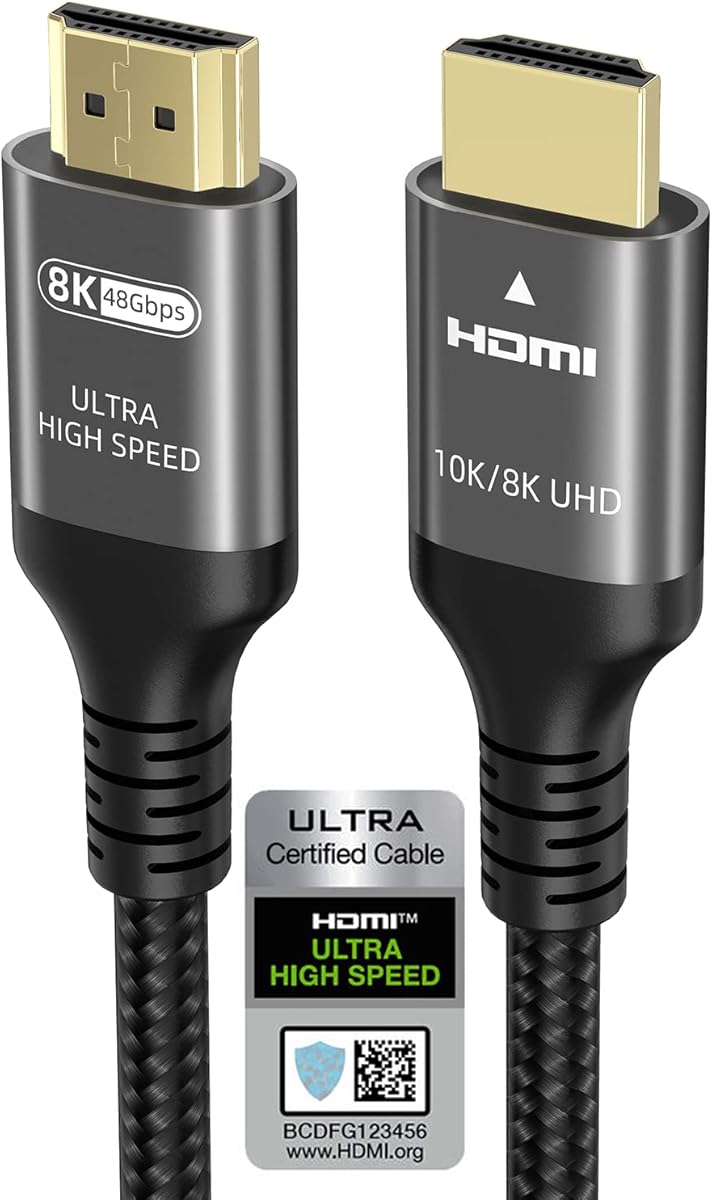

The Highwings 8K HDMI cable offers top-tier performance for Sky Q setups. It holds a strong 4.7 rating for supporting 8K at 60Hz with minimal signal loss.
We may earn a commission when you buy through this link, at no additional cost to you.
Its 48Gbps bandwidth ensures smooth playback without dropped frames. The anti-bending design improves longevity for daily home use.
While it costs more than basic options, the build quality justifies the expense for users seeking reliability. It handles high-bitrate content well.
This cable is ideal for those wanting future-proof connectivity. It balances performance and durability effectively for most home theaters.
The 48Gbps capacity handles high data rates needed for 8K video without lag.
Military-grade nylon braiding resists wear and tear from frequent plugging.
We may earn a commission when you buy through this link, at no additional cost to you.
This Highwings cable stands out with a 15-foot length and CL3 safety rating for wall installations. It delivers reliable 4K@240Hz performance.
We may earn a commission when you buy through this link, at no additional cost to you.
Its copper build ensures low attenuation over distance. The rating makes it safe to run inside walls without fire risks.
The length may be excessive for small setups but perfect for large living rooms. It is a robust choice for permanent setups.
Buyers needing long runs will appreciate its stability. It bridges the gap between short cables and complex professional installs.
CL3 certification means it meets safety standards for in-wall electrical wiring environments.
Fifteen feet allows flexibility in placing devices far from the display unit.
We may earn a commission when you buy through this link, at no additional cost to you.
Silkland provides an officially certified HDMI 2.1 cable with QR verification. It supports 4K@120Hz and has a 4.7 rating.
We may earn a commission when you buy through this link, at no additional cost to you.
Its E-Braid technology protects the copper cores. This design prevents signal interruptions during use.
The certification adds trust but may not affect performance over non-certified high-speed cables. It is a solid mid-range choice.
Users needing verified specs will value the QR code. It works well for high refresh rate media.
Scan the QR code to confirm official HDMI Forum compliance instantly.
eARC support delivers immersive audio formats like Dolby Atmos effectively.
We may earn a commission when you buy through this link, at no additional cost to you.
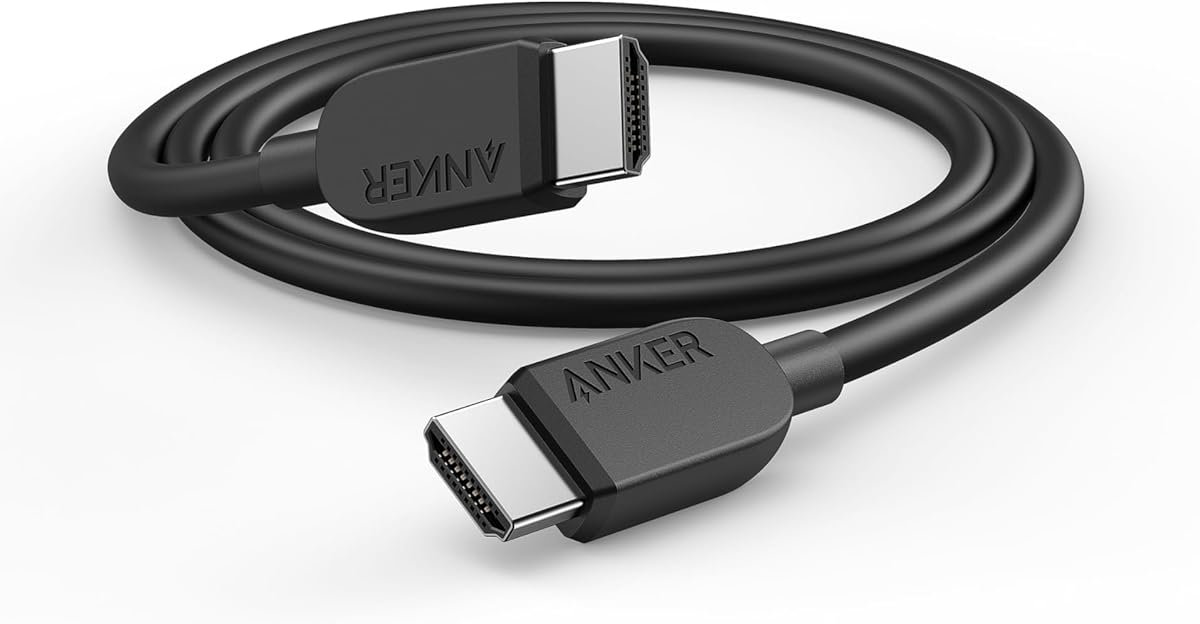
Anker is a trusted name in cables. This HDMI 2.1 option supports 4K@240Hz and is built to bend over 1000 times.
We may earn a commission when you buy through this link, at no additional cost to you.
It offers stable performance for daily streaming. The build quality matches its strong reputation.
While the 6-foot length is standard, it might not suit every room. The warranty provides extra peace of mind.
Recommend for users who prioritize brand trust. It balances quality and performance well for general use.
Engineered to withstand 1000 bends without internal wire damage.
Supports seamless connections for consoles and media players without lag.
We may earn a commission when you buy through this link, at no additional cost to you.
Amazon Basics offers a dependable and affordable HDMI 2.0 cable. It supports 4K@60Hz perfectly for standard streaming needs.
We may earn a commission when you buy through this link, at no additional cost to you.
With 18Gbps, it handles common video content well. Its Ethernet feature allows internet sharing over HDMI.
It may not support 8K but covers most needs for Sky Q. It provides great value for basic setups.
Ideal for budget-conscious buyers. It ensures stable connections without overspending on features you don't need.
Shared internet connection simplifies setups by reducing network cable clutter.
Low price point makes it easy to replace if wear occurs.
We may earn a commission when you buy through this link, at no additional cost to you.
This 2-pack offers value by providing two cables. Both are certified Ultra High Speed and handle 48Gbps.
We may earn a commission when you buy through this link, at no additional cost to you.
It is great for multi-room setups. The aluminum shell adds a premium feel to the connection.
The packaging might be bulky for small drawers. However, having a backup cable is always convenient.
Buy for households needing redundancy. It ensures you always have a working cable on hand.
Two cables allow connection of multiple consoles or devices simultaneously.
Keep one cable as a spare for quick swaps if issues arise.
We may earn a commission when you buy through this link, at no additional cost to you.
Snowkids offers a 10-foot HDMI 2.1 cable with 24K gold-plated ports. It supports Ethernet and has a 4.6 rating.
We may earn a commission when you buy through this link, at no additional cost to you.
The gold plating helps resist corrosion. The 10-foot length provides better reach than shorter options.
Anti-slip strips make connecting easier. However, it is pricier than non-certified alternatives.
Useful for setups needing extra reach. It protects connection points from oxidation over time.
24K gold ports ensure reliable signal conductivity and resist corrosion.
Built-in strips prevent connector slippage when devices are pushed back.
We may earn a commission when you buy through this link, at no additional cost to you.
This Highwings cable supports HDMI 2.2 with a massive 96Gbps bandwidth. It is built for 16K readiness and eARC+.
We may earn a commission when you buy through this link, at no additional cost to you.
The shielding ensures noise-free performance. It is a premium choice for enthusiasts who want top-tier gear.
While current devices rarely need 96Gbps, it future-proofs your setup. It is an investment in advanced tech.
Ideal for early adopters. It guarantees compatibility with next-generation displays and processors.
Supports 16K resolution and eARC+ for future audio and video standards.
Advanced shielding eliminates interference for pristine audio and video signals.
We may earn a commission when you buy through this link, at no additional cost to you.
Ubluker provides a certified cable with low latency features. It supports dynamic HDR and has a 4.7 rating.
We may earn a commission when you buy through this link, at no additional cost to you.
Its certification ensures compliance with HDMI standards. This helps avoid compatibility issues with modern devices.
The cable handles HDR content well. However, it may not stand out compared to similar certified options.
Good for general use. It ensures reliable performance for gaming and streaming.
Optimized for low input lag to enhance gaming responsiveness.
Dynamic HDR brings richer contrast and color to supported content.
We may earn a commission when you buy through this link, at no additional cost to you.
PowerBear offers a 10-foot CL3 rated cable with gold connectors. It supports 4K@60Hz and ARC.
We may earn a commission when you buy through this link, at no additional cost to you.
The CL3 rating makes it safe for in-wall use. The braided design adds durability.
While limited to 4K@60Hz, it fits many standard setups. It is a reliable choice for long runs.
Ideal for installations needing safety compliance. It ensures safe use within walls.
CL3 certified for safe in-wall installation without fire hazards.
Ten-foot length provides flexibility for room layouts.
We may earn a commission when you buy through this link, at no additional cost to you.
Selecting the right HDMI cable requires understanding resolution, bandwidth, and build needs. This guide outlines key factors to consider for optimal Sky Q performance.
Ensure the cable matches your device's HDMI version. Sky Q supports HDMI 2.0 for 4K. Newer boxes may benefit from HDMI 2.1.
Check your device specs to confirm which version is supported.
Bandwidth determines how much data flows through the cable. High resolutions like 4K@60Hz need at least 18Gbps.
Higher bandwidth ensures smooth playback without stuttering.
Choose a length that fits your room layout. Cables longer than 6 feet may need higher quality materials to prevent signal loss.
Measure the distance between the box and TV carefully.
Look for nylon braiding and gold-plated connectors. These features resist wear and corrosion over time.
A durable cable saves money by lasting longer.
Certified Ultra High Speed cables meet strict HDMI standards. This ensures the cable performs as advertised without issues.
Verify certification labels on packaging for trust.
ARC or eARC support allows audio to flow back to a soundbar. This simplifies connections by using one cable for video and audio.
Check if your audio system supports ARC or eARC.
If running cables inside walls, ensure CL3 rating. This rating means the insulation is fire-safe for concealed installations.
Avoid using standard cables for permanent in-wall setups.
Price varies by features like length and bandwidth. Basic options work for standard 4K, while premium ones support future tech.
Decide if advanced features justify the higher cost.
Connect the HDMI cable to the HDMI OUT port on your Sky Q box and the HDMI IN port on your TV. Ensure both ends are fully inserted for a stable signal.
Route cables away from power cords to avoid interference. If running cables behind furniture, avoid sharp bends that can damage internal wires.
Clean connectors periodically with a dry cloth to remove dust. Store unused cables loosely coiled to prevent kinks.
Sky Q typically works well with High-Speed HDMI cables supporting 4K@60Hz. While 2.1 cables offer better headroom, 2.0 cables often suffice for standard content. Verify your box model for exact needs.
Yes, a 10-foot cable is usable. Ensure it is high quality with good shielding to prevent signal degradation over distance. CL3-rated cables are safer for wall installations.
Check connections are secure. Try a different HDMI port or restart devices. If issues persist, the cable may be defective or incompatible. Try a known working cable to isolate the issue.
eARC improves audio quality for soundbars but is not mandatory for Sky Q. Standard ARC works for most setups. Use eARC if you have compatible audio equipment for better sound.
Most Sky Q boxes support HDMI 2.0. Some newer versions may support higher standards. Check the manual for exact specifications to match cable capabilities.
If you have a 4K TV and want future-proofing, yes. Otherwise, 2.0 cables work for most current needs. Consider 2.1 if you plan to upgrade devices soon.
Yes, CL3 rated cables are required for safe in-wall installation in most regions. They use fire-retardant insulation. Using non-rated cables can pose fire risks and violate codes.
We highlighted ten top HDMI cables offering varied strengths. The Highwings 8K and Amazon Basics options provide excellent choices for different needs.
Prioritize bandwidth and durability based on your setup. Consider your budget and if extra features like CL3 rating matter.
Verify current prices and availability before purchasing. Choosing the right cable ensures smooth streaming and optimal visual quality.