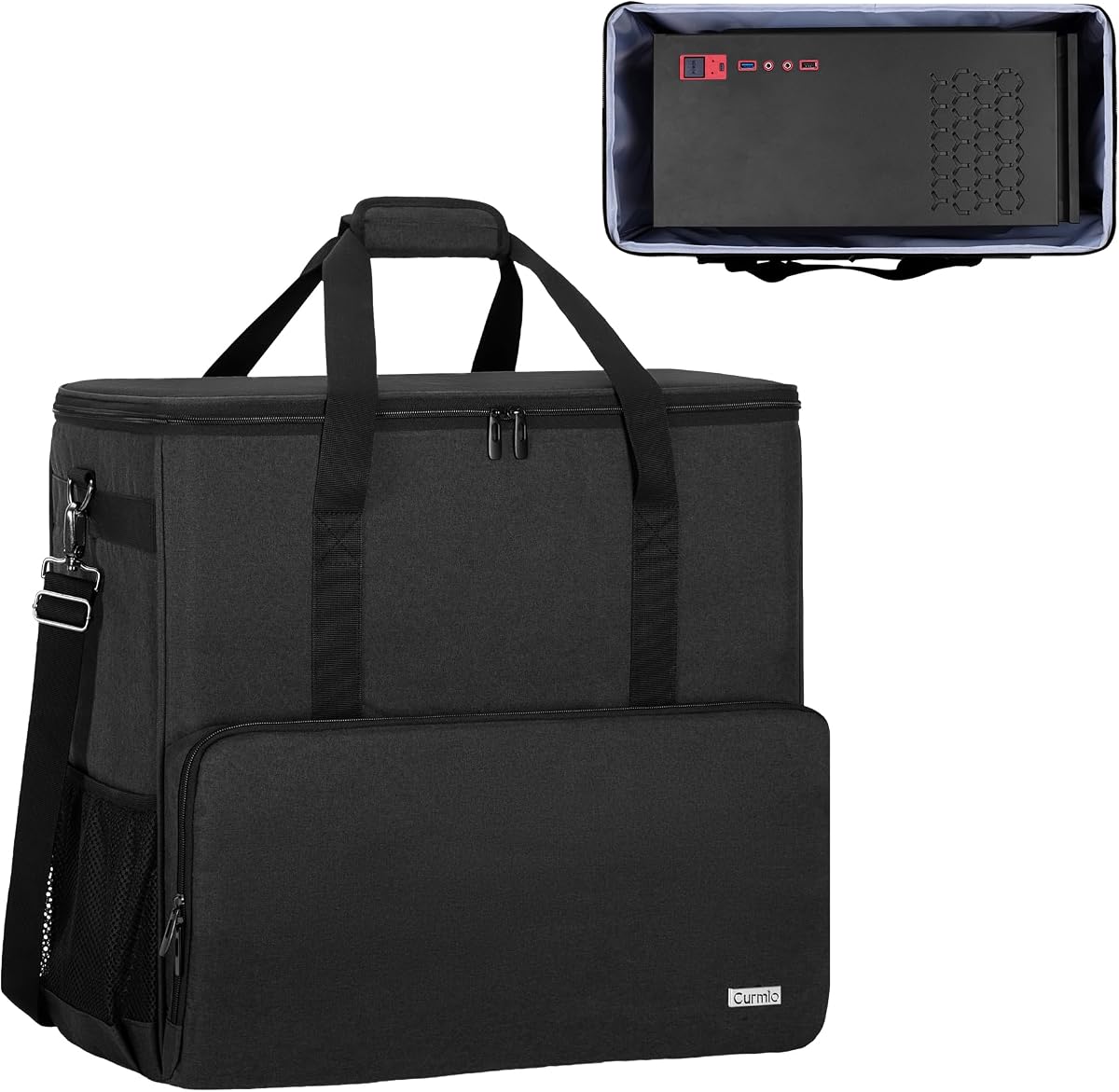
CURMIO PC Carrying Case
4.7Editor score
Fits standard ATX towers
Multiple accessory pockets
Water resistant nylon fabric
This comprehensive guide compares the top ten Desktop PC Tower Travel Carrying Case options to help gamers and professionals find the best protection for their
Transporting a desktop computer requires specialized gear to prevent damage during movement. A reliable carrying case protects your investment from bumps, dust, and weather while keeping accessories organized. Choosing the right option ensures your hardware arrives safely wherever you need it to go.
We evaluated ten highly rated products based on durability, capacity, and ease of use. Each case offers unique features like rolling wheels, backpack straps, or extra storage pockets. Our analysis highlights the strengths and weaknesses of every model to simplify your decision.
Every pick includes detailed specifications, pros, cons, and real-world usage scenarios. We focus on compatibility with standard tower sizes and overall build quality. Prices and availability change frequently, so verify details before purchasing to ensure the best fit for your needs.
4.7Editor score

4.9Editor score

4.3Editor score
The following table provides a side-by-side comparison of all ten products. It highlights key specifications to help you quickly identify the best fit for your specific tower size and transport needs.


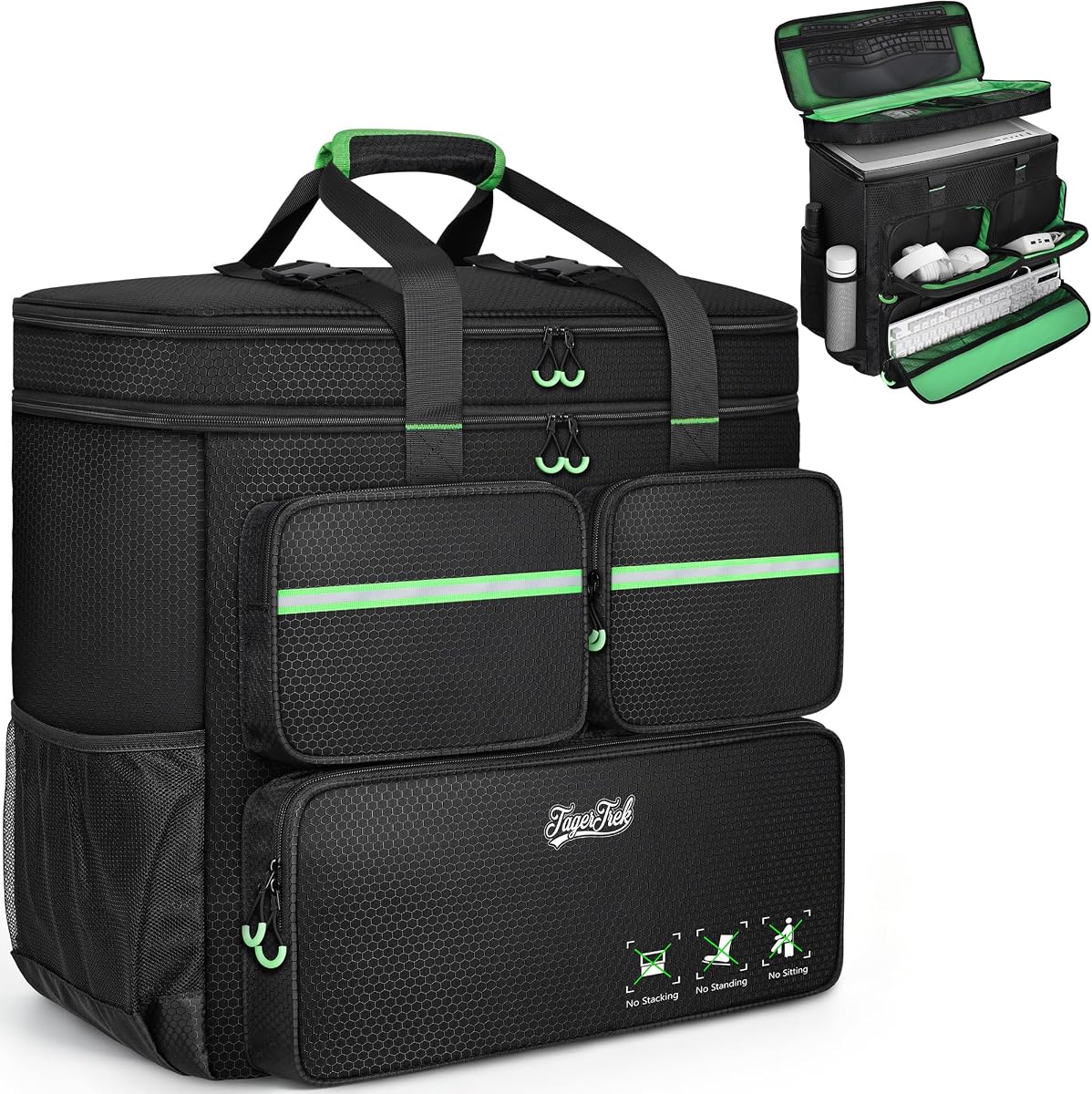
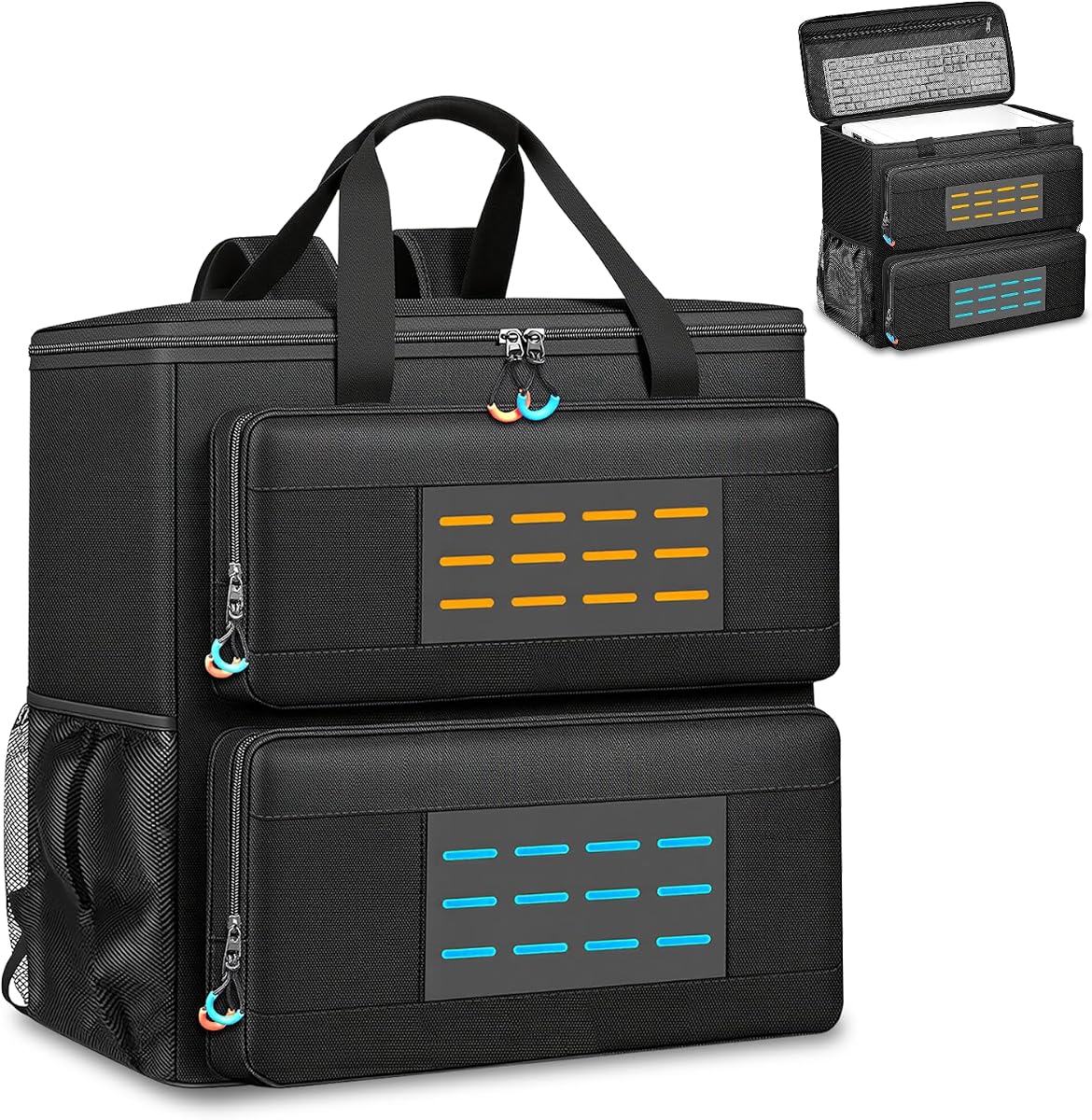


This Desktop PC Tower Travel Carrying Case stands out for its comprehensive organizational features. With a 4.3 rating, it balances protection and utility effectively. The design specifically targets mid-tower users needing to move entire setups safely.
We may earn a commission when you buy through this link, at no additional cost to you.
The internal dimensions accommodate most standard ATX towers while leaving room for accessories. Full-height mesh panels help keep cables and tools visible. Rear buckle fasteners prevent the case from tipping over during transport.
Some users note that measuring your tower before buying is essential for a perfect fit. The heavy-duty Oxford fabric is durable but may add slight weight. These trade-offs are minimal given the level of protection offered.
Ideal for LAN parties or office relocations, this case simplifies moving bulky electronics. It transforms into a portable workstation when needed. We recommend it for anyone seeking a reliable balance of storage and protection.
Dedicated compartments for keyboard, mouse, and headset keep your setup complete in one bag.
Thickened padding and reinforced bases shield your hardware from impacts and scratches.
We may earn a commission when you buy through this link, at no additional cost to you.
This extra large case offers generous capacity for oversized towers and peripherals. Its 4.6 rating reflects strong durability and thoughtful storage solutions. The build quality supports heavy loads without compromising comfort during transport.
We may earn a commission when you buy through this link, at no additional cost to you.
Five millimeter EPE lining provides exceptional shock absorption for sensitive components. The design includes specific pockets for GPUs and radiators. Water bottle holders add convenience for long moves or events.
Managing multiple zippers might take time during setup. The case is also quite tall, which could be tricky on smaller vehicles. However, the protection level justifies these minor inconveniences for serious builders.
Best for those moving large rigs or needing to transport extra hardware. It turns a stressful move into a smooth process. We suggest this for users prioritizing maximum space and component safety.
High density 5mm EPE lining absorbs impacts to protect valuable electronics.
Fits mainstream ATX towers plus accessories like GPUs and cooling systems.
We may earn a commission when you buy through this link, at no additional cost to you.
This case offers a unique rolling option for those who prefer pulling over carrying. A 4.3 rating indicates solid performance in diverse transport scenarios. It combines backpack functionality with a detachable cart for flexibility.
We may earn a commission when you buy through this link, at no additional cost to you.
The cart features smooth swivel casters and an adjustable aluminum handle. This reduces strain during long distances. Multiple pockets keep peripherals organized, including space for ergonomic keyboards.
The cart mechanism adds bulk when not in use. It may require extra steps to set up quickly. However, the ability to roll heavy loads is a significant advantage for frequent movers.
Perfect for gamers attending events with long walks or stairs. It simplifies the logistics of transporting a full setup. We recommend this for users who value mobility and ease of movement.
Folding cart with smooth swivel casters allows effortless transport on flat surfaces.
600D polyester fabric resists water and wear for long term reliability.
We may earn a commission when you buy through this link, at no additional cost to you.
This CURMIO case delivers excellent value without sacrificing core protection. With a 4.7 rating, it is a favorite for budget conscious buyers. The build quality ensures durability despite the affordable price point.
We may earn a commission when you buy through this link, at no additional cost to you.
Thick nylon material protects against scratches and minor impacts. The interior dimensions suit standard towers well. Removable straps allow for flexible carrying options depending on your needs.
It lacks some organizational extras found in pricier models. The design is functional but not stylish. Still, the price performance ratio makes it a smart choice for basic transport.
Ideal for occasional movers who need reliable protection. It handles the essentials without overcomplicating the setup. We recommend this for those seeking a no fuss, cost effective solution.
Thick nylon construction provides reliable scratch and impact resistance.
Adjustable shoulder straps and reinforced handles make lifting easy.
We may earn a commission when you buy through this link, at no additional cost to you.
This case stands out for its security features and high durability rating. A 4.7 score suggests it withstands regular use well. The design focuses on keeping items secure during transit.
We may earn a commission when you buy through this link, at no additional cost to you.
The top buckle ensures contents stay firmly in place. Multiple pockets help organize cables and peripherals efficiently. High quality polyester resists wear and tear over time.
Some users find the case heavy when packed fully. The zippers might require a bit of force initially. These minor issues do not detract from the overall robust construction.
Perfect for users who prioritize safety and stability. It keeps your tower secure whether walking or driving. We recommend this for frequent travelers needing dependable gear.
Top buckles keep items firmly in place to prevent shifting.
Solid stitching and quality fabric resist tearing under heavy loads.
We may earn a commission when you buy through this link, at no additional cost to you.
This backpack is designed for gamers needing to move entire setups. A 4.6 rating highlights its balance of comfort and protection. The eight mm EPE foam offers superior shock absorption for sensitive hardware.
We may earn a commission when you buy through this link, at no additional cost to you.
Organizational features include specific sleeves for keyboards and mice. External pockets keep water bottles accessible during events. The rugged exterior handles daily wear and tear effectively.
Adjusting straps may take time for a perfect fit. The price is slightly higher than basic models. However, the specialized gaming focus justifies the cost for competitive players.
Ideal for LAN parties or tournament travel. It simplifies moving gear while keeping it secure. We recommend this for gamers who travel with peripherals frequently.
Tailored pockets for keyboards and mice ensure all gaming gear fits together.
Eight mm EPE foam absorbs shocks to protect your tower internals.
We may earn a commission when you buy through this link, at no additional cost to you.
This Trunab case offers precise fit and good protection for standard towers. A 4.6 rating reflects reliable performance across various use cases. The design prioritizes internal safety and carrying comfort.
We may earn a commission when you buy through this link, at no additional cost to you.
Pearl cotton cushions provide all round internal protection. Bottom feet pads reduce friction with the ground. The backpack style allows for hands free transport.
External storage is somewhat limited compared to others. The material might feel less rugged to some users. These minor points are outweighed by the solid internal design.
Best for users needing a compact and comfortable backpack. It keeps your tower safe during daily commutes. We recommend this for those valuing ergonomic transport features.
Adjustable shoulder straps and chest buckle reduce carrying fatigue.
Pearl cotton cushions provide soft all round protection.
We may earn a commission when you buy through this link, at no additional cost to you.
This case is designed for users with extensive accessory collections. A 4.3 rating points to solid utility and storage. The multiple pocket arrangement helps organize various components effectively.
We may earn a commission when you buy through this link, at no additional cost to you.
The top cover includes a zippered mesh for smaller items. Front pockets have elastic straps for cables. The Oxford cloth outer layer resists wear well.
Some pockets are deep and might require digging. The overall weight can be significant. However, the organizational benefits are valuable for detailed setups.
Ideal for tech enthusiasts with many peripherals. It ensures everything travels together in one spot. We recommend this for users prioritizing accessory organization.
Multiple zippered and elastic pockets keep every cable accessible.
600D Oxford cloth resists wear and water for longevity.
We may earn a commission when you buy through this link, at no additional cost to you.
This double layer case offers unique internal protection options. A 4.7 rating confirms high satisfaction among buyers. The removable pad allows for customization based on your needs.
We may earn a commission when you buy through this link, at no additional cost to you.
Nylon material provides excellent resistance to wear. The large opening makes loading towers easy. Bottom feet help protect the case from ground damage.
The double layer adds bulk and weight slightly. Color choices are limited compared to other brands. Still, the protection level is highly rated by users.
Best for users who want flexible internal storage. It supports various tower sizes and accessories. We recommend this for those valuing durability and adaptability.
Foldaway cushioned pads protect your device from the inside.
Thick wear resistant nylon ensures long term use.
We may earn a commission when you buy through this link, at no additional cost to you.
This case stands out with premium travel features for seamless mobility. A 4.9 rating makes it the highest in this list. The luggage strap allows you to slide it over suitcase handles.
We may earn a commission when you buy through this link, at no additional cost to you.
MOLLE webbing lets you attach extra gear securely. High density foam protects against vibrations during flights. The zippered lid pocket is perfect for small accessories.
The MOLLE system might feel bulky for some. It is heavier than standard backpacks. However, these features are ideal for air travel or long trips.
Perfect for professionals traveling internationally with hardware. It simplifies handling in busy airports. We recommend this for frequent travelers needing robust gear.
Rear strap secures the bag to wheeled suitcases for hands free travel.
Webbing allows attachment of additional equipment securely.
We may earn a commission when you buy through this link, at no additional cost to you.
Selecting the right case requires understanding your tower size, transport needs, and budget. This guide breaks down key factors to help you make an informed decision.
Ensure the case dimensions match your tower's external measurements. Most cases fit standard ATX or Micro-ATX towers. Check internal width and height to avoid tight fits.
Always verify your tower size against the product specs before buying to ensure a proper fit.
Look for thick foam lining to absorb shocks during transit. Materials like EPE foam offer excellent vibration damping. This protects internal components like hard drives and GPUs.
Prioritize cases with at least 5mm of padding for maximum safety.
Decide between backpack straps, handles, or rolling wheels. Backpacks offer hands free transport while rolling cases reduce strain. Consider your physical ability to lift heavy loads.
Choose a carrying method that matches your mobility needs.
Durable fabrics like 600D Oxford or nylon resist tears and water. Reinforced stitching adds longevity. Look for water resistance to protect against rain or spills.
Select materials that offer weather resistance and durability.
Pockets for keyboards, mice, and cables keep your setup organized. Side pockets for water bottles add convenience. Internal mesh panels help separate items effectively.
Opt for cases with multiple dedicated pockets for peripherals.
Features like chest straps, luggage straps, or wheels enhance ease of use. Chest straps stabilize heavy loads while walking. Luggage straps allow sliding over suitcases.
Look for added straps or wheels to improve comfort.
Prices vary based on features and brand. Budget options provide basic protection while premium ones offer extra storage. Balance cost with the level of protection you need.
Set a budget that reflects the value you place on protection.
Always measure your desktop tower before purchasing to ensure it fits comfortably within the internal dimensions. Leave a small gap to avoid compression damage to the chassis.
When loading, place heavy components like the tower first and balance the weight evenly. Secure loose cables using the internal straps to prevent snagging or damage.
Store the case in a dry, cool place when not in use to prevent mold or fabric degradation. Clean the exterior with a damp cloth and mild detergent to maintain its condition.
Most cases in this guide fit standard ATX and Micro-ATX towers. Always check the specific internal dimensions provided for each product. Verify your tower size before purchasing to ensure compatibility.
Many cases offer water resistant materials like Oxford cloth or nylon. This protects against light rain or spills. For heavy rain, consider using additional plastic covers for extra protection.
Yes, most models include dedicated compartments for keyboards and mice. This allows you to transport your entire setup in one bag. Check pocket dimensions to ensure your specific peripherals fit.
Yes, but ensure the case meets airline carry on size limits. Use thick padding to protect against rough handling. Secure all components tightly inside to prevent movement during the flight.
Use a damp cloth with mild soap to wipe the exterior. Let it air dry completely before storing. Avoid harsh chemicals that might damage the fabric or padding.
Only specific models like the Rolling PC Carrying Case include wheels. Most use backpack straps or handles. Check the product specs to confirm if wheels are included.
Our top picks offer reliable protection for transporting desktop towers. The CURMIO and MOLLE cases stand out for their balance of price and features. Rolling options provide unique mobility for heavy loads.
Prioritize padding and compatibility with your tower size when choosing. Accessories like straps and pockets add significant convenience during travel. Invest in quality to ensure your hardware lasts.
Prices and availability change often, so verify details before purchasing. Check the current links for the most up to date information. Choose the case that best fits your transport needs today.