
HP Essential Laptop 2026
4.4Editor score
Intel N150 Processor
128GB UFS Storage
Up to 11 Hours Battery
Choosing the right laptop for nursing school requires balancing performance, portability, and battery life to handle long study sessions and clinical rotations efficiently.
We analyzed ten top-rated models based on processor power, memory capacity, storage options, and display quality to ensure they meet the rigorous demands of nursing curricula.
Each selection highlights specific strengths and potential trade-offs to guide your decision-making process while keeping in mind that product availability and pricing fluctuate frequently.
4.4Editor score

4.3Editor score

4.6Editor score
As an Amazon Associate we earn from qualifying purchases.
The following comparison table breaks down the key specifications of all ten selected laptops to help you quickly identify which model aligns best with your specific academic and professional needs.

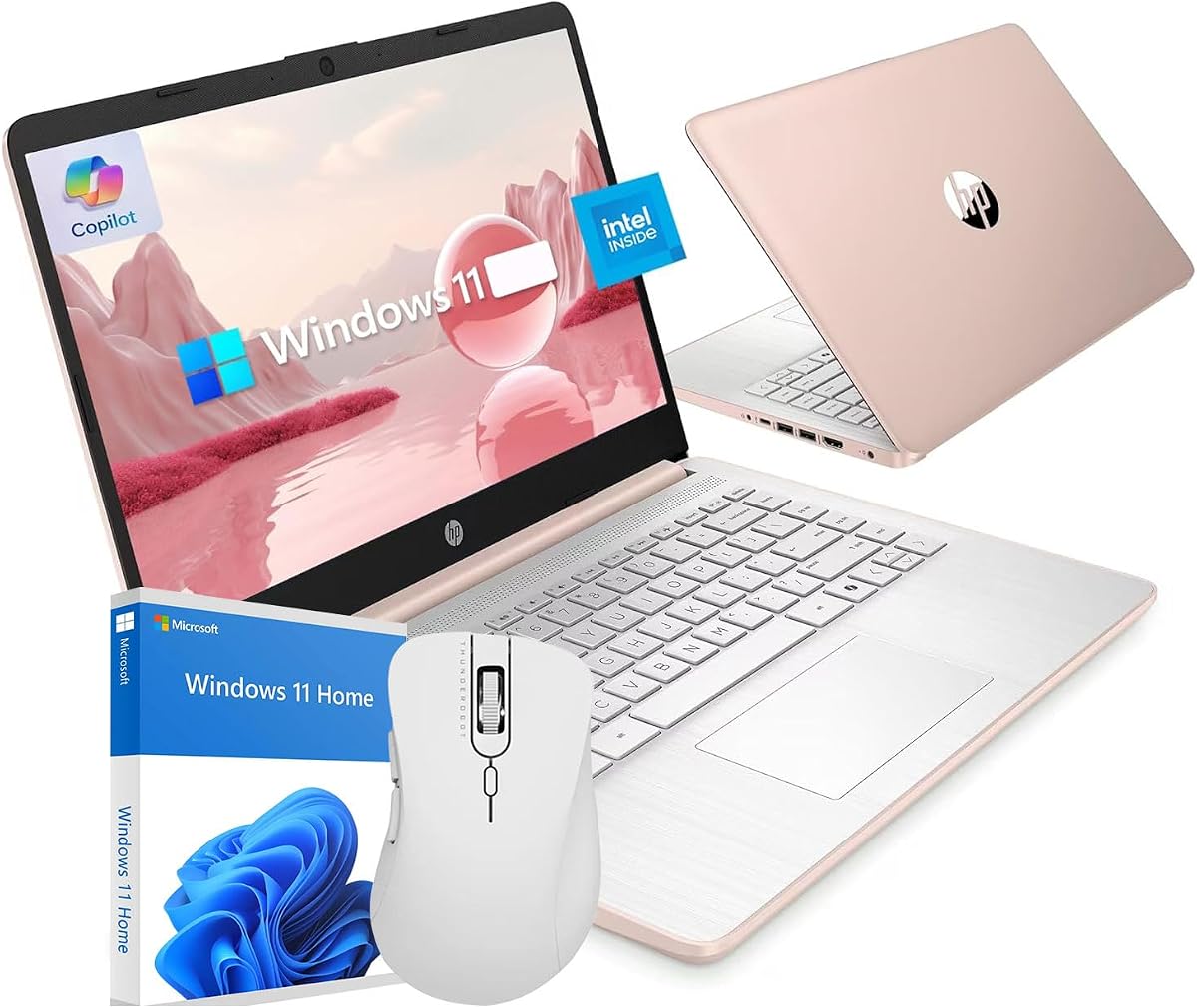




This HP 14 Laptop stands out as a top choice for nursing students due to its balanced combination of modern Windows 11 Pro features and included productivity tools like Microsoft Office and Copilot AI.
We may earn a commission when you buy through this link, at no additional cost to you.
The inclusion of Windows 11 Pro provides enhanced security features like BitLocker encryption and remote desktop capabilities which are valuable when handling sensitive patient data or accessing university networks remotely.
While the 4GB DDR5 RAM is efficient for multitasking basic tasks, users might find the 128GB internal storage limiting for large medical imaging files unless they rely on the included external drive bundle.
For nursing students who need a secure, portable, and productivity-ready machine for coursework and clinical notes, this model offers exceptional value through its comprehensive software and hardware bundle.
Windows 11 Pro includes BitLocker encryption to protect your device if lost or stolen ensuring patient data remains secure during clinical rotations.
Copilot AI helps streamline note-taking and scheduling tasks reducing the cognitive load during long study sessions and busy shifts.
We may earn a commission when you buy through this link, at no additional cost to you.
The HP 14 Laptop featuring the Intel N150 processor is a budget-friendly option that offers 8GB RAM ensuring smoother multitasking compared to many competitors in this price range.
We may earn a commission when you buy through this link, at no additional cost to you.
Students will appreciate the included one-year Microsoft 365 subscription which grants immediate access to essential tools like Word and Excel necessary for assignments and clinical documentation.
Despite its affordable price, the device maintains a robust 11-hour battery life making it reliable for full days of lectures and study sessions without needing a charger.
For students prioritizing affordability without sacrificing essential multitasking capabilities and battery endurance, this laptop presents a compelling value proposition.
The 8GB of RAM allows you to keep multiple tabs and applications open without significant slowdowns during research or writing papers.
Immediate access to Word Excel and PowerPoint helps you start your coursework on day one without needing to purchase additional software licenses.
We may earn a commission when you buy through this link, at no additional cost to you.
The HP Essential Laptop offers a refined user experience with a modern design and connectivity standards like Wi-Fi 6 that ensure fast internet speeds in busy campus networks.
We may earn a commission when you buy through this link, at no additional cost to you.
Its 14-inch HD anti-glare display provides comfortable viewing for extended periods which is crucial when reviewing medical diagrams or reading lengthy nursing textbooks on screen.
AI-powered noise reduction on the microphone ensures clear communication during online classes or telehealth simulations making it a strong tool for remote learning scenarios.
Ideal for students who want a sleek reliable and well-connected device for everyday academic tasks without paying for unnecessary high-end gaming features.
AI noise reduction filters out background sounds like cafeteria noise or traffic ensuring your voice is clear during virtual lectures.
The micro-edge bezel design maximizes screen real estate in a small footprint making it easy to fit on crowded study desks.
We may earn a commission when you buy through this link, at no additional cost to you.
The HP Ultrabook 14 is designed to be a visually appealing and functional machine for students who value aesthetics alongside practical computing needs.
We may earn a commission when you buy through this link, at no additional cost to you.
Powered by a Quad-Core Intel N150 processor and equipped with SSD storage it provides responsive performance for web browsing and document editing tasks essential for coursework.
While it lacks the Pro features of higher-end models the Windows 11 Home environment is sufficient for most students needing basic security and productivity tools.
This model is well-suited for those seeking a lightweight attractive machine that handles standard academic requirements without excessive bulk or complexity.
The Rose Gold finish and slim profile make it a stylish accessory that fits well in both professional clinical settings and casual study environments.
SSD storage ensures that boot times and application launches are fast keeping your workflow smooth during short breaks between classes.
We may earn a commission when you buy through this link, at no additional cost to you.
This Lenovo Chromebook offers a full HD touchscreen which is excellent for interactive learning modules and intuitive navigation through educational apps and web-based nursing tools.
We may earn a commission when you buy through this link, at no additional cost to you.
Running on Chrome OS it provides a secure and simple environment that updates automatically reducing maintenance time and keeping you focused on learning rather than system management.
The MediaTek Kompanio 520 processor is designed for efficiency ensuring that basic tasks remain smooth even on the relatively limited 4GB RAM configuration.
It is an ideal choice for students whose coursework is primarily web-based and who do not require complex desktop software for their studies.
The touchscreen allows you to interact directly with diagrams and charts making it easier to study complex medical anatomy visuals on the go.
Chrome OS includes built-in virus protection and automatic updates ensuring your device stays secure without needing complex antivirus software.
We may earn a commission when you buy through this link, at no additional cost to you.
The HP 17.3 inch Laptop stands out for its large display which provides ample screen real estate for split-screen multitasking between textbooks and note-taking applications.
We may earn a commission when you buy through this link, at no additional cost to you.
With 16GB of RAM and a 512GB SSD this model handles heavy workloads efficiently making it suitable for running multiple browser tabs and complex statistical software without lag.
The Intel Core i5 processor offers significant performance headroom compared to entry-level chips ensuring smooth operation even during demanding data analysis tasks.
For students who primarily study in a fixed location or dorm room and prioritize screen size and performance over portability this is a powerful choice.
The 17 inch display allows you to view a textbook on one side and type notes on the other without needing an external monitor.
16GB of RAM ensures that running virtual machines or heavy research tools does not slow down your daily workflow or study sessions.
We may earn a commission when you buy through this link, at no additional cost to you.
This HP Portable Laptop combines high memory capacity with a lightweight chassis making it unique for students who need to run multiple applications simultaneously while moving around campus.
We may earn a commission when you buy through this link, at no additional cost to you.
The inclusion of 16GB RAM is exceptional for this price range allowing you to keep dozens of tabs and applications open for extensive research or project work.
Weighing only 3.24 lbs it fits easily into backpacks ensuring that carrying it to clinical rotations or libraries does not add significant physical strain.
For those who need powerful multitasking capabilities in a thin light and convenient package this model offers a strong hardware foundation.
The 16GB RAM ensures you can browse the web stream video and edit documents at the same time without performance degradation.
Included earbuds add immediate value for listening to lectures or participating in online classes without needing to buy accessories separately.
We may earn a commission when you buy through this link, at no additional cost to you.
The Dell 15.6 Laptop is engineered with eye comfort in mind utilizing ComfortView technology to reduce harmful blue light emissions during long study nights.
We may earn a commission when you buy through this link, at no additional cost to you.
Students who spend hours typing papers or data entry will appreciate the full-size keyboard with a numeric keypad which simplifies entering grades or patient counts.
Built on a reliable chassis it balances standard computing needs with a focus on ergonomic design to reduce wrist fatigue during extended writing sessions.
This model is a solid choice for students who prioritize visual comfort and keyboard ergonomics for long hours of document creation.
The ComfortView software reduces blue light emissions helping to prevent eye strain during late night study sessions or clinical charting.
The full numeric keypad simplifies data entry tasks making it faster to input numbers for assignments or patient records efficiently.
We may earn a commission when you buy through this link, at no additional cost to you.
This HP Laptop 14 features advanced AI noise reduction and a clear HD camera which are critical for students participating in online simulations or remote clinical rounds.
We may earn a commission when you buy through this link, at no additional cost to you.
The dedicated Copilot key provides quick access to AI tools helping you summarize notes or draft emails faster during busy study periods.
Connectivity is robust with Wi-Fi 6 ensuring stable connections even in crowded dormitories or lecture halls where network congestion is common.
Ideal for students who rely heavily on virtual communication and need reliable hardware to keep their connection professional and clear.
AI noise reduction filters out background noise like hallway chatter ensuring your voice comes through clearly during virtual team meetings.
Wi-Fi 6 delivers faster speeds and better range ensuring you stay connected during important video lectures without interruptions.
We may earn a commission when you buy through this link, at no additional cost to you.
The HP 14 Ultra-Portable offers an extensive storage bundle combining internal and external drives which solves the common issue of running out of space for medical files.
We may earn a commission when you buy through this link, at no additional cost to you.
It includes Windows 11 Pro and Copilot AI providing advanced features typically reserved for higher priced models to help you manage your academic workflow effectively.
The accessory kit includes a docking station hub expanding your connectivity options for external monitors or projectors which is useful for presentations or group study.
For students who need maximum storage flexibility and professional features in a portable form factor this model delivers a comprehensive solution.
The combination of 128GB internal and 500GB external storage ensures you never run out of space for research or patient data backups.
The included docking hub adds HDMI and USB ports allowing you to connect to projectors or external displays effortlessly during presentations.
We may earn a commission when you buy through this link, at no additional cost to you.
Selecting a laptop for nursing school involves evaluating hardware capabilities against the specific demands of coursework clinical rotations and remote learning.
The processor acts as the brain of your laptop determining how smoothly it handles multiple tasks simultaneously. For nursing students a mid-range processor like the Intel Core i5 or a strong N-series chip is recommended to run virtual machines or data tools efficiently.
Prioritize a quad-core processor to ensure your device remains responsive during video lectures and research sessions without frustrating lag.
Memory or RAM is crucial for multitasking allowing you to keep your electronic health records open alongside a web browser and note-taking app. Aim for at least 8GB to ensure smooth operation but 16GB is ideal for future-proofing against heavier software updates.
Selecting a model with sufficient RAM prevents performance bottlenecks during busy exam weeks when you need to access multiple resources at once.
Nursing programs often require saving large PDFs research papers and sometimes medical imaging files so adequate storage is essential. Look for an SSD drive which provides faster boot times and file access compared to traditional hard drives.
Opt for a 512GB SSD or a model that allows for easy expansion through external drives to accommodate growing digital libraries without clutter.
Long battery life is a critical factor for students who spend hours in libraries hospitals or classrooms where power outlets may be scarce. A device offering 8 to 11 hours of runtime ensures you can work through your entire day without carrying a bulky charger.
Check reviews for real-world battery performance since advertised numbers often assume lighter usage than typical student workloads.
Since you will likely carry your laptop to various locations daily weight is a significant consideration. Aim for a model weighing under 3.5 pounds to avoid strain on your back and shoulders during long commutes.
A compact 14-inch form factor usually offers the best balance between screen real estate and backpack-friendly dimensions for daily transport.
A high-quality display reduces eye strain during long study sessions and is essential for viewing detailed anatomical diagrams or lab results. Look for an anti-glare finish to maintain clarity in bright environments like hospital rooms.
Prioritize Full HD resolution to ensure text remains crisp and readable which is vital for proofreading assignments and viewing digital textbooks.
Ensure the laptop runs an operating system compatible with your university portals and nursing software. Windows 10 or 11 is standard but check if your program supports Chrome OS or macOS for specific clinical applications.
Verify compatibility early to avoid wasting money on software that does not function correctly on your chosen device.
Your laptop should offer versatile connectivity options to link with peripherals like projectors external hard drives or printers. Ensure it has USB-C or HDMI ports to connect easily to external displays for collaborative study.
A model with Wi-Fi 6 support guarantees fast and stable internet connections essential for video conferencing and cloud-based learning platforms.
Always keep your laptop updated with the latest security patches and software updates to protect sensitive medical data you may handle during clinical rotations or research.
Use a protective sleeve or padded case when carrying your device to your dorm or hospital to prevent physical damage and dust accumulation inside the ports.
Organize your files using cloud storage solutions to ensure you do not lose critical notes or assignments even if your device encounters hardware failure or is lost.
Not necessarily a gaming laptop is required but you do need reliable performance for multitasking. A mid-range processor and at least 8GB of RAM will handle coursework and clinical software efficiently without overpaying for unnecessary graphics power.
Windows is generally the safest bet as it supports the widest range of clinical and educational software. Ensure your university portal is compatible before considering Mac or Linux options to avoid technical hurdles.
Aim for at least 256GB of SSD storage to accommodate textbooks research papers and multimedia files. If you deal with large imaging files consider a model that supports external hard drives for backup.
A touchscreen can be helpful for interactive learning modules and note-taking but it is not a strict necessity. A high-quality HD display with anti-glare properties is more important for eye comfort during long study sessions.
Choose a Windows laptop if your program requires specific desktop applications like virtual machines or specialized clinical software. Chromebooks are suitable only if your coursework is primarily web-based and relies on Google Workspace tools.
A quality laptop should last you through your entire program ranging from two to four years. Investing in a model with upgradable RAM or SSD ensures it remains capable even as software demands increase.
Choosing the right device for your nursing education requires balancing performance specifications with portability and budget constraints.
Prioritize models that offer strong battery life and sufficient RAM to handle multitasking during long shifts and intense study sessions effectively.
Always check current prices and availability on retailer sites as deals can change frequently impacting the value proposition of these top-rated models.