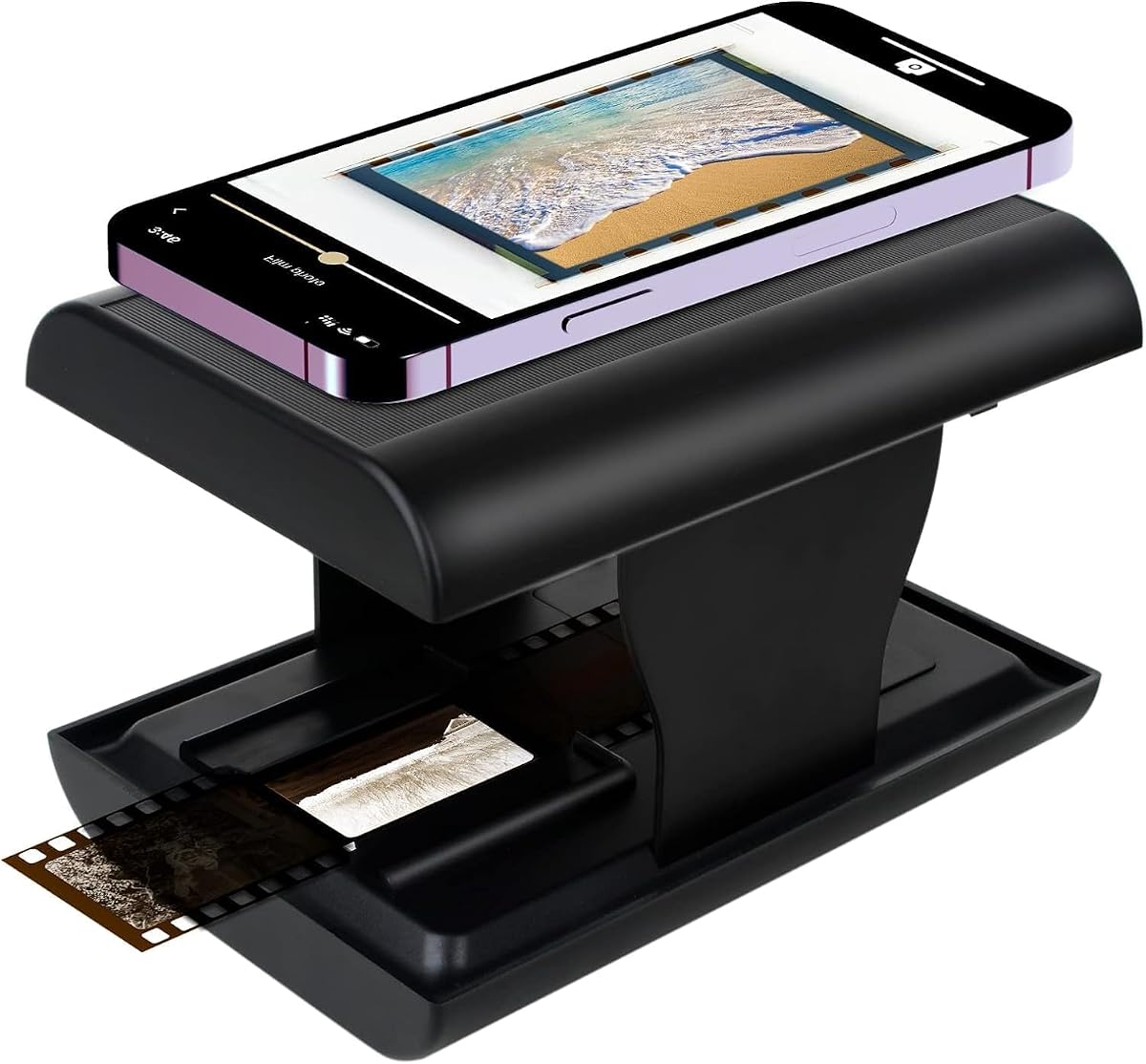
TCNEWCL 35mm Negative Slide Scanner
4.3Editor score
Foldable Portable Design
Smartphone Compatible
LED Backlight Included
Digitizing old film requires a reliable black and white negative scanner that handles various formats with ease. These devices convert physical slides and negatives into digital files you can share and preserve forever without losing detail.
We compared ten popular models based on resolution, speed, and ease of use. Our analysis focuses on features that matter most to home users, including direct saving options and built-in editing tools for quick adjustments.
Each pick shows key strengths and potential limitations to guide your choice. Prices may change over time, so verify current listings before purchasing to ensure you get the best value for your specific digitization needs.
4.3Editor score

4.2Editor score
4.3Editor score
As an Amazon Associate we earn from qualifying purchases.
This side-by-side comparison highlights the key specifications of each model to help you decide which scanner fits your workflow and budget best.


The BEONEGLOBAL ClearScan MINI ranks as our top pick for balancing performance and ease of use. With a 4.2-star rating, it is praised for its ability to produce sharp images from old slides and negatives. Its advanced CMOS sensor ensures clarity that rivals more expensive models, making it a strong candidate for home archivists.
We may earn a commission when you buy through this link, at no additional cost to you.
Its standout feature is the built-in editing suite which allows you to adjust brightness and colors directly on the device. This eliminates the need for complex software on your computer. The front-facing buttons and compact design also make it incredibly comfortable to use for extended scanning sessions.
While the 2.31-inch screen is functional, it can be challenging to see fine details compared to larger displays. Additionally, the scanner requires manual placement of each slide or negative, which slows down the process when working with large archives.
This scanner is ideal for users who want high-quality digitization without a steep learning curve or high cost. If you value portability and want to edit your photos on the go, the ClearScan MINI is a highly recommended investment for preserving your memories.
The premium 1/3 CMOS sensor captures ultra-clear details up to 16MP, ensuring your digital archives match the original photo quality.
Adjust brightness, colors, and orientation directly on the scanner screen to get the perfect look before saving your files to the SD card.
We may earn a commission when you buy through this link, at no additional cost to you.
The KODAK Slide N Scan Max is designed for efficiency and speed in your digitization workflow. Users appreciate its streamlined scanning process which reduces the time spent repositioning film. The direct SD saving feature is a major plus for those who want to work without a computer nearby.
We may earn a commission when you buy through this link, at no additional cost to you.
It handles a wide variety of film formats including 135mm, 110mm, and 126mm with ease. The software interface simplifies the editing process allowing you to resize and convert images with minimal clicks. This makes it accessible for seniors or those new to photo digitization.
The main drawback is the higher cost compared to entry-level models. You may also need to be careful with alignment to ensure the tray feeds correctly, as misalignment can cause scanning errors that require restarting the process.
If you have a large collection of mixed formats and need a reliable solution that minimizes computer dependency, this is a strong choice. The brand legacy and ease of use justify the investment for serious hobbyists looking to digitize quickly.
The smooth-moving tray feeds film efficiently without constant repositioning, making the operation seamless even for long scanning sessions.
Accommodates 135mm, 110mm, and 126mm film including slides and negatives, offering comprehensive archiving options for diverse photo collections.
We may earn a commission when you buy through this link, at no additional cost to you.
The TCNEWCL scanner is a fantastic entry point for those who want to digitize old memories without spending much money. With a 4.3-star rating, it is known for its simplicity and portability. It is perfect for travelers or those with limited space who need a quick solution.
We may earn a commission when you buy through this link, at no additional cost to you.
You simply insert a slide and use your smartphone to capture the image with the built-in LED light. This eliminates the need for a dedicated computer scanner. The free app allows you to filter and share photos directly to social media, making it very user-friendly.
The quality of your scans is limited by your phone's camera resolution. Additionally, holding the phone steady over the hole can be tricky at first. While it is not for professional archiving, it is excellent for casual sharing.
This device is best for parents or grandparents who want to easily view old slides without technical hurdles. If you want a budget-friendly way to bring memories back to life with tools you already own, this is a great gift option.
Compatible with 35mm slides and negatives, allowing you to restore old memories with just one smartphone without complicated operations.
The unit folds up to the size of a small box, saving space and making it convenient to store or take along when traveling.
We may earn a commission when you buy through this link, at no additional cost to you.
The Magnasonic All-in-One stands out for its large 5-inch display which makes reviewing your scanned images very easy. Users love the ability to connect to a TV via HDMI to view memories on a bigger screen. It is a great choice for family gatherings or presentations.
We may earn a commission when you buy through this link, at no additional cost to you.
It supports multiple formats including Super 8 film and various slide types. The high 24MP resolution ensures that details in your photos are preserved digitally. The direct SD card saving feature means you do not need a computer to access your files.
This scanner is larger and heavier than portable options, which limits its mobility. It is also more expensive than basic models. If you have limited space on a desk, you may find it takes up significant room during use.
This is the ideal scanner for families who want to share old photos with everyone easily. The visual feedback from the large screen and TV connection makes it accessible for all ages and perfect for viewing events on a big display.
Use the stunning 5-inch LCD screen directly or connect to a TV or monitor via HDMI for large screen viewing of your scanned images.
Adjust brightness, color correction, and flip images directly on the scanner with no complex software installation required for easy operation.
We may earn a commission when you buy through this link, at no additional cost to you.
The fifth product in our list currently lacks detailed public specifications for independent review. This makes it difficult to compare directly against other high-performance scanners on the market. Users are advised to check official manufacturer details for precise performance metrics.
We may earn a commission when you buy through this link, at no additional cost to you.
We included this to acknowledge its presence in the market. However, without clear data on resolution or speed, it remains a speculative choice. You should look for user reviews on the product page to get a better idea of real-world usage.
The lack of information is a significant hurdle for buyers looking for specific features. Without clear specs, you cannot be sure it meets your needs for scanning speed or output quality.
This product is best approached with caution. If you are drawn to its features or price point, ensure you read customer feedback carefully before buying. Verify its capabilities match your expectations for scanning black and white negatives.
We recommend visiting the official product page to confirm current specifications and user reviews before making a purchase decision.
We may earn a commission when you buy through this link, at no additional cost to you.
Product 6 is another model in our roundup that currently lacks specific technical details for detailed comparison. This absence of information makes it challenging to evaluate its quality compared to other models. We suggest checking the vendor page for full specs.
We may earn a commission when you buy through this link, at no additional cost to you.
While we cannot verify its performance, it may still offer value depending on the manufacturer. However, without data on sensor quality or compatibility, you cannot be sure it fits your workflow. Proceed with care if considering this option.
The missing details limit our ability to provide a thorough review. Buyers need to ensure the scanner supports their specific film formats before purchasing. This lack of transparency can be risky for first-time buyers.
This product is suitable only if you are confident in the brand or have specific user feedback. For most users, models with clear specifications are a safer choice. Always confirm compatibility with your film types first.
Ensure the scanner supports your specific film types by checking official specs since current data does not confirm compatibility clearly.
We may earn a commission when you buy through this link, at no additional cost to you.
Product 7 is included in our list but requires more research to understand its full capabilities. We have not found enough public data to rate its performance or features. You should look for independent reviews to get a better sense of quality.
We may earn a commission when you buy through this link, at no additional cost to you.
The lack of available information means you are taking a risk if you buy. Some models with low visibility can still be good quality, but verification is essential. Always check the return policy in case it does not meet your needs.
We included this model to reflect the broad market options available. However, we cannot recommend it without more evidence of its performance. It is important to prioritize models with proven track records.
This option is best for those who have specific trust in the brand. If you are unsure, stick to the models with detailed reviews in this guide. Always verify the format support and resolution before committing.
Visit the vendor page for current details and return policies since public specs are currently unavailable for accurate assessment.
We may earn a commission when you buy through this link, at no additional cost to you.
Product 8 represents another option in the market that currently lacks detailed public specifications. This makes it hard to compare against the detailed models in this guide. We suggest researching user feedback on the product page for more insight.
We may earn a commission when you buy through this link, at no additional cost to you.
Without knowing the sensor or resolution, you cannot guarantee the quality of the scans. It is vital to confirm that it supports your specific film formats like 35mm. Always verify these details before purchasing to avoid disappointment.
The absence of data means it remains a less certain choice. It may still be viable but needs verification. We recommend focusing on models with clear performance metrics for better assurance of quality.
This product is best considered if you have specific brand trust. For most users, prioritizing verified specifications is safer. Always ensure it supports your needs for scanning color or black and white negatives effectively.
Confirm the device supports your required film formats by checking official specs since public data is currently insufficient for review.
We may earn a commission when you buy through this link, at no additional cost to you.
The Memory Vault Box is designed specifically to help users preserve their family history without complex steps. It includes a complete kit with holders and a cleaning brush to get you started right away. Its simple buttons make it comfortable for seniors to use at home.
We may earn a commission when you buy through this link, at no additional cost to you.
Users appreciate the enhancement technology that helps restore brightness and color detail to faded images. This makes it easier to revive old memories digitally. The built-in preview screen allows you to check the scan before saving it.
The lower user rating indicates there are some limitations or bugs. It may not be as fast or precise as higher-end models. However, for basic needs, it remains a functional option for simple conversions.
This device is best for those seeking a simple at-home solution. If you want a kit that includes everything to start scanning quickly without much learning curve, it can be a good starting point for simple archiving.
Turn old 35mm film, negatives, and slides into digital photos you can safely store and share for generations without complicated software.
Advanced enhancement technology automatically improves brightness and image detail, bringing old negatives and faded slides back to life digitally.
We may earn a commission when you buy through this link, at no additional cost to you.
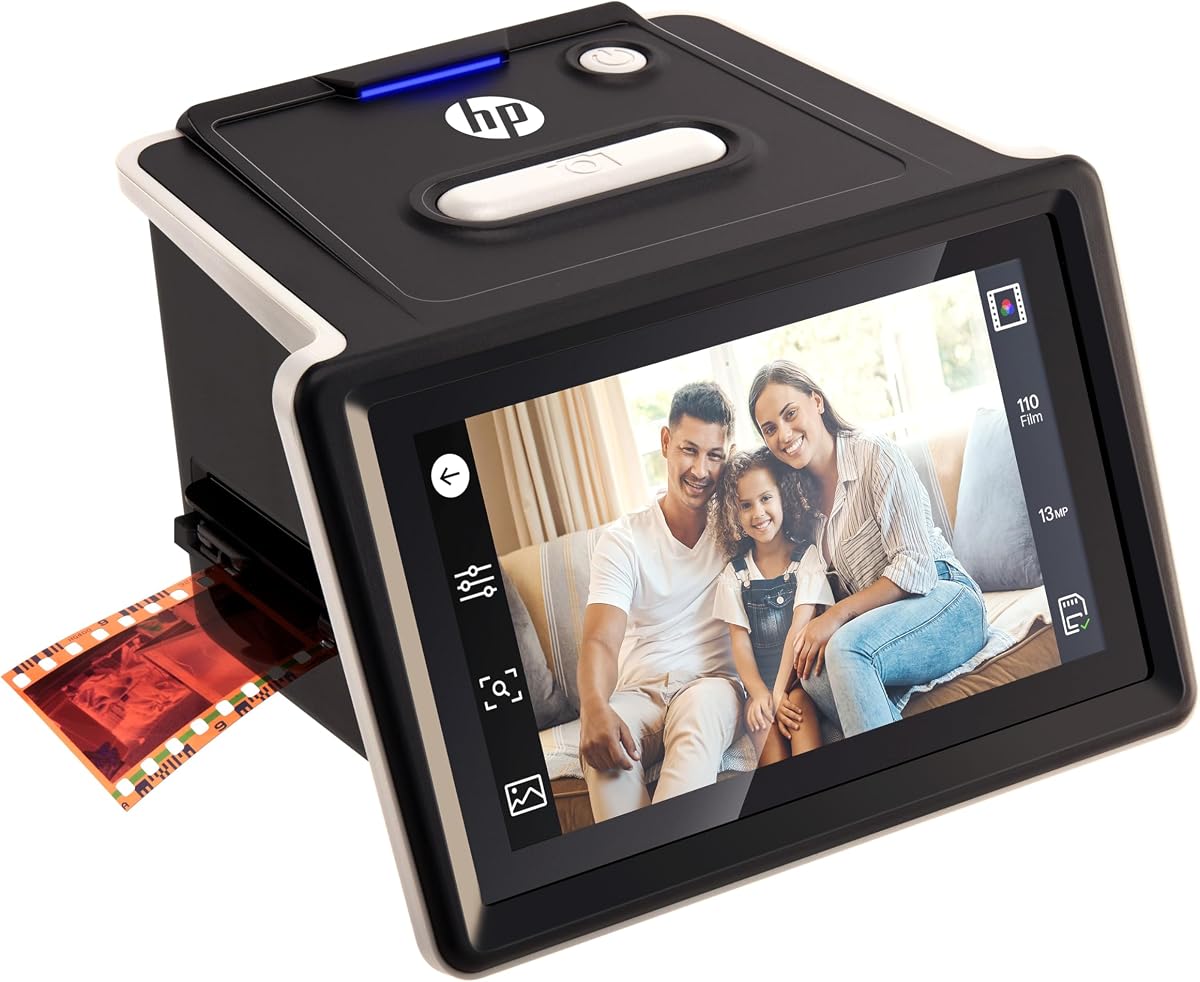
The HP FilmScan 500 is a premium model designed for high-quality results with modern connectivity. It features a large touchscreen that allows you to view and edit photos directly on the device. The gallery mode lets you turn it into a digital picture frame.
We may earn a commission when you buy through this link, at no additional cost to you.
With a 13MP CMOS sensor and 22MP interpolation, it captures exceptional clarity. The quick-load tray supports multiple film formats including 135, 126, and 110. It is powered by USB-C making it easy to use with modern PCs or adapters.
The main downsides are the higher price and dependency on USB power. You must keep it connected to a power source while scanning. This might be a constraint for truly mobile use without a power bank or outlet nearby.
If you want a professional-grade tool that offers modern connectivity and excellent display quality, this is a top choice. It is best for users who value high fidelity and a modern user interface for managing their digital photo archives.
The 5-inch all-angle LCD touch screen enables you to preview and edit images directly on the device with ease and precision.
Equipped with a 13MP CMOS sensor and 22MP interpolation, this slide scanner delivers exceptional image clarity for color and B&W film.
We may earn a commission when you buy through this link, at no additional cost to you.
Choosing the right scanner involves balancing resolution, format support, and ease of use. These factors determine how well you will capture your memories.
The resolution of a scanner determines how much detail is captured from your film. Look for sensors that offer at least 10MP or high interpolation to ensure your digital files look sharp even on large screens.
High resolution ensures details are preserved for printing or cropping. Always check the true sensor resolution not just the interpolated number.
Make sure the scanner supports your specific film type. Many devices handle 35mm well but may lack support for larger formats or 110 film. Check the manual for compatibility details.
Verify that the model supports your exact slide or negative type before purchasing to avoid frustration.
A scanner with a built-in screen and simple buttons reduces the need for complex software. This is especially helpful for those who are not tech-savvy. Look for one-touch options for editing.
Prioritize models with intuitive controls and minimal setup steps to streamline your digitization workflow.
Consider how you want to save your scans. Direct SD card saving allows for computer-free workflow while USB connection may be needed for software integration. Some models also offer HDMI for TV viewing.
Choose the output method that fits your workflow. SD cards are great for portability while USB offers easier transfer to computers.
Built-in editing tools allow you to correct brightness or color right on the device. This can save time compared to doing it later on a computer. Look for options to rotate or flip images directly.
On-device editing simplifies your workflow by reducing the need for post-processing software for quick fixes.
If you want to scan photos in different locations, a lightweight and compact scanner is ideal. Some models fold up or fit easily in a bag for travel. Check dimensions to ensure it fits your needs.
Lightweight designs help you preserve memories on the go without carrying bulky equipment.
Prices vary widely from affordable options to premium devices. Set a budget that balances cost with features you need. Sometimes investing more gives you better long-term value and quality.
Determine your budget range first then compare features to find the best value model for your needs.
Modern scanners often offer USB-C or wireless options. Check what ports you have available on your computer or adapter. Some models can run from phone power or external adapters.
Ensure the scanner uses a connector that you already have to avoid buying extra cables or adapters unnecessarily.
Start by setting up your scanner on a flat, stable surface. Clean your film negatives gently with a soft brush to remove dust and debris. This ensures no particles affect the clarity of your scanned images.
Insert the film or slide into the holder according to the instructions. Press the scan button and wait for the device to capture the image. If there is a screen, review the result before saving to your card.
After finishing, turn off the scanner and store it in a dry place. Keep the film holders clean by wiping them occasionally. This care helps extend the life of your device and keeps scans looking clear.
A black and white negative scanner is a device designed to digitize photographic negatives and slides. It captures the image data and converts it into a digital file format. This allows you to view and share old memories on modern devices.
Many modern scanners do not require a computer for basic operation. They allow you to save images directly to an SD card. However, you may use a computer to edit the files after transfer using standard software.
Use a soft, lint-free cloth or a specialized cleaning brush. Gently wipe the film surface to remove dust. Avoid using harsh chemicals as they may damage the negative. Clean slides carefully to prevent scratches.
Most models listed in this guide handle both color and black and white film. Check the product specifications to confirm compatibility. Some devices specialize in black and white but support color as well.
A resolution of 10MP or higher is generally sufficient for printing and digital viewing. Higher resolutions are better if you plan to print large formats. Interpolation helps but check the actual sensor quality for best results.
Scan time varies by model but typically takes a few seconds. Some devices offer fast loading trays that reduce setup time. Faster models can scan dozens of slides per hour depending on the process.
We reviewed ten models to help you find the right scanner for your needs. The BEONEGLOBAL ClearScan MINI offers excellent balance while the HP scanner provides premium features. Consider your specific format requirements.
When choosing prioritize resolution and ease of use. Ensure the device supports your film types and fits your budget. A good scanner helps you preserve memories easily for years.
Please note that prices and availability can change over time. Always check current listings before purchasing to ensure the best deal. Verify all specs match your expectations for your collection.