
Canon EOS R6 Mark II
4.1Editor score
24.2MP Full-frame sensor
High-speed continuous shooting
Stop motion firmware support
Creating stop motion animation requires precision and the right tools to capture every frame clearly. Whether you are a hobbyist or a professional, choosing the right camera can make a significant difference in your final project quality and workflow efficiency.
We have carefully selected ten top-rated cameras and kits designed specifically for stop motion projects. Our comparison looks at resolution, focus control, software compatibility, and overall value to help you find the perfect fit for your creative needs.
Each pick highlights key strengths and potential trade-offs so you can make an informed decision. Please note that prices and availability may change over time, so check current listings before purchasing your next animation camera.
4.1Editor score

4.0Editor score

4.0Editor score
As an Amazon Associate we earn from qualifying purchases.
This side-by-side comparison highlights the key specifications and capabilities of each camera option to help you decide which one aligns best with your animation goals and budget constraints.



The HUE Animation Studio Pro is a specialized kit designed to streamline the stop motion process for users of all levels. Rated highly for its ease of use and integrated software, it offers a complete solution for beginners and educators looking to create high-quality animated projects without complexity.
We may earn a commission when you buy through this link, at no additional cost to you.
Its standout feature is the manual focus lens which ensures that once the frame is set, it does not shift between shots due to autofocus hunting. The built-in LED lights provide consistent illumination which is critical for smooth animation. Additionally, the software included supports sound effects and various project templates.
While the 1080p resolution is standard for HD video it may not satisfy users seeking ultra high-definition output for cinematic projects. The software also requires registration to access the premium desktop version which could be a minor hurdle for some users immediately starting their creative journey.
This camera is ideal for teachers, students, and hobbyists who want a straightforward path into stop motion animation. It balances affordability with professional features like manual control making it a top recommendation for anyone prioritizing workflow and ease of use.
The built-in LED lights ensure that your subject remains evenly lit across every frame reducing flicker in the final video output.
Included software allows for on-the-fly preview and editing saving time during the production phase of your stop motion films.
We may earn a commission when you buy through this link, at no additional cost to you.
The ZYDIIE 4K Video Camera is a versatile camcorder that excels in capturing detailed footage suitable for various video projects. While primarily marketed for vlogging its high resolution and flexible screen make it a viable option for stop motion enthusiasts who need detailed framing and crisp imagery.
We may earn a commission when you buy through this link, at no additional cost to you.
Its ability to record in 4K ensures that every texture and movement is captured with precision which is beneficial for stop motion projects requiring high visual fidelity. The rotating touchscreen allows for creative angles and easier monitoring of the setup without needing external monitors.
However, since it is a general purpose camcorder it lacks the dedicated software and manual focus lock features found in specialized animation kits. Users may need to rely on external software to handle the frame-by-frame capture process which adds a layer of complexity to the workflow.
This camera is best for users who want a multi-purpose device that can handle both stop motion and general video recording needs. It is a solid choice if you already prioritize high-resolution output and screen flexibility over specialized animation tools.
The 4K resolution allows for significant cropping and post-production flexibility without losing essential detail in your animation frames.
The 270 degree rotating screen makes it easy to shoot from unique angles which can add creative depth to your stop motion scenes.
We may earn a commission when you buy through this link, at no additional cost to you.
The Canon EOS R6 Mark II is a powerhouse camera designed for professionals who demand the highest level of image quality and control. With specific firmware support for stop motion animation it bridges the gap between high-end photography and specialized animation workflows seamlessly.
We may earn a commission when you buy through this link, at no additional cost to you.
Its full-frame sensor and advanced ISO range allow for shooting in various lighting conditions without compromising image quality which is crucial for maintaining consistency across hundreds of frames. The live view resolution is also enhanced to provide clear visibility on the screen during setup.
While the performance is top-tier the investment required is significantly higher than consumer-level cameras. Users need to ensure their computer setup can handle the data transfer and software requirements which adds to the overall system complexity and cost.
This camera is ideal for professional animators and studios where budget is secondary to quality and reliability. If you need the best possible dynamic range and resolution for stop motion this model offers an unmatched level of capability and control.
The included firmware is specifically designed to aid frame by frame capture and software integration reducing friction in professional workflows.
Advanced ISO performance ensures that indoor scenes with controlled lighting remain clear and noise-free throughout the animation sequence.
We may earn a commission when you buy through this link, at no additional cost to you.
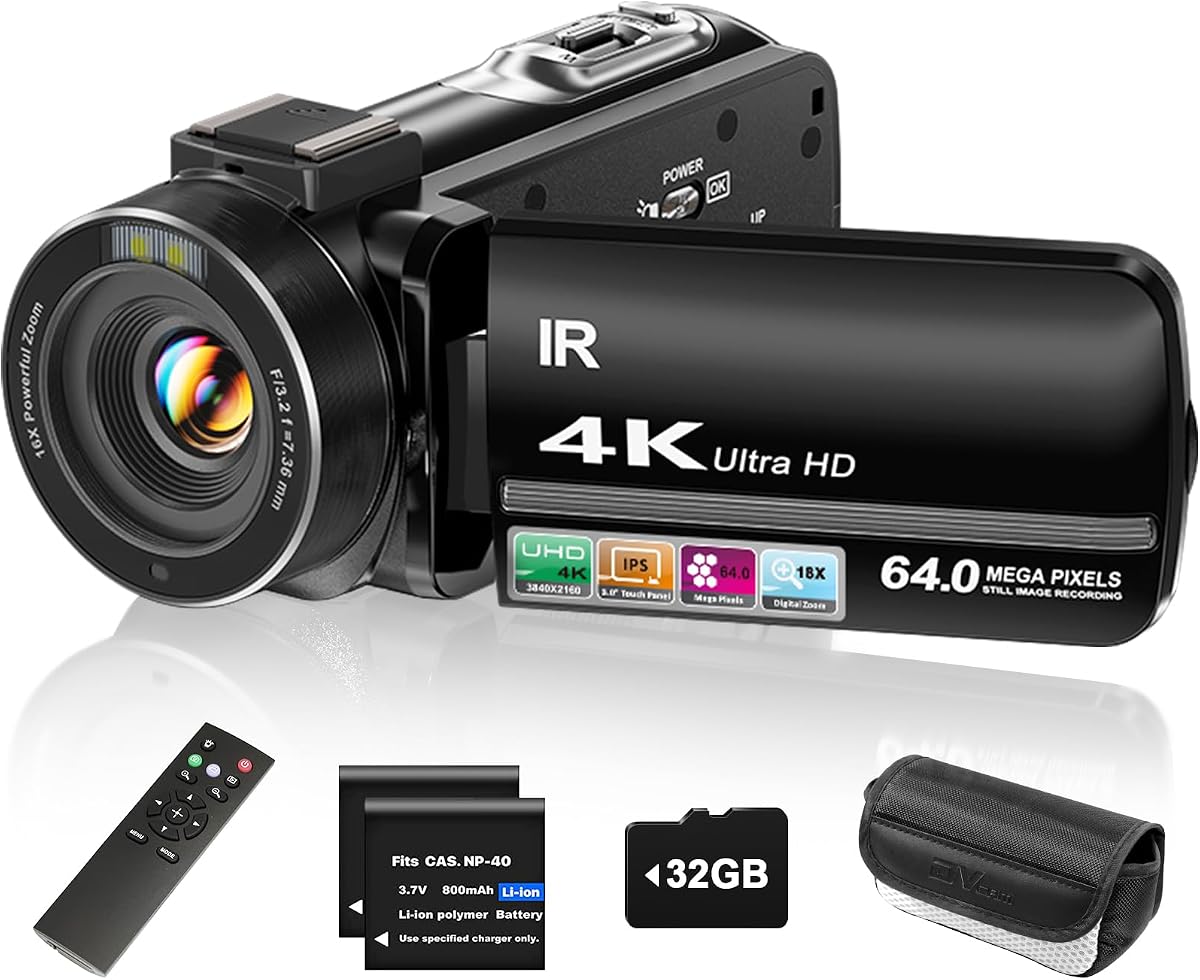
The FlyFrost 8K Video Camera offers an impressive array of high-end features at a competitive price point. With 8K video and 88MP photo capabilities it provides plenty of detail for those looking to capture intricate stop motion scenes without breaking the bank.
We may earn a commission when you buy through this link, at no additional cost to you.
The inclusion of WiFi allows for easier transfer of footage and remote control via a smartphone app which can streamline the setup process. Additionally, the IR night vision adds versatility for shooting in lower light environments where traditional lighting might not be feasible.
One limitation is that the 8K resolution is limited to 15 FPS which is acceptable for stop motion but may restrict flexibility for certain high frame rate needs. Users should also note that digital zoom can impact image quality if used extensively during the capture process.
This camera is a strong contender for hobbyists who want advanced specs like 8K recording at a budget-friendly price. It is best suited for projects where high resolution is prioritized over professional workflow tools or advanced manual controls.
WiFi capabilities enable quick image transfers and remote adjustments making it easier to manage large stop motion projects efficiently.
The IR night vision feature allows for creative shots in darkness without the need for additional lighting equipment setup.
We may earn a commission when you buy through this link, at no additional cost to you.
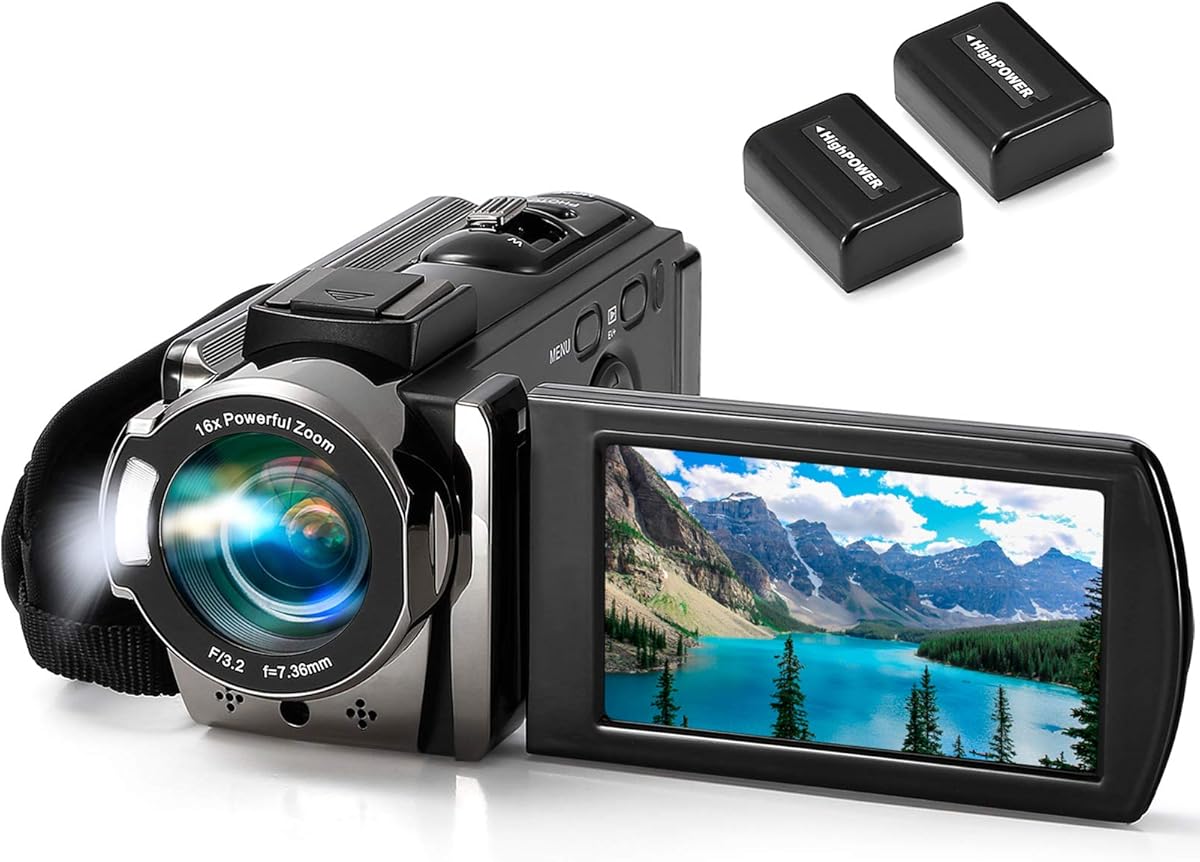
The kimire Video Camera is a budget-friendly option that provides the basic tools needed to start creating videos. It is particularly useful for beginners who need a simple device that offers essential recording functions without the complexity of advanced settings.
We may earn a commission when you buy through this link, at no additional cost to you.
Features like the pause function allow users to stop and resume recording easily which is helpful for creating segments or managing long sessions. The ability to record while charging is a significant benefit for extended shooting sessions without worrying about battery life.
While it does not offer advanced features like high resolution or specialized animation software it serves well for simple projects or educational use. Users should expect standard HD quality which may not satisfy those requiring ultra-detailed output for professional distribution.
This camera is perfect for first-time animators or schools looking for cost-effective solutions. It is recommended for those who prioritize ease of use and low cost over advanced technical specifications and professional-grade resolution.
The ability to record while charging ensures that long projects can continue without interruption due to battery depletion.
The built-in pause function reduces the need for extensive post-production editing by allowing you to stop during capture.
We may earn a commission when you buy through this link, at no additional cost to you.
The DJI Osmo Pocket 3 is a compact creator tool that excels in video quality and stabilization. While it is primarily designed for vlogging its high frame rates and sharp output make it suitable for stop motion projects that require smooth movement and detailed imagery.
We may earn a commission when you buy through this link, at no additional cost to you.
Its 3-axis mechanical stabilization ensures that even handheld shots remain steady which can be beneficial for specific styles of stop motion or hybrid projects. The fast 120fps 4K recording allows for high-quality slow motion playback which adds a cinematic touch to your animations.
However, the device is designed for mobility and may not offer the same static mounting options as traditional cameras. Additionally, the price point is significantly higher than standard webcams or kits which might limit its appeal for entry-level users.
This device is best for advanced creators who want a portable high-quality tool for diverse video projects. It is a premium option for those who value portability and exceptional image quality and have the budget to support it.
The gimbal stabilization provides a level of smoothness that is rare in handheld cameras enhancing the fluidity of any captured movement.
Support for 120fps allows for creative slow motion effects that can elevate the storytelling aspect of your stop motion work.
We may earn a commission when you buy through this link, at no additional cost to you.
This bundle of the Canon EOS R6 Mark II comes ready for professional use with added essentials like a memory card and backpack. It offers the full power of the mirrorless camera with firmware specifically tuned to support stop motion animation workflows effectively.
We may earn a commission when you buy through this link, at no additional cost to you.
The inclusion of a 64GB card means you can start capturing immediately without worrying about storage limitations. The camera's autofocus and stabilization systems ensure sharp images and steady footage which are critical for maintaining quality throughout long animation sequences.
While the bundle adds value through accessories the base camera remains a significant investment. Users should be prepared to navigate complex menus and settings which may require a learning curve if they are not familiar with professional mirrorless systems.
This package is ideal for professionals who need a complete setup without buying components separately. It is a top choice for those prioritizing high-end performance and immediate readiness for demanding production environments.
Adding a memory card and backpack ensures you have all the essentials needed to start working immediately upon purchase.
The 5-axis stabilization system helps maintain sharpness even during minor vibrations ensuring consistent frame quality.
We may earn a commission when you buy through this link, at no additional cost to you.
The 4K Digital Camera offers a compact package with lens versatility through included macro and wide-angle attachments. This makes it a great choice for stop motion projects that require close-up details or broader scene coverage within a single device.
We may earn a commission when you buy through this link, at no additional cost to you.
Its 48MP resolution ensures that images are crisp and detailed which is beneficial when zooming into specific areas of your animation. The camera is also designed to work as a webcam providing flexibility for live streaming or video calls without additional hardware.
Users should be aware of battery life limitations which may require frequent recharging during extended shoots. Additionally, the reliance on digital zoom means that optical clarity might be compromised when zooming in far beyond the standard field of view.
This camera is well-suited for hobbyists who want flexibility and high-resolution imaging in a portable form. It is a solid option for projects where lens adaptability is key and budget constraints limit access to more expensive interchangeable lens systems.
Included macro and wide lenses allow for creative framing choices without needing to buy additional optics separately.
The 48MP sensor provides ample resolution for capturing intricate details that might otherwise be lost in standard video outputs.
We may earn a commission when you buy through this link, at no additional cost to you.
The Complete HD Stop Motion Animation Kit provides everything necessary for beginners to start creating animations. It includes a HD camera, dedicated software, and an instructional book which makes it a self-contained solution for learning the basics of the craft.
We may earn a commission when you buy through this link, at no additional cost to you.
The camera is designed with a secure connection to prevent accidental disconnects during recording which ensures reliability during critical capture sessions. The included book offers step-by-step instructions to guide users through the process of setting up and executing their first projects.
While the hardware is basic compared to modern standards it is sufficient for educational purposes and hobbyist projects. The software is functional but may lack some advanced features found in newer applications which could limit creative expansion over time.
This kit is best for schools or individuals looking for an all-in-one educational package. It is an excellent starting point for those who value comprehensive guidance and simplicity over high-end technical specifications.
The included book provides structured learning that helps beginners understand fundamental techniques without getting overwhelmed.
The camera's secure connection minimizes the risk of interruptions during recording ensuring a smoother production process.
We may earn a commission when you buy through this link, at no additional cost to you.
The USB 2.0 HD Pro Webcam is a simple and affordable option for those who need a basic camera for stop motion. It offers 1080p resolution and a manual focus lens which is essential for locking in the image between frames without shifts.
We may earn a commission when you buy through this link, at no additional cost to you.
Its flexibility allows for easy mounting on various surfaces which can be useful for improvising a setup without a dedicated tripod. The included noise-canceling microphone ensures that any sound captured is clear which is helpful if you plan to add voiceovers later.
Since it is a standard webcam it does not come with specialized animation software requiring users to find third-party tools. The flex stand may also require additional stabilization to prevent movement during long recording sessions which could be a drawback for precise work.
This webcam is ideal for users on a strict budget who want to get started immediately. It is recommended for educational settings or hobbyists who already have animation software and need a reliable optical input.
The manual focus ring allows you to lock focus manually preventing unwanted changes between frames during your animation.
Simple USB connectivity means no drivers are needed making it ready to use instantly with most operating systems.
We may earn a commission when you buy through this link, at no additional cost to you.
Selecting the right camera involves understanding your project needs and technical requirements. This guide outlines the critical factors to consider before making a purchase to ensure you get the best value and performance.
Resolution determines how much detail is captured in every frame. Higher resolution like 4K allows for more flexibility in cropping and editing but requires more storage and processing power. For stop motion, 1080p is often sufficient for web content but professionals may prefer 4K for cinematic results.
Look for cameras that offer consistent quality across different lighting conditions to avoid flickering or noise in your final video.
Manual focus is crucial for stop motion to prevent the camera from refocusing between frames. Autofocus can cause jitter in your animation if it shifts slightly. Ensure the camera has a physical focus ring or a manual mode to lock focus effectively.
This feature ensures that the background and subject remain sharp and consistent throughout the entire sequence without interruption.
Check if the camera is compatible with your preferred stop motion software. Some cameras come with bundled software which can simplify the workflow significantly. Others may require specific drivers or plugins to function correctly with third-party apps.
Having a seamless connection between your camera and software reduces setup time and prevents technical issues during production.
Stop motion often involves static setups that require consistent lighting to avoid shadows moving between frames. Built-in lights or external lighting compatibility can be a major advantage. Look for cameras with good low-light performance if you plan to shoot in dim environments.
Stable lighting ensures that the color and brightness remain constant across every frame for a smooth viewing experience.
A stable mounting system is vital to prevent any movement of the camera itself during recording. Check if the camera comes with a tripod mount or flexible stand. Stability is more important than resolution in many cases to ensure the frames align perfectly.
Using a sturdy tripod or mounting accessory will significantly improve the quality of your final animation.
Stop motion projects can take hours to complete so battery life is a practical concern. Look for cameras that support recording while charging or come with multiple batteries to keep you going. USB power options are also helpful for longer sessions.
Reliable power ensures you do not lose progress due to unexpected shutdowns during long shooting periods.
If you need to move your setup frequently or shoot in different locations portability matters. Compact cameras or webcams are easier to set up and pack away compared to large DSLRs. Consider where you will be working to determine the right size.
A smaller camera footprint can free up space on your table for props and movement which is essential for stop motion.
Determine your budget early to narrow down choices effectively. Some kits offer everything you need including software and accessories which can be more economical than buying separate components. However, basic cameras may offer better optical quality for the price.
Prioritize features that directly impact your workflow such as manual focus and resolution over extra features you may not use.
Start by setting your camera on a stable surface or tripod to ensure it does not move during shooting. Use the manual focus ring to lock your focus point so the image remains consistent across all frames. This prevents unwanted shifts or blurring in your final animation.
Check your lighting setup to ensure it is steady and bright enough for clear shots. Avoid turning lights on or off during the recording process as this can cause flickering. Use consistent color temperatures to maintain a uniform look throughout the video.
Keep your lens clean and dry to avoid smudges or dust spots appearing in your footage. Store the camera in a cool dry place when not in use to protect it from humidity or extreme temperatures. Regular maintenance will extend the life of your equipment significantly.
While any camera can technically work a camera with manual focus is highly recommended. This prevents autofocus hunting which can cause jitter. Specialized kits often include software that simplifies the frame-by-frame process.
1080p is standard and sufficient for most web-based projects. Higher resolutions like 4K offer more detail for large screens but require more storage. Choose based on your target platform and available hardware.
Yes many smartphones work well with stop motion apps available in app stores. They offer high quality cameras but you must ensure the phone remains perfectly still using a tripod or stand during shooting.
Manual focus is better because it allows you to lock the focus point. Autofocus may adjust between frames causing unwanted shifts in clarity. This consistency is key for smooth animation.
Use a sturdy tripod or mount the camera securely to a fixed surface. Even slight movements can ruin frames. You can also use clamps or sandbags to add weight and stability if needed.
Popular options include Stop Motion Studio Dragonframe and MonkeyJam. Many cameras come with bundled software or are compatible with these apps. Check the manufacturer website for specific driver requirements.
Yes consistent lighting is critical to prevent shadows changing between frames. Bright LED panels are often used. Some cameras include built-in lights which can be sufficient for small setups.
Standard animation is often 12 to 24 frames per second. You can shoot one frame at a time and let software compile them. This gives smooth movement without needing high-speed video recording.
Choosing the right camera for stop motion animation depends on your specific needs and budget. Whether you select a dedicated kit like the HUE Animation Studio Pro or a high-end model like the Canon EOS R6 Mark II there are options available for every level of creator.
Prioritize features that ensure stability and consistency such as manual focus and reliable mounting. These technical aspects are often more important than raw resolution when it comes to producing smooth professional-looking animation.
Remember to check current prices and availability before purchasing since deals change frequently. With the right equipment and patience you can create amazing stop motion projects that bring your creative vision to life.