
Tripp Lite OMNIVSX1500
4.0Editor score
Tower form factor
AVR technology
Standard output
Compact dimensions
This guide compares the top 240V UPS systems for workstations to help you choose reliable backup power with pure sine wave output and surge protection.
Protecting your critical workstation from power fluctuations is essential for maintaining productivity and hardware longevity. A reliable uninterruptible power supply ensures your systems stay online during outages and voltage drops.
We evaluated ten leading 240V UPS models based on their output quality, runtime capabilities, and compatibility with modern active power factor corrected equipment used in professional environments.
Each selection highlights specific strengths and technical details to help you find the right fit for your needs. Please note that pricing and availability can change frequently over time.
4.0Editor score

5.0Editor score

The following table provides a side-by-side technical comparison of all ten reviewed models to highlight their unique output voltages and outlet configurations.


The OPTI-UPS Online Double Conversion unit ranks first due to its robust protection features. It offers a perfect rating from users and delivers true online double conversion topology for critical loads.
We may earn a commission when you buy through this link, at no additional cost to you.
Its zero transfer time ensures absolute continuous operation which is vital for mission critical systems. The pure sine wave output supports active PFC power supplies found in modern workstations.
While it lacks US voltage compatibility this unit excels in international 230V environments. Its high capacity and advanced monitoring make it a reliable choice for demanding setups.
Buyers needing high reliability for automated systems should consider this model. The included software and clear LCD make management straightforward and efficient.
Zero transfer time ensures connected devices never experience a power interruption during switching events.
The LCD screen provides real-time status updates on battery health and power conditions instantly.
We may earn a commission when you buy through this link, at no additional cost to you.
The Tripp Lite OMNIVSX1500 serves as an accessible entry point for basic backup needs. It holds a solid user rating and provides essential protection for standard workstations.
We may earn a commission when you buy through this link, at no additional cost to you.
Its tower design fits easily under desks or in small spaces without consuming excessive room. Automatic voltage regulation corrects minor fluctuations without draining the battery unnecessarily.
This unit is best suited for non critical devices where budget is a primary concern. While it lacks advanced monitoring it offers reliable standby power when needed most.
Budget conscious buyers looking for simple protection will find this model sufficient. It ensures your gear survives brownouts and outages without complex setup requirements.
The vertical tower footprint allows placement in tight office corners or under desks.
AVR adjusts input voltage to safe levels to extend battery life during routine use.
We may earn a commission when you buy through this link, at no additional cost to you.
The APC Smart-UPS SRT 5kVA represents the peak of workstation backup capacity. It is designed for environments requiring substantial power for complex server racks and heavy workstations.
We may earn a commission when you buy through this link, at no additional cost to you.
Its versatility allows connection of multiple device types through various NEMA outlets included in the chassis. This flexibility ensures you can power legacy and modern equipment simultaneously.
While expensive it offers long term value through high reliability and adaptability. The included transformer allows voltage conversion which simplifies installation in mixed voltage facilities.
Enterprises managing critical infrastructure should invest in this premium solution. It delivers the robust performance needed to maintain operations during extended power disruptions.
The 5kVA rating supports demanding workloads that typical consumer units cannot handle alone.
Multiple outlet types allow connection of various legacy and modern server power cables.
We may earn a commission when you buy through this link, at no additional cost to you.
The CyberPower CP2000PFCRM2U offers secure protection through active power factor correction support. Users appreciate its color LCD panel which displays detailed power status information clearly.
We may earn a commission when you buy through this link, at no additional cost to you.
Its short depth design fits perfectly in shallow server racks where space is at a premium. This makes it ideal for small offices or network closets with limited depth.
While it may cost more than simple units the safety certifications and software tools justify the expense. The PFC compatibility ensures efficiency with modern server power supplies.
System administrators managing network devices will benefit from the monitoring software. It provides necessary alerts and control over power resources effectively.
The color display alerts users to potential issues before they affect critical equipment.
Short depth design preserves valuable rack space for additional networking hardware.
We may earn a commission when you buy through this link, at no additional cost to you.
The CyberPower PR2200ELCDRTXL2U handles high voltage inputs effectively for industrial environments. Its sine wave output ensures compatibility with conventional power supplies used in telecom installations.
We may earn a commission when you buy through this link, at no additional cost to you.
The rotatable LCD panel provides flexibility whether the unit is mounted on a rack or standing as a tower. This adaptability simplifies viewing status during maintenance tasks.
Mixed reviews suggest it may require careful setup for optimal performance. However its generous capacity and software features remain strong points for business use.
Organizations needing remote monitoring can add the optional SNMP card later. It offers a scalable path for growing network infrastructure needs.
The rotatable LCD makes it easy to read status from different installation positions.
Free PowerPanel Business Edition helps manage battery health across multiple devices.
We may earn a commission when you buy through this link, at no additional cost to you.
The CyberPower OR2200PFCRT2U delivers efficient power through PFC compatible sine wave technology. It is rated well by users who value detailed monitoring on their power status.
We may earn a commission when you buy through this link, at no additional cost to you.
The right angle plug design helps reduce cable clutter in tight server rack environments. This feature ensures that other cables are not blocked when installing the unit.
Its weight can make vertical rack mounting a challenge for some setups. However the detailed LCD and robust warranty make it a practical choice for offices.
Businesses prioritizing equipment safety will appreciate the connected equipment guarantee. It provides peace of mind during critical power events.
The right angle input plug optimizes space and reduces cable bending stress.
The LCD displays load capacity and estimated runtime for precise management.
We may earn a commission when you buy through this link, at no additional cost to you.
The CyberPower OR2200LCDRT2U offers simulated sine wave protection for general department servers. It is designed to safeguard network devices and telecom installations effectively.
We may earn a commission when you buy through this link, at no additional cost to you.
The LCD screen provides essential runtime information without needing a remote management card initially. This makes it user friendly for small teams managing their own IT infrastructure.
It does not support active PFC power supplies which may limit some modern PC usage. However it remains a reliable choice for standard network hardware.
Small businesses seeking straightforward monitoring will find the LCD sufficient. It alerts users to problems before they cause significant downtime.
The built in LCD provides runtime and status without additional hardware.
UL certification ensures the unit meets rigorous safety testing standards.
We may earn a commission when you buy through this link, at no additional cost to you.
The Eaton 9SX3000G delivers high capacity output suitable for professional server racks. It offers a wide input voltage range to handle various power conditions.
We may earn a commission when you buy through this link, at no additional cost to you.
Its perpendicular design optimizes rack depth usage making it ideal for dense installations. The standard connectors ensure compatibility with common server power cords.
While it lacks public user ratings Eaton is known for reliability in enterprise settings. It supports standard 200V to 240V AC inputs effectively.
IT managers needing robust support for critical servers should consider this model. It combines power with a form factor that fits standard racks.
Perpendicular output connectors save valuable rack space in crowded cabinets.
The wide input range protects against voltage fluctuations without switching to battery.
We may earn a commission when you buy through this link, at no additional cost to you.
The Eaton Tripp Lite OMNIVSINT800 is a compact tower designed for entry level protection. It corrects brownouts without using battery power which extends battery life.
We may earn a commission when you buy through this link, at no additional cost to you.
With C13 outlets it fits well with standard IT equipment that requires these connectors. USB port protection adds extra security for modem connections.
Its low wattage limits it to small devices rather than full workstations. It is better suited for routers or small peripherals in 230V regions.
Small offices needing basic surge and battery backup will find this sufficient. It provides essential protection without complex configuration steps.
Automatic voltage regulation corrects low voltage without draining the battery.
C13/C14 connectors are standard for networking gear and monitors.
We may earn a commission when you buy through this link, at no additional cost to you.
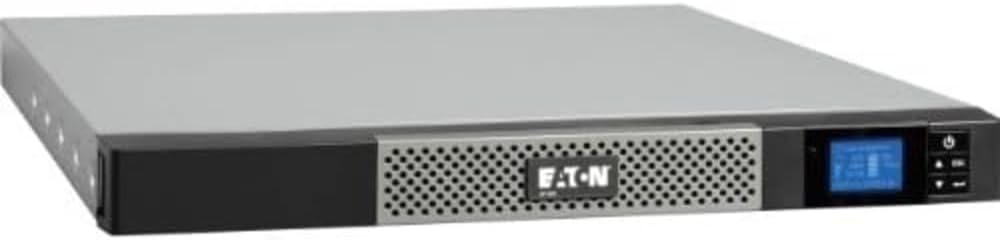
The Eaton 5P 1550VA offers flexible mounting options for space constrained server closets. Its true sine wave output supports active PFC friendly modern power supplies.
We may earn a commission when you buy through this link, at no additional cost to you.
Selectable voltage settings allow you to configure the unit for 208V to 240V inputs easily. This flexibility makes it adaptable to different office wiring standards.
Lower ratings suggest mixed performance experiences. However the UL compliance and enterprise features ensure it meets safety requirements.
Small data centers needing a rackmount unit should evaluate this model. It balances cost with necessary protection features.
Selectable settings allow use across different regions without hardware changes.
1U profile allows installation in tight server racks or on walls.
We may earn a commission when you buy through this link, at no additional cost to you.
Selecting the right uninterruptible power supply requires understanding your specific power needs and environment. This section breaks down the critical factors to consider before buying.
Ensure the unit supports 240V or the specific regional voltage of your location. Mismatched voltage can damage both the UPS and connected workstations immediately.
Always verify the input and output specifications before purchase to ensure safe operation.
Calculate the total wattage of all devices you plan to connect to the unit. The VA rating must exceed your load to provide adequate backup time during outages.
Select a model with capacity headroom to accommodate future equipment upgrades easily.
Pure sine wave output is critical for modern workstations with active power factor corrected supplies. Simulated waves may cause instability or noise in sensitive equipment.
Prioritize pure sine wave models to ensure safe and efficient power delivery.
AVR technology corrects brownouts and surges without draining the battery. This feature extends battery life and reduces the need for frequent switching.
Look for units with built-in AVR to protect against common power grid fluctuations.
Choose between tower and rackmount styles based on your available space. Towers fit under desks while rackmounts save floor space in server rooms.
Match the physical size to your office layout for optimal organization.
Check that the outlet types match your devices plugs such as C13 or NEMA 5-15. Incompatible connectors will require extra adapters which reduce safety.
Verify the outlet configuration matches your existing hardware requirements.
Advanced units offer LCD screens or software for tracking battery health and load. This visibility helps prevent unexpected shutdowns and maintenance issues.
Prioritize models with clear status displays for easier management.
A strong warranty covering the battery ensures long term value and reliability. Good support channels are essential for troubleshooting technical issues quickly.
Always check warranty terms and manufacturer reputation before finalizing your purchase.
Place the unit in a cool well ventilated area to prevent overheating. Keep it away from direct sunlight or heat sources to maintain performance.
Test the battery regularly by unplugging the power cord to see if the system stays on. This ensures your backup power works when you need it most.
Replace the internal battery every few years as capacity degrades over time. Consult the user manual for the correct replacement part and procedure.
International or specialized workstations often require 240V input for safety and efficiency. Using a 120V unit on a 240V line will result in underperformance or damage to the hardware.
Online UPS systems provide zero transfer time by constantly conditioning power through the battery. Line interactive units switch to battery during outages and correct voltage without switching.
Run time depends on the load capacity of the connected devices. A standard workstation may get 5 to 15 minutes on a mid range unit during an outage.
It is not recommended to connect laser printers to a UPS. They draw high surge power that can trip the unit or drain the battery rapidly.
Modern computers with active power factor correction require pure sine wave output. Older devices may work with simulated waves but pure sine is safer for all loads.
UPS batteries contain hazardous materials and should not be thrown in regular trash. Take them to a certified e-waste recycling center for safe disposal.
The top picks offer reliable backup for various needs ranging from budget friendly entry units to high capacity enterprise models.
Prioritize pure sine wave output and automatic voltage regulation to ensure your workstation survives power events without damage.
Always verify your specific voltage requirements and current pricing before purchasing to ensure the unit fits your environment.