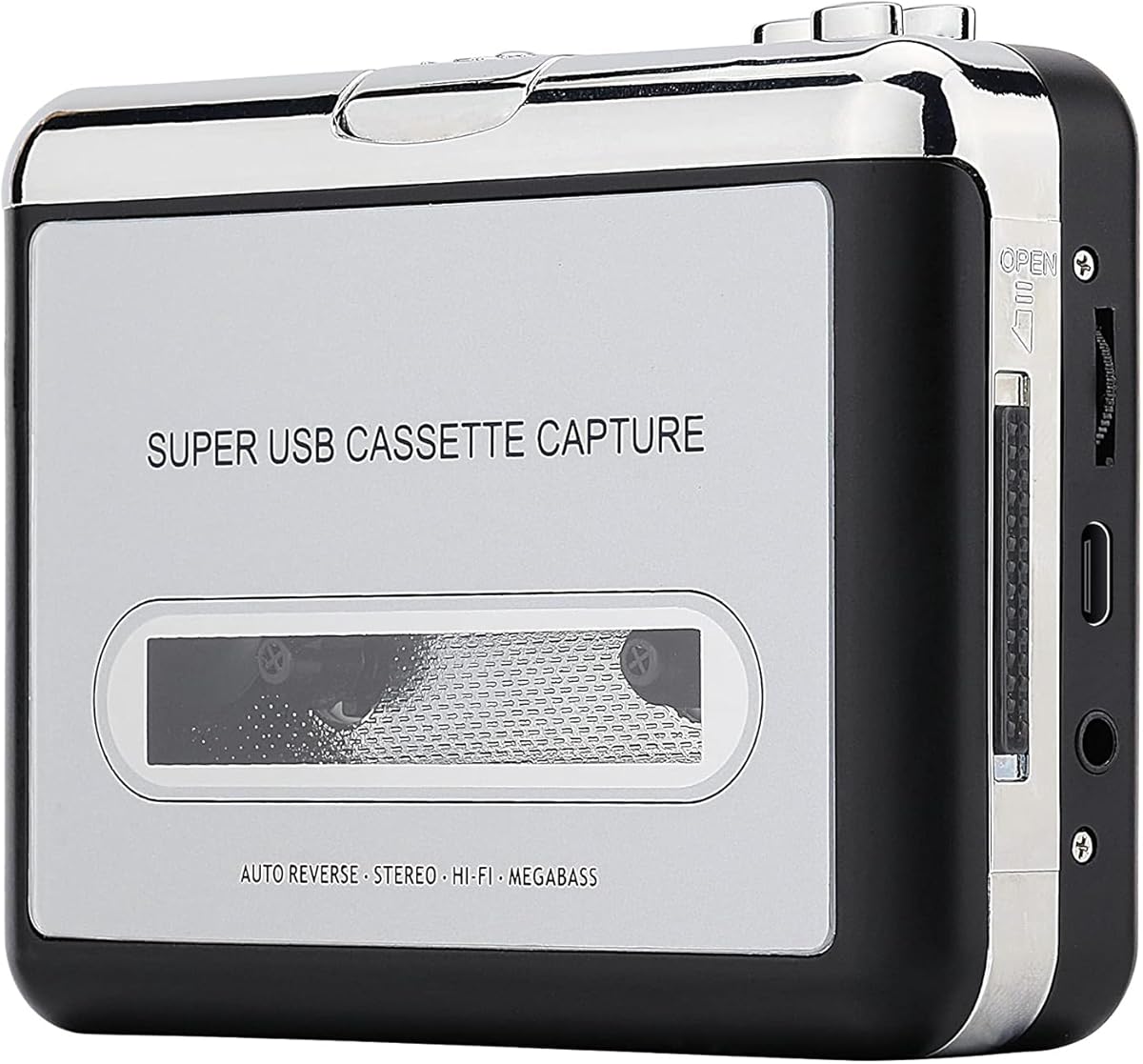
Reshow Cassette Tape Player Silver
3.8Editor score
Affordable price point
Works with any standard 3.5mm input
Simple USB cable transfer
Discover the top cassette to MP3 converter options for preserving your music collection. This guide compares features, compatibility, and ease of use for every
Preserving your favorite cassette tapes is easier than ever with modern digital converters. These devices help you save nostalgic music to MP3 files for listening on any gadget. Choosing the right one ensures high quality audio and simple operation for everyone.
We evaluated ten top rated converters based on user feedback and technical specifications. Each product offers unique features like built in microphones, SD card slots, or direct USB recording. Our analysis highlights strengths and weaknesses to help you make an informed decision today.
Each pick showcases specific capabilities tailored to different needs and preferences. Whether you want portability or advanced editing tools, there is a suitable option here. Please note that availability and pricing may change frequently, so verify details before purchasing.
3.8Editor score

4.5Editor score

4.3Editor score
The following table provides a side-by-side comparison of all ten selected converters. Review key specifications like connectivity options, power sources, and storage compatibility to find the perfect match for your audio preservation needs.




The ClearClick Cassette Tape to USB 2.0 stands out as the top choice for users seeking simplicity and reliability. With a 4.5 star rating, this device is celebrated for its instant setup and lack of software requirements. It transforms tapes into high quality digital files effortlessly.
We may earn a commission when you buy through this link, at no additional cost to you.
Its standout feature is automatic track splitting, which divides tracks into individual MP3 files without manual intervention. This is crucial for preserving organized digital libraries from long cassette sides. The device works directly with a USB flash drive, making transfers quick and straightforward.
While it lacks a built-in speaker, this design focuses purely on conversion efficiency. Users must rely on external headphones or speakers for playback, but the audio fidelity remains consistent. The inclusion of a 16 GB USB drive adds immediate value to the package.
This converter is ideal for anyone who wants to digitize collections without technical hassle. Its portable design ensures you can process tapes anywhere. For those prioritizing ease of use and clear results, this model is the definitive recommendation.
This feature automatically separates songs or sections into distinct files, saving hours of manual editing work for the user.
No drivers or software downloads are necessary; simply plug into USB and start recording immediately.
We may earn a commission when you buy through this link, at no additional cost to you.
The Reshow Cassette Tape Player in Silver offers a budget friendly entry into cassette conversion. With a 3.8 rating, it appeals to users seeking a basic solution without advanced features. It effectively turns old tapes into digital formats via a standard USB connection.
We may earn a commission when you buy through this link, at no additional cost to you.
This model is lightweight and compact, making it easy to carry for travel or storage. The standard headphone jack ensures compatibility with most earphones. Users receive converter software to assist with the transfer process to a computer.
However, the reliance on software for conversion can be a drawback for tech hesitant users. The lower rating suggests potential consistency issues with audio quality or build durability compared to pricier options. It is a functional tool but requires patience.
Buyers on a tight budget will find this device suitable for occasional use. It preserves memories without a large investment. For those needing a simple converter for a few tapes, this silver unit provides decent value.
This device provides an accessible way to digitize tapes without significant financial commitment.
Its compact size makes it easy to pack and take anywhere for on the go usage.
We may earn a commission when you buy through this link, at no additional cost to you.
The Gracioso Bluetooth Cassette to MP3 Converter is a premium all-in-one solution designed for versatility. With a 4.3 rating, it excels in bridging vintage tapes with modern technology. It features both Bluetooth transmitter and receiver modes for flexible audio streaming.
We may earn a commission when you buy through this link, at no additional cost to you.
Its 2000mAh battery provides long lasting power, supporting up to ten hours in Bluetooth mode. The 6W speaker delivers clear, powerful sound that enhances playback quality. Direct USB recording allows users to save files without a computer or software installation.
The feature set is rich, which might overwhelm casual users who only need basic conversion. The higher price reflects the advanced capabilities like Bluetooth streaming and extended battery. It is ideal for those who want more than just a converter.
This device suits users who value modern connectivity and high quality audio. Whether playing tapes via Bluetooth or recording directly to USB, it offers robust performance. For a premium experience with vintage equipment, this is a top contender.
Transmitter and receiver modes allow wirelessly streaming tapes or playing phone audio through the cassette player.
The 6W speaker provides clear and powerful sound playback for a better listening experience.
We may earn a commission when you buy through this link, at no additional cost to you.
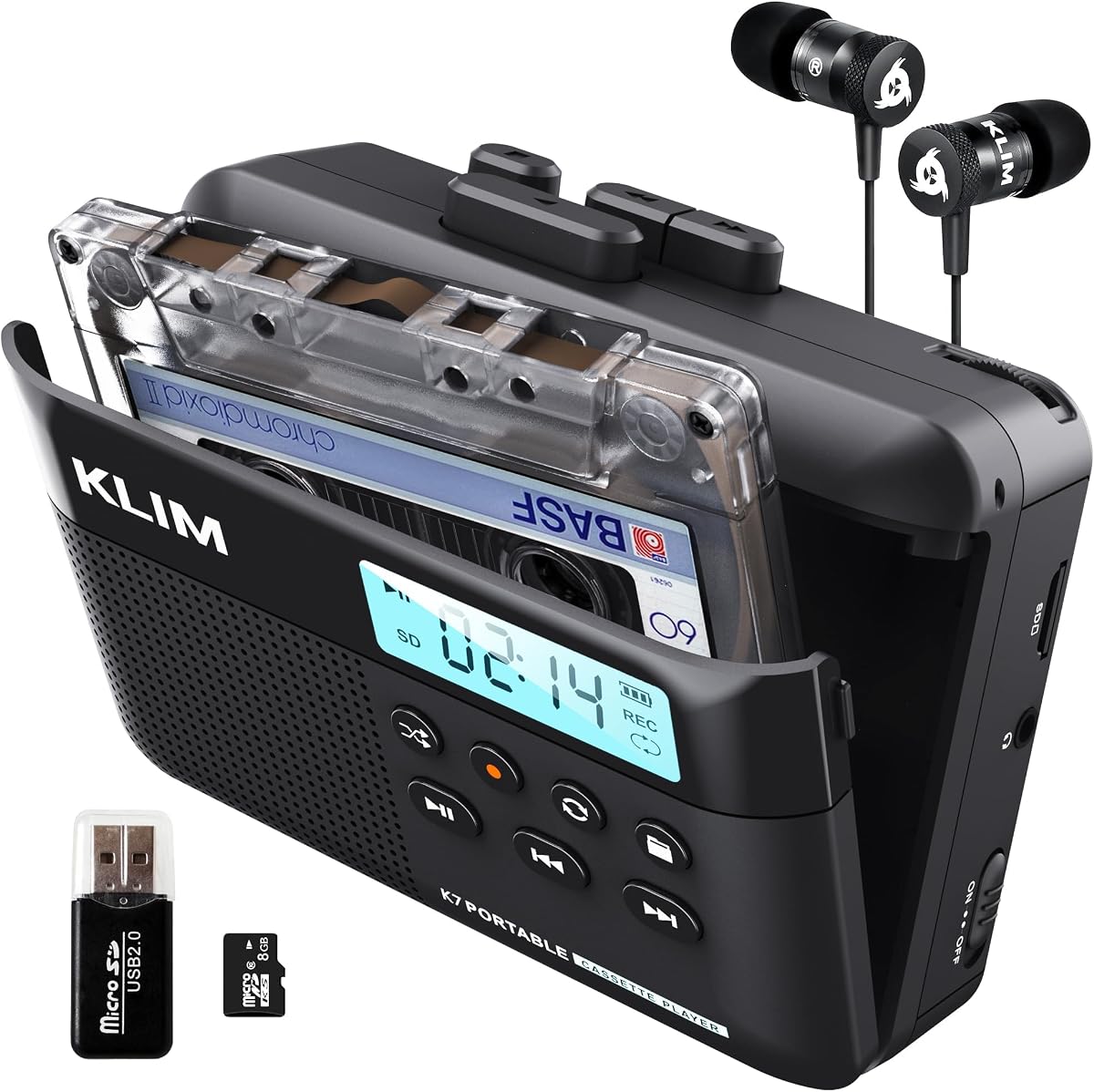
The K7 Cassette Player with 16GB storage offers a reliable way to convert tapes to MP3. Rated 4.2 stars, it includes essential tools like an SD card and reader. The built-in microphone allows for additional audio recording capabilities.
We may earn a commission when you buy through this link, at no additional cost to you.
Its rechargeable 1000mAh battery supports portable use for extended periods. Users can listen via the included earphones or connected speakers. The device functions as an SD card music player for added versatility beyond tape conversion.
While it records to SD, it does not support recording onto blank cassette tapes. This limits some creative uses but suits digitization needs. The battery life is shorter than some competitors but adequate for most sessions.
This player is a solid choice for those needing portable digitization with extra storage. It balances price and functionality well. For travelers who want to convert and play music easily, the K7 model is a strong option.
The included 16GB card provides ample space for storing hundreds of converted audio files.
Users can record thoughts or meetings directly with the built-in microphone for versatile audio capture.
We may earn a commission when you buy through this link, at no additional cost to you.
The SEMIER Small Cassette Tape Player is a compact device designed for versatile audio management. It supports both conversion to digital and recording to tapes. The inclusion of an LCD screen simplifies navigation and recording control for users.
We may earn a commission when you buy through this link, at no additional cost to you.
Power options are flexible, allowing USB-C charging or four AA batteries. This ensures you can use it anywhere without needing an outlet. The 16GB SD card included makes it easy to start storing digital files immediately.
While it supports recording to cassette, it does not work with Type IV or metal tapes. This restricts the variety of media you can process. The build is sturdy but the audio quality is adequate rather than high fidelity.
This player is a good choice for those needing bidirectional audio flexibility. Its small size makes it easy to transport. For hobbyists wanting to create mixtapes and save tapes, the SEMIER unit offers practical value.
This device allows converting tapes to digital files and recording digital files back to tapes.
It can be powered via USB-C or standard AA batteries for use in any location.
We may earn a commission when you buy through this link, at no additional cost to you.
The K7 Cassette Player with 8GB storage offers a budget friendly digital conversion solution. It shares the same core design as the 16GB version but includes less storage. This makes it an ideal choice for users with fewer tapes to digitize.
We may earn a commission when you buy through this link, at no additional cost to you.
Its lightweight design ensures portability for travel and commuting. The 1000mAh battery supports up to two hours of charging time. Users can record thoughts or sessions via the built-in microphone for added utility.
The 8GB capacity may fill up quickly with large audio collections. Users might need additional SD cards for extensive projects. However, for limited needs, the cost saving is significant and the performance remains solid.
This model is perfect for entry-level users or those with small collections. It provides all essential features without extra storage. For a compact and affordable digital converter, the K7 8GB model is a smart pick.
The 8GB card saves costs while still providing enough space for moderate audio conversion needs.
Designed for portability, this player is easy to carry for on the go music listening and recording.
We may earn a commission when you buy through this link, at no additional cost to you.
The K7 Cassette Player with 32GB storage caters to users with extensive cassette collections. It maintains the same convenient design as other K7 models but includes more capacity. This is useful for archiving large music libraries without worrying about space.
We may earn a commission when you buy through this link, at no additional cost to you.
The device requires no additional apps or software for conversion. You simply insert the tape and record to the SD card. It also works as a standard music player, allowing playback of stored MP3 files anywhere.
The 32GB card supports thousands of hours of audio recording. This is ideal for serious collectors or archivists. The battery life remains consistent with other models, requiring two hours to charge for optimal use.
For those prioritizing storage capacity and ease of use, this unit is excellent. It offers significant value by including the SD card and reader. The K7 32GB player is a top choice for large scale conversion tasks.
The 32GB card supports thousands of hours of audio, perfect for large music collections.
Conversion is handled directly by the device, removing the need for complex software setups.
We may earn a commission when you buy through this link, at no additional cost to you.
The Reshow Cassette Tape Player in Black delivers a classic look with digital conversion. Rated 3.9, it offers a straightforward way to save tapes to a computer. The USB connection makes it compatible with most laptops and personal computers.
We may earn a commission when you buy through this link, at no additional cost to you.
Its vintage aesthetic appeals to collectors who value style alongside function. The headphone jack allows private listening during the process. Software is included to assist with the transfer to digital formats like MP3.
The dependency on software can be a hurdle for some users. The audio quality is adequate for basic preservation but may lack clarity for critical listening. It remains a budget friendly option for occasional use.
This unit suits those who want a stylish device for limited conversion needs. It is easy to set up and use with standard gear. For a practical solution with classic vibes, the black Reshow player is a solid pick.
The black vintage style finish appeals to users who appreciate classic aesthetics in their electronics.
Compatible with most standard headphones and laptop audio ports for easy integration.
We may earn a commission when you buy through this link, at no additional cost to you.
This USB Cassette to MP3 Converter emphasizes a no PC workflow for digital saving. It allows users to record directly onto a USB flash drive without software. The auto reverse feature handles both sides of tapes automatically during conversion.
We may earn a commission when you buy through this link, at no additional cost to you.
Volume control buttons let users adjust levels during recording and playback. It supports FAT32 formatted drives up to 128GB. This setup simplifies the process for those without access to a computer or tech skills.
The device may skip on slower drives requiring careful USB selection. The rating is lower than some competitors due to reliability concerns. However, its ease of use makes it a viable option for quick transfers.
Ideal for users seeking a standalone solution without software. The walkman style design adds familiarity and ease of use. For basic cassette digitization without a computer, this device provides a direct and accessible path.
This converter operates independently of a computer, recording directly to a USB drive for simplicity.
The device automatically switches tape sides, saving manual effort during long conversion sessions.
We may earn a commission when you buy through this link, at no additional cost to you.
The K7 Cassette Tape Player Standard offers a complete package for digital conversion. It includes 16GB storage and a microphone for flexible use. The design mirrors other K7 models, focusing on reliable performance and portability.
We may earn a commission when you buy through this link, at no additional cost to you.
This model supports recording directly to SD card without extra devices. Users can listen via headphones or the integrated speaker. The 1000mAh battery ensures portable use for commuting or traveling.
There are no unique features distinguishing it from other K7 versions. However, the standard package remains a dependable choice for most users. Its consistent rating shows solid user satisfaction and durability over time.
This device is a good all-rounder for general conversion needs. It balances functionality and ease of use. For a reliable and fully equipped cassette player, the K7 Standard is a practical option.
Includes all necessary cables, card, and headphones for immediate use without buying extra gear.
Lightweight build makes it easy to transport and use anywhere for music enjoyment.
We may earn a commission when you buy through this link, at no additional cost to you.
Choosing the right cassette to MP3 converter depends on your technical comfort and audio needs. This section outlines key factors to consider for a satisfying digitization experience.
Consider how the device saves files. Some use USB drives while others use SD cards. Ensure the storage medium fits your existing devices and software.
Look for options that support large drives if you have extensive collections.
Converters may use batteries or rechargeable internal batteries. Rechargeable units are more eco friendly and cost effective over time.
Battery operated models offer flexibility when traveling without access to outlets.
Some devices require software installation while others work instantly. Beginners should prioritize models that do not need PC setup.
Simple buttons and clear displays help users navigate settings without confusion.
Check for features like built-in amplifiers or equalizers that enhance sound. High sample rates ensure your digital files sound clear.
Models with better internal components usually produce clearer and more detailed audio.
Not all converters handle every tape type. Metal tapes require specialized heads and settings to avoid damage.
Verify that your chosen device supports Type I tapes if you only use standard formats.
If you plan to use the device outside your home, weight and size matter. Lightweight units fit easily in bags or pockets.
Compact designs are also easier to store when not in active use.
Some units offer recording capabilities for creating new tapes or Bluetooth for wireless streaming. Consider which extras add value to your workflow.
Advanced features like auto reverse save time when processing double sided tapes.
Prices vary widely based on capabilities. Determine your spending limit and look for models within that range.
Check warranty terms to ensure protection against defects or issues over time.
Start by inserting a blank SD card or USB drive into the device slot. Ensure it is formatted correctly for the player to accept data without errors.
Insert the cassette tape into the player and press record or convert. Monitor the progress to ensure the device captures the full audio content accurately.
Store your device in a dry and cool place away from dust. Regularly clean the tape heads with a soft cloth to maintain audio fidelity and prevent damage.
Not all converters require a computer. Some models record directly to USB or SD cards. Others need software to finalize the transfer process.
Most basic converters do not support metal tapes. These tapes have different magnetic properties. Check the product specs for compatibility before buying.
One minute of audio is roughly one megabyte. A 16GB card holds about 16,000 minutes. Choose storage based on your collection size.
Some devices have an auto track split feature. It detects silence to separate songs. Manual users must edit files later on a computer.
Cleaning tape heads helps reduce noise. Use a quiet room to avoid background sounds. Adjust volume controls to prevent distortion during recording.
Most devices default to MP3 for compatibility. Some may support WAV for higher quality. Check the product details for supported formats.
It usually matches the tape length. A 60 minute tape takes 60 minutes. Real-time recording is standard for most consumer devices.
Yes most are safe when used properly. Avoid pulling tape out forcefully. Keep the device clean to prevent friction damage to the tape.
The ClearClick model stands out for its simplicity and automatic track splitting. For those on a budget, the Reshow options provide basic functionality at a low cost.
Consider your storage needs and power options before buying. Devices that record directly to cards save time compared to those needing software.
Check current availability and warranty details before making a purchase. Prices and stock may change frequently on online stores.